Machine Learning Course in Delhi with Placement

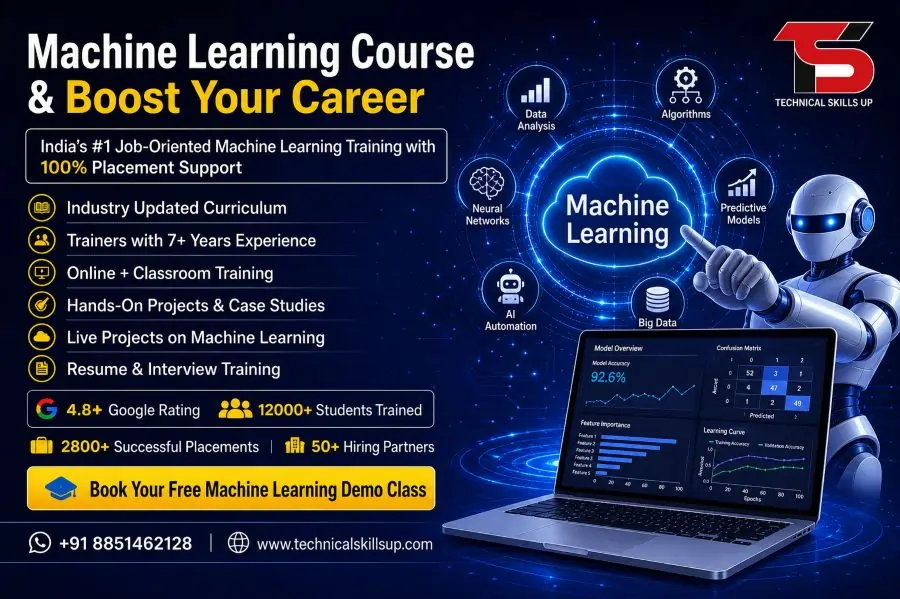
Technology is changing how businesses work, and data has become the backbone of decision-making. A well-structured Machine Learning Course in Delhi helps learners understand how machines learn from data and make predictions without human intervention. Technical Skills Up offers industry-focused training designed for beginners as well as working professionals who want to upgrade their skills. Practical learning, real-world projects, and expert guidance create a strong foundation in machine learning concepts. Career-focused modules ensure that learners not only understand theory but also gain hands-on experience. Growing demand for skilled professionals in AI and data science makes machine learning one of the most promising career options today.

Table of Contents

About Technical Skills Up

Technical Skills Up is a trusted IT training institute that focuses on practical learning and career growth. Every course is designed according to current industry standards so that students stay ahead in the competitive market.

Key Highlights

  • Industry-expert trainers with real experience
  • Practical training with live projects
  • Updated syllabus based on current trends
  • Placement assistance and career guidance
  • Flexible learning options (online/offline)

Why Choose Machine Learning as a Career?

Machine learning is one of the fastest-growing technologies in the world. Companies across industries are using ML to automate processes and improve efficiency.

Benefits of Learning Machine Learning

  • High demand for skilled professionals
  • Attractive salary packages
  • Opportunities in multiple industries
  • Strong career growth and job security
  • Ability to work on innovative technologies

Machine Learning Training in Delhi – What You Will Learn

A structured Machine Learning Training in Delhi program at Technical Skills Up covers both basic and advanced concepts. Each module is designed to help learners build strong technical knowledge.

Core Concepts Covered

  • Introduction to Machine Learning
  • Types of Machine Learning (Supervised, Unsupervised, Reinforcement)
  • Data Preprocessing and Cleaning
  • Feature Engineering
  • Model Training and Evaluation

Advanced Topics

  • Deep Learning Basics
  • Natural Language Processing (NLP)
  • Computer Vision Concepts
  • Model Deployment Techniques
  • AI Tools and Frameworks

Machine Learning Classes in Delhi – Practical Learning Approach

Learning becomes effective when theory is combined with practice. Technical Skills Up focuses on hands-on training to ensure students gain real-world experience.

Practical Learning Features

  • Live project-based training
  • Case studies from real industries
  • Hands-on coding sessions
  • Assignments and assessments
  • Interactive doubt-clearing sessions

Course Curriculum Overview

A well-designed curriculum ensures step-by-step learning. Each topic is explained in simple language so that beginners can easily understand.

Basics of Python

  • Introduction to Python
  • Data types and variables
  • Functions and loops
  • Libraries for data science

Data Analysis

  • Data handling techniques
  • Data visualization
  • Working with datasets
  • Exploratory Data Analysis (EDA)

Machine Learning Algorithms

  • Linear Regression
  • Logistic Regression
  • Decision Trees
  • Random Forest
  • K-Nearest Neighbors

Advanced Machine Learning

  • Support Vector Machines
  • Clustering Algorithms
  • Dimensionality Reduction
  • Ensemble Learning

Deep Learning Introduction

  • Neural Networks
  • TensorFlow and Keras basics
  • Image and text processing

Tools and Technologies Covered

Training includes hands-on experience with industry-relevant tools that are widely used in real projects.

Tools You Will Use

  • Python
  • Jupyter Notebook
  • Pandas and NumPy
  • Scikit-learn
  • TensorFlow
  • Power BI (Basic)

Machine Learning Training Institute in Delhi – Certification

Technical Skills Up provides industry-recognized certification after course completion. Certification helps learners showcase their skills and increases job opportunities.

Certification Benefits

  • Improves resume value
  • Validates your skills
  • Helps in job interviews
  • Builds professional credibility

Placement Assistance and Career Support

Career support plays a major role in helping students achieve their goals. Technical Skills Up provides complete guidance from training to job placement.

Placement Support Includes

  • Resume building assistance
  • Interview preparation sessions
  • Mock interviews
  • Job referrals
  • Career counseling

Who Can Join This Course?

Course is designed for learners from different backgrounds. No advanced technical knowledge is required to start.

Suitable for:

  • Students and fresh graduates
  • Working professionals
  • IT professionals looking to upgrade skills
  • Data science enthusiasts
  • Entrepreneurs and business owners

Learning Modes Available

Flexible learning options help students choose according to their schedule and comfort.

Modes of Training

  • Classroom training in Delhi
  • Online live classes
  • Weekend batches
  • Fast-track courses

Real-World Projects

Projects play an important role in understanding how machine learning works in real scenarios.

Sample Projects

  • Predicting house prices
  • Customer segmentation
  • Sales forecasting
  • Spam email detection
  • Recommendation systems

Skills You Will Gain

Training helps learners develop both technical and analytical skills required in the industry.

Key Skills

  • Data analysis and interpretation
  • Machine learning model building
  • Problem-solving skills
  • Programming knowledge
  • Decision-making using data

Career Opportunities After Course

Machine learning opens doors to various high-paying job roles in the tech industry.

Job Roles

  • Machine Learning Engineer
  • Data Scientist
  • AI Engineer
  • Data Analyst
  • Business Intelligence Analyst

Salary Expectations

Salary depends on skills, experience, and job role. Entry-level professionals can expect good packages, while experienced candidates earn even higher salaries.

Average Salary Range

  • Freshers: ₹4 LPA – ₹8 LPA
  • Experienced: ₹10 LPA – ₹25 LPA+

Why Technical Skills Up Stands Out

Choosing the right institute makes a big difference in your learning journey. Technical Skills Up focuses on quality education and career growth.

Unique Features

  • Simple and easy-to-understand teaching style
  • Focus on practical knowledge
  • Industry-relevant curriculum
  • Personalized attention to students
  • Strong placement support

Step-by-Step Learning Process

A structured approach ensures that students learn everything in a clear and simple way.

Learning Flow

  1. Basics of programming and data
  2. Understanding machine learning concepts
  3. Working on real datasets
  4. Building ML models
  5. Deploying projects
  6. Preparing for job interviews

How to Enroll

Joining the course is simple and hassle-free. Technical Skills Up provides easy enrollment options for students.

Enrollment Steps

  • Contact the institute
  • Choose your batch
  • Complete registration
  • Start learning

Final Thoughts

Machine learning is shaping the future of technology, and learning this skill can open many career opportunities. Technical Skills Up provides a complete learning experience with practical training, expert guidance, and placement support. A strong focus on real-world applications ensures that students are job-ready after completing the course. Anyone looking to build a successful career in AI and data science can benefit from this training program.

Online Courses

Related Courses in Noida

Related Courses in Delhi

FAQs:

Q1. What is a Machine Learning Course?

Ans: A Machine Learning Course is a program designed to teach computers the techniques for learning from data and making predictions. It covers topics such as Python, Algorithms, Data Analysis, and AI Concepts—skills that are currently in high demand.

Q2. Why should one pursue a Machine Learning Course in Delhi?

Ans: Delhi serves as a major IT and Education Hub, offering access to excellent training institutes, expert trainers, and placement opportunities. Pursuing a course here also provides valuable industry exposure.

Q3. What makes Technical Skills Up’s Machine Learning Course unique?

Ans: Technical Skills Up provides practical training, live projects, expert guidance, and placement support. The curriculum focuses on an industry-based syllabus, ensuring that students become job-ready.

Q4. Who is eligible for the Machine Learning Course?

Ans: Graduates, engineering students, IT professionals, or anyone with an interest in Data Science and AI is eligible to take this course. Basic computer knowledge is a prerequisite.

Q5. Is prior coding knowledge required?

Ans: While basic programming knowledge is helpful, the course is also taught from scratch. Python programming is explained in a simple, step-by-step manner.

Q6. What is the duration of the Machine Learning Course?

Ans: This course typically spans 3 to 6 months, incorporating both theoretical learning and practical training.

Q7. What topics are covered in the course?

Ans: The course covers topics such as Python, Data Preprocessing, Supervised Learning, Unsupervised Learning, basics of Deep Learning, and Model Deployment.

Q8. Does the course include live projects?

Ans: Yes, Technical Skills Up provides opportunities to work on real-world projects, enabling students to gain practical experience and build a strong professional portfolio.

Q9. What are the career options after completing the Machine Learning Course?

Ans: After completing the course, you can pursue a career in roles such as Machine Learning Engineer, Data Scientist, AI Engineer, or Data Analyst.

Q10. Is placement support provided?

Ans: Yes, Technical Skills Up offers assistance with resume building, interview preparation, and job placement to help students secure employment.

Q11. What is the fee for the Machine Learning Course?

Ans: The fees depend on the institute and the course structure. At Technical Skills Up, quality training is provided at affordable rates.

Q12. Are both online and offline classes available?

Ans: Yes, students can pursue the course in either online or offline mode, according to their convenience.

Q13. Is a certificate provided?

Ans: Yes, a recognized certificate is awarded upon completion of the course, which is beneficial for job prospects.

Q14. Which tools are used for learning Machine Learning?

Ans: The course covers popular tools such as Python, Jupyter Notebook, TensorFlow, Scikit-learn, and Pandas.

Q15. Is the Machine Learning course suitable for beginners?

Ans: Yes, this course is suitable even for beginners, as it offers step-by-step training ranging from basic to advanced levels.
Related Post

AutoCAD 3D Course

AutoCAD 3D Online Course in India with Placement

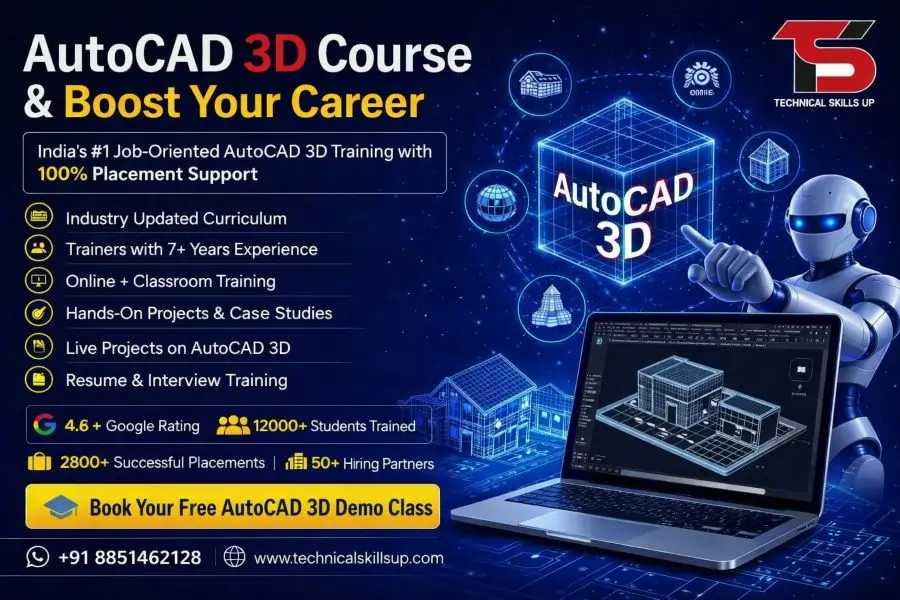
Modern industries depend on accurate 3D designs for planning, visualization, manufacturing, and construction projects. The AutoCAD 3D Course offered by Technical Skills Up helps learners build practical design skills that match current industry requirements. Training focuses on creating realistic 3D models, detailed drawings, and professional project presentations. Every module is designed to help students understand concepts through practical exercises and real-world examples. Guidance from experienced trainers, project-based learning, and hands-on practice make the learning process simple and effective. Whether you are a student, working professional, engineer, architect, or designer, this program provides the knowledge needed to work confidently on professional 3D design projects and improve career opportunities in multiple industries.

Why Learn AutoCAD 3D?

Three-dimensional design has become an essential skill in engineering, architecture, manufacturing, construction, and product development. Organizations prefer professionals who can visualize ideas and convert concepts into realistic models.

Learning AutoCAD 3D helps learners:

  • Create professional 3D models and designs
  • Improve visualization and presentation skills
  • Develop industry-ready drafting abilities
  • Work on architectural and engineering projects
  • Increase career opportunities in technical fields
  • Understand modern design workflows
  • Build a strong professional portfolio
  • Enhance productivity and project accuracy

Strong knowledge of 3D design software allows professionals to contribute effectively to project planning and execution.

About Technical Skills Up

Technical Skills Up is committed to providing quality technical education through practical training and expert guidance. The training methodology focuses on industry requirements, hands-on learning, and skill development.

Students receive:

  • Instructor-led training sessions
  • Practical assignments and exercises
  • Real project exposure
  • Personalized learning support
  • Career guidance and mentoring
  • Certification assistance
  • Flexible learning options
  • Updated course curriculum

Every training session is structured to help learners gain confidence while working on professional design projects.

AutoCAD 3D Training Designed for Industry Success

Professional learning requires more than theoretical knowledge. Training sessions focus on practical implementation so students can understand how AutoCAD is used in real workplaces.

Major objectives include:

  • Understanding 3D workspace and tools
  • Learning professional modeling techniques
  • Creating complex solid models
  • Developing surface models
  • Working with rendering features
  • Generating technical drawings from 3D models
  • Managing project documentation
  • Improving design presentation skills

Practical tasks help learners apply concepts immediately and develop job-ready expertise.

Key Features of the Course

Several features make this training program valuable for learners aiming to build professional design skills.

Industry-Relevant Curriculum

Course modules are developed according to current industry standards and practical requirements.

Experienced Trainers

Sessions are conducted by professionals with practical experience in engineering and design projects.

Hands-On Learning

Training emphasizes practical exercises rather than only theoretical discussions.

Project-Based Approach

Students work on projects that simulate real-world design scenarios.

Career-Oriented Learning

Course content focuses on skills that employers actively seek in technical professionals.

Flexible Learning Environment

Learners can choose schedules that suit their academic or professional commitments.

Certification Support

Guidance is provided to help students prepare for certification and career opportunities.

AutoCAD 3D Classes with Practical Learning

Classroom and practical sessions are designed to create a strong foundation in 3D modeling concepts. Learning activities encourage students to explore tools and techniques through guided practice.

Topics covered include:

  • Interface navigation
  • Coordinate systems
  • Object creation
  • Editing tools
  • Viewing controls
  • Model development
  • Design modification
  • Annotation techniques
  • Layout preparation
  • Project presentation

Regular practice sessions improve understanding and increase confidence while working on professional projects.

Skills You Will Develop

Successful completion of the program helps learners gain valuable technical and professional skills.

Technical Skills

  • 3D solid modeling
  • Surface modeling
  • Visualization techniques
  • Rendering concepts
  • Drawing creation
  • Dimensioning standards
  • Layer management
  • Project documentation

Professional Skills

  • Problem-solving abilities
  • Project planning techniques
  • Attention to detail
  • Design communication
  • Time management
  • Technical presentation skills

These competencies help learners perform effectively in professional environments.

Course Curriculum Overview

Training covers essential concepts required for professional 3D design work.

Introduction to AutoCAD 3D

  • Understanding the workspace
  • Navigation tools
  • User interface
  • Design environment setup

Basic 3D Modeling

  • Creating primitive objects
  • Working with coordinates
  • Model manipulation
  • Object selection techniques

Solid Modeling

  • Extrude command
  • Revolve command
  • Sweep command
  • Loft command
  • Boolean operations

Surface Modeling

  • Surface creation methods
  • Surface editing tools
  • Surface analysis techniques

Advanced Modeling

  • Complex geometry creation
  • Parametric design concepts
  • Model optimization

Visualization and Rendering

  • Material application
  • Lighting setup
  • Camera views
  • Rendering techniques

Documentation

  • Creating layouts
  • Generating views
  • Annotation methods
  • Dimensioning standards

Project Work

  • Real-world design assignments
  • Industry-based case studies
  • Portfolio development

Each module includes practical exercises to reinforce learning outcomes.

Benefits of Learning 3D Design Technology

Modern businesses rely heavily on digital design and visualization tools. Strong 3D modeling capabilities provide significant advantages for professionals.

Benefits include:

  • Better project visualization
  • Improved communication with clients
  • Increased design accuracy
  • Faster project completion
  • Enhanced creativity
  • Reduced design errors
  • Professional project presentation
  • Greater career flexibility

Knowledge of advanced design tools helps professionals remain competitive in evolving industries.

AutoCAD 3D Certification Course for Career Growth

Professional certification demonstrates technical competency and commitment to skill development. Employers often prefer candidates who can showcase verified expertise.

Certification benefits include:

  • Stronger professional profile
  • Better job opportunities
  • Increased employer confidence
  • Industry recognition
  • Enhanced career credibility
  • Improved promotion prospects

Training prepares learners with the knowledge and practical skills needed to perform effectively in technical roles.

Career Opportunities After Course Completion

Many industries require professionals who can create accurate and efficient 3D models.

Career opportunities include:

CAD Designer

Responsible for preparing technical drawings and models for various projects.

3D Modeler

Creates detailed digital models used in engineering, architecture, and manufacturing.

Design Engineer

Develops design solutions using modern drafting and modeling tools.

Mechanical Draftsman

Prepares engineering drawings and production documentation.

Architectural Designer

Creates building layouts, structures, and visualization models.

Product Designer

Develops product concepts and manufacturing-ready designs.

CAD Technician

Supports engineering teams through drafting and technical documentation.

Growing demand across industries creates valuable opportunities for trained professionals.

Industries That Use AutoCAD 3D

Many sectors depend on professional design software to complete projects efficiently.

Major industries include:

  • Architecture
  • Civil Engineering
  • Mechanical Engineering
  • Manufacturing
  • Construction
  • Interior Design
  • Product Development
  • Industrial Design
  • Infrastructure Development
  • Automotive Industry

Professionals with strong modeling skills remain valuable across these sectors.

AutoCAD 3D Online Course in India

Online learning provides flexibility for students and working professionals who want to upgrade their skills without affecting their daily responsibilities.

Advantages of online learning include:

  • Learn from any location
  • Flexible schedules
  • Live instructor interaction
  • Access to learning materials
  • Practical demonstrations
  • Assignment support
  • Project guidance
  • Convenient learning experience

Interactive sessions ensure learners receive the same quality education and practical exposure as traditional classroom training.

Real Project Experience

Practical project work plays a crucial role in skill development. Learners gain exposure to professional workflows through industry-based assignments.

Project activities include:

  • Design planning
  • Model creation
  • Design modification
  • Documentation preparation
  • Rendering presentations
  • Technical drawing generation

Real project experience helps bridge the gap between learning and professional application.

Who Can Join This Course?

Training is suitable for individuals from different educational and professional backgrounds.

Ideal participants include:

  • Engineering students
  • Diploma holders
  • Architects
  • Civil engineers
  • Mechanical engineers
  • Interior designers
  • Working professionals
  • Technical graduates
  • Design enthusiasts

No matter the experience level, structured training helps learners progress step by step.

Learning Support and Guidance

Continuous support contributes significantly to successful learning outcomes. Dedicated trainers assist students throughout the training journey.

Support includes:

  • Doubt-clearing sessions
  • Practical assistance
  • Assignment reviews
  • Project mentoring
  • Career counseling
  • Interview preparation guidance

Regular interaction with trainers ensures learners remain confident and motivated.

Why Choose Technical Skills Up?

Selecting the right training provider can make a significant difference in career development.

Key reasons include:

  • Industry-focused curriculum
  • Practical learning methodology
  • Experienced trainers
  • Real-world projects
  • Flexible training options
  • Student-focused approach
  • Career-oriented guidance
  • Professional learning environment

Every aspect of the training program is designed to help learners gain valuable skills and achieve professional success.

Build a Successful Future with Professional Design Skills

Strong design capabilities continue to create excellent opportunities across engineering, architecture, manufacturing, and construction sectors. Practical learning, industry-relevant projects, expert mentorship, and hands-on experience help learners develop confidence and technical expertise. Technical Skills Up provides a structured learning path that enables students and professionals to master advanced 3D modeling concepts, create professional-quality designs, and prepare for rewarding career opportunities. Dedicated training, continuous support, and project-based learning ensure that every learner gains the knowledge needed to excel in today’s competitive design industry.

FAQs:

Q1. What is the AutoCAD 3D Online Course?

Ans: The AutoCAD 3D Online Course is a professional training program that teaches essential skills such as 3D Modeling, 3D Design, Surface Modeling, Solid Modeling, and Rendering. This course is beneficial for building a career in the fields of Engineering, Architecture, Interior Design, and the Manufacturing Industry.

Q2. Who is eligible to take the AutoCAD 3D Online Course?

Ans: This course is suitable for Mechanical Engineers, Civil Engineers, Architects, Interior Designers, Diploma students, ITI students, and working professionals. Anyone with basic computer knowledge can learn this course.

Q3. What is the duration of the AutoCAD 3D Online Course?

Ans: The duration of the AutoCAD 3D Online Course typically ranges from 1 to 3 months. At Technical Skills Up, the training includes live projects and practical assignments.

Q4. Does the AutoCAD 3D Online Course offer live classes?

Ans: Yes, live online classes are available for the AutoCAD 3D Online Course at Technical Skills Up. Students can interact directly with instructors and get their queries resolved.

Q5. What job opportunities are available after completing the AutoCAD 3D Course?

Ans: Upon completing the course, opportunities become available in job profiles such as CAD Designer, AutoCAD Designer, 3D Modeler, Mechanical Draftsman, Design Engineer, and Architectural Draftsman.

Q6. Is a certificate provided with the AutoCAD 3D Online Course?

Ans: Yes, upon successful completion of the course, Technical Skills Up awards an AutoCAD 3D Certification, which helps strengthen your resume and career profile.

Q7. What are the benefits of learning AutoCAD 3D?

Ans: Learning AutoCAD 3D enables you to create professional 3D designs, develop industry-relevant skills, and secure better career opportunities within the engineering and design sectors.

Q8. Does the AutoCAD 3D Online Course offer placement assistance?

Ans: Yes, under its “AutoCAD 3D Online Course in India with Placement” program, Technical Skills Up provides placement assistance, resume building support, interview preparation, and job support.

Q9. Which software is used for the AutoCAD 3D Online Course?

Ans: This course primarily utilizes AutoCAD software. Students are also provided with guidance on software installation and configuration.

Q10. Can beginners take the AutoCAD 3D Course?

Ans: Yes, this course is suitable for beginners as well. The training begins with the basic concepts of AutoCAD and progresses to advanced 3D modeling.

Q11. What topics are covered in the AutoCAD 3D Online Course?

Ans: The course covers key topics such as 3D Modeling, Solid Modeling, Surface Modeling, 3D Navigation, Rendering, Materials, Lighting, Dimensioning, and Professional Design Techniques.

Q12. Are recorded sessions available for the AutoCAD 3D Online Course?

Ans: Yes, in many cases, recorded sessions are made available to students so they can revisit lectures and practice at any time.

Q13. What salary can one expect after completing the AutoCAD 3D Course?

Ans: At the entry level, AutoCAD 3D professionals can earn a competitive salary, depending on the company, location, and their experience. As experience grows, both career advancement opportunities and salary levels increase.

Q14. How important is the AutoCAD 3D Online Course in the industry?

Ans: Today, the demand for 3D design is constantly rising across the fields of Engineering, Construction, Manufacturing, and Architecture. Consequently, AutoCAD 3D skills are considered highly valuable within these industries.

Q15. Why choose Technical Skills Up’s AutoCAD 3D Online Course?

Ans: Technical Skills Up offers an AutoCAD 3D Online Course in India—complete with placement assistance—featuring experienced instructors, live online classes, practical projects, industry-oriented training, and certification, enabling students to develop job-ready skills.

Revit Structure Course

Revit Structure Course in Noida with Placement

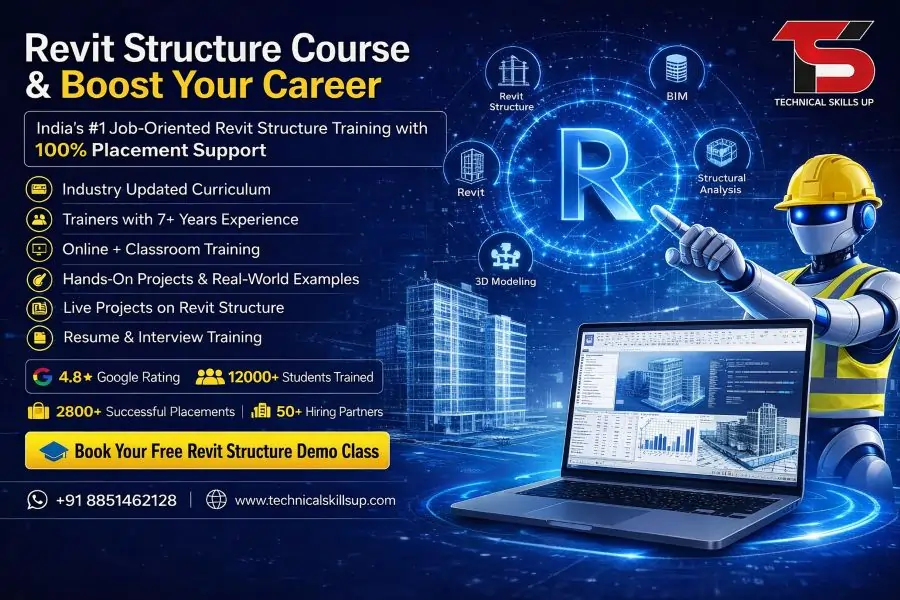
Modern construction projects demand skilled professionals who can create accurate structural models and detailed designs with advanced software. Technical Skills Up provides industry-focused training that helps students, engineers, architects, and working professionals learn practical BIM and structural modeling skills. The training program focuses on live projects, practical assignments, and real-world applications used in the construction and engineering industry. Students gain hands-on experience with tools and workflows that help improve productivity and project accuracy. Expert trainers guide learners step by step with easy explanations and practical sessions. Career support, certification preparation, and portfolio development make the learning process more effective for beginners as well as experienced professionals. Revit Structure Course in Noida at Technical Skills Up helps learners build strong technical knowledge and prepare for better career opportunities in the BIM and construction industry.

Why Learn Revit Structure?

Construction companies and engineering firms prefer professionals who can manage structural designs digitally with accuracy and efficiency. Revit Structure helps engineers create intelligent 3D structural models that reduce errors and improve collaboration.

Key Benefits of Learning Revit Structure

  • Creates accurate structural models
  • Improves project coordination
  • Reduces manual drafting work
  • Saves design and construction time
  • Helps generate automated drawings
  • Supports BIM workflows
  • Enhances career opportunities
  • Used widely in construction industries

Professional knowledge of Revit Structure increases job opportunities in engineering consultancies, BIM companies, and infrastructure projects.

About Technical Skills Up

Technical Skills Up is a trusted training institute that focuses on practical and job-oriented learning. Training programs are designed according to current industry requirements so students can gain skills that companies actually need.

Features of Technical Skills Up

  • Experienced industry trainers
  • Practical lab sessions
  • Live project training
  • Flexible class timings
  • Online and offline learning options
  • Interview preparation support
  • Certification guidance
  • Placement assistance

Students receive complete guidance from basic concepts to advanced structural modeling techniques.

Revit Structure Training in Noida

Professional training programs at Technical Skills Up focus on practical implementation rather than only theoretical learning. Trainers explain every concept with real project examples so learners can understand industry workflows easily.

Topics Covered During Training

Introduction to BIM

  • Understanding Building Information Modeling
  • Importance of BIM in construction
  • BIM workflows and coordination
  • Industry applications

Revit Interface and Tools

  • User interface understanding
  • Navigation tools
  • Project setup
  • File management
  • Templates and settings

Structural Modeling

  • Creating grids and levels
  • Structural columns
  • Beams and beam systems
  • Foundations
  • Floors and slabs
  • Structural framing

Reinforcement Modeling

  • Rebar creation
  • Reinforcement detailing
  • Rebar schedules
  • Structural annotations

Documentation and Detailing

  • Structural drawings
  • Section views
  • Elevations
  • Callouts
  • Sheet creation
  • Printing setup

Project Collaboration

  • Worksharing concepts
  • Linked models
  • Coordination workflows
  • Clash management basics

Quantity and Schedule Creation

  • Material schedules
  • Quantity takeoff
  • Structural schedules
  • Reporting methods

Rendering and Visualization

  • 3D views
  • Project presentation
  • Visualization basics

Who Can Join This Course?

Learning Revit Structure becomes easier with simple training methods and practical examples. Technical Skills Up welcomes learners from different educational and professional backgrounds.

Suitable Candidates

  • Civil engineering students
  • Structural engineers
  • Architects
  • Draftsmen
  • BIM professionals
  • Construction professionals
  • Site engineers
  • Project coordinators
  • Fresh graduates

Working professionals can also upgrade their technical skills for better career growth.

Revit Structure Classes in Noida

Interactive classroom sessions help students understand concepts more effectively. Trainers provide practical assignments and project exercises to improve technical confidence.

Classroom Training Advantages

  • Face-to-face interaction with trainers
  • Real-time doubt solving
  • Practical software exercises
  • Industry project discussions
  • Better learning environment
  • Peer collaboration opportunities

Small batch sizes help trainers focus on every student individually.

Online Training Option

Flexible online learning options help students and working professionals attend classes from any location. Live interactive sessions provide the same practical experience as classroom training.

Benefits of Online Classes

  • Live instructor-led sessions
  • Recorded sessions for revision
  • Flexible schedule options
  • Easy access from home
  • Practical assignments
  • Real-time project training

Professional trainers guide online learners with screen-sharing demonstrations and practical workflows.

Industry-Oriented Curriculum

Technical Skills Up follows a curriculum designed according to current construction and BIM industry requirements. Students learn practical workflows used in real engineering projects.

Course Highlights

  • Complete practical training
  • Real project implementation
  • Structural design workflows
  • BIM coordination concepts
  • Professional documentation methods
  • Industry-standard practices

Updated course modules help learners stay aligned with modern construction technologies.

Practical Project Training

Hands-on project experience plays an important role in skill development. Technical Skills Up provides live project exposure to help students understand real-world structural workflows.

Practical Activities Include

  • Residential building projects
  • Commercial structure modeling
  • Industrial project exercises
  • Foundation detailing
  • Structural drawing preparation
  • Quantity estimation tasks

Project-based learning improves technical confidence and problem-solving skills.

Revit Structure Certification Course in Noida

Professional certification helps learners showcase their technical skills and software knowledge. Technical Skills Up provides training support that prepares students for certification and job opportunities.

Certification Benefits

  • Enhances professional profile
  • Improves job opportunities
  • Builds industry credibility
  • Demonstrates software expertise
  • Supports career growth

Recognized certification adds value to resumes and professional portfolios.

Career Opportunities After Course Completion

Construction and infrastructure industries continue to adopt BIM technologies rapidly. Skilled Revit Structure professionals are in demand across engineering and construction sectors.

Popular Job Roles

  • Revit Structure Designer
  • BIM Modeler
  • Structural BIM Engineer
  • Structural Draftsman
  • BIM Coordinator
  • CAD Engineer
  • Structural Detailer
  • Project Engineer

Knowledge of BIM tools increases opportunities in both domestic and international companies.

Skills You Will Develop

Technical Skills Up focuses on developing technical as well as practical industry skills.

Technical Skills

  • Structural modeling
  • BIM coordination
  • Construction documentation
  • Quantity takeoff
  • Reinforcement detailing
  • 3D project visualization

Professional Skills

  • Project management basics
  • Team collaboration
  • Communication skills
  • Problem-solving ability
  • Industry workflow understanding

Strong technical and professional skills improve overall career growth.

Placement Assistance

Career support services help students prepare for job interviews and professional opportunities. Technical Skills Up provides guidance that supports career development after training completion.

Placement Support Includes

  • Resume preparation
  • Interview guidance
  • Mock interview sessions
  • Portfolio support
  • Job opportunity updates
  • Career counseling

Industry-focused preparation improves confidence during interviews.

Learning Environment at Technical Skills Up

Comfortable learning environments and practical labs improve the training experience for students.

Training Facilities

  • Modern computer labs
  • Updated software systems
  • Practical project support
  • High-speed internet access
  • Interactive learning sessions
  • Study materials

Professional infrastructure supports smooth and effective learning.

Importance of BIM in Modern Construction

Digital construction technologies are transforming the engineering and architecture industries. BIM improves project planning, collaboration, and execution.

Advantages of BIM Technology

  • Better project coordination
  • Reduced construction errors
  • Faster project completion
  • Improved cost management
  • Accurate documentation
  • Enhanced communication

Revit Structure plays a major role in BIM-based structural workflows.

Why Companies Prefer Revit Structure Professionals

Construction companies require professionals who can work on intelligent structural models and collaborative BIM platforms.

Industry Demand Reasons

  • Faster structural documentation
  • Better project coordination
  • Reduced rework
  • Improved design accuracy
  • Efficient collaboration between teams

Technical professionals with Revit Structure expertise often receive better career opportunities and salary growth.

Easy Learning Approach

Simple teaching methods make technical concepts easier to understand for beginners. Trainers at Technical Skills Up explain software tools step by step with practical demonstrations.

Learning Support Features

  • Beginner-friendly sessions
  • Practical assignments
  • Real project examples
  • Doubt-clearing sessions
  • Recorded study materials
  • Continuous trainer guidance

Students learn concepts gradually without confusion or unnecessary complexity.

Flexible Training Schedule

Working professionals and students often need flexible learning options. Technical Skills Up provides multiple timing options for convenience.

Available Timing Options

  • Weekday batches
  • Weekend batches
  • Morning classes
  • Evening classes
  • Fast-track sessions

Flexible schedules help learners balance education, work, and personal commitments.

Advantages of Choosing Technical Skills Up

Quality training and practical learning methods make Technical Skills Up a preferred choice for technical education.

Major Advantages

  • Job-oriented training
  • Industry-experienced trainers
  • Practical project exposure
  • Personalized guidance
  • Updated course curriculum
  • Career support services

Focused training methods help learners gain confidence in real industry tasks.

Software and Tools Covered

Training sessions include detailed understanding of tools and features required for structural BIM projects.

Tools and Features

  • Structural templates
  • Reinforcement tools
  • View management
  • Annotation tools
  • Sheet setup
  • Scheduling tools
  • Family creation basics
  • Collaboration features

Students gain practical understanding through regular software practice.

Portfolio Development Support

Professional portfolios help students showcase their practical skills during job interviews.

Portfolio Activities

  • Project documentation
  • Structural model presentation
  • Drawing sheets preparation
  • Project screenshots
  • Quantity schedules

Strong portfolios improve chances of selection during recruitment processes.

Importance of Structural Modeling Skills

Modern engineering projects require accurate digital models for better coordination and construction planning.

Benefits of Structural Modeling

  • Better visualization
  • Improved accuracy
  • Faster modifications
  • Easier collaboration
  • Reduced construction risks

Professional modeling skills improve productivity and project efficiency.

Course Duration and Learning Process

Structured learning modules help students understand concepts in a systematic way.

Training Process

  1. Basic software introduction
  2. Interface understanding
  3. Structural modeling practice
  4. Project-based exercises
  5. Documentation training
  6. Final project preparation

Step-by-step learning helps students build confidence gradually.

Support for Beginners

Many learners start without prior BIM or Revit experience. Technical Skills Up provides beginner-friendly guidance that simplifies the learning process.

Beginner Support Includes

  • Basic software understanding
  • Easy practical exercises
  • Trainer assistance
  • Concept revision sessions
  • Practice assignments

Proper guidance helps beginners learn software tools effectively.

Future Scope of Revit Structure

Growing adoption of BIM technologies continues to create demand for skilled structural professionals.

Industries Using Revit Structure

  • Construction companies
  • Infrastructure firms
  • Architecture consultancies
  • Engineering firms
  • BIM outsourcing companies
  • Real estate projects

Career opportunities continue to grow in India as well as international markets.

Start Your Professional Journey

Technical Skills Up helps learners develop practical BIM and structural modeling skills required in the modern construction industry. Expert trainers, practical projects, industry-focused curriculum, and placement support create a complete learning experience for students and professionals. Training sessions focus on improving real-world technical knowledge that supports career growth and professional development. Students gain confidence through hands-on practice, live project exposure, and continuous learning support. Revit Structure training provides valuable opportunities for individuals who want to build successful careers in structural design, BIM modeling, and construction technology. 

Online Courses

Related Courses in Noida

Related Courses in Delhi

FAQs:

Q1. What is the Revit Structure Course?

Ans: The Revit Structure Course is a professional BIM (Building Information Modeling) training program. In this course, students are taught structural design, 3D modeling, steel and RCC detailing, and project documentation. At Technical Skills Up, this course is conducted with a focus on industry-based practical training.

Q2. Who is the “Revit Structure Course in Noida with Placement” suitable for?

Ans: This course is beneficial for Civil Engineers, Structural Engineers, Diploma students, B.Tech students, Architects, and candidates aspiring to build a career in the construction industry. Both freshers and working professionals can enroll in this course.

Q3. What topics are covered in the Revit Structure training?

Ans: This training covers key topics such as 3D Structural Modeling, Beam & Column Modeling, Foundation Design, Reinforcement Detailing, Sheet Creation, BIM Workflow, Project Documentation, and Clash Detection.

Q4. Is a background in Civil Engineering required for the Revit Structure Course?

Ans: While basic knowledge of Civil Engineering is helpful, beginners can also easily master this course. The trainers provide step-by-step guidance, covering everything from basic to advanced levels.

Q5. What is the duration of the Revit Structure Course?

Ans: Typically, this course is completed within a period of 2 to 4 months. The duration of the course may vary depending on the batch timings and the specific modules covered.

Q6. Does this course involve working on live projects?

Ans: Yes, the “Revit Structure Course in Noida with Placement” provides practical training based on live projects and real-world industry assignments. This allows students to gain actual work experience.

Q7. Does Technical Skills Up provide placement support?

Ans: Yes, Technical Skills Up offers students assistance with interview preparation, resume building, mock interviews, and placement support to help them secure a job easily.

Q8. What job opportunities are available after completing the Revit Structure Course?

Ans: After completing this course, opportunities may arise in job profiles such as BIM Modeler, Revit Structure Designer, Structural Draftsman, BIM Engineer, and CAD Engineer.

Q9. What is the fee for the Revit Structure Course?

Ans: The course fee may vary depending on the specific training modules, batch schedule, and facilities provided. It is advisable to contact the institute directly for accurate fee information.

Q10. Are both online and offline classes available?

Ans: Yes, many institutes offer both online and classroom-based training options, allowing students to learn according to their convenience.

Q11. What are the benefits of a Revit Structure Certification?

Ans: Certification validates a student’s technical skills. It enhances job opportunities and strengthens one’s professional standing during interviews.

Q12. Where is Revit Structure software used?

Ans: This software is utilized in construction, infrastructure, architecture, and structural engineering firms for 3D modeling and BIM projects.

Q13. Does this course include interview preparation?

Ans: Yes, students receive guidance on technical interview questions, practical assessments, and industry-specific insights to help them prepare for job opportunities.

Q14. What salary can one expect after learning Revit Structure?

Ans: Freshers can command a competitive starting salary. As experience and skills grow, the salary package also increases; this depends on the specific company and project.

Q15. Why should one pursue a Revit Structure course in Noida?

Ans: Noida is a rapidly growing IT and engineering hub. It offers excellent industry exposure, job opportunities, and professional training. Therefore, pursuing a Revit Structure course in Noida—especially one that includes placement assistance—can be an excellent career choice for students.

Workday Integration Course

Workday Integration Course in Delhi with Placement

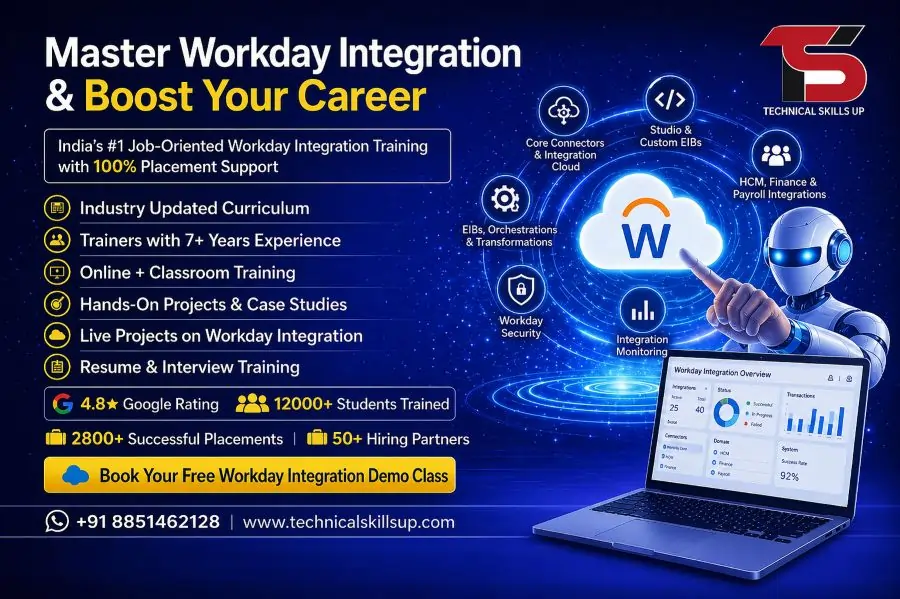
Growing demand for cloud-based HR and finance solutions has created excellent career opportunities for skilled professionals. Workday stands out as one of the most widely used enterprise platforms, and integration expertise has become a high-value skill in the IT industry. A Workday Integration Course in Delhi helps learners understand how different systems connect, exchange data, and automate business processes efficiently. Technical Skills Up focuses on practical learning, real-time scenarios, and industry-relevant tools so that learners gain confidence and job-ready skills. Strong training combined with guided projects supports career growth and prepares candidates for real-world challenges in top organizations.

Why Choose Workday Integration as a Career

High Demand in the Job Market

Companies across industries rely on Workday for HR, payroll, and financial operations. Skilled integration professionals help organizations connect Workday with other systems like SAP, Oracle, and third-party applications.

Attractive Salary Packages

Integration specialists earn competitive salaries due to their technical expertise and problem-solving abilities. Career growth remains strong with experience.

Global Career Opportunities

Workday professionals find opportunities not only in India but also in international markets where Workday adoption is high.

Continuous Learning Scope

Technology keeps evolving, and Workday regularly updates its features. Professionals continue to learn and upgrade their skills over time.

About Technical Skills Up

Industry-Focused Training Approach

Technical Skills Up delivers training that matches current industry requirements. Practical sessions and real-time use cases help learners understand concepts clearly.

Experienced Trainers

Certified trainers with real project experience guide students step by step. Learning becomes easier with proper mentorship and doubt-solving sessions.

Hands-On Practice

Practical exposure remains the core focus of the training. Students work on live projects to gain real-world experience.

Career Support

Placement assistance, resume building, and interview preparation sessions help students secure job opportunities after course completion.

Workday Integration Training in Delhi – Course Overview

Comprehensive Curriculum

The course covers all essential topics required to become a skilled Workday Integration professional. Learning starts from basic concepts and gradually moves to advanced topics.

Beginner to Advanced Level

Structured modules help both freshers and experienced professionals understand Workday integration from scratch.

Real-Time Projects

Project-based learning ensures practical understanding of integration concepts and tools.

Flexible Learning Options

Both online and classroom training options allow learners to choose according to their schedule.

Key Modules Covered in the Course

Introduction to Workday

  • Overview of Workday architecture
  • Understanding Workday modules
  • Basics of cloud computing

Integration Fundamentals

  • Introduction to integrations
  • Types of integrations in Workday
  • Data flow and transformation

Workday Studio

  • Overview of Workday Studio
  • Building integrations using Studio
  • Handling errors and debugging

Core Connectors

  • Pre-built connectors in Workday
  • Configuration and usage
  • Data mapping techniques

EIB (Enterprise Interface Builder)

  • Creating inbound and outbound integrations
  • File-based integrations
  • Data upload and extraction

Web Services and APIs

  • SOAP and REST APIs
  • Consuming web services
  • Security and authentication

XSLT and XML

  • Basics of XML structure
  • Transforming data using XSLT
  • Real-time transformation examples

Integration Security

  • Understanding Workday security model
  • Securing integrations
  • Role-based access control

Testing and Deployment

  • Integration testing strategies
  • Migration to production
  • Monitoring integrations

Workday Integration Classes in Delhi – Learning Benefits

Practical Learning Experience

Hands-on training allows students to work on real integration scenarios and understand workflows.

Live Projects

Real-time projects simulate actual industry challenges and improve problem-solving skills.

Updated Study Material

Latest course content ensures learners stay updated with current Workday trends.

Interactive Sessions

Live classes and doubt-clearing sessions improve understanding and confidence.

Who Can Join This Course

Fresh Graduates

Students from IT, Computer Science, or related fields can start their career in Workday integration.

Working Professionals

Professionals from HR, finance, or IT domains can upgrade their skills and switch to Workday roles.

Career Switchers

Individuals looking to move into cloud-based technologies can benefit from this course.

Developers and Analysts

People with technical backgrounds can easily understand integration concepts and tools.

Skills You Will Gain

Technical Skills

  • Workday integration tools
  • XML and XSLT
  • Web services and APIs
  • Data transformation

Analytical Skills

  • Problem-solving techniques
  • Data mapping and validation
  • Troubleshooting integrations

Professional Skills

  • Project handling
  • Communication
  • Time management

Workday Integration Training Institute in Delhi – Key Features

Structured Learning Path

Step-by-step training ensures proper understanding of each concept before moving ahead.

Expert Guidance

Trainers provide continuous support and mentorship throughout the course.

Project-Based Learning

Real-world projects enhance practical knowledge and build confidence.

Placement Assistance

Dedicated support helps students prepare for interviews and secure jobs.

Career Opportunities After Course Completion

Workday Integration Consultant

Responsible for designing and managing integrations between Workday and other systems.

Workday Developer

Builds custom integrations and enhances system functionality.

Integration Analyst

Analyzes business requirements and designs integration solutions.

Technical Consultant

Provides technical expertise in Workday implementation and integration.

Salary Expectations

Entry-Level Professionals

Freshers can expect a good starting salary with opportunities to grow quickly.

Mid-Level Professionals

Experienced professionals earn higher salaries based on skills and project experience.

Senior-Level Roles

Senior consultants and architects earn premium packages in top companies.

Tools and Technologies Covered

  • Workday Studio
  • Enterprise Interface Builder (EIB)
  • Core Connectors
  • XML & XSLT
  • SOAP & REST APIs

Learning Methodology

Instructor-Led Training

Expert trainers guide students through every module with practical examples.

Hands-On Assignments

Assignments help reinforce concepts learned during training sessions.

Case Studies

Real-world scenarios help students understand industry challenges.

Continuous Evaluation

Regular assessments track progress and improve learning outcomes.

Certification Preparation

Industry-Recognized Knowledge

Course prepares students with skills aligned to industry standards.

Practical Understanding

Hands-on training ensures better performance in certification exams.

Mock Tests

Practice tests help students evaluate their knowledge and improve performance.

Placement Support

Resume Building

Professional resume creation helps highlight skills and projects effectively.

Interview Preparation

Mock interviews and guidance improve confidence and communication skills.

Job Assistance

Support team connects students with job opportunities in top companies.

Why Delhi is a Good Place to Learn Workday

IT Hub Growth

Delhi offers strong career opportunities in IT and cloud technologies.

Access to Companies

Many organizations in Delhi-NCR use Workday, increasing job prospects.

Networking Opportunities

Students can connect with professionals and industry experts.

Advantages of Learning with Technical Skills Up

Quality Education

Focus on delivering practical and industry-relevant knowledge.

Affordable Fees

Cost-effective training options make learning accessible.

Flexible Timings

Weekend and weekday batches available for convenience.

Lifetime Support

Ongoing support helps students even after course completion.

Real-World Project Experience

Integration Development

Students build integrations from scratch to understand workflows.

Data Transformation Projects

Practical assignments on XML and XSLT improve technical skills.

API Integration

Working with APIs helps students understand real-time system communication.

Soft Skills Development

Communication Skills

Training sessions help improve professional communication.

Interview Confidence

Mock interviews prepare students for real job scenarios.

Team Collaboration

Group projects enhance teamwork and coordination skills.

Course Duration and Training Format

Duration

Course duration typically ranges from 2 to 3 months depending on the batch.

Training Mode

  • Classroom training
  • Online live sessions
  • Recorded sessions for revision

How This Course Helps Your Career

Strong Technical Foundation

Learners build a solid base in Workday integration tools and concepts.

Job-Ready Skills

Practical training ensures readiness for real-world job roles.

Career Growth Opportunities

Workday professionals continue to grow with experience and certifications.

Final Thoughts

Choosing the right training institute plays a crucial role in career success. Technical Skills Up provides structured learning, expert guidance, and real-time project experience that helps learners become confident Workday professionals. Strong focus on practical knowledge, combined with placement support, makes this course a valuable step toward a successful IT career. Consistent practice and dedication during training ensure better learning outcomes and long-term professional growth.

Online Courses

Related Courses in Noida

Related Courses in Delhi

FAQs:

Q1. What is a Workday Integration Course?

Ans: A Workday Integration Course is a training program designed to teach how to connect the Workday system with other software or applications. It covers the usage of APIs, Web Services, and various integration tools.

Q2. Why should one pursue a Workday Integration Course in Delhi?

Ans: Delhi has emerged as a major hub for IT and HR technology. Pursuing a Workday Integration Course here offers superior job opportunities, networking prospects, and industry exposure.

Q3. Why choose this course at Technical Skills Up?

Ans: Technical Skills Up provides training delivered by industry experts, along with live projects and practical learning, giving students real-world experience.

Q4. What is the duration of this course?

Ans: The duration of the Workday Integration Course typically ranges from 2 to 4 months, depending on the specific batch and learning mode chosen.

Q5. Is an IT background required for this course?

Ans: While a basic understanding of computers and IT is beneficial, beginners with no prior experience can also successfully learn this course.

Q6. What topics are covered in Workday Integration?

Ans: This course covers key topics such as Workday Studio, EIB, Core Connectors, Web Services, XML, XSLT, and API Integration.

Q7. Does this course include live projects?

Ans: Yes, Technical Skills Up incorporates work on live projects to provide students with hands-on practical experience.

Q8. What job opportunities are available after completing the Workday Integration Course?

Ans: Upon completing this course, one can secure job profiles such as Workday Integration Developer, Consultant, or HR Tech Specialist.

Q9. Does Technical Skills Up provide placement assistance?

Ans: Yes, Technical Skills Up offers comprehensive support including interview preparation, resume building, and job placement assistance.

Q10. What is the salary range for Workday Integration professionals?

Ans: For freshers, the starting salary can range from 4 to 8 lakhs per annum, which increases with experience.

Q11. Is this course available in both online and offline modes?

Ans: Yes, the Workday Integration Course at Technical Skills Up is available in both online and offline learning modes.

Q12. Which tools are taught in this course?

Ans: This course covers tools such as Workday Studio, the EIB Tool, Cloud Integration Tools, and Web Services.

Q13. Is a certificate provided upon completion of the course?

Ans: Yes, upon completing the course, a certificate is issued by Technical Skills Up, which is beneficial for job prospects.

Q14. Does the Workday Integration Course include interview preparation?

Ans: Yes, students receive guidance for interviews, including mock interviews and Q&A sessions.

Q15. What is the fee for the Workday Integration Course in Delhi?

Ans: The fee depends on the institute and the course content. At Technical Skills Up, quality training is provided at an affordable fee.