

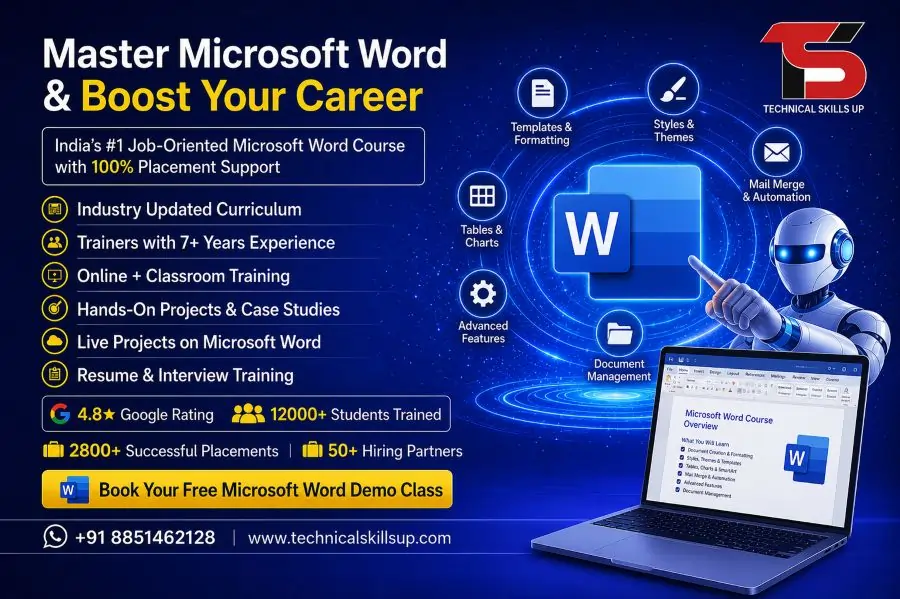
Modern workplaces depend on strong document management and professional communication skills. A well-structured Microsoft Word Course helps students, job seekers, business owners, and working professionals learn how to create high-quality documents with confidence. Technical Skills Up offers practical training with simple lessons, live projects, and expert guidance that help learners understand every important feature of Microsoft Word. Practical assignments, real examples, and industry-focused learning make the training useful for office work, business tasks, academic projects, and freelance opportunities.
Professional writing skills improve productivity and help users complete tasks faster in offices, schools, and companies. Many organizations prefer candidates who can create reports, letters, resumes, presentations, and formatted documents professionally. Technical Skills Up focuses on practical learning methods that help beginners and advanced learners improve their document handling skills step by step. Students receive hands-on practice with formatting tools, tables, templates, mail merge, graphics, and advanced editing features that are widely used in modern workplaces.
Professional Microsoft Word Training for Career Growth
Strong computer skills help professionals perform daily office tasks smoothly. Microsoft Word Training at Technical Skills Up covers essential and advanced concepts that help learners work efficiently in real office environments. Training sessions focus on practical exercises instead of only theoretical explanations.
Simple learning methods make the course suitable for beginners, students, homemakers, office staff, and business professionals. Trainers explain every feature with examples so learners can understand document formatting, editing, page setup, and content management easily.
Key Highlights of the Training
- Industry-oriented practical sessions
- Live assignments and document projects
- Step-by-step guidance from trainers
- Easy explanations for beginners
- Flexible learning options
- Updated syllabus based on office requirements
- Resume preparation support
- Practice on real business documents
- Professional certificate after completion
Why Microsoft Word Skills Matter Today
Professional documentation plays an important role in every industry. Companies use Microsoft Word for reports, invoices, proposals, contracts, resumes, and official communication. Strong Word skills improve work quality and save time during daily tasks.
Good formatting knowledge also helps users create attractive and professional documents without depending on others. Students can prepare assignments properly, while office professionals can manage reports and business files more effectively.
Benefits of Learning Microsoft Word
Better Office Productivity
Proper understanding of Word tools helps users complete tasks quickly with fewer errors. Features like templates, styles, tables, and formatting improve document quality.
Professional Document Creation
Clean formatting creates a positive impression in workplaces and interviews. Professional reports and resumes improve communication standards.
Career Opportunities
Many office jobs require Microsoft Word knowledge. Strong computer skills increase job opportunities in administration, data entry, customer service, and business support roles.
Improved Communication
Well-designed documents help businesses communicate information clearly with clients, employees, and customers.
Useful for Students
Academic projects, research work, notes, and presentations become easier with strong Word knowledge.
Microsoft Word Classes with Practical Learning
Interactive classroom sessions help students learn faster through practical activities and trainer support. Microsoft Word Classes at Technical Skills Up focus on hands-on exercises that improve confidence and technical understanding.
Practical tasks include creating reports, resumes, letters, invoices, business documents, and formatted pages. Students practice every topic during the sessions to improve accuracy and speed.
Classroom Learning Features
- Live demonstrations by expert trainers
- Individual attention during practice
- Small batches for better interaction
- Daily assignments and exercises
- Practical document creation tasks
- Doubt-clearing sessions
- Professional learning environment
Modules Covered in the Course
Comprehensive training helps learners understand both basic and advanced concepts of Microsoft Word. Every module focuses on practical applications used in offices and businesses.
Introduction to Microsoft Word
Students learn the interface, menu options, toolbar functions, and basic document operations. Beginners understand how to create, save, edit, and print documents professionally.
Topics Included
- Understanding the dashboard
- Creating new documents
- Saving and managing files
- Opening and editing documents
- Print settings and layouts
- Keyboard shortcuts
Document Formatting Techniques
Professional formatting improves document appearance and readability. Trainers explain formatting tools with practical examples.
Formatting Skills Covered
- Font styles and sizes
- Text alignment
- Paragraph formatting
- Line spacing
- Bullet points and numbering
- Page borders and shading
- Headers and footers
Working with Tables and Charts
Tables help organize information clearly inside documents. Learners understand how to create structured tables and professional layouts.
Practical Table Features
- Creating tables
- Editing rows and columns
- Table design formatting
- Adding colors and styles
- Data organization methods
- Basic chart integration
Image and Graphic Management
Visual elements improve document presentation and communication quality. Students learn how to insert and manage images professionally.
Graphic Editing Topics
- Inserting pictures
- Image resizing
- Text wrapping
- Shapes and icons
- SmartArt graphics
- Page design improvements
Advanced Editing Features
Advanced editing tools improve productivity and document accuracy. Real office scenarios help students understand these features better.
Advanced Concepts
- Find and replace
- Spell check tools
- Grammar correction
- Document review
- Comments and tracking changes
- Word count management
Mail Merge Training
Mail Merge helps businesses create multiple personalized documents quickly. Practical sessions help learners understand automation techniques.
Mail Merge Applications
- Bulk letter creation
- Address label generation
- Email document preparation
- Certificate creation
- Client communication management
Page Layout and Design
Professional page setup improves the visual appearance of documents. Students learn how to create attractive layouts for reports and official documents.
Layout Features Covered
- Margin settings
- Page orientation
- Column formatting
- Section breaks
- Watermarks
- Themes and templates
Microsoft Word Online Course for Flexible Learning
Busy schedules make online learning a convenient option for many students and professionals. Microsoft Word Online Course at Technical Skills Up provides flexible learning support with practical training sessions.
Online classes help learners attend sessions from home without affecting their work or studies. Live sessions, recorded videos, assignments, and trainer interaction create an effective learning experience.
Advantages of Online Learning
Learn from Anywhere
Internet-based training allows students to attend sessions from any location comfortably.
Flexible Timings
Working professionals and college students can choose suitable batch timings according to their schedule.
Recorded Sessions
Recorded videos help learners revise important concepts anytime.
Interactive Live Classes
Real-time trainer interaction improves understanding and helps students clear doubts quickly.
Practice-Based Learning
Assignments and practical exercises improve technical confidence and accuracy.
Microsoft Word Online Training with Real Projects
Practical learning improves confidence more effectively than theoretical explanations. Microsoft Word Online Training includes live projects and real document tasks that prepare students for office work.
Students practice creating professional business documents, resumes, reports, and formatted files during the training. Real project experience improves speed, creativity, and problem-solving skills.
Project-Based Learning Activities
- Resume designing
- Business report creation
- Invoice formatting
- Office letter preparation
- Data table management
- Project documentation
- Certificate design practice
Expert Trainers at Technical Skills Up
Experienced trainers play an important role in skill development. Technical Skills Up provides guidance from professionals who understand industry requirements and office work standards.
Simple teaching methods help beginners understand difficult concepts easily. Trainers focus on practical understanding instead of complicated technical explanations.
Trainer Support Includes
- One-to-one guidance
- Practical demonstrations
- Assignment support
- Career-related advice
- Interview preparation tips
- Performance improvement guidance
Microsoft Word Certification Training for Better Opportunities
Professional certification increases credibility and improves career opportunities. Microsoft Word Certification Training at Technical Skills Up helps learners prepare for professional work environments with practical knowledge and hands-on experience.
Certification demonstrates technical knowledge and professional skills to employers. Many companies prefer candidates with recognized computer training certifications.
Benefits of Certification
Strong Resume Value
Professional certification improves resume quality and creates a better impression during interviews.
Better Job Opportunities
Computer certification increases chances of getting office-based and administrative jobs.
Improved Professional Confidence
Certified learners feel more confident while handling office tasks and documentation work.
Industry Recognition
Employers value candidates with practical computer training and certification.
Who Can Join This Course
Simple learning methods make the course suitable for learners from different educational and professional backgrounds.
Suitable for
- Students
- Job seekers
- Office employees
- Business owners
- Freelancers
- Teachers
- Homemakers
- Administrative staff
No advanced technical background is required to join the course. Beginner-friendly training helps every learner understand concepts easily.
Career Opportunities After Learning Microsoft Word
Computer skills improve employment opportunities in many industries. Microsoft Word knowledge supports office work, administration, communication, and documentation tasks.
Popular Job Roles
Office Executive
Document management and reporting tasks become easier with Word skills.
Data Entry Operator
Formatting and document handling knowledge improves work efficiency.
Administrative Assistant
Professional documentation skills help administrative staff manage office records properly.
Customer Support Executive
Clear communication and report preparation support daily customer operations.
Freelancer
Freelancers can provide document formatting and typing services to clients.
Practical Assignments and Skill Development
Continuous practice improves learning quality and confidence. Technical Skills Up includes assignments, projects, and revision exercises throughout the training.
Practice Activities
- Formatting business letters
- Resume design projects
- Report creation tasks
- Table formatting practice
- Page layout exercises
- Editing and proofreading activities
Regular assignments help students improve typing speed, formatting accuracy, and document management skills.
Learning Environment at Technical Skills Up
Supportive learning environments improve student performance and understanding. Technical Skills Up focuses on practical education, easy explanations, and interactive learning methods.
Features of the Institute
- Modern computer labs
- Updated training materials
- Practical-focused classes
- Friendly trainers
- Flexible batches
- Career support assistance
- Interactive sessions
Professional training methods help learners gain confidence and improve their workplace readiness.
Importance of Hands-On Practice
Practical experience helps students understand software tools more effectively. Regular practice sessions improve technical understanding and reduce confusion during office work.
Advantages of Practical Sessions
Faster Learning
Real exercises help learners understand features quickly.
Better Accuracy
Continuous practice reduces formatting mistakes and document errors.
Increased Confidence
Hands-on learning improves confidence during interviews and office tasks.
Real Workplace Preparation
Project-based practice prepares students for professional work environments.
Soft Skills and Professional Development
Technical Skills Up also focuses on improving workplace communication and professional behavior. Professional skills help learners perform better during interviews and office interactions.
Additional Learning Support
- Communication improvement
- Professional email writing
- Resume preparation guidance
- Interview tips
- Office etiquette basics
Strong communication and computer knowledge together improve overall career growth opportunities.
Why Choose Technical Skills Up
Quality training and practical learning methods make Technical Skills Up a preferred choice for skill development. Professional guidance, updated modules, and student-focused training improve learning outcomes.
Main Reasons to Choose the Institute
- Experienced trainers
- Practical assignments
- Industry-oriented syllabus
- Online and offline options
- Beginner-friendly learning
- Certification support
- Career guidance assistance
- Flexible class schedules
Reliable training support helps students build strong computer skills for academic and professional success.
Conclusion:
Professional computer skills continue to play an important role in modern workplaces. Strong Microsoft Word knowledge helps students, professionals, and business owners create professional documents efficiently and confidently. Technical Skills Up provides practical learning, expert trainer support, flexible batches, and project-based training that help learners understand every important feature of Microsoft Word in a simple way.
Hands-on practice, industry-focused modules, and certification support prepare students for real office work and better career opportunities. Learners gain confidence in document creation, formatting, editing, reporting, and communication through structured training sessions. Technical Skills Up focuses on practical education that helps every student improve productivity, workplace readiness, and professional growth with valuable Microsoft Word skills.
FAQs:
Q1. What is the Microsoft Word Online Course?
Ans: The Microsoft Word Online Course is a professional training program that teaches how to create documents, formatting techniques, tables, reports, resumes, office files, and advanced features. At Technical Skills Up, this course is conducted with live, practical training sessions.
Q2. What are the benefits of taking Word Certification Training?
Ans: Completing Word Certification Training increases your office work efficiency, makes creating professional documents easier, and expands your job opportunities. This skill is beneficial for everyone—students, job seekers, and working professionals alike.
Q3. Who can take the Microsoft Word Online Course?
Ans: This course is open to everyone, including students, freshers, office executives, teachers, business owners, and those preparing for government jobs. Having basic computer knowledge makes the learning process even easier.
Q4. Is it necessary to learn coding for this course?
Ans: No, coding is not required for the Microsoft Word Online Course. It is a completely simple and user-friendly training program where instruction is provided step-by-step.
Q5. What topics are covered in the Word Certification Training?
Ans: This training covers document formatting, Page Setup, Headers and Footers, Mail Merge, Table Design, Resume Creation, Shortcut Keys, Templates, and the creation of professional reports.
Q6. Can this course be taken online?
Ans: Yes, the Microsoft Word Online Course is offered in an online mode by Technical Skills Up. Students can learn from the comfort of their homes through live classes and recorded sessions.
Q7. What is the value of Microsoft Word Certification?
Ans: Microsoft Word Certification validates your computer skills. It strengthens your resume and helps you make a stronger impression during job interviews.
Q8. What is the duration of this course?
Ans: The duration of the Microsoft Word Online Course may vary depending on the institution and the specific modules included. Typically, the course can be completed within a few weeks.
Q9. Can I get a job after completing the Word Course?
Ans: Yes, completing Word Certification Training increases your opportunities for jobs such as Data Entry Operator, Office Assistant, Computer Operator, Back Office Executive, and Administrative Support roles.
Q10. Is it still necessary to learn Microsoft Word today?
Ans: Yes, even today, Microsoft Word is widely used in most offices, schools, colleges, and companies. It is considered the most popular software for creating professional documents.
Q11. Does this course include practical training?
Ans: Yes, at Technical Skills Up, the Microsoft Word Online Course features live practical exercises and real project-based training.
Q12. What skills are developed after completing the Microsoft Word Course?
Ans: Upon completing this course, you will develop key skills such as document management, office formatting, report design, typing speed, and professional file presentation.
Q13. Is this course suitable for beginners?
Ans: Yes, this course has been designed specifically with beginners in mind. The trainers explain concepts in simple language, covering everything from basic to advanced levels.
Q14. What system requirements are needed for the Word Certification Training?
Ans: For online training, an internet connection, a laptop or desktop computer, and the Microsoft Word software are sufficient. Some classes can also be accessed via mobile devices.
Q15. Why should I take the Microsoft Word Online Course from Technical Skills Up?
Ans: Technical Skills Up offers experienced trainers, practical training, live classes, an industry-oriented learning approach, and certification support—all of which ensure a superior learning experience for students.