

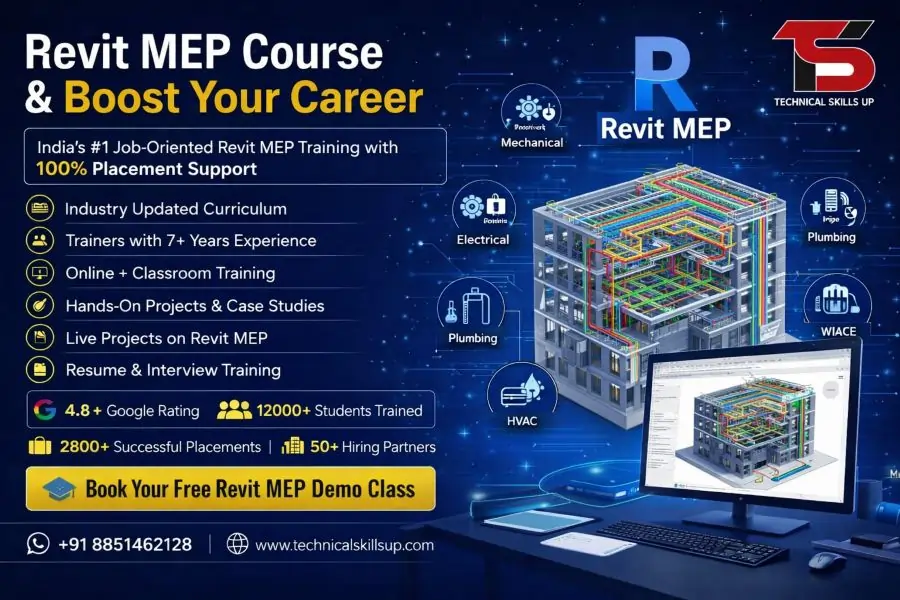
Revit MEP Course in Noida with Placement

Modern construction projects demand smart building design, accurate planning, and efficient coordination between teams. Strong knowledge of MEP systems helps professionals work on real-world projects with confidence and better technical understanding. Technical Skills Up offers a practical learning environment for students, working professionals, and job seekers who want to improve their design and BIM skills through a professional Revit MEP Course in Noida. Industry-focused training, live project practice, and expert mentorship help learners gain practical exposure that matches current market needs. Every module focuses on real project workflows so students can understand HVAC, electrical, and plumbing systems in a better way. Professional guidance, structured learning, and hands-on exercises make the training easy to understand for beginners as well as experienced candidates looking for career growth.

Table of Contents

Why Learn Revit MEP?

Building projects now depend heavily on BIM technology for planning and execution. Companies prefer professionals who understand smart modeling, clash detection, and coordinated design workflows. Revit MEP helps engineers and designers create accurate building system models with improved productivity.

Benefits of Learning Revit MEP

  • Helps create intelligent 3D models for building systems
  • Improves coordination between architecture, structure, and MEP teams
  • Reduces project errors and rework
  • Enhances project visualization and documentation
  • Supports faster project delivery
  • Increases career opportunities in construction and BIM industries
  • Builds practical knowledge for real-time projects
  • Helps professionals work on international standards

About Technical Skills Up

Technical Skills Up focuses on practical and career-oriented technical training programs. Expert trainers with industry experience guide students using real examples and project-based learning methods. Training sessions help learners understand concepts step by step in simple language.

Key Highlights of Training

  • Industry-expert trainers
  • Practical project-based learning
  • Updated course curriculum
  • Hands-on software practice
  • Interview preparation support
  • Flexible class timings
  • Online and classroom training options
  • Career guidance sessions
  • Certification support
  • Placement assistance

Revit MEP Classes Designed for Beginners and Professionals

Many learners join technical courses with different educational and professional backgrounds. Simple teaching methods and structured modules help every student learn comfortably. Trainers explain concepts with practical examples to make learning easy and effective.

Suitable for

  • Mechanical engineers
  • Electrical engineers
  • Civil engineers
  • Diploma holders
  • Architects
  • BIM professionals
  • Site engineers
  • HVAC professionals
  • Fresh graduates
  • Working professionals

Industry-Focused Revit MEP Course Modules

Every topic in the course focuses on practical implementation and real project requirements. Step-by-step learning helps students gain confidence while working on software tools and project documentation.

Introduction to BIM and Revit

Students first learn the fundamentals of Building Information Modeling and software interface understanding.

Topics Covered

  • BIM concepts
  • Revit interface
  • Project setup
  • Navigation tools
  • Templates and settings
  • Worksharing basics

Mechanical Module

Mechanical systems form an important part of modern building projects. Detailed HVAC modeling practice helps learners understand practical workflows.

Mechanical Topics

  • HVAC fundamentals
  • Duct creation and modification
  • Air terminals
  • Mechanical equipment placement
  • System connections
  • HVAC documentation
  • Schedules and annotations

Electrical Module

Electrical design training focuses on practical modeling and system coordination.

Key Electrical Topics

  • Electrical settings
  • Lighting systems
  • Cable tray modeling
  • Power circuits
  • Electrical fixtures
  • Panel schedules
  • Electrical documentation

Plumbing Module

Plumbing system training helps students create accurate piping systems for building projects.

Key Plumbing Topics

  • Pipe modeling
  • Plumbing fixtures
  • Pipe fittings
  • Water supply systems
  • Drainage systems
  • Pipe schedules
  • Plumbing layouts

Coordination and Clash Detection

Coordination between disciplines improves project quality and reduces design conflicts.

Important Concepts

  • Linked models
  • Coordination review
  • Clash understanding
  • Interdisciplinary workflow
  • Model collaboration

Project Documentation

Professional documentation skills play an important role in project execution.

Documentation Topics

  • Sheet creation
  • View templates
  • Annotation tools
  • Dimensioning
  • Legends and schedules
  • Printing and exporting

Practical Learning with Live Projects

Practical exposure improves technical confidence and software understanding. Students work on industry-based assignments and projects to understand real workflows used by companies.

Practical Training Features

  • Real project exercises
  • Lab-based practice sessions
  • Industry case studies
  • Assignment-based learning
  • Model creation practice
  • Project documentation tasks

Strong practical exposure helps students prepare for professional job responsibilities in BIM and MEP industries.

Career Opportunities After Revit MEP Training in Noida

Construction, infrastructure, and BIM industries continuously look for skilled professionals who can manage building system design using advanced software tools. Career opportunities increase significantly after gaining practical software skills.

Popular Job Roles

  • Revit MEP Designer
  • BIM Modeler
  • HVAC Designer
  • Plumbing Modeler
  • Electrical BIM Engineer
  • MEP Coordinator
  • BIM Engineer
  • Project Design Engineer

Industries Hiring Revit MEP Professionals

  • Construction companies
  • Architectural firms
  • MEP consultancies
  • BIM companies
  • Infrastructure projects
  • Engineering design firms
  • Smart building projects

Professional Trainers with Industry Experience

Experienced trainers help students understand professional workflows and industry standards. Practical knowledge shared by experts gives learners better understanding of project execution and software implementation.

Trainer Support Includes

  • Live software demonstrations
  • Project guidance
  • Doubt-solving sessions
  • Career counseling
  • Portfolio guidance
  • Industry tips and best practices

Professional mentorship helps students improve both technical and practical knowledge.

Easy-to-Understand Learning Approach

Complex technical topics become easier when training follows a structured and practical method. Technical Skills Up focuses on simplified explanations and real examples instead of confusing theoretical teaching.

Learning Advantages

  • Simple explanations
  • Step-by-step software practice
  • Practical assignments
  • Interactive sessions
  • Beginner-friendly teaching
  • Revision support

Comfortable learning methods help students gain confidence faster during training.

Modern Infrastructure and Lab Support

A professional learning environment improves the overall training experience. Proper software setup and practical labs help students practice efficiently.

Training Facilities

  • Advanced computer labs
  • Updated software tools
  • Projector-based learning
  • High-speed internet support
  • Comfortable classrooms
  • Practice support sessions

Professional infrastructure creates a better environment for skill development.

Flexible Training Options

Different students and professionals require different learning schedules. Flexible training options help learners manage education, jobs, and personal commitments easily.

Available Training Modes

  • Classroom training
  • Online instructor-led training
  • Weekend batches
  • Weekday batches
  • Fast-track training

Flexible schedules help working professionals continue learning without disturbing their jobs.

Certification Support for Career Growth

Professional certification helps improve resume value and industry recognition. Technical Skills Up provides guidance to help students complete training confidently and prepare for professional opportunities.

Certification Benefits

  • Improves professional profile
  • Enhances job opportunities
  • Demonstrates software knowledge
  • Builds industry credibility
  • Helps during interviews

Strong certification support increases confidence among students preparing for technical careers.

Placement Assistance for Students

Career support remains an important part of professional training. Dedicated placement guidance helps learners prepare for interviews and job opportunities.

Placement Support Includes

  • Resume preparation
  • Mock interview sessions
  • Technical interview guidance
  • Job opportunity updates
  • Communication skill support
  • Career counseling

Professional guidance helps students become industry-ready after course completion.

Importance of BIM Skills in Modern Construction

Modern infrastructure projects now depend heavily on BIM technology for planning, coordination, and execution. Companies prefer candidates with software expertise because BIM improves project accuracy and collaboration.

Advantages of BIM in Construction

  • Better project visualization
  • Improved coordination
  • Reduced construction errors
  • Faster project delivery
  • Accurate quantity estimation
  • Better resource management

Knowledge of BIM tools gives professionals a competitive advantage in the job market.

Revit MEP Certification Course in Noida for Future Growth

Technical industries continue adopting digital workflows and smart construction methods. Skilled BIM and MEP professionals now play a major role in project success. A professional Revit MEP Certification Course in Noida helps learners improve technical capabilities and prepare for future industry demands.

Skills Developed During Training

  • 3D modeling skills
  • MEP coordination understanding
  • HVAC system knowledge
  • Electrical modeling techniques
  • Plumbing system design
  • Documentation skills
  • BIM workflow understanding

Strong technical skills help professionals work confidently on domestic and international projects.

Why Students Prefer Technical Skills Up

Professional guidance, practical learning, and career-focused training make Technical Skills Up a preferred choice for technical education. Students receive complete support from training to placement preparation.

Main Reasons to Choose Technical Skills Up

  • Experienced faculty
  • Practical learning approach
  • Real project exposure
  • Industry-relevant curriculum
  • Flexible schedules
  • Placement support
  • Certification assistance
  • Supportive learning environment

Career-focused education helps learners build strong technical foundations for long-term professional growth.

Future Scope After Completing Revit MEP Training

Construction and infrastructure sectors continue expanding rapidly across India and international markets. Smart city projects, commercial buildings, hospitals, airports, and industrial projects require skilled BIM and MEP professionals.

Future Career Scope

  • Growing demand in BIM industry
  • Opportunities in international projects
  • Better salary growth
  • Long-term career stability
  • Freelancing opportunities
  • Scope in smart building projects

Advanced technical skills create multiple career opportunities across different engineering sectors.

Start Your Professional Journey Today

Technical knowledge and practical software skills play an important role in today’s competitive job market. Quality training combined with real project exposure helps students become confident professionals ready for industry challenges. Revit MEP Classes in Noida at Technical Skills Up provide practical learning, expert mentorship, and career-focused guidance to help learners achieve professional success. Structured modules, hands-on assignments, and placement support create a complete learning experience for students and working professionals looking to build a strong future in BIM and MEP design industries.

Online Courses

Related Courses in Noida

Related Courses in Delhi

FAQs:

Q1. What is the Revit MEP Course?

Ans: The Revit MEP Course is a professional training program that teaches HVAC, Electrical, and Plumbing design. This course is based on BIM (Building Information Modeling) technology. At Technical Skills Up, students receive practical training on industry-level projects.

Q2. Who is the Revit MEP Course best suited for?

Ans: This course is beneficial for Mechanical, Electrical, Civil, and Architecture students, as well as working professionals. Students with Diploma, B.Tech, and ITI backgrounds can also pursue this course. It is an excellent option for those looking to build a career in the design and BIM fields.

Q3. What is the duration of the Revit MEP Course in Noida?

Ans: At Technical Skills Up, the duration of the Revit MEP Course typically ranges from 3 to 6 months. The course duration may vary depending on the specific batch and modules selected. Both regular and weekend batches are available.

Q4. Is placement support provided with the Revit MEP Course?

Ans: Yes, Technical Skills Up provides placement support to its students. This includes resume building, interview preparation, and job assistance. Many students secure job opportunities in MNCs and BIM firms.

Q5. Which modules are included in the Revit MEP Course?

Ans: This course covers topics such as HVAC Design, Electrical Systems, Plumbing Systems, BIM Concepts, Clash Detection, and Project Work. Students are also given the opportunity to work on live projects.

Q6. What job opportunities are available after learning Revit MEP?

Ans: Upon completing the course, opportunities become available in job profiles such as BIM Modeler, Revit MEP Engineer, HVAC Designer, Electrical BIM Engineer, and Plumbing Designer. The demand for these roles is continuously growing within the construction and infrastructure sectors.

Q7. Is coding knowledge required for this course?

Ans: No, coding knowledge is not required for the Revit MEP Course. Students can easily learn the material provided they possess basic computer literacy and a fundamental understanding of engineering concepts.

Q8. What is the fee for the Revit MEP Course?

Ans: The course fee may vary depending on the institute, specific modules, and training facilities provided. At Technical Skills Up, the course is offered at an affordable fee, providing students with industry-oriented training and access to practical lab facilities.

Q9. Is Online Revit MEP Training available?

Ans: Yes, Technical Skills Up offers Revit MEP training in both online and offline modes. The online classes feature live sessions, recorded videos, and practical assignments.

Q10. What are the benefits of Revit MEP Certification?

Ans: Certification validates a student’s skills and assists them in securing employment. It strengthens one’s resume and enhances their professional standing during interviews.

Q11. Can freshers also take the Revit MEP course?

Ans: Yes, freshers can easily pursue this course. At Technical Skills Up, training is provided ranging from basic to advanced levels, enabling new students to learn with ease.

Q12. Where is Revit MEP software used?

Ans: This software is utilized in building design, construction, infrastructure, and BIM projects. Many major engineering and construction firms employ Revit MEP.

Q13. Does the Revit MEP course include practical training?

Ans: Yes, students are provided with practical training and exposure to live projects. This helps them understand actual industry workflows and strengthens their skill set.

Q14. What salary can one expect after completing the Revit MEP course?

Ans: Initially, freshers can expect a competitive salary, depending on their skills and the hiring company. As experience grows, salary progression in the BIM and MEP fields accelerates rapidly.

Q15. Why choose Technical Skills Up for the Revit MEP course?

Ans: Technical Skills Up offers features such as experienced trainers, practical learning, live projects, flexible batch schedules, and placement assistance. The institute focuses on making students industry-ready.

Related Post

Microsoft Word Course in Delhi | Certification Training

Strong computer skills help students, job seekers, and working professionals perform better in today’s digital workplace. Technical Skills Up offers a practical and career-focused Microsoft Word Course in Delhi designed for beginners as well as experienced learners. Daily office work, documentation, reporting, letter writing, and project preparation become easier with proper Microsoft Word knowledge. Training sessions focus on practical learning so students can use every feature confidently in real work environments. Modern companies expect employees to create professional documents with proper formatting, tables, images, reports, and templates. Many students know basic typing but lack advanced document management skills. Technical Skills Up helps learners improve productivity with hands-on practice, live assignments, and expert guidance. Simple teaching methods make learning easy for every student. Training also supports career growth by improving office productivity and communication skills. Why Learn Microsoft Word? Professional document creation plays an important role in almost every industry. Schools, colleges, corporate offices, government departments, and businesses use Microsoft Word for daily work. Good knowledge of Word helps users save time and create professional documents quickly. Learning Microsoft Word provides many benefits: Create professional resumes and reports Design letters, invoices, and office documents Improve typing and formatting skills Manage large documents easily Add tables, charts, and images professionally Increase office productivity Prepare assignments and projects effectively Improve job opportunities in multiple industries Proper training also helps learners understand advanced tools that many users ignore during regular office work. About Technical Skills Up Technical Skills Up focuses on practical education and industry-relevant computer training. Expert trainers guide students with step-by-step learning methods that improve confidence and technical knowledge. Training sessions include live practice, assignments, and project work to help students understand real office tasks. Learning support remains available throughout the course duration. Students receive proper guidance for document creation, formatting, editing, printing, and professional presentation preparation. Friendly classroom environments make learning comfortable for beginners. Training programs are designed according to current industry requirements so learners can develop practical office skills that companies expect from employees. Microsoft Word Training in Delhi for Beginners and Professionals Many students and professionals want to improve office software knowledge for better career opportunities. Technical Skills Up provides complete Microsoft Word Training in Delhi with practical exercises and easy learning methods. Course modules start from basic concepts and gradually move toward advanced features. Beginners can learn document creation from scratch, while professionals can improve formatting and document management skills. Training includes: Introduction to Microsoft Word interface File creation and saving methods Text formatting techniques Paragraph and page setup Header and footer creation Table design and formatting SmartArt and shapes usage Image insertion and editing Page numbering and alignment Spell check and grammar tools Printing and sharing documents Professional document preparation Practical exercises help students understand every concept properly. Key Features of the Course Practical Learning Sessions Hands-on practice helps students learn faster and remember concepts easily. Every topic includes practical exercises for better understanding. Industry Experienced Trainers Professional trainers guide students using real office examples and practical workflows. Easy teaching methods improve learning quality. Updated Course Modules Course content covers modern Microsoft Word tools and features used in professional workplaces. Flexible Training Options Students can choose suitable class timings according to their schedules. Certification Support Course completion certificates help learners showcase their skills during job applications. Project-Based Training Assignments and projects improve practical knowledge and increase confidence. Microsoft Word Classes in Delhi with Real-Time Practice Technical Skills Up provides job-oriented Microsoft Word Classes in Delhi focused on practical office tasks. Classroom sessions help students practice every feature under trainer guidance. Many learners struggle with document formatting, alignment, and layout creation. Proper classroom training solves these issues through daily practice and interactive sessions. Students learn how to: Create official documents Design professional reports Format business letters Prepare resumes and CVs Insert charts and graphics Use templates efficiently Create tables and lists Manage long documents professionally Real-time practice sessions improve speed, accuracy, and productivity. Course Modules Covered Introduction to Microsoft Word Students learn the basics of Microsoft Word, including menus, ribbons, navigation tools, and workspace management. Topics Included Understanding the Word interface Creating new documents Opening and saving files Using templates Managing recent documents Text Formatting and Editing Professional formatting improves document quality and readability. Training Includes Font styles and sizes Bold, italic, and underline usage Text color and highlighting Alignment and spacing Find and replace tools Copy, cut, and paste functions Paragraph and Page Setup Proper page setup creates professional-looking documents. Topics Covered Margins and orientation Line spacing adjustments Bullets and numbering Page borders Columns and sections Page breaks Table Creation and Formatting Tables help organize information clearly. Students Learn Creating tables Editing rows and columns Table design formatting Merging cells Sorting data Table alignment Working with Images and Shapes Visual elements improve document presentation. Practical Training Includes Inserting images Image resizing Adding shapes and icons Text wrapping SmartArt usage Screenshot insertion Header, Footer, and Page Numbering Professional documents require proper structure and navigation. Training Covers Header creation Footer customization Page number insertion Date and time setup Document branding Proofreading and Review Tools Error-free documents improve professionalism. Topics Included Spell check Grammar tools Track changes Comments insertion Document review methods Printing and Sharing Documents Students learn how to prepare documents for printing and digital sharing. Practical Topics Print settings PDF conversion Page preview Sharing documents Document protection Benefits of Learning Microsoft Word Strong Microsoft Word skills provide advantages in education and employment. Many companies prefer candidates with good office software knowledge. Important benefits include: Better office productivity Faster document preparation Professional presentation skills Improved communication Better academic performance Increased job opportunities Enhanced workplace efficiency Students can also use these skills for freelancing and personal projects. Career Opportunities After Course Completion Good Microsoft Word knowledge supports multiple job profiles across industries. Popular career options include: Office Assistant Data Entry Operator Computer Operator Administrative Executive Documentation Executive Front Office Executive Back Office Staff Customer Support Executive Many companies require employees who can create and manage professional documents efficiently. Importance

Best SEO Course in Agra with Placement

Technical Skills Up offers one of the best SEO Course in Agra, which is specially designed for students and professionals who want to make a career in the field of digital marketing. This course gives complete information about SEO from basic to advanced techniques. Important topics like keyword research, on-page SEO, off-page SEO, Google algorithms, website optimization are taught in depth. The most special thing about the course is that it is completely practical and project-based, giving students the experience of working on real projects. During this course, there is an opportunity to work under the guidance of experienced trainers, which increases the confidence of the students and makes them ready for the industry. This SEO course of Technical Skills Up provides a strong foundation to the students, so that they can become a successful SEO expert. If you want to start your career in digital marketing, then this course can be a great option for you. What is SEO? SEO (Search Engine Optimization) is a technique through which a website is ranked better in search engines like Google. This process helps to increase website traffic, increase online visibility and attract users in an organic (without spending money) way. SEO is mainly divided into three parts: On-Page SEO, Off-Page SEO, and Technical SEO. On-Page includes content and keyword optimization, Off-Page includes backlinks and promotion while Technical SEO includes website speed, mobile friendliness, indexing, etc. If you want to make a career in the digital world, then learning SEO is a great option. SEO Classes in Agra conducted by top SEO Training Institute in Agra like Technical Skills Up strengthens the foundation of your digital marketing and leads you towards becoming a successful SEO expert. Objectives of SEO Course The main objective of SEO Course in Agra is to provide complete information about search engine optimization to the students so that they can be able to get top ranking for websites. Under this course, students are given training from basic to advanced level of SEO. In the SEO course of Technical Skills Up, students are taught in detail about keyword research, on-page SEO, off-page SEO, Google algorithms, Google Analytics, Google Search Console, backlink strategy, technical SEO etc. The course is completely practical based, so that students gain real world experience by working on live projects. The aim of this SEO Training in Agra is to make students industry-ready so that they can become freelancers, job professionals or start their own business in SEO. This course not only gives knowledge but also makes you self-reliant and professional. Salary Expectations for Freshers After SEO Course in Agra If you are a fresher in SEO and have completed SEO Course in Agra, you can get a job in a digital marketing agency or company at a salary of Rs 15,000 to Rs 25,000 per month. This salary depends on your skills, knowledge and interview. After taking training from an SEO Training Institute in Agra like Technical Skills Up, you get practical experience as well as an opportunity to work on industry-based projects, which increases your value. As your experience increases, your salary also increases. After 2-3 years of experience, you can earn a salary of Rs 40,000 to Rs 60,000 or even more. Apart from this, you can also earn well by freelancing, blogging, and opening your own SEO agency. Who Can Join This SEO Course in Agra? SEO Course in Agra is suitable for everyone — whether you are a student, housewife, working professional or a business owner. No special educational qualification is required to join this course. If you have basic knowledge of the Internet and know how to operate a computer, then you can do this course. This SEO Training in Agra course designed by Technical Skills Up teaches you SEO from scratch. If you want to start a new career, go into digital marketing or want to bring your business website to the top on Google, then this course is perfect for you. This course is also ideal for those who want to do freelancing from home and learn ways to earn online. Overall, this course is open to all who want to make a career in the digital world. Career Options After Complete SEO Course in Agra After doing SEO Course in Agra, many career paths open up for you. You can work as an SEO Executive, SEO Analyst, Digital Marketing Executive, Freelance SEO Specialist or Content Marketer. Digitization is growing rapidly in a city like Agra, due to which companies and startups need SEO experts. After doing a course from SEO Training Institute in Agra like Technical Skills Up, you can easily get a job or do freelancing. If you want, you can also start your own SEO agency and work for clients. Apart from this, avenues like blogging and affiliate marketing are also open for those who know SEO. That means after completing this course, you have many ways to earn money online. Key Features of Our SEO Course in Agra The SEO Course in Agra provided by Technical Skills Up is completely practical, industry-oriented and project-based. Following are the key features of this course: Training by industry experts Opportunity to work on live projects In-depth understanding of on-page, off-page and technical SEO Training on free tools and paid tools (like SEMrush, Ahrefs, Ubersuggest) Google certification preparation Resume and interview preparation Demo class facility By joining this SEO Training in Agra, you not only learn SEO but also take a step towards becoming a digital marketing professional. The aim of the course is not only to give knowledge to the students but also to make them successful in the industry. How to Book a Free Demo Class? If you want to see the quality of the course before joining the SEO Classes in Agra, you can book a free demo class at Technical Skills Up. For this you have to visit our website or contact our office. In the free demo class, you will be able

Microsoft Azure Course in Delhi with Placement

Microsoft Azure Course in Delhi has become one of the most in-demand learning programs for students, IT professionals, and career changers who want to enter the cloud computing industry. Cloud technology is now used by almost every company, from startups to global enterprises, and Microsoft Azure stands among the top cloud platforms in the world. This program offered by Technical Skills Up focuses on practical learning, real-time project experience, and industry-oriented skills that help learners understand how cloud infrastructure works in real business environments. The main goal of this training is to prepare learners for job-ready skills in cloud administration, deployment, and management using Microsoft Azure tools and services. With increasing demand for cloud professionals in India and abroad, this course creates a strong foundation for a successful IT career in the modern digital world. Growing Demand for Microsoft Azure Skills in IT Industry Cloud computing has changed the way businesses operate. Companies are shifting from traditional servers to cloud platforms for better scalability, security, and cost efficiency. Microsoft Azure has become a preferred choice for organizations due to its flexibility and global infrastructure. Today, companies need skilled professionals who can manage cloud environments, deploy applications, and handle data securely. This growing demand has created excellent career opportunities for learners who complete structured Azure training programs. Key reasons behind high demand: Rapid adoption of cloud services in IT companies Increase in remote working environments Need for secure data storage and backup systems Growing use of AI, DevOps, and automation on cloud platforms Expansion of enterprise-level digital transformation projects Overview of Microsoft Azure Training Program Microsoft Azure Training in Delhi offered by Technical Skills Up focuses on building strong practical knowledge along with theoretical understanding. The program is designed for beginners as well as experienced IT professionals. Main learning outcomes: Understanding cloud computing fundamentals Working with Azure portal and services Managing virtual machines and storage Deploying applications on cloud Learning networking and security concepts Preparing for Microsoft Azure certification exams Training structure ensures learners gain step-by-step knowledge starting from basics to advanced cloud operations. Key Features of Azure Classes Program Microsoft Azure Classes in Delhi at Technical Skills Up are designed with a hands-on learning approach. The focus remains on practical exposure rather than only theory. Important features include: Live instructor-led sessions Real-time cloud lab environment Industry-based project training Step-by-step guided learning Regular assignments and practice tasks Certification exam preparation support Doubt-clearing sessions for better understanding Each learner gets personal attention to improve technical skills and confidence. Detailed Curriculum of Microsoft Azure Course The curriculum is structured to cover all essential Azure topics required for job roles such as Azure Administrator, Cloud Engineer, and DevOps Associate. Introduction to Cloud Computing Basics of cloud computing models IaaS, PaaS, SaaS concepts Benefits of cloud platforms Introduction to Microsoft Azure ecosystem Azure Core Services Azure Virtual Machines Azure Storage Accounts Azure App Services Azure SQL Database Azure Networking basics Identity and Security Azure Active Directory Role-based access control (RBAC) Security management tools Data protection strategies Azure Networking Virtual networks (VNet) Load balancing concepts VPN gateways Traffic management Monitoring and Management Azure Monitor Backup and recovery Cost management tools Performance tracking Advanced Azure Concepts DevOps integration with Azure Container services (Docker & Kubernetes basics) Automation tools Cloud migration strategies Practical Learning and Hands-On Experience Practical exposure plays a major role in becoming a successful cloud professional. Training includes real-time lab sessions where learners work on actual Azure environments. Practical activities include: Creating and managing virtual machines Deploying web applications Configuring cloud storage systems Setting up virtual networks Managing security policies Monitoring system performance This approach helps learners understand real-world scenarios and problem-solving techniques. Certification Guidance and Exam Preparation Microsoft Azure certifications are highly valued in the IT industry. This training program provides complete guidance for certification exams like: Microsoft Azure Fundamentals (AZ-900) Azure Administrator Associate (AZ-104) Azure Developer Associate Azure Solutions Architect Preparation support includes: Mock tests and practice exams Important exam topics discussion Interview preparation sessions Study material and notes Certification improves job opportunities and salary growth in cloud computing careers. Career Opportunities After Azure Training After completing Microsoft Azure Training in Delhi, learners can explore multiple job roles in IT companies and cloud-based organizations. Popular job roles include: Azure Cloud Administrator Cloud Support Engineer DevOps Engineer Cloud Solutions Architect System Administrator Cloud Operations Specialist Career benefits: High salary packages in IT sector Global job opportunities Work in top MNC companies Strong career growth in cloud domain Why Choose Technical Skills Up for Azure Training Microsoft Azure Training Institute in Delhi at Technical Skills Up focuses on delivering high-quality education with industry relevance. Reasons to choose this institute: Experienced and certified trainers Updated curriculum based on industry needs Practical project-based learning Career counseling and interview preparation Affordable training programs Placement assistance support The institute focuses on building both technical knowledge and professional skills. Training Methodology and Learning Approach The learning system is designed to ensure better understanding and long-term retention of concepts. Training methodology includes: Concept explanation in simple language Live demonstration of Azure tools Step-by-step practical implementation Weekly assessments for progress tracking Group discussions and problem-solving sessions This structured approach helps learners build confidence in cloud technologies. Industry Tools and Technologies Covered Learners gain exposure to modern tools used in cloud computing environments. Tools and platforms include: Microsoft Azure Portal Azure CLI and PowerShell Docker and container tools Kubernetes basics DevOps integration tools Monitoring and logging tools This ensures learners are job-ready for real IT environments. Soft Skills and Interview Preparation Support Apart from technical training, focus is also given to personality development and communication skills. Support includes: Resume building assistance Mock interviews with experts Communication skill improvement Group discussion practice HR interview preparation tips These skills help learners perform better in job interviews. Real-Time Projects and Industry Exposure Project-based learning helps learners apply knowledge in real scenarios. Sample projects include: Cloud-based web application deployment Virtual machine management system Secure file storage system Scalable cloud infrastructure setup Monitoring dashboard development These projects