

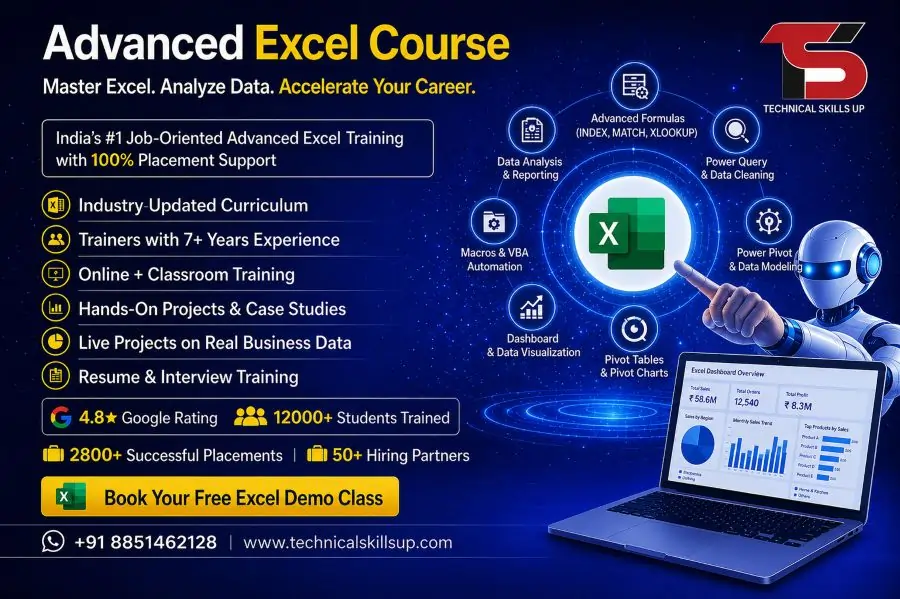
Modern workplaces depend heavily on data management, reporting, and automation tools that improve speed and accuracy. Strong Excel skills have become a basic requirement in almost every industry such as finance, marketing, HR, operations, and administration. A well-structured Advanced Excel Course in Delhi helps learners build practical skills that go beyond basic spreadsheets and formulas. This training focuses on real business applications, dashboards, data analysis, and automation techniques used in professional environments. Learners gain confidence to handle complex data tasks efficiently while improving productivity in office work. Technical Skills Up designs this program to match industry needs, making it suitable for students, job seekers, and working professionals who want to upgrade their Excel expertise and improve career opportunities in competitive job markets.
Importance of Advanced Excel in Today’s Workplace
Data-driven decision-making has become a core part of every organization. Excel plays a major role in organizing and analyzing large datasets in a simple and structured way. Companies prefer candidates who can manage reports, create dashboards, and automate repetitive tasks using Excel tools.
Excel knowledge helps in:
- Faster reporting and analysis
- Better data visualization
- Improved accuracy in calculations
- Time-saving automation techniques
- Professional reporting for management
Organizations value employees who can convert raw data into meaningful insights. Strong Excel skills also increase chances of promotion and better job roles in corporate environments.
What You Will Learn in Advanced Excel Training in Delhi
Comprehensive learning modules ensure that students understand both basic and advanced concepts in a structured manner. The training focuses on practical implementation rather than only theory.
Key learning areas include:
- Advanced formulas and functions (VLOOKUP, HLOOKUP, INDEX-MATCH)
- Data cleaning and validation techniques
- Pivot tables and pivot charts
- Conditional formatting for data analysis
- Dashboard creation and reporting tools
- Data visualization techniques
- Automation using macros and VBA basics
Hands-on assignments help learners practice real-world scenarios that improve confidence and technical accuracy.
Structured Learning Approach for Better Understanding
Well-planned training modules help learners progress step by step from basic to advanced topics. Each session builds logical understanding of Excel features and their applications in real work environments.
Training flow includes:
- Introduction to Excel environment and tools
- Formula building and logical functions
- Data analysis and reporting techniques
- Visualization using charts and dashboards
- Automation basics for productivity improvement
This structured method ensures learners do not feel overwhelmed and can easily apply concepts in professional tasks.
Tools and Features Covered in Advanced Excel Training in Delhi
Modern Excel versions include powerful tools that simplify complex data tasks. Understanding these tools helps learners work efficiently in corporate environments.
Important tools covered:
- Power Query for data transformation
- Power Pivot for advanced data modeling
- Charts and graph tools for visualization
- Data validation and error handling tools
- Macro recorder for automation tasks
These tools are widely used in companies for business intelligence and reporting purposes.
Practical Learning and Real-Time Projects
Practical exposure plays a key role in building strong technical skills. Learners work on real-time projects that simulate office environments and business scenarios.
Practical activities include:
- Creating financial reports
- Designing interactive dashboards
- Managing sales data reports
- Automating repetitive Excel tasks
- Preparing analytical business summaries
Such exercises help students understand how Excel is used in real corporate situations, improving job readiness.
Who Should Join Advanced Excel Classes in Delhi
Excel training benefits a wide range of learners from different backgrounds. No advanced technical knowledge is required to start this course, making it accessible for beginners as well.
Suitable for:
- Students preparing for job placements
- Working professionals seeking skill upgrades
- Accountants and finance professionals
- HR and administrative staff
- Business owners managing data
Every learner gains practical knowledge that can be applied directly in professional work environments.
Career Opportunities After Excel Training
Strong Excel skills open multiple career paths in both private and corporate sectors. Companies actively look for candidates who can handle data efficiently and support decision-making processes.
Career options include:
- Data Analyst Assistant
- MIS Executive
- Financial Analyst support roles
- HR Reporting Executive
- Office Administration Specialist
Improved Excel knowledge also supports career growth in existing job roles, leading to promotions and salary increases.
Advanced Excel Training Institute in Delhi – Why Choose Technical Skills Up
Technical Skills Up focuses on delivering practical and job-oriented training programs designed according to industry standards. The institute ensures that learners gain both knowledge and real working skills.
Key highlights include:
- Experienced trainers with industry background
- Practical sessions with real business examples
- Updated curriculum based on job market needs
- Interactive learning environment
- Personalized attention for every learner
The training approach ensures that students become job-ready with strong technical confidence.
Expertise and EEAT Standards in Training
High-quality training depends on experienced instructors and structured learning material. Technical Skills Up follows EEAT principles to ensure credibility and trust in education delivery.
Expertise focus:
- Trainers with real corporate experience
- Updated teaching methods based on industry requirements
- Step-by-step concept clarity for beginners
Authority building:
- Industry-relevant curriculum design
- Practical exposure aligned with job roles
- Recognized certification support
Trust factors:
- Transparent learning process
- Hands-on practice sessions
- Career guidance and mentoring support
These elements help learners build confidence in their skills and career direction.
Certification and Skill Validation
Completion of training provides learners with certification that validates their Excel skills. This certification supports job applications and adds value to professional profiles.
Certification benefits:
- Proof of practical Excel knowledge
- Support in job interviews
- Added advantage in corporate hiring
- Recognition of technical ability
Employers often consider certified candidates more reliable for data-related roles.
Teaching Methodology for Better Learning Experience
Effective teaching methods ensure better understanding and long-term retention of concepts. The training uses simple explanations and practical demonstrations.
Teaching approach includes:
- Live demonstrations of Excel tools
- Step-by-step formula explanations
- Interactive doubt-solving sessions
- Regular assignments for practice
- Real-world case studies
This approach helps learners understand how Excel functions are used in daily office work.
Placement and Career Support System
Career guidance plays an important role in skill development programs. Technical Skills Up provides support to help learners move towards job opportunities.
Support includes:
- Resume building assistance
- Interview preparation guidance
- Job referral support
- Career counseling sessions
This structured support system increases chances of employment in relevant job roles after completing training.
Advanced Excel Training Classes in Delhi – Learning Environment
Comfortable learning environment improves focus and skill development. Classes are designed to encourage participation and practical learning.
Learning environment features:
- Small batch size for better attention
- Interactive classroom sessions
- Real-time practice during training
- Friendly and supportive trainers
This environment ensures learners can ask questions freely and understand concepts clearly.
Final Thoughts on Skill Development with Excel
Strong Excel skills create long-term career advantages in multiple industries. A structured learning program helps learners understand data handling, analysis, and reporting in a professional manner. Advanced tools and practical projects improve confidence and job readiness.
Training at Technical Skills Up focuses on real-world applications, making learners capable of handling office-level data tasks efficiently. Consistent practice and guided learning help individuals build strong technical expertise that supports career growth in corporate environments.
FAQs:
Q1. What is the Advanced Excel Course?
Ans: The Advanced Excel Course is a professional training program that teaches advanced Excel functions such as Pivot Tables, VLOOKUP, HLOOKUP, Macros, Data Analysis, and more.
Q2. Who is this course best suited for?
Ans: This course is suitable for students, freshers, office employees, accountants, and individuals aspiring to become Data Analysts.
Q3. Does Technical Skills Up provide a certificate?
Ans: Yes, upon completion of the course, Technical Skills Up issues an industry-relevant certificate.
Q4. Does this course include practical training?
Ans: Yes, the training is structured as 80% practical and 20% theoretical to ensure students gain real-world work experience.
Q5. What is the duration of the course?
Ans: The duration of the Advanced Excel Course typically ranges from 1 to 3 months, depending on the specific batch and proficiency level.
Q6. Is this course available in both online and offline modes?
Ans: Yes, Technical Skills Up offers this course in both modes: Online and Offline.
Q7. What topics are covered in this course?
Ans: The curriculum includes Excel Formulas, Pivot Tables, Charts, Dashboards, Data Cleaning, Macros, and MIS Reporting.
Q8. Can I get a job after completing this course?
Ans: Yes, this is a job-oriented course designed to prepare you for roles such as Data Entry Specialist, MIS Executive, and Analyst.
Q9. Are there any prerequisites for this course?
Ans: No, no specific degree or prior skill set is required for this course. Basic computer knowledge is sufficient.
Q10. Is the training based on live projects?
Ans: Yes, students receive training through real-time projects and case studies.
Q11. Are classes held on weekends as well?
Ans: Yes, weekend batches are available to accommodate working professionals.
Q12. What is the fee for this course?
Ans: The course fee may vary depending on the specific batch and mode of training; please contact Technical Skills Up for further details.
Q13. Are tools other than Excel also taught?
Ans: In some batches, an introduction to Power BI and basic data analysis tools is also provided.
Q14. Is interview preparation also provided after the course?
Ans: Yes, Technical Skills Up also assists students with resume building and interview preparation.
Q15. Why is it important to learn Advanced Excel?
Ans: In today’s environment, Excel is a basic requirement for every office job, and learning Advanced Excel enhances career growth and increases job opportunities.