

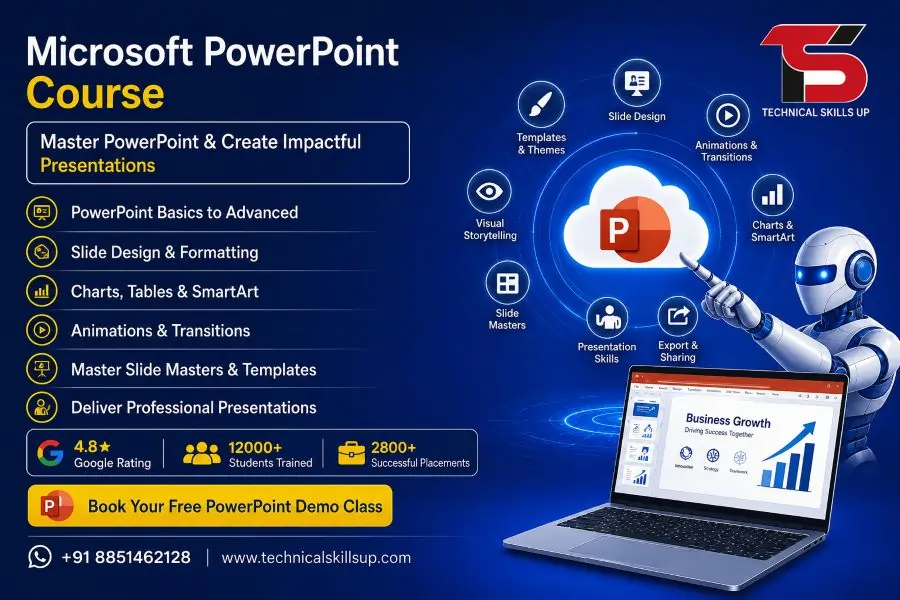
Microsoft PowerPoint Course in Delhi | Certification Training

Modern workplaces demand strong presentation skills for meetings, client pitches, reports, seminars, and business communication. Technical Skills Up offers a practical and career-focused Microsoft PowerPoint Course in Delhi designed for students, working professionals, business owners, and job seekers who want to create professional presentations with confidence. Training sessions focus on real projects, interactive learning, and hands-on practice so learners can understand every feature step by step. Expert trainers guide students from basic slide creation to advanced presentation design techniques. Practical assignments, live projects, and industry-oriented modules help learners improve both technical and creative skills. Training programs also support career growth by improving office productivity, communication quality, and presentation confidence for corporate environments.

Table of Contents

Why Choose Technical Skills Up for PowerPoint Training

Technical Skills Up provides professional learning support with updated training methods and practical sessions. Every module follows current industry standards so students can learn the latest PowerPoint features and presentation strategies.

Key Highlights of the Training Program

  • Industry-experienced trainers
  • Practical classroom sessions
  • Hands-on project work
  • Beginner to advanced learning modules
  • Flexible batch timings
  • Updated course curriculum
  • Professional presentation techniques
  • Certificate after course completion
  • Interview preparation support
  • Career guidance sessions

Professional Learning Environment

Training classrooms at Technical Skills Up create a comfortable and interactive learning atmosphere. Trainers focus on individual attention so every student can understand concepts clearly. Practical exercises improve confidence and help learners apply their knowledge in real work situations.

Benefits of Practical Training

  • Better understanding of PowerPoint tools
  • Faster learning through real examples
  • Improved creativity for slide design
  • Strong presentation-building skills
  • Better office productivity
  • Higher confidence during presentations

Microsoft PowerPoint Training in Delhi for Beginners and Professionals

PowerPoint skills have become important in almost every industry including education, business, sales, marketing, healthcare, finance, and information technology. Technical Skills Up provides structured learning modules suitable for beginners as well as experienced professionals.

Freshers can learn basic presentation development while professionals can improve advanced design and animation skills for corporate presentations.

Training Modules for Beginners

  • Introduction to Microsoft PowerPoint
  • Understanding ribbon and menu options
  • Creating new presentations
  • Working with templates and themes
  • Adding and formatting text
  • Inserting images and shapes
  • Using tables and charts
  • Slide management techniques

Advanced Learning Modules

  • Advanced animations and transitions
  • SmartArt and infographic design
  • Multimedia integration
  • Interactive presentations
  • Presentation automation
  • Corporate presentation strategies
  • Data visualization methods
  • Advanced slide formatting

Career Opportunities After PowerPoint Training

Presentation skills play an important role in professional communication. Strong PowerPoint knowledge helps candidates perform better in interviews, office meetings, project discussions, and client presentations.

Many companies prefer candidates with strong Microsoft Office skills because presentation software supports daily business operations.

Job Roles Benefited by PowerPoint Skills

  • Office Executive
  • Business Analyst
  • Data Entry Operator
  • Sales Executive
  • Marketing Professional
  • HR Executive
  • Administrative Assistant
  • Corporate Trainer
  • Project Coordinator
  • Freelancer

Learn Professional Presentation Design

Visual communication has become more important than simple text-based reports. Technical Skills Up helps learners understand how to design attractive and engaging presentations that leave a professional impact.

Trainers explain presentation structure, color combinations, slide consistency, visual hierarchy, and audience engagement methods in simple language.

Topics Covered in Presentation Design

  • Professional slide layouts
  • Color psychology basics
  • Typography techniques
  • Presentation storytelling
  • Visual balance strategies
  • Image placement methods
  • Corporate branding concepts
  • Minimal and clean design styles

Microsoft PowerPoint Classes in Delhi with Hands-On Projects

Practical implementation improves learning quality and helps students gain real experience. Technical Skills Up includes project-based learning sessions where students create different types of presentations for business, education, and corporate use.

Assignments help learners improve speed, creativity, and confidence while working on presentation projects.

Project-Based Learning Activities

  • Business presentations
  • Sales pitch presentations
  • Product launch presentations
  • Academic project presentations
  • Seminar presentation design
  • Marketing strategy presentations
  • Company profile presentations
  • Portfolio presentations

Advanced Animation and Transition Techniques

Animations and transitions make presentations more engaging and professional when used correctly. Trainers teach students how to apply effects without making slides look overloaded or distracting.

Practical sessions help learners understand animation timing, object movement, motion paths, and transition effects for better audience interaction.

Animation Features Included in Training

  • Entrance effects
  • Exit effects
  • Motion path animation
  • Object emphasis effects
  • Slide transition effects
  • Animation timing control
  • Trigger-based animations
  • Interactive animation design

Improve Office Productivity with PowerPoint Skills

Modern companies expect employees to handle presentations efficiently. PowerPoint knowledge helps professionals prepare reports, training materials, marketing pitches, and business proposals quickly.

Technical Skills Up focuses on practical office-related training that improves workplace productivity and communication quality.

Productivity Skills Covered

  • Fast slide creation methods
  • Presentation shortcuts
  • Reusable slide templates
  • Team collaboration techniques
  • Presentation sharing methods
  • Export and printing options
  • Presentation management skills
  • Time-saving formatting tools

Industry-Oriented Course Curriculum

Course modules at Technical Skills Up follow current corporate requirements. Trainers regularly update learning content according to the latest Microsoft PowerPoint features and industry trends.

Students gain practical exposure to real office presentation requirements through assignments and live practice sessions.

Important Course Sections

Introduction to Presentation Software

Students learn the purpose of presentation tools and understand how PowerPoint supports communication in corporate and academic environments.

Working with Text and Formatting

Training sessions explain text editing, formatting tools, alignment, font selection, and professional slide formatting methods.

Images and Multimedia

Practical classes teach students how to insert images, videos, icons, audio, and multimedia elements in presentations.

Charts and Graphs

Data visualization training helps learners present business information using charts, tables, and graphical elements.

Presentation Delivery Skills

Learners understand how to deliver presentations confidently with proper communication and audience interaction techniques.

Microsoft PowerPoint Training Institute in Delhi with Expert Trainers

Experienced trainers at Technical Skills Up provide simple and practical learning sessions suitable for all educational backgrounds. Every concept is explained step by step with examples and practice activities.

Professional guidance helps students solve doubts quickly and improves learning confidence throughout the course.

Advantages of Learning from Expert Trainers

  • Easy explanation methods
  • Real industry examples
  • Practical assignments
  • Individual learning support
  • Updated software knowledge
  • Professional presentation tips
  • Career-focused guidance
  • Interactive classroom sessions

Training Suitable for Multiple Industries

PowerPoint knowledge supports professionals across different industries because presentations are used in meetings, training sessions, reporting, and communication activities.

Technical Skills Up prepares learners for professional work environments through practical and industry-relevant training.

Industries Using PowerPoint Skills

  • Information Technology
  • Education Sector
  • Healthcare Industry
  • Banking and Finance
  • Sales and Marketing
  • Human Resources
  • Real Estate
  • Manufacturing Companies
  • Media and Advertising
  • Government Offices

Learn SmartArt, Infographics, and Visual Elements

Visual presentations attract more audience attention compared to text-heavy slides. Trainers teach students how to use SmartArt, icons, diagrams, and infographics effectively.

Creative presentation methods improve communication quality and help viewers understand information more clearly.

Visual Design Topics Included

  • SmartArt graphics
  • Infographic creation
  • Icon usage techniques
  • Diagram development
  • Timeline presentations
  • Process flow design
  • Comparison charts
  • Visual storytelling methods

Flexible Learning Options

Technical Skills Up offers flexible learning schedules for students, professionals, and business owners. Batch timings help learners manage training with studies or office work.

Training sessions focus on practical learning instead of only theoretical explanations.

Learning Support Features

  • Weekday batches
  • Weekend classes
  • Flexible timings
  • Doubt-clearing sessions
  • Practice assignments
  • Trainer guidance
  • Project work support
  • Revision classes

Build Confidence for Corporate Presentations

Many professionals feel nervous during presentations because of poor preparation or lack of technical skills. Technical Skills Up helps learners improve presentation confidence through regular practice and professional guidance.

Students learn how to organize slides, present ideas clearly, and engage audiences effectively.

Communication Skills Improved During Training

  • Public speaking confidence
  • Professional communication
  • Audience interaction
  • Presentation organization
  • Business communication skills
  • Visual communication methods
  • Professional reporting skills
  • Meeting presentation confidence

Certification Support After Course Completion

Technical Skills Up provides course completion certification that helps learners showcase their skills during job applications and interviews.

Certification demonstrates practical knowledge and professional training experience in Microsoft PowerPoint.

Benefits of Certification

  • Improves resume value
  • Supports interview preparation
  • Shows technical knowledge
  • Helps during job applications
  • Adds professional credibility
  • Enhances career opportunities

Real-Time Practice Sessions

Hands-on training sessions help learners understand software tools more effectively compared to theory-based learning. Trainers encourage students to practice every feature during classes.

Practical learning improves speed, accuracy, and confidence while creating professional presentations.

Real-Time Practice Areas

  • Slide formatting
  • Presentation editing
  • Animation application
  • Theme customization
  • Data presentation
  • Multimedia insertion
  • Template creation
  • Presentation delivery practice

Affordable and Career-Focused Training

Technical Skills Up focuses on affordable education with professional-quality training. Course modules help students gain useful workplace skills without unnecessary complexity.

Simple teaching methods make learning easy for beginners while advanced modules support professional development.

Reasons Students Prefer Technical Skills Up

  • Practical learning approach
  • Industry-relevant curriculum
  • Experienced trainers
  • Affordable training fees
  • Career-oriented sessions
  • Interactive classroom environment
  • Real project experience
  • Professional guidance

Importance of PowerPoint Skills in Modern Workplaces

Professional presentations help companies communicate ideas effectively with clients, employees, investors, and customers. Strong PowerPoint knowledge supports better communication and professional growth.

Modern businesses use presentations for reporting, employee training, sales pitches, marketing strategies, and project discussions. Technical Skills Up prepares learners for these professional requirements through practical and updated training methods.

Workplace Uses of PowerPoint

  • Business meetings
  • Client presentations
  • Employee training sessions
  • Sales presentations
  • Marketing reports
  • Project proposals
  • Academic seminars
  • Company profile presentations

Start Your Learning Journey with Technical Skills Up

Technical Skills Up provides career-focused learning solutions for students and professionals who want to improve presentation and office productivity skills. Professional trainers, practical assignments, and industry-oriented learning methods help students gain confidence in creating effective presentations.

Modern learning techniques, flexible schedules, and practical project work make the training suitable for beginners as well as experienced professionals. Strong presentation skills can improve communication quality, workplace performance, and career opportunities in many industries.

Professional training support at Technical Skills Up helps learners build creative, organized, and visually engaging presentations that meet current business standards.

FAQs:

Q1. What is the Microsoft PowerPoint Course?

Ans: The Microsoft PowerPoint Course is a professional training program that teaches how to create presentations, design slides, add animations, generate charts, and prepare business presentations. At Technical Skills Up, this course is taught in a simple and easy-to-understand manner, ranging from a basic to an advanced level.

Q2. Is this course suitable for beginners?

Ans: Yes, this course is absolutely perfect for beginners. Students who possess basic computer knowledge can easily learn Microsoft PowerPoint. The trainers teach using a step-by-step approach, incorporating live practical demonstrations.

Q3. What are the benefits of taking the Microsoft PowerPoint Course in Delhi?

Ans: Through this course, you learn how to create professional presentations. This proves beneficial in job interviews, office work, teaching, business presentations, and freelancing. Strong presentation skills also significantly boost career growth.

Q4. Does Technical Skills Up provide certification?

Ans: Yes, Technical Skills Up issues a Course Completion Certificate upon successful completion of the program. This certificate helps showcase your skills and strengthens your resume.

Q5. What is the duration of the Microsoft PowerPoint training in Delhi?

Ans: The duration of the course typically ranges from 1 to 3 months. The training program includes regular classes, practical sessions, and projects to ensure that students acquire comprehensive knowledge.

Q6. Does this course include practical training?

Ans: Yes, the entire training program is practical-based. Students receive training through live projects, presentation design exercises, and real-time examples.

Q7. Are both online and offline classes available?

Ans: Yes, Technical Skills Up offers both online and offline classes. Students can choose their preferred mode of learning according to their convenience.

Q8. What job opportunities become available after learning Microsoft PowerPoint?

Ans: After completing this course, you can work in roles such as Office Executive, Presentation Designer, Trainer, Data Presenter, Content Creator, and Freelancer.

Q9. Is any specific qualification required for this course?

Ans: No, no advanced qualification is required for this course. School students, college students, working professionals, and business owners—anyone can enroll in and complete this course.

Q10. What is taught in the Microsoft PowerPoint classes in Delhi?

Ans: This course covers Slide Design, Animation, Transitions, SmartArt, Charts, Tables, Templates, Presentation Skills, and Professional Slide Creation.

Q11. Is this course useful for working professionals?

Ans: Yes, this course is highly beneficial for working professionals. It helps improve office presentations and strengthens professional communication skills.

Q12. Does Technical Skills Up provide placement support?

Ans: Yes, Technical Skills Up offers placement assistance, interview preparation, and career guidance to students, helping them secure better career opportunities.

Q13. How does Microsoft PowerPoint certification training impact one’s salary?

Ans: Possessing professional presentation skills often leads companies to offer better opportunities. Consequently, this results in improved career growth and better salary packages.

Q14. Does this course also cover advanced features?

Ans: Yes, advanced features such as infographics, advanced animation, Slide Master, presentation templates, and business presentation techniques are also taught.

Q15. Why choose Technical Skills Up for Microsoft PowerPoint training in Delhi?

Ans: Technical Skills Up offers experienced trainers, practical learning, an updated syllabus, flexible batch timings, live projects, and career support. Since the training is conducted in simple, easy-to-understand language, students are able to learn quickly.

Related Post

Microsoft PowerPoint Online Course | Certification Training

Strong presentation skills help students, job seekers, business owners, and working professionals grow faster in today’s digital world. The Microsoft PowerPoint Course at Technical Skills Up focuses on practical learning, creative slide design, animation techniques, and professional presentation development. This training program helps learners create modern presentations for business meetings, office reports, seminars, marketing campaigns, and educational projects. Simple teaching methods, live practice sessions, and industry-focused projects make learning easier for beginners as well as professionals. Expert trainers guide students step by step so they can improve confidence, communication, and technical presentation skills for real career growth. Why Learn Microsoft PowerPoint? Modern companies use presentations for meetings, reporting, sales, training, and client communication. Professional PowerPoint skills increase productivity and improve communication quality in every industry. Learning PowerPoint offers many career and professional benefits: Create attractive presentations professionally Improve office productivity and reporting Design slides for business meetings Add charts, images, videos, and animations Present ideas clearly with visual content Build corporate and educational presentations Improve communication and presentation confidence Support digital marketing and sales presentations Prepare project reports professionally Increase job opportunities in office roles About Technical Skills Up Technical Skills Up provides industry-oriented IT and professional training programs designed for students and working professionals. Experienced trainers, practical learning methods, updated course modules, and project-based training help learners gain real skills instead of only theoretical knowledge. Training sessions focus on: Practical learning Real-world projects Interactive classroom sessions Online and offline training support Career-focused learning Professional guidance Interview preparation support Certification assistance Microsoft PowerPoint Training Program Overview Professional training modules cover everything from basic presentation design to advanced animation and presentation management. Structured learning helps students understand each topic step by step. Basic PowerPoint Concepts Beginners start with the fundamentals of PowerPoint software and presentation management. Topics include: Introduction to Microsoft PowerPoint Understanding PowerPoint interface Creating new presentations Working with templates Slide management techniques Saving and sharing presentations Using themes and layouts Managing presentation views Slide Design and Formatting Creative slide design plays a major role in professional presentations. Proper formatting improves readability and audience engagement. Training includes: Text formatting techniques Font and typography management Color combinations Slide background customization Shape and icon usage SmartArt creation Visual hierarchy techniques Professional alignment settings Image and Multimedia Integration Visual elements make presentations more attractive and informative. Students learn how to use multimedia professionally. Modules cover: Adding and editing images Inserting videos and audio Image transparency settings Cropping and resizing visuals Screenshot integration Icon and illustration usage Multimedia presentation setup Background music management Animation and Transition Effects Animations improve audience attention when used correctly. Practical sessions help learners create smooth and professional slide effects. Learning areas include: Basic animations Advanced animation effects Motion path creation Transition effects Animation timing settings Interactive presentation flow Slide show customization Professional animation practices Charts, Tables, and Data Visualization Business presentations require proper data representation. Visual reporting skills improve presentation quality significantly. Students learn: Creating tables Data formatting techniques Chart creation methods Pie charts and bar graphs Financial presentation design Infographic creation Data comparison slides Visual storytelling methods Microsoft PowerPoint Classes for Beginners and Professionals Flexible learning options support different learning needs. Beginners receive complete foundational training while professionals improve advanced presentation techniques. Beginner Level Learning New learners receive easy-to-understand training with practical examples. Key beginner topics: Presentation basics Simple slide creation Text and image formatting Introduction to animations Theme selection Presentation saving methods Slide organization techniques Advanced PowerPoint Skills Advanced modules focus on professional presentation development and business communication. Advance training includes: Interactive presentations Corporate presentation design Presentation automation Advanced animation workflow Slide master customization Branding presentations Professional reporting presentations Presenter tools and shortcuts Practical Assignments and Projects Hands-on practice improves understanding and confidence. Real projects help students gain practical experience. Project work includes: Business presentations Product launch presentations Educational presentation design Sales and marketing slides Corporate reporting projects Seminar presentation development Portfolio presentation creation Microsoft PowerPoint Online Course Flexible online learning helps students learn from home without affecting work or studies. Online sessions provide live interaction with trainers and practical project support. Benefits of Online Learning Online training offers flexibility and convenience for learners from different locations. Advantages include: Learn from home Flexible class timings Live trainer interaction Recorded sessions support Online practical assignments Easy access to study materials Doubt-clearing sessions Remote project guidance Live Interactive Sessions Interactive classes improve engagement and learning quality. Trainers guide students through live demonstrations and practical exercises. Online sessions include: Live screen sharing Real-time practice Practical demonstrations Interactive discussions Personalized guidance Assignment reviews Performance improvement support Study Material and Resources Proper learning resources help students revise concepts effectively after classes. Students receive: Notes and practice files Presentation templates Sample projects Practical exercises Recorded training support Interview preparation guidance Certification preparation material Microsoft PowerPoint Online Training with Real Practical Learning Practical training methods help learners develop real presentation skills required in offices and businesses. Industry-oriented teaching improves confidence and productivity. Real-World Presentation Skills Professional presentations require more than slide design. Communication flow and audience engagement also matter. Training focuses on: Audience-focused presentations Presentation storytelling Business communication Professional slide flow Effective visual communication Presentation timing management Corporate meeting presentations Industry-Oriented Training Modules Modern businesses expect employees to create polished presentations quickly and professionally. Industry-focused learning covers: Office reporting presentations Client proposal presentations Marketing presentation design Team meeting reports Sales pitch presentations Educational seminar slides Startup business presentations Improve Workplace Productivity PowerPoint skills save time and improve workplace communication quality. Benefits for professionals: Faster presentation creation Better reporting quality Improved communication skills Professional document presentation Enhanced meeting performance Better project explanation methods PowerPoint Certification Course Professional certification validates presentation skills and improves career opportunities. Certification also increases confidence during interviews and job applications. Importance of Certification Certified professionals often receive better opportunities because employers value verified skills. Certification benefits include: Professional skill validation Better job opportunities Improved resume value Increased interview confidence Career growth support Professional recognition Certification Preparation Support Structured preparation helps students understand concepts clearly before certification assessments. Support includes: Practice

Python Full Stack Developer Online Course in India

Technology continues to transform every industry, creating strong demand for professionals who can build complete web applications from start to finish. A Python Full Stack Developer Course helps learners gain the practical skills required to work on both front-end and back-end development. Technical Skills Up provides industry-focused training designed for students, fresh graduates, working professionals, and career changers who want to enter the software development field. Practical learning, expert mentorship, real-world projects, and career guidance make this program suitable for anyone looking to build job-ready development skills. Training follows a structured approach that combines programming fundamentals, database management, modern frameworks, API development, deployment techniques, and project implementation to prepare learners for real industry requirements. Why Choose a Career in Full Stack Development? Modern businesses rely heavily on web applications to serve customers, manage operations, and improve user experiences. Organizations prefer professionals who understand multiple layers of application development because they can contribute to different stages of a project. Benefits of choosing this career path include: High demand across industries Attractive salary packages Multiple job opportunities Freelancing possibilities Remote work options Continuous career growth Opportunities to work on innovative projects Strong demand in startups and multinational companies A skilled full stack developer can handle both client-side and server-side development, making them a valuable asset for organizations. About Technical Skills Up Technical Skills Up focuses on practical and career-oriented training that aligns with current industry standards. The learning approach emphasizes hands-on implementation rather than theoretical concepts alone. Key highlights include: Experienced industry trainers Live instructor-led sessions Hands-on coding practice Industry-relevant curriculum Real-world projects Interview preparation support Resume-building assistance Placement assistance Flexible learning schedules Continuous mentorship Training methodology helps learners develop confidence while working on real development tasks. Python Full Stack Training Designed for Industry Requirements Professional developers must understand how different technologies work together to create complete web applications. Python Full Stack Training at Technical Skills Up covers all essential components required to become a job-ready developer. Training focuses on: Front-end development Back-end development Database management Application deployment Version control API development Project implementation Industry best practices Learners gain exposure to technologies commonly used by software companies worldwide. What You Will Learn Comprehensive training ensures that students understand every stage of application development. Programming Fundamentals Strong programming foundations help learners understand coding logic and problem-solving techniques. Topics covered include: Variables and data types Operators Conditional statements Loops Functions Arrays and collections Error handling Object-oriented programming concepts Practical exercises help students strengthen coding skills from the beginning. Core Python Development Python remains one of the most popular programming languages due to its simplicity and versatility. Learning modules include: Python syntax Modules and packages File handling Exception handling Advanced functions Object-oriented programming Data structures Libraries and frameworks Hands-on assignments help learners understand real coding scenarios. Front-End Development Skills Modern web applications require attractive and responsive user interfaces. Important topics include: HTML5 Web page structure Semantic elements Forms and validation Multimedia integration CSS3 Styling techniques Layout design Flexbox Grid system Responsive design JavaScript DOM manipulation Event handling Functions Objects Modern JavaScript concepts Bootstrap Responsive layouts Mobile-first development UI components Styling frameworks These skills help learners build professional-looking websites and applications. Database Management Training Every web application requires efficient data storage and retrieval. Topics covered include: Database concepts SQL fundamentals CRUD operations Joins Stored procedures Database optimization Data relationships Query writing Practical database exercises help learners understand real business applications. Back-End Development with Python Server-side development powers application functionality and business logic. Learning areas include: Request handling Application architecture Routing Middleware Authentication Authorization Session management Security practices Practical coding sessions allow learners to create functional back-end systems. Framework Training for Modern Development Frameworks accelerate development and improve code maintainability. Django Framework Django remains one of the most widely used Python frameworks for web development. Topics include: Django architecture Models Views Templates URL routing Forms Authentication Admin panel ORM concepts Learners build complete web applications using Django. REST API Development Modern applications communicate through APIs. Key concepts include: API architecture REST principles JSON handling API integration Authentication methods CRUD APIs Testing APIs Project-based learning helps students understand API implementation in real-world applications. Version Control with Git and GitHub Software development teams use version control systems to manage code efficiently. Topics covered: Git basics Repository management Branching Merging Pull requests Collaboration workflows GitHub projects Knowledge of version control improves team collaboration and development productivity. Python Full Stack Classes with Practical Learning Learning becomes more effective when students apply concepts through hands-on activities. Technical Skills Up focuses heavily on practical implementation. Practical learning activities include: Coding exercises Lab assignments Mini projects Case studies Project reviews Debugging sessions Code optimization tasks Every module includes practical work to reinforce concepts. Real-Time Projects Included Project experience plays an important role in securing developer jobs. Learners work on projects that simulate actual industry requirements. Project examples include: E-commerce applications Student management systems Inventory systems Blog platforms Online booking systems CRM applications Business management portals Projects help learners build strong portfolios for interviews and job applications. Python Full Stack Development Course Curriculum Structured learning ensures complete skill development. Programming Fundamentals Logic building Coding basics Data structures Problem-solving techniques Python Programming Core concepts Advanced programming OOP concepts Libraries Front-End Development HTML CSS JavaScript Bootstrap Database Management SQL Database design Query optimization Django Framework Application development Authentication Database integration API Development REST APIs Integration Security Git and GitHub Version control Team collaboration Deployment Hosting concepts Application deployment Production environment setup Capstone Project Real-world implementation Project presentation Code review Python Full Stack Certification Course Benefits Certification demonstrates knowledge and practical skills acquired during training. Benefits include: Enhanced resume value Improved job prospects Industry recognition Better interview opportunities Professional credibility Certification validates technical competencies gained throughout the training program. Placement Assistance Support Technical Skills Up provides career-focused support to help learners prepare for employment opportunities. Placement support includes: Resume preparation LinkedIn profile optimization Mock interviews Technical interview practice HR interview guidance Career counseling Job referrals Career services help learners approach interviews with confidence. Who Can Join This

ServiceNow Course in Noida with Placement

A strong career in IT often depends on choosing the right platform and training. ServiceNow has quickly become one of the most in-demand skills in the global job market, especially for roles related to IT Service Management (ITSM), workflow automation, and enterprise solutions. Technical Skills Up brings a practical and job-oriented ServiceNow Course in Noida designed for beginners as well as working professionals. The program focuses on real-world learning, hands-on projects, and industry-relevant skills so that learners can confidently step into high-paying roles. Every module is carefully structured to match current industry needs, making the learning process simple, clear, and effective for all levels. Why Choose ServiceNow as a Career? Technology keeps evolving, and businesses constantly need tools that simplify operations. ServiceNow stands out because it helps organizations automate workflows, manage IT services, and improve efficiency. Key Benefits of Learning ServiceNow High demand in IT and non-IT sectors Excellent salary packages for certified professionals Opportunities in global companies Easy to learn compared to other enterprise tools Strong career growth in ITSM and cloud computing Professionals with ServiceNow skills often work as developers, administrators, consultants, and business analysts. ServiceNow Training in Noida – Learn with Experts Technical Skills Up provides industry-focused ServiceNow Training in Noida that helps students understand both basic and advanced concepts in a structured way. Training sessions are handled by experienced trainers who have worked on live projects. What Makes Our Training Unique? Trainer-led live sessions with practical examples Step-by-step learning approach for beginners Real-time project exposure Updated syllabus based on industry trends Doubt-clearing sessions after every class Learning becomes easier when concepts are explained with real-life examples and practical use cases. Course Highlights A well-designed course structure helps students learn quickly and effectively. Technical Skills Up ensures every learner gets maximum value from the training. Key Highlights 100% practical-based learning Live project implementation Certification preparation support Flexible batch timings Lifetime access to study materials Placement assistance Every feature is designed to support students from learning to job placement. ServiceNow Classes in Noida – Flexible Learning Options Different learners have different schedules, so flexibility plays an important role. Technical Skills Up offers multiple options for ServiceNow Classes in Noida to suit everyone. Available Learning Modes Classroom training Online live classes Weekend batches for working professionals Fast-track courses Students can choose a learning mode based on their convenience without compromising on quality. Detailed Course Curriculum A proper curriculum ensures strong understanding and practical knowledge. The course covers everything from basics to advanced topics. Introduction to ServiceNow Overview of ServiceNow platform Understanding cloud computing basics Navigation and user interface ITSM Fundamentals Incident management Problem management Change management ServiceNow Administration User and group management Roles and permissions Data management ServiceNow Development Scripting basics (JavaScript) Business rules Client scripts Workflow and Automation Creating workflows Automating business processes Integration concepts Reporting and Dashboards Creating reports Performance analytics Dashboard customization Real-Time Projects Industry-based project work Practical implementation Case studies Every module includes hands-on practice to ensure better understanding. ServiceNow Training Institute in Noida – Why Technical Skills Up? Choosing the right institute can make a big difference in your career. Technical Skills Up is known as a reliable ServiceNow Training Institute in Noida because of its quality training and student success rate. Reasons to Choose Us Experienced and certified trainers Practical learning approach Industry-relevant curriculum Strong placement support Affordable course fees Positive student feedback Students get complete support from the first class to job placement. Hands-On Projects and Practical Learning Practical knowledge plays a major role in IT careers. Technical Skills Up focuses heavily on hands-on training. What You Will Practice Creating real ServiceNow applications Working on live scenarios Solving industry-based problems Implementing workflows Practical exposure builds confidence and prepares students for real job roles. Certification Support Getting certified increases job opportunities and credibility. Technical Skills Up provides full guidance for ServiceNow certification. Certification Benefits Better job opportunities Higher salary packages Recognition in the IT industry Strong professional profile Trainers guide students with exam preparation, mock tests, and important questions. Placement Assistance and Career Support Training alone is not enough without job support. Technical Skills Up provides strong placement assistance to help students start their careers. Placement Services Resume building guidance Interview preparation sessions Mock interviews Job referrals Career counseling Students get support until they secure a job. Who Can Join This Course? A wide range of learners can benefit from this course. No advanced technical background is required. Suitable for: Fresh graduates IT professionals Non-IT professionals looking to switch careers System administrators Developers Anyone interested in building a career in IT can enroll. Skills You Will Gain Learning ServiceNow helps you develop multiple technical and professional skills. Key Skills IT Service Management (ITSM) Workflow automation Scripting basics Problem-solving skills Analytical thinking These skills are highly valuable in the IT industry. Career Opportunities After ServiceNow Training ServiceNow skills open doors to various job roles in top companies. Job Roles ServiceNow Developer ServiceNow Administrator ITSM Consultant System Analyst Application Developer Many multinational companies hire ServiceNow professionals for different roles. Salary Expectations Salary depends on skills, experience, and certification. Average Salary Range Freshers: ₹4 LPA to ₹7 LPA Experienced professionals: ₹8 LPA to ₹20 LPA+ With experience and certifications, salary growth becomes faster. Learning Environment at Technical Skills Up A positive learning environment helps students focus better and achieve their goals. What You Can Expect Friendly and supportive trainers Interactive classes Practical assignments Real-time problem solving Students feel comfortable asking questions and learning at their own pace. How to Enroll Joining the course is simple and quick. Steps to Enroll Contact Technical Skills Up Choose your batch timing Complete registration Start your training Guidance is provided at every step to make the process smooth. Conclusion Choosing the right training program can shape your future in the IT industry. ServiceNow offers excellent career opportunities, and proper training helps you achieve success faster. Technical Skills Up provides complete learning support, from basic concepts to advanced practical knowledge. With expert trainers, real-time projects, and placement assistance, students gain