

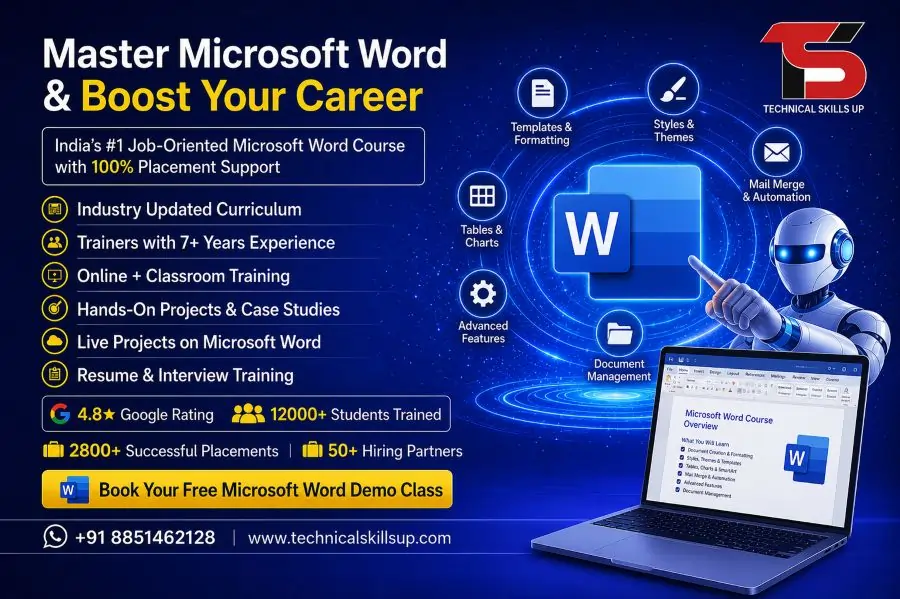
Strong computer skills help students, job seekers, and working professionals perform better in today’s digital workplace. Technical Skills Up offers a practical and career-focused Microsoft Word Course in Delhi designed for beginners as well as experienced learners. Daily office work, documentation, reporting, letter writing, and project preparation become easier with proper Microsoft Word knowledge. Training sessions focus on practical learning so students can use every feature confidently in real work environments.
Modern companies expect employees to create professional documents with proper formatting, tables, images, reports, and templates. Many students know basic typing but lack advanced document management skills. Technical Skills Up helps learners improve productivity with hands-on practice, live assignments, and expert guidance. Simple teaching methods make learning easy for every student. Training also supports career growth by improving office productivity and communication skills.
Why Learn Microsoft Word?
Professional document creation plays an important role in almost every industry. Schools, colleges, corporate offices, government departments, and businesses use Microsoft Word for daily work. Good knowledge of Word helps users save time and create professional documents quickly.
Learning Microsoft Word provides many benefits:
- Create professional resumes and reports
- Design letters, invoices, and office documents
- Improve typing and formatting skills
- Manage large documents easily
- Add tables, charts, and images professionally
- Increase office productivity
- Prepare assignments and projects effectively
- Improve job opportunities in multiple industries
Proper training also helps learners understand advanced tools that many users ignore during regular office work.
About Technical Skills Up
Technical Skills Up focuses on practical education and industry-relevant computer training. Expert trainers guide students with step-by-step learning methods that improve confidence and technical knowledge. Training sessions include live practice, assignments, and project work to help students understand real office tasks.
Learning support remains available throughout the course duration. Students receive proper guidance for document creation, formatting, editing, printing, and professional presentation preparation. Friendly classroom environments make learning comfortable for beginners.
Training programs are designed according to current industry requirements so learners can develop practical office skills that companies expect from employees.
Microsoft Word Training in Delhi for Beginners and Professionals
Many students and professionals want to improve office software knowledge for better career opportunities. Technical Skills Up provides complete Microsoft Word Training in Delhi with practical exercises and easy learning methods.
Course modules start from basic concepts and gradually move toward advanced features. Beginners can learn document creation from scratch, while professionals can improve formatting and document management skills.
Training includes:
- Introduction to Microsoft Word interface
- File creation and saving methods
- Text formatting techniques
- Paragraph and page setup
- Header and footer creation
- Table design and formatting
- SmartArt and shapes usage
- Image insertion and editing
- Page numbering and alignment
- Spell check and grammar tools
- Printing and sharing documents
- Professional document preparation
Practical exercises help students understand every concept properly.
Key Features of the Course
Practical Learning Sessions
Hands-on practice helps students learn faster and remember concepts easily. Every topic includes practical exercises for better understanding.
Industry Experienced Trainers
Professional trainers guide students using real office examples and practical workflows. Easy teaching methods improve learning quality.
Updated Course Modules
Course content covers modern Microsoft Word tools and features used in professional workplaces.
Flexible Training Options
Students can choose suitable class timings according to their schedules.
Certification Support
Course completion certificates help learners showcase their skills during job applications.
Project-Based Training
Assignments and projects improve practical knowledge and increase confidence.
Microsoft Word Classes in Delhi with Real-Time Practice
Technical Skills Up provides job-oriented Microsoft Word Classes in Delhi focused on practical office tasks. Classroom sessions help students practice every feature under trainer guidance.
Many learners struggle with document formatting, alignment, and layout creation. Proper classroom training solves these issues through daily practice and interactive sessions.
Students learn how to:
- Create official documents
- Design professional reports
- Format business letters
- Prepare resumes and CVs
- Insert charts and graphics
- Use templates efficiently
- Create tables and lists
- Manage long documents professionally
Real-time practice sessions improve speed, accuracy, and productivity.
Course Modules Covered
Introduction to Microsoft Word
Students learn the basics of Microsoft Word, including menus, ribbons, navigation tools, and workspace management.
Topics Included
- Understanding the Word interface
- Creating new documents
- Opening and saving files
- Using templates
- Managing recent documents
Text Formatting and Editing
Professional formatting improves document quality and readability.
Training Includes
- Font styles and sizes
- Bold, italic, and underline usage
- Text color and highlighting
- Alignment and spacing
- Find and replace tools
- Copy, cut, and paste functions
Paragraph and Page Setup
Proper page setup creates professional-looking documents.
Topics Covered
- Margins and orientation
- Line spacing adjustments
- Bullets and numbering
- Page borders
- Columns and sections
- Page breaks
Table Creation and Formatting
Tables help organize information clearly.
Students Learn
- Creating tables
- Editing rows and columns
- Table design formatting
- Merging cells
- Sorting data
- Table alignment
Working with Images and Shapes
Visual elements improve document presentation.
Practical Training Includes
- Inserting images
- Image resizing
- Adding shapes and icons
- Text wrapping
- SmartArt usage
- Screenshot insertion
Header, Footer, and Page Numbering
Professional documents require proper structure and navigation.
Training Covers
- Header creation
- Footer customization
- Page number insertion
- Date and time setup
- Document branding
Proofreading and Review Tools
Error-free documents improve professionalism.
Topics Included
- Spell check
- Grammar tools
- Track changes
- Comments insertion
- Document review methods
Printing and Sharing Documents
Students learn how to prepare documents for printing and digital sharing.
Practical Topics
- Print settings
- PDF conversion
- Page preview
- Sharing documents
- Document protection
Benefits of Learning Microsoft Word
Strong Microsoft Word skills provide advantages in education and employment. Many companies prefer candidates with good office software knowledge.
Important benefits include:
- Better office productivity
- Faster document preparation
- Professional presentation skills
- Improved communication
- Better academic performance
- Increased job opportunities
- Enhanced workplace efficiency
Students can also use these skills for freelancing and personal projects.
Career Opportunities After Course Completion
Good Microsoft Word knowledge supports multiple job profiles across industries.
Popular career options include:
- Office Assistant
- Data Entry Operator
- Computer Operator
- Administrative Executive
- Documentation Executive
- Front Office Executive
- Back Office Staff
- Customer Support Executive
Many companies require employees who can create and manage professional documents efficiently.
Importance of Professional Document Skills
Professional documentation plays a major role in office communication. Reports, proposals, invoices, presentations, and business letters require proper formatting and organization.
Good document skills help professionals:
- Present information clearly
- Improve communication quality
- Create attractive reports
- Save editing time
- Maintain professional standards
Training at Technical Skills Up focuses on practical workplace requirements.
Microsoft Word Training Institute in Delhi with Expert Guidance
Choosing the right institute plays an important role in skill development. Technical Skills Up is a trusted Microsoft Word Training Institute in Delhi offering practical learning and professional guidance.
Expert trainers help students understand every feature step by step. Simple explanations and live demonstrations make learning comfortable for beginners.
Students receive:
- Practical assignments
- Live project work
- Trainer support
- Updated learning material
- Professional guidance
- Career-oriented training
Structured learning methods help learners improve confidence and technical knowledge quickly.
Who Can Join This Course?
This course is suitable for learners from different educational and professional backgrounds.
Ideal candidates include:
- School students
- College students
- Job seekers
- Office employees
- Business owners
- Housewives
- Freelancers
- Working professionals
No advanced technical background is required to join the course.
Why Practical Training Matters
Theoretical learning alone cannot improve office productivity skills. Practical exercises help students understand how Microsoft Word works in real office environments.
Practical training helps learners:
- Improve typing speed
- Understand document formatting
- Handle office tasks efficiently
- Solve real document issues
- Gain confidence in software usage
Daily practice sessions increase accuracy and reduce mistakes.
Classroom Environment and Learning Support
Friendly classroom environments improve concentration and learning quality. Technical Skills Up provides comfortable training facilities with proper systems and learning support.
Students receive:
- Interactive classroom sessions
- Doubt-clearing support
- Practice assignments
- Trainer assistance
- Project-based learning
- Performance guidance
Personal attention helps students learn every concept properly.
Advanced Features Covered During Training
Modern offices use advanced Microsoft Word features for efficient work management.
Advanced training includes:
- Mail merge
- Document templates
- Watermarks
- Hyperlinks
- Document security
- Advanced tables
- Custom formatting
- Shortcut keys
Learning advanced tools improves productivity and professional efficiency.
Improve Office Productivity with Microsoft Word Skills
Office employees work with documents daily. Strong Microsoft Word skills help professionals complete tasks faster and more accurately.
Professional Word knowledge supports:
- Business communication
- Client documentation
- Meeting reports
- Data presentation
- Office administration
Employees with strong office software skills often perform better in workplace environments.
Certification Benefits
Course certification helps students showcase their technical skills during interviews and job applications.
Certification advantages include:
- Better resume value
- Increased interview confidence
- Professional recognition
- Improved career opportunities
Practical knowledge combined with certification creates stronger career profiles.
Learning Approach at Technical Skills Up
Technical Skills Up follows a practical and student-friendly teaching approach. Every topic is explained using simple language and live demonstrations.
Training methods include:
- Step-by-step explanations
- Real office examples
- Practical assignments
- Interactive sessions
- Project work
- Performance evaluation
Simple learning techniques help students understand concepts quickly.
Importance of Computer Skills in Modern Careers
Digital skills have become essential in almost every industry. Companies expect employees to understand office software and documentation processes.
Microsoft Word knowledge supports careers in:
- Corporate offices
- Educational institutions
- Healthcare organizations
- Government departments
- Retail businesses
- Service industries
Professional computer skills improve workplace performance and career growth opportunities.
Conclusion:
Professional document skills help students and working professionals perform better in modern workplaces. Technical Skills Up provides practical training designed to improve productivity, formatting knowledge, and office efficiency. Expert trainers, live projects, and practical assignments help learners gain real-world experience.
Strong Microsoft Word knowledge supports academic growth, professional communication, and career development. Step-by-step learning methods make the course suitable for beginners as well as experienced professionals. Students can improve confidence, technical knowledge, and workplace productivity through practical training and expert guidance at Technical Skills Up.
FAQs:
Q1. What is the Microsoft Word Course?
Ans: The Microsoft Word Course is a professional training program that teaches document creation, formatting, resume design, working with tables, mail merge, headers and footers, and general office tasks. This course by Technical Skills Up is beneficial for both beginners and working professionals.
Q2. Who is the Microsoft Word Course in Delhi suitable for?
Ans: This course is ideal for students, job seekers, office staff, teachers, freelancers, and business owners. Proficiency in Microsoft Word is a valuable asset in every office and company environment.
Q3. Why choose Technical Skills Up for Microsoft Word Training in Delhi?
Ans: At Technical Skills Up, you benefit from practical training, expert instructors, live practice sessions, and an easy-to-understand learning methodology. The training provided here is aligned with industry requirements, ensuring that students acquire superior skills.
Q4. What is covered in the Microsoft Word classes in Delhi?
Ans: This course covers document creation, text formatting, page layout, tables, charts, mail merge, templates, keyboard shortcuts, printing, and professional report design.
Q5. What is the duration of the Microsoft Word course at the training institute in Delhi?
Ans: The course duration varies depending on the specific batch, ranging from one to three months. Fast-track and weekend batches are also available.
Q6. Is prior computer knowledge required for the Microsoft Word course?
Ans: While having basic computer knowledge is beneficial, absolute beginners can also easily master this course, as the training is delivered in a step-by-step manner.
Q7. What are the benefits of Microsoft Word certification training?
Ans: Certification helps strengthen your professional skills. Adding a certificate to your resume enhances your job prospects and creates a positive impression during job interviews.
Q8. Can I get a job after completing the Microsoft Word course?
Ans: Yes, Microsoft Word skills are highly beneficial for securing positions such as Office Assistant, Data Entry Operator, Computer Operator, Admin Executive, and various back-office roles.
Q9. What is the fee for the Microsoft Word course in Delhi?
Ans: The course fee depends on the institute, the duration of the program, and the level of training. Technical Skills Up maintains an affordable fee structure designed to be accessible to students.
Q10. Are both online and offline classes available?
Ans: Yes, Technical Skills Up offers Microsoft Word classes in Delhi in both online and offline modes, allowing students to learn according to their convenience.
Q11. How long does it take to complete the Microsoft Word course?
Ans: Learning the basics of Microsoft Word may take a few weeks, while mastering advanced features may require a little more time. Regular practice helps in improving skills more quickly.
Q12. Does this course include practical training?
Ans: Yes, practical assignments, live examples, and practice sessions using real office documents are provided to ensure students gain hands-on experience with actual work scenarios.
Q13. What skills are developed after completing the Microsoft Word course?
Ans: Upon completing this course, students develop skills such as professional document creation, typing efficiency, formatting expertise, report generation, and overall office productivity.
Q14. Do students receive a certificate?
Ans: Yes, upon successful completion of the course, Technical Skills Up issues a certification that aids in career growth.
Q15. How do I choose the right institute for Microsoft Word training in Delhi?
Ans: When selecting an institute, one should consider factors such as experienced trainers, practical training methodologies, course curriculum, student support services, and certification credentials. Technical Skills Up is renowned for providing industry-oriented training.