
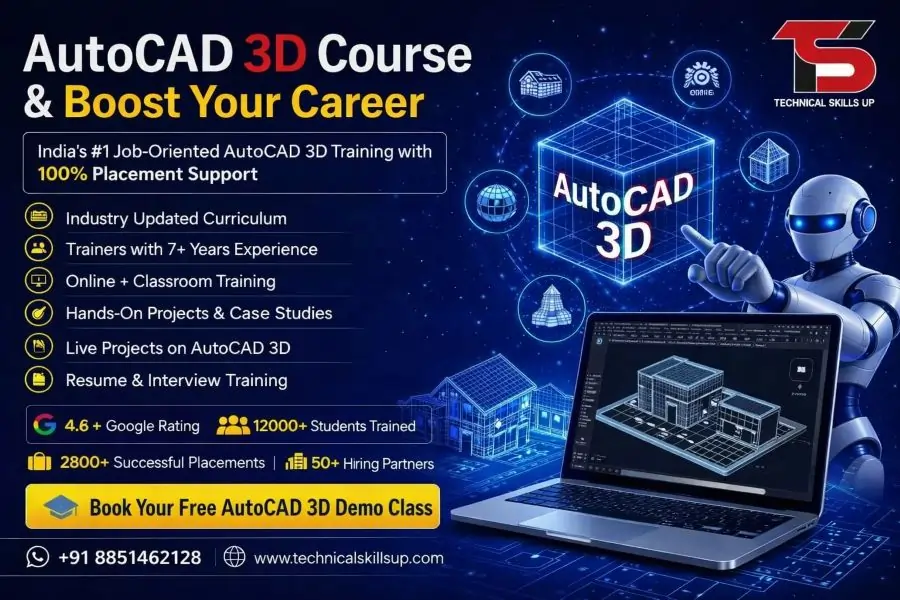
Modern industries depend on accurate 3D designs for planning, visualization, manufacturing, and construction projects. The AutoCAD 3D Course offered by Technical Skills Up helps learners build practical design skills that match current industry requirements. Training focuses on creating realistic 3D models, detailed drawings, and professional project presentations. Every module is designed to help students understand concepts through practical exercises and real-world examples. Guidance from experienced trainers, project-based learning, and hands-on practice make the learning process simple and effective. Whether you are a student, working professional, engineer, architect, or designer, this program provides the knowledge needed to work confidently on professional 3D design projects and improve career opportunities in multiple industries.
Why Learn AutoCAD 3D?
Three-dimensional design has become an essential skill in engineering, architecture, manufacturing, construction, and product development. Organizations prefer professionals who can visualize ideas and convert concepts into realistic models.
Learning AutoCAD 3D helps learners:
- Create professional 3D models and designs
- Improve visualization and presentation skills
- Develop industry-ready drafting abilities
- Work on architectural and engineering projects
- Increase career opportunities in technical fields
- Understand modern design workflows
- Build a strong professional portfolio
- Enhance productivity and project accuracy
Strong knowledge of 3D design software allows professionals to contribute effectively to project planning and execution.
About Technical Skills Up
Technical Skills Up is committed to providing quality technical education through practical training and expert guidance. The training methodology focuses on industry requirements, hands-on learning, and skill development.
Students receive:
- Instructor-led training sessions
- Practical assignments and exercises
- Real project exposure
- Personalized learning support
- Career guidance and mentoring
- Certification assistance
- Flexible learning options
- Updated course curriculum
Every training session is structured to help learners gain confidence while working on professional design projects.
AutoCAD 3D Training Designed for Industry Success
Professional learning requires more than theoretical knowledge. Training sessions focus on practical implementation so students can understand how AutoCAD is used in real workplaces.
Major objectives include:
- Understanding 3D workspace and tools
- Learning professional modeling techniques
- Creating complex solid models
- Developing surface models
- Working with rendering features
- Generating technical drawings from 3D models
- Managing project documentation
- Improving design presentation skills
Practical tasks help learners apply concepts immediately and develop job-ready expertise.
Key Features of the Course
Several features make this training program valuable for learners aiming to build professional design skills.
Industry-Relevant Curriculum
Course modules are developed according to current industry standards and practical requirements.
Experienced Trainers
Sessions are conducted by professionals with practical experience in engineering and design projects.
Hands-On Learning
Training emphasizes practical exercises rather than only theoretical discussions.
Project-Based Approach
Students work on projects that simulate real-world design scenarios.
Career-Oriented Learning
Course content focuses on skills that employers actively seek in technical professionals.
Flexible Learning Environment
Learners can choose schedules that suit their academic or professional commitments.
Certification Support
Guidance is provided to help students prepare for certification and career opportunities.
AutoCAD 3D Classes with Practical Learning
Classroom and practical sessions are designed to create a strong foundation in 3D modeling concepts. Learning activities encourage students to explore tools and techniques through guided practice.
Topics covered include:
- Interface navigation
- Coordinate systems
- Object creation
- Editing tools
- Viewing controls
- Model development
- Design modification
- Annotation techniques
- Layout preparation
- Project presentation
Regular practice sessions improve understanding and increase confidence while working on professional projects.
Skills You Will Develop
Successful completion of the program helps learners gain valuable technical and professional skills.
Technical Skills
- 3D solid modeling
- Surface modeling
- Visualization techniques
- Rendering concepts
- Drawing creation
- Dimensioning standards
- Layer management
- Project documentation
Professional Skills
- Problem-solving abilities
- Project planning techniques
- Attention to detail
- Design communication
- Time management
- Technical presentation skills
These competencies help learners perform effectively in professional environments.
Course Curriculum Overview
Training covers essential concepts required for professional 3D design work.
Introduction to AutoCAD 3D
- Understanding the workspace
- Navigation tools
- User interface
- Design environment setup
Basic 3D Modeling
- Creating primitive objects
- Working with coordinates
- Model manipulation
- Object selection techniques
Solid Modeling
- Extrude command
- Revolve command
- Sweep command
- Loft command
- Boolean operations
Surface Modeling
- Surface creation methods
- Surface editing tools
- Surface analysis techniques
Advanced Modeling
- Complex geometry creation
- Parametric design concepts
- Model optimization
Visualization and Rendering
- Material application
- Lighting setup
- Camera views
- Rendering techniques
Documentation
- Creating layouts
- Generating views
- Annotation methods
- Dimensioning standards
Project Work
- Real-world design assignments
- Industry-based case studies
- Portfolio development
Each module includes practical exercises to reinforce learning outcomes.
Benefits of Learning 3D Design Technology
Modern businesses rely heavily on digital design and visualization tools. Strong 3D modeling capabilities provide significant advantages for professionals.
Benefits include:
- Better project visualization
- Improved communication with clients
- Increased design accuracy
- Faster project completion
- Enhanced creativity
- Reduced design errors
- Professional project presentation
- Greater career flexibility
Knowledge of advanced design tools helps professionals remain competitive in evolving industries.
AutoCAD 3D Certification Course for Career Growth
Professional certification demonstrates technical competency and commitment to skill development. Employers often prefer candidates who can showcase verified expertise.
Certification benefits include:
- Stronger professional profile
- Better job opportunities
- Increased employer confidence
- Industry recognition
- Enhanced career credibility
- Improved promotion prospects
Training prepares learners with the knowledge and practical skills needed to perform effectively in technical roles.
Career Opportunities After Course Completion
Many industries require professionals who can create accurate and efficient 3D models.
Career opportunities include:
CAD Designer
Responsible for preparing technical drawings and models for various projects.
3D Modeler
Creates detailed digital models used in engineering, architecture, and manufacturing.
Design Engineer
Develops design solutions using modern drafting and modeling tools.
Mechanical Draftsman
Prepares engineering drawings and production documentation.
Architectural Designer
Creates building layouts, structures, and visualization models.
Product Designer
Develops product concepts and manufacturing-ready designs.
CAD Technician
Supports engineering teams through drafting and technical documentation.
Growing demand across industries creates valuable opportunities for trained professionals.
Industries That Use AutoCAD 3D
Many sectors depend on professional design software to complete projects efficiently.
Major industries include:
- Architecture
- Civil Engineering
- Mechanical Engineering
- Manufacturing
- Construction
- Interior Design
- Product Development
- Industrial Design
- Infrastructure Development
- Automotive Industry
Professionals with strong modeling skills remain valuable across these sectors.
AutoCAD 3D Online Course in India
Online learning provides flexibility for students and working professionals who want to upgrade their skills without affecting their daily responsibilities.
Advantages of online learning include:
- Learn from any location
- Flexible schedules
- Live instructor interaction
- Access to learning materials
- Practical demonstrations
- Assignment support
- Project guidance
- Convenient learning experience
Interactive sessions ensure learners receive the same quality education and practical exposure as traditional classroom training.
Real Project Experience
Practical project work plays a crucial role in skill development. Learners gain exposure to professional workflows through industry-based assignments.
Project activities include:
- Design planning
- Model creation
- Design modification
- Documentation preparation
- Rendering presentations
- Technical drawing generation
Real project experience helps bridge the gap between learning and professional application.
Who Can Join This Course?
Training is suitable for individuals from different educational and professional backgrounds.
Ideal participants include:
- Engineering students
- Diploma holders
- Architects
- Civil engineers
- Mechanical engineers
- Interior designers
- Working professionals
- Technical graduates
- Design enthusiasts
No matter the experience level, structured training helps learners progress step by step.
Learning Support and Guidance
Continuous support contributes significantly to successful learning outcomes. Dedicated trainers assist students throughout the training journey.
Support includes:
- Doubt-clearing sessions
- Practical assistance
- Assignment reviews
- Project mentoring
- Career counseling
- Interview preparation guidance
Regular interaction with trainers ensures learners remain confident and motivated.
Why Choose Technical Skills Up?
Selecting the right training provider can make a significant difference in career development.
Key reasons include:
- Industry-focused curriculum
- Practical learning methodology
- Experienced trainers
- Real-world projects
- Flexible training options
- Student-focused approach
- Career-oriented guidance
- Professional learning environment
Every aspect of the training program is designed to help learners gain valuable skills and achieve professional success.
Build a Successful Future with Professional Design Skills
Strong design capabilities continue to create excellent opportunities across engineering, architecture, manufacturing, and construction sectors. Practical learning, industry-relevant projects, expert mentorship, and hands-on experience help learners develop confidence and technical expertise. Technical Skills Up provides a structured learning path that enables students and professionals to master advanced 3D modeling concepts, create professional-quality designs, and prepare for rewarding career opportunities. Dedicated training, continuous support, and project-based learning ensure that every learner gains the knowledge needed to excel in today’s competitive design industry.
Online Courses
- AutoCAD Course
- AutoCAD 2D Course
- BIM Course
- Revit Architecture Course
- Revit MEP Course
- Revit Structure Course
Related Courses in Noida
- AutoCAD Course in Noida
- AutoCAD 2D Course in Noida
- AutoCAD 3D Course in Noida
- BIM Course in Noida
- Revit Architecture Course in Noida
- Revit MEP Course in Noida
- Revit Structure Course in Noida
Related Courses in Delhi
FAQs:
Q1. What is the AutoCAD 3D Online Course?
Ans: The AutoCAD 3D Online Course is a professional training program that teaches essential skills such as 3D Modeling, 3D Design, Surface Modeling, Solid Modeling, and Rendering. This course is beneficial for building a career in the fields of Engineering, Architecture, Interior Design, and the Manufacturing Industry.
Q2. Who is eligible to take the AutoCAD 3D Online Course?
Ans: This course is suitable for Mechanical Engineers, Civil Engineers, Architects, Interior Designers, Diploma students, ITI students, and working professionals. Anyone with basic computer knowledge can learn this course.
Q3. What is the duration of the AutoCAD 3D Online Course?
Ans: The duration of the AutoCAD 3D Online Course typically ranges from 1 to 3 months. At Technical Skills Up, the training includes live projects and practical assignments.
Q4. Does the AutoCAD 3D Online Course offer live classes?
Ans: Yes, live online classes are available for the AutoCAD 3D Online Course at Technical Skills Up. Students can interact directly with instructors and get their queries resolved.
Q5. What job opportunities are available after completing the AutoCAD 3D Course?
Ans: Upon completing the course, opportunities become available in job profiles such as CAD Designer, AutoCAD Designer, 3D Modeler, Mechanical Draftsman, Design Engineer, and Architectural Draftsman.
Q6. Is a certificate provided with the AutoCAD 3D Online Course?
Ans: Yes, upon successful completion of the course, Technical Skills Up awards an AutoCAD 3D Certification, which helps strengthen your resume and career profile.
Q7. What are the benefits of learning AutoCAD 3D?
Ans: Learning AutoCAD 3D enables you to create professional 3D designs, develop industry-relevant skills, and secure better career opportunities within the engineering and design sectors.
Q8. Does the AutoCAD 3D Online Course offer placement assistance?
Ans: Yes, under its “AutoCAD 3D Online Course in India with Placement” program, Technical Skills Up provides placement assistance, resume building support, interview preparation, and job support.
Q9. Which software is used for the AutoCAD 3D Online Course?
Ans: This course primarily utilizes AutoCAD software. Students are also provided with guidance on software installation and configuration.
Q10. Can beginners take the AutoCAD 3D Course?
Ans: Yes, this course is suitable for beginners as well. The training begins with the basic concepts of AutoCAD and progresses to advanced 3D modeling.
Q11. What topics are covered in the AutoCAD 3D Online Course?
Ans: The course covers key topics such as 3D Modeling, Solid Modeling, Surface Modeling, 3D Navigation, Rendering, Materials, Lighting, Dimensioning, and Professional Design Techniques.
Q12. Are recorded sessions available for the AutoCAD 3D Online Course?
Ans: Yes, in many cases, recorded sessions are made available to students so they can revisit lectures and practice at any time.
Q13. What salary can one expect after completing the AutoCAD 3D Course?
Ans: At the entry level, AutoCAD 3D professionals can earn a competitive salary, depending on the company, location, and their experience. As experience grows, both career advancement opportunities and salary levels increase.
Q14. How important is the AutoCAD 3D Online Course in the industry?
Ans: Today, the demand for 3D design is constantly rising across the fields of Engineering, Construction, Manufacturing, and Architecture. Consequently, AutoCAD 3D skills are considered highly valuable within these industries.
Q15. Why choose Technical Skills Up’s AutoCAD 3D Online Course?
Ans: Technical Skills Up offers an AutoCAD 3D Online Course in India—complete with placement assistance—featuring experienced instructors, live online classes, practical projects, industry-oriented training, and certification, enabling students to develop job-ready skills.