

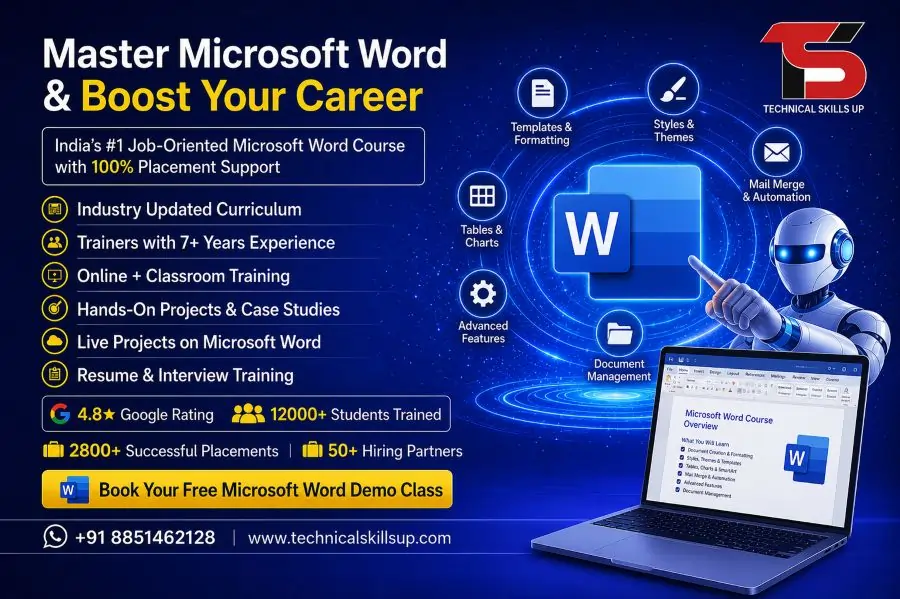
Modern offices depend on smart documentation, professional formatting, and fast communication skills. A professional Microsoft Word Course in Noida helps students, job seekers, working professionals, and business owners learn document creation in a practical way. Technical Skills Up provides industry-focused training with live practice sessions, expert guidance, and real-world assignments. Strong Microsoft Word skills improve productivity and help candidates perform better in office jobs, administration, customer support, data entry, teaching, and business operations. Easy-to-understand lessons, practical exercises, and project-based learning make the course suitable for beginners as well as experienced learners. Training sessions focus on professional document formatting, resume creation, reports, tables, templates, and office productivity tools. Career-oriented learning methods help students gain confidence while working on real projects in a professional environment.
Learn Professional Documentation Skills
Professional documents create a strong impression in every industry. Training sessions at Technical Skills Up focus on creating business letters, office reports, invoices, resumes, proposals, and professional documents with proper formatting. Students learn step-by-step methods to design clean and attractive documents for office use.
Key Skills Covered
- Document formatting techniques
- Page setup and layout design
- Header and footer creation
- Font styling and paragraph formatting
- Professional resume design
- Business report preparation
- Table creation and editing
- Page numbering and alignment
Why Choose Technical Skills Up
Technical Skills Up focuses on practical learning instead of only theoretical concepts. Expert trainers guide students using real examples and office-based projects. Simple teaching methods help learners understand Microsoft Word features quickly without confusion.
Benefits of Learning Here
- Industry-experienced trainers
- Practical assignments and projects
- Updated course curriculum
- Individual student attention
- Flexible class timing
- Live project practice
- Career-oriented training methods
- Beginner-friendly learning environment
Microsoft Word Training in Noida for Beginners and Professionals
Many students and working professionals want to improve office productivity skills for better career growth. Microsoft Word Training in Noida at Technical Skills Up helps learners understand both basic and advanced features in a structured manner.
Basic Topics Included
- Introduction to Microsoft Word
- Creating and saving documents
- Copy, paste, and text editing
- Spell check and grammar tools
- Document printing settings
- Basic formatting options
- Bullet points and numbering
- File management techniques
Advanced Topics Included
- Mail merge functionality
- SmartArt and shapes
- Document protection settings
- Template customization
- Hyperlink insertion
- Track changes and comments
- Advanced table formatting
- Professional document automation
Practical Learning with Live Projects
Hands-on practice improves understanding and confidence. Technical Skills Up provides live projects where students work on real office documents and professional templates. Practical sessions help learners gain industry-ready skills.
Project-Based Learning Activities
- Resume and CV creation
- Office letter formatting
- Company report preparation
- Invoice design practice
- Business proposal creation
- Documentation projects
- Professional presentation documents
- Certificate designing tasks
Career Opportunities After Course Completion
Microsoft Word knowledge creates opportunities in multiple industries. Office management, administration, education, customer support, banking, and corporate sectors require professionals with strong documentation skills.
Job Roles After Training
- Office Executive
- Computer Operator
- Data Entry Operator
- Administrative Assistant
- Documentation Executive
- Back Office Executive
- Front Desk Executive
- Customer Support Executive
Industry-Focused Curriculum
Technical Skills Up designs the curriculum according to modern office requirements. Practical topics help students learn current workplace documentation standards.
Course Modules
Introduction to Word Interface
Students learn navigation, toolbar usage, menus, and workspace customization.
Text Formatting Techniques
Training covers fonts, spacing, colors, alignment, and professional formatting methods.
Document Layout Management
Learners understand margins, orientation, columns, spacing, and page setup settings.
Table and Chart Management
Sessions explain how to insert and customize tables, charts, and structured data formats.
Graphics and Visual Elements
Students learn image insertion, SmartArt usage, icons, and shape formatting.
Review and Collaboration Tools
Track changes, comments, proofreading, and collaboration tools are explained in detail.
Microsoft Word Classes in Noida with Flexible Timings
Busy students and working professionals often need flexible learning schedules. Microsoft Word Classes in Noida at Technical Skills Up are available in weekday and weekend batches for better convenience.
Batch Options Available
- Morning batches
- Evening batches
- Weekend classes
- Fast-track training
- Regular classroom sessions
- Online learning support
- Practical lab sessions
- Doubt-clearing classes
Easy Learning Methods for Every Student
Simple teaching methods help students learn quickly without technical confusion. Trainers explain every concept step by step with practical demonstrations.
Student-Friendly Training Features
- Simple language explanations
- Practical demonstrations
- Real office examples
- Step-by-step guidance
- Practice worksheets
- Interactive classroom sessions
- Revision classes
- Trainer support sessions
Improve Office Productivity Skills
Office productivity improves when employees know how to create professional documents efficiently. Technical Skills Up focuses on improving speed, accuracy, and formatting quality.
Productivity Skills Learned
- Fast typing and editing
- Efficient formatting methods
- Time-saving shortcuts
- Professional page management
- Quick document customization
- Office file organization
- Error reduction techniques
- Multi-page document handling
Professional Resume and Report Creation
Strong resumes and reports create a professional impression during job applications and office communication. Training sessions help students create attractive and structured documents.
Resume Creation Training
- Professional resume formatting
- Header and section alignment
- Skill highlighting methods
- Modern resume templates
- Career objective formatting
- Portfolio document design
Report Preparation Skills
- Business report structure
- Table of contents creation
- Cover page design
- Graph and chart insertion
- Professional formatting rules
- Data presentation techniques
Advanced Features Covered in Training
Modern offices use advanced Microsoft Word features for productivity and automation. Technical Skills Up includes advanced concepts that improve professional efficiency.
Advanced Tools and Features
- Mail merge setup
- Label and envelope printing
- Watermark creation
- Password protection
- Document comparison
- Macro basics
- Advanced page formatting
- Custom templates
Training for Students and Working Professionals
Students preparing for office jobs and professionals wanting career growth both benefit from this training. Technical Skills Up provides learning solutions according to different career goals.
Suitable for
- College students
- Job seekers
- Working professionals
- Teachers and trainers
- Business owners
- Administrative staff
- Reception executives
- Freelancers
Practical Computer Lab Environment
Learning becomes easier with regular practice in a professional computer lab environment. Technical Skills Up provides practical sessions where students perform every task individually.
Lab Training Advantages
- Individual computer access
- Practical assignments
- Real-time task execution
- Trainer guidance during practice
- Error correction support
- Performance improvement sessions
- Professional working environment
- Daily practice exercises
Certification Support for Better Career Growth
Certification helps students showcase their skills during job interviews. Technical Skills Up provides training completion certification after successful course completion.
Certification Benefits
- Improved job profile
- Better interview confidence
- Skill validation support
- Professional career enhancement
- Increased employment opportunities
- Office job preparation
- Industry-recognized training exposure
- Strong resume value
Importance of Microsoft Word in Modern Offices
Every organization uses professional documents for communication and reporting. Strong Microsoft Word skills help employees complete tasks faster and maintain professional standards.
Office Tasks Performed Using Word
- Business letter creation
- Report preparation
- Documentation management
- Meeting agenda creation
- Employee data formatting
- Proposal development
- Official communication drafting
- Contract formatting
Personalized Attention for Better Understanding
Technical Skills Up believes every student learns at a different speed. Trainers provide personalized attention to improve learning quality and understanding.
Personalized Support Features
- One-to-one guidance
- Doubt-solving sessions
- Extra practice support
- Revision classes
- Performance monitoring
- Assignment feedback
- Learning progress tracking
- Career guidance sessions
Microsoft Word Training Institute in Noida with Practical Approach
Professional learning requires practical exposure and expert guidance. Microsoft Word Training Institute in Noida by Technical Skills Up focuses on real-world office tasks instead of only theoretical explanations. Students work on assignments that match actual workplace requirements.
Practical Training Highlights
- Real office document practice
- Assignment-based learning
- Industry-relevant exercises
- Productivity-focused sessions
- Professional formatting tasks
- Hands-on editing practice
- Business communication documents
- Career-oriented learning methods
Learn Time-Saving Shortcuts and Techniques
Fast work performance increases productivity in office environments. Training sessions include keyboard shortcuts and smart techniques that help complete work quickly.
Shortcuts and Smart Techniques
- Text editing shortcuts
- Fast formatting commands
- Navigation shortcuts
- Document duplication methods
- Quick alignment tools
- Efficient selection techniques
- Page formatting shortcuts
- Productivity improvement tricks
Build Confidence for Office Work
Many beginners feel nervous while using office software. Practical training and regular assignments help students gain confidence in professional environments.
Confidence-Building Activities
- Daily practical exercises
- Professional assignments
- Document creation practice
- Real-time trainer feedback
- Presentation activities
- Formatting challenges
- Office simulation tasks
- Team-based practice sessions
Affordable Training with Quality Learning
Technical Skills Up focuses on quality education with practical training support. Affordable fee structures make professional learning accessible for students and job seekers.
Value-Added Benefits
- Affordable training fees
- Practical learning support
- Updated training modules
- Career guidance assistance
- Experienced faculty
- Flexible learning schedules
- Practical assignments
- Professional training atmosphere
Placement and Career Support
Career guidance plays an important role in professional growth. Technical Skills Up supports students with interview preparation and career assistance.
Career Support Services
- Resume preparation guidance
- Interview preparation sessions
- Communication skill improvement
- Career counseling support
- Job profile understanding
- Professional grooming tips
- Documentation practice
- Placement assistance support
Strong Foundation for Office Software Learning
Microsoft Word skills help learners understand other office applications more easily. Students gain confidence while working with office productivity software.
Additional Learning Advantages
- Better computer knowledge
- Improved office communication
- Strong formatting skills
- Professional presentation quality
- Increased workplace efficiency
- Improved typing accuracy
- Better documentation standards
- Enhanced professional confidence
Start Your Professional Learning Journey
Technical Skills Up provides practical, simple, and career-focused training for learners who want professional office skills. Expert trainers, practical assignments, and industry-focused sessions help students improve productivity and job readiness. Strong documentation skills create better opportunities in office administration, customer support, business operations, and professional communication roles. Structured learning methods and practical exposure make the course suitable for beginners as well as experienced professionals. Students gain confidence through live projects, practical tasks, and real office document creation exercises. Professional training support helps learners prepare for modern workplace requirements and career growth opportunities.
FAQs:
Q1. What is a Microsoft Word Course?
Ans: A Microsoft Word Course is a professional training program that teaches document creation, formatting, resume design, tables, mail merge, page layout, and advanced features. This course by Technical Skills Up is beneficial for both beginners and working professionals.
Q2. Who is the Microsoft Word Course in Noida suitable for?
Ans: This course is ideal for students, office staff, job seekers, teachers, freelancers, and business owners. For those looking to enhance their computer skills, Microsoft Word training in Noida proves to be highly beneficial.
Q3. What are the benefits of undergoing Microsoft Word Certification Training?
Ans: This training improves your documentation skills. Additionally, it enhances your ability to create resumes, reports, invoices, and official letters. Obtaining a certification can also lead to increased job opportunities.
Q4. Is prior computer knowledge required to take the Microsoft Word Course?
Ans: No, basic computer knowledge is sufficient. At Technical Skills Up, Microsoft Word classes in Noida begin at a beginner level to ensure that every student can learn with ease.
Q5. What topics are covered in the Microsoft Word Course?
This course covers the following topics:
MS Word Interface
Text Formatting
Tables and Charts
Headers & Footers
Page Setup
Mail Merge
SmartArt
Resume Creation
Document Printing
Shortcut Keys
Q6. What is the duration of the Microsoft Word Course?
Ans: Most Microsoft Word training programs last between 1 to 3 months. The duration may vary depending on the institute and the specific course module.
Q7. Is a certificate provided upon completion of this course?
Ans: Yes, upon successfully completing the training, a Microsoft Word Certification Training certificate is awarded, which can significantly strengthen your resume and career profile.
Q8. What is the fee for the Microsoft Word Course in Noida?
Ans: The course fee depends on the training level, duration, and the number of practical sessions included. For accurate information, you may visit the official website of Technical Skills Up.
Q9. Are Microsoft Word classes also available online?
Ans: Yes, many institutes offer Microsoft Word classes in both online and offline modes, allowing students to learn according to their convenience.
Q10. What job opportunities are available after learning Microsoft Word?
Ans: Upon completing this course, you can apply for jobs such as Data Entry Operator, Office Assistant, Computer Operator, Back Office Executive, and Documentation Executive.
Q11. Does the Microsoft Word course include practical training?
Ans: Yes, practical training is provided through hands-on sessions covering live document creation, formatting, and professional file management, enabling students to gain real-world work experience.
Q12. How useful is the Microsoft Word course for beginners?
Ans: This course is highly beneficial for beginners, as it offers step-by-step training ranging from basic to advanced levels. It also helps boost one’s confidence in using computers.
Q13. Does Microsoft Word training assist with interview preparation?
Ans: Yes, basic MS Word skills are a prerequisite in many companies. This training enhances both your office productivity and your performance during job interviews.
Q14. What salary can one expect after completing the Microsoft Word course?
Ans: Your salary depends on your skills, experience, and specific job profile. At the entry level, you can secure a promising career start in various office and computer-related roles.
Q15. Why choose Technical Skills Up’s Microsoft Word course?
Ans: Technical Skills Up offers experienced trainers, practical learning, industry-relevant training, and certification support. Here, students receive instruction in simple, easy-to-understand language, enabling them to learn quickly and effectively.