

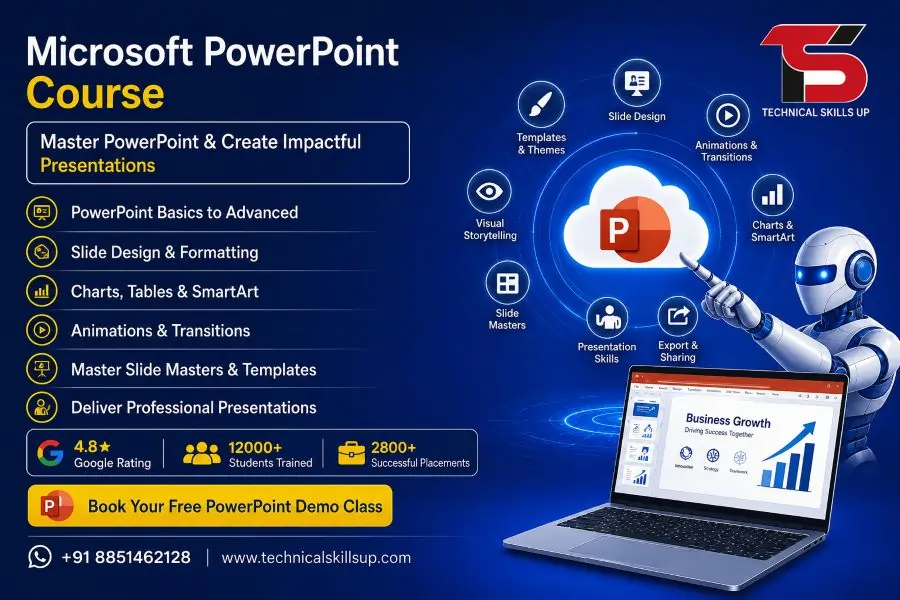
Strong presentation skills help students, job seekers, business owners, and working professionals grow faster in today’s digital world. The Microsoft PowerPoint Course at Technical Skills Up focuses on practical learning, creative slide design, animation techniques, and professional presentation development. This training program helps learners create modern presentations for business meetings, office reports, seminars, marketing campaigns, and educational projects. Simple teaching methods, live practice sessions, and industry-focused projects make learning easier for beginners as well as professionals. Expert trainers guide students step by step so they can improve confidence, communication, and technical presentation skills for real career growth.
Why Learn Microsoft PowerPoint?
Modern companies use presentations for meetings, reporting, sales, training, and client communication. Professional PowerPoint skills increase productivity and improve communication quality in every industry.
Learning PowerPoint offers many career and professional benefits:
- Create attractive presentations professionally
- Improve office productivity and reporting
- Design slides for business meetings
- Add charts, images, videos, and animations
- Present ideas clearly with visual content
- Build corporate and educational presentations
- Improve communication and presentation confidence
- Support digital marketing and sales presentations
- Prepare project reports professionally
- Increase job opportunities in office roles
About Technical Skills Up
Technical Skills Up provides industry-oriented IT and professional training programs designed for students and working professionals. Experienced trainers, practical learning methods, updated course modules, and project-based training help learners gain real skills instead of only theoretical knowledge.
Training sessions focus on:
- Practical learning
- Real-world projects
- Interactive classroom sessions
- Online and offline training support
- Career-focused learning
- Professional guidance
- Interview preparation support
- Certification assistance
Microsoft PowerPoint Training Program Overview
Professional training modules cover everything from basic presentation design to advanced animation and presentation management. Structured learning helps students understand each topic step by step.
Basic PowerPoint Concepts
Beginners start with the fundamentals of PowerPoint software and presentation management.
Topics include:
- Introduction to Microsoft PowerPoint
- Understanding PowerPoint interface
- Creating new presentations
- Working with templates
- Slide management techniques
- Saving and sharing presentations
- Using themes and layouts
- Managing presentation views
Slide Design and Formatting
Creative slide design plays a major role in professional presentations. Proper formatting improves readability and audience engagement.
Training includes:
- Text formatting techniques
- Font and typography management
- Color combinations
- Slide background customization
- Shape and icon usage
- SmartArt creation
- Visual hierarchy techniques
- Professional alignment settings
Image and Multimedia Integration
Visual elements make presentations more attractive and informative. Students learn how to use multimedia professionally.
Modules cover:
- Adding and editing images
- Inserting videos and audio
- Image transparency settings
- Cropping and resizing visuals
- Screenshot integration
- Icon and illustration usage
- Multimedia presentation setup
- Background music management
Animation and Transition Effects
Animations improve audience attention when used correctly. Practical sessions help learners create smooth and professional slide effects.
Learning areas include:
- Basic animations
- Advanced animation effects
- Motion path creation
- Transition effects
- Animation timing settings
- Interactive presentation flow
- Slide show customization
- Professional animation practices
Charts, Tables, and Data Visualization
Business presentations require proper data representation. Visual reporting skills improve presentation quality significantly.
Students learn:
- Creating tables
- Data formatting techniques
- Chart creation methods
- Pie charts and bar graphs
- Financial presentation design
- Infographic creation
- Data comparison slides
- Visual storytelling methods
Microsoft PowerPoint Classes for Beginners and Professionals
Flexible learning options support different learning needs. Beginners receive complete foundational training while professionals improve advanced presentation techniques.
Beginner Level Learning
New learners receive easy-to-understand training with practical examples.
Key beginner topics:
- Presentation basics
- Simple slide creation
- Text and image formatting
- Introduction to animations
- Theme selection
- Presentation saving methods
- Slide organization techniques
Advanced PowerPoint Skills
Advanced modules focus on professional presentation development and business communication.
Advance training includes:
- Interactive presentations
- Corporate presentation design
- Presentation automation
- Advanced animation workflow
- Slide master customization
- Branding presentations
- Professional reporting presentations
- Presenter tools and shortcuts
Practical Assignments and Projects
Hands-on practice improves understanding and confidence. Real projects help students gain practical experience.
Project work includes:
- Business presentations
- Product launch presentations
- Educational presentation design
- Sales and marketing slides
- Corporate reporting projects
- Seminar presentation development
- Portfolio presentation creation
Microsoft PowerPoint Online Course
Flexible online learning helps students learn from home without affecting work or studies. Online sessions provide live interaction with trainers and practical project support.
Benefits of Online Learning
Online training offers flexibility and convenience for learners from different locations.
Advantages include:
- Learn from home
- Flexible class timings
- Live trainer interaction
- Recorded sessions support
- Online practical assignments
- Easy access to study materials
- Doubt-clearing sessions
- Remote project guidance
Live Interactive Sessions
Interactive classes improve engagement and learning quality. Trainers guide students through live demonstrations and practical exercises.
Online sessions include:
- Live screen sharing
- Real-time practice
- Practical demonstrations
- Interactive discussions
- Personalized guidance
- Assignment reviews
- Performance improvement support
Study Material and Resources
Proper learning resources help students revise concepts effectively after classes.
Students receive:
- Notes and practice files
- Presentation templates
- Sample projects
- Practical exercises
- Recorded training support
- Interview preparation guidance
- Certification preparation material
Microsoft PowerPoint Online Training with Real Practical Learning
Practical training methods help learners develop real presentation skills required in offices and businesses. Industry-oriented teaching improves confidence and productivity.
Real-World Presentation Skills
Professional presentations require more than slide design. Communication flow and audience engagement also matter.
Training focuses on:
- Audience-focused presentations
- Presentation storytelling
- Business communication
- Professional slide flow
- Effective visual communication
- Presentation timing management
- Corporate meeting presentations
Industry-Oriented Training Modules
Modern businesses expect employees to create polished presentations quickly and professionally.
Industry-focused learning covers:
- Office reporting presentations
- Client proposal presentations
- Marketing presentation design
- Team meeting reports
- Sales pitch presentations
- Educational seminar slides
- Startup business presentations
Improve Workplace Productivity
PowerPoint skills save time and improve workplace communication quality.
Benefits for professionals:
- Faster presentation creation
- Better reporting quality
- Improved communication skills
- Professional document presentation
- Enhanced meeting performance
- Better project explanation methods
PowerPoint Certification Course
Professional certification validates presentation skills and improves career opportunities. Certification also increases confidence during interviews and job applications.
Importance of Certification
Certified professionals often receive better opportunities because employers value verified skills.
Certification benefits include:
- Professional skill validation
- Better job opportunities
- Improved resume value
- Increased interview confidence
- Career growth support
- Professional recognition
Certification Preparation Support
Structured preparation helps students understand concepts clearly before certification assessments.
Support includes:
- Practice assignments
- Mock projects
- Trainer guidance
- Practical assessments
- Presentation evaluation
- Skill improvement sessions
Course Features at Technical Skills Up
Quality training infrastructure and practical learning support help students gain better learning experiences.
Expert Trainers
Experienced instructors provide practical and industry-focused guidance.
Trainer support includes:
- Personalized attention
- Real project guidance
- Industry insights
- Easy explanation methods
- Practical examples
- Career mentoring
Practical Lab Sessions
Regular practice improves learning speed and confidence.
Lab training covers:
- Daily practice exercises
- Slide creation assignments
- Animation practice
- Data visualization tasks
- Multimedia integration projects
Flexible Learning Options
Different training modes support learners with various schedules.
Available learning modes:
- Classroom training
- Online live training
- Weekend batches
- Fast-track sessions
- Flexible timing support
Career Support and Guidance
Career-focused training helps students prepare for professional opportunities.
Career assistance includes:
- Resume guidance
- Interview preparation
- Presentation confidence building
- Professional communication improvement
- Career counseling support
Who Can Join This Course?
Simple learning modules make this course suitable for learners from different educational and professional backgrounds.
Suitable candidates include:
- Students
- Freshers
- Working professionals
- Office executives
- Teachers and trainers
- Sales professionals
- Digital marketers
- Entrepreneurs
- Business owners
- Freelancers
Career Opportunities After Learning PowerPoint
Presentation skills remain valuable across almost every industry. Strong presentation ability improves communication and professional performance.
Job Roles That Use PowerPoint Skills
Many professional roles require regular presentation creation and reporting.
Common job profiles include:
- Office Executive
- Data Entry Operator
- Administrative Assistant
- Sales Executive
- Marketing Executive
- Business Analyst
- Corporate Trainer
- HR Executive
- Project Coordinator
- Digital Marketing Executive
Freelancing and Business Use
Freelancers and entrepreneurs also use PowerPoint for business communication and marketing.
Business applications include:
- Client presentations
- Product promotion slides
- Training presentations
- Startup pitch decks
- Online teaching presentations
- Social media presentation content
Why Choose Technical Skills Up for PowerPoint Training?
Professional guidance, practical learning, and career-oriented teaching methods make learning more effective and result-driven.
Key Advantages
Students receive complete support during the learning process.
Main benefits include:
- Practical learning approach
- Updated training modules
- Industry-relevant projects
- Professional trainers
- Flexible training options
- Online and offline support
- Certification guidance
- Career-focused training
Learn Presentation Skills for Career Growth
Professional presentation skills create better career opportunities in today’s competitive environment. Clear communication and attractive visual presentations help professionals stand out during meetings, interviews, seminars, and client discussions. Quality training combined with regular practice improves confidence and creativity.
The training program at Technical Skills Up helps learners build strong PowerPoint skills through practical assignments, live projects, and expert guidance. Structured learning methods, interactive classes, and career-focused training support students at every stage of learning. Beginners can develop foundational skills while professionals can improve advanced presentation techniques for workplace success.
FAQs:
Q1. What is the Microsoft PowerPoint Online Course?
Ans: The Microsoft PowerPoint Online Course is a professional training program that teaches how to create presentations, design slides, add animations, generate charts, and prepare business presentations. This course is conducted through live online classes combined with practical training.
Q2. What are the benefits of taking PowerPoint Certification Training?
Ans: Completing PowerPoint Certification Training strengthens your presentation skills. Students, working professionals, teachers, and business owners can create better slides. This skill proves invaluable during job interviews, office meetings, and client presentations.
Q3. Who can take the Microsoft PowerPoint Online Course?
Ans: This course is open to everyone—including students, freshers, office employees, teachers, business owners, and freelancers. Anyone with basic computer knowledge can easily learn this course.
Q4. What topics are covered in the PowerPoint Course?
Ans: This course covers topics such as slide design, templates, transitions, animations, SmartArt, charts, graphs, infographics, presentation tips, and the creation of professional PPTs.
Q5. Are the Microsoft PowerPoint classes conducted online or offline?
Ans: At Technical Skills Up, Microsoft PowerPoint classes are available in both online and offline modes. The online classes offer the flexibility of both live training sessions and access to recorded sessions.
Q6. What is the duration of the PowerPoint Online Training?
Ans: The duration of the PowerPoint Online Training depends on the specific institute and the course modules chosen. Typically, the course duration ranges from a few weeks up to two months.
Q7. Is a certificate provided upon completion of the Microsoft PowerPoint Course?
Ans: Yes, a PowerPoint Certification is awarded upon the successful completion of the course. This certificate serves to validate your skills and significantly enhances your resume.
Q8. How does the PowerPoint Certification Course help with job prospects?
Ans: Many companies prefer candidates who possess the ability to create professional presentations. This course is highly beneficial for roles in office administration, marketing, sales, teaching, and various corporate profiles.
Q9. Does this course include practical training?
Ans: Yes, the Microsoft PowerPoint Online Course includes practical projects and training on creating live presentations, enabling students to gain real-world work experience.
Q10. What qualifications are required to take the PowerPoint Course?
Ans: No specific degree is required for this course. Basic computer knowledge and a willingness to learn are sufficient.
Q11. Can I complete the Microsoft PowerPoint Online Training from home?
Ans: Yes, you can learn PowerPoint from the comfort of your home using a laptop or computer through online training. An internet connection and a suitable system are required.
Q12. Is the PowerPoint Course suitable for beginners?
Ans: Yes, this course is suitable even for beginners. The training covers everything from basic to advanced levels, ensuring that every student can learn with ease.
Q13. Why are PowerPoint Presentation Skills important?
Ans: In today’s world, impactful presentations are essential across schools, colleges, businesses, and the corporate sector. Strong presentation skills enhance communication and improve one’s professional image.
Q14. Why choose Technical Skills Up’s Microsoft PowerPoint Course?
Ans: Technical Skills Up offers expert trainers, live practical sessions, industry-based training, and an easy-to-follow learning methodology, enabling students to develop superior skills.
Q15. Does Microsoft PowerPoint Certification Training aid in career growth?
Ans: Yes, this training enhances skills related to office work, corporate presentations, data reporting, and business communication, thereby increasing opportunities for career growth.