
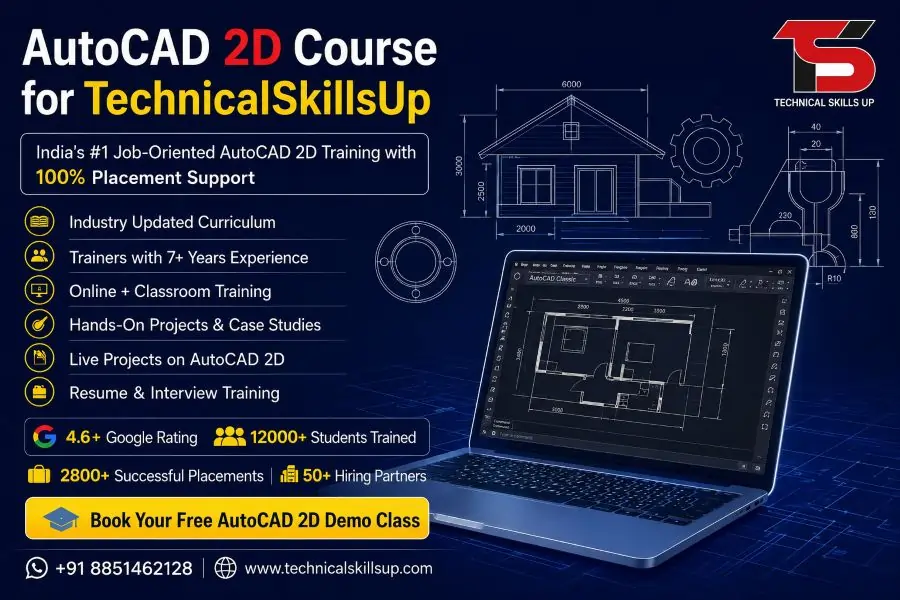
Modern industries need skilled drafting professionals who can create accurate technical drawings for construction, manufacturing, architecture, and engineering projects. Technical Skills Up provides professional training that helps students build practical design skills with real project practice. AutoCAD 2D Course in Delhi helps beginners and working professionals learn drafting concepts in a simple and practical way. Training sessions focus on real industry work so students can understand how companies use AutoCAD software for planning and designing projects.
Professional trainers guide students through every concept step by step. Practical assignments, project work, and live exercises improve technical knowledge and confidence. Easy explanations and hands-on practice help students understand software tools without confusion. Career-focused learning makes this course suitable for students, diploma holders, engineers, architects, and job seekers who want to build a strong future in the design industry.
Why Learn AutoCAD 2D?
Technical drawing plays an important role in many industries. Companies need professionals who can prepare floor plans, layouts, machine drawings, and engineering drafts with accuracy. AutoCAD software helps professionals create clean and professional designs quickly.
Learning AutoCAD 2D offers many advantages:
- Improves technical drawing skills
- Creates better job opportunities
- Helps students work on real projects
- Builds understanding of engineering drawings
- Increases productivity in design work
- Supports career growth in architecture and engineering
- Develops industry-ready drafting knowledge
- Helps freelancers earn from design projects
Strong drafting skills also help professionals communicate project ideas clearly with clients and teams.
About Technical Skills Up
Technical Skills Up focuses on practical education and industry-based learning. Training programs are designed according to current market requirements. Expert trainers provide personal attention to every student during classes. Training methodology combines theory, practical sessions, assignments, and live project work.
Students receive complete learning support throughout the course duration. Professional learning environments and updated course modules help students understand every topic properly. Career guidance and interview preparation sessions also help learners prepare for jobs confidently.
Key Highlights of Training
- Industry expert trainers
- Practical learning sessions
- Live project experience
- Updated course syllabus
- Flexible class timings
- Interview preparation support
- Certification after course completion
- Small batch size for better learning
- Practice assignments for every module
- Career-focused training approach
AutoCAD 2D Training Program Overview
AutoCAD 2D Training in Delhi covers all important drafting tools and commands required in professional projects. Course modules are designed for beginners as well as experienced learners who want to improve their drafting skills.
Training starts with basic concepts and gradually moves toward advanced drawing techniques. Students learn through practice-based sessions that improve technical understanding.
Course Duration
Flexible learning options help students manage their studies and professional schedules comfortably.
Available batches include:
- Weekday batches
- Weekend batches
- Fast-track training
- Online training sessions
- Classroom training
Learning Mode
Students can choose suitable learning methods according to their comfort.
Training modes include:
- Classroom training
- Instructor-led online sessions
- Hybrid learning option
Skills Students Will Learn
Practical training helps learners gain industry-level drafting knowledge. Students work on real examples and exercises during the course.
Important skills covered during training include:
Basic Drafting Skills
- Understanding AutoCAD interface
- File management
- Drawing setup
- Coordinate systems
- Object selection methods
Drawing Tools
- Line command
- Circle command
- Arc creation
- Rectangle tools
- Polygon tools
- Polyline functions
Editing Tools
- Move command
- Copy command
- Trim and extend
- Mirror command
- Offset command
- Rotate and scale
Annotation Tools
- Text creation
- Dimensioning
- Multileader tools
- Hatch commands
- Table creation
Layer Management
- Creating layers
- Layer properties
- Layer visibility control
- Color management
- Line type settings
Professional Drafting Techniques
- Layout setup
- Plotting and printing
- Template creation
- Drawing organization
- Project standards
Advantages of Learning from Industry Experts
Experienced trainers make learning easier through practical examples and real project demonstrations. Professional guidance helps students understand how companies use AutoCAD in actual work environments.
Benefits of expert-led training include:
- Better understanding of technical concepts
- Real industry knowledge
- Faster problem-solving skills
- Guidance on project execution
- Professional drafting standards
- Career advice from experts
Professional mentorship also helps students avoid common mistakes during drafting work.
Practical Training Approach
Practical learning improves confidence and technical knowledge more effectively than theoretical study alone. Training sessions at Technical Skills Up include hands-on exercises and project-based assignments.
Students practice on:
- Residential floor plans
- Mechanical component drawings
- Electrical layouts
- Furniture layouts
- Building sections
- Structural drawings
Real drafting exercises help learners understand professional workflows used in industries.
Importance of AutoCAD in Different Industries
Many industries depend on AutoCAD software for planning and drafting work. Strong AutoCAD knowledge opens career opportunities in multiple sectors.
Architecture Industry
Architects use AutoCAD for:
- Floor planning
- Building layouts
- Interior designs
- Elevation drawings
- Site planning
Civil Engineering Industry
Civil engineers use drafting software for:
- Structural planning
- Road layouts
- Construction drawings
- Utility planning
- Infrastructure projects
Mechanical Industry
Mechanical professionals prepare:
- Machine part drawings
- Product layouts
- Manufacturing designs
- Assembly drawings
- Industrial equipment plans
Electrical Industry
Electrical designers create:
- Wiring layouts
- Electrical schematics
- Lighting plans
- Circuit drawings
- Equipment layouts
Career Opportunities After Training
Professional drafting skills create many job opportunities in India and abroad. Companies regularly hire skilled AutoCAD professionals for technical design work.
Popular job roles include:
- AutoCAD Designer
- CAD Draftsman
- Mechanical Draftsman
- Civil CAD Designer
- Architectural Draftsman
- Interior Design Draftsman
- Electrical CAD Operator
- Design Engineer
Growing infrastructure and construction industries continue increasing demand for skilled drafting professionals.
Who Can Join This Course?
Professional training programs are suitable for learners from different educational backgrounds. Beginners can start learning easily because trainers explain concepts in simple language.
Suitable candidates include:
- Students
- Engineers
- Diploma holders
- Architects
- Interior designers
- Job seekers
- Working professionals
- Construction professionals
Technical knowledge is helpful but not compulsory for joining beginner-level training.
Course Modules Covered During Training
Detailed modules help students learn drafting concepts from basic to advanced levels.
Introduction to AutoCAD
- Software overview
- Interface understanding
- Navigation tools
- Workspace settings
Basic Drawing Commands
- Drawing lines
- Shapes and objects
- Coordinate methods
- Precision tools
Editing Commands
- Object modification
- Copy and move
- Array command
- Stretch tools
Layers and Properties
- Layer management
- Color settings
- Object properties
- Lineweight settings
Text and Dimensions
- Text formatting
- Dimension styles
- Annotation tools
- Leader creation
Blocks and Attributes
- Creating blocks
- Editing blocks
- Dynamic blocks
- Attribute management
Layout and Printing
- Paper space setup
- Viewports
- Plot settings
- Printing methods
Project Work
- Real drafting projects
- Industrial layouts
- Practical assignments
- Final project preparation
Benefits of Classroom Training
Classroom sessions provide direct interaction with trainers and better practical understanding.
Advantages include:
- Instant doubt solving
- Better focus during practice
- Interactive learning
- Team discussions
- Real-time feedback
- Professional learning environment
Students also gain confidence by working with classmates on drafting exercises.
Benefits of Online Training
Flexible online sessions help students learn from home without traveling.
Online learning advantages include:
- Flexible schedule
- Recorded sessions support
- Comfortable learning environment
- Time-saving option
- Easy access from any location
Professional trainers guide students during live sessions and practical exercises.
Certification Support
AutoCAD 2D Certification Course in Delhi helps students gain professional recognition after successful training completion. Certification improves resume value and increases job opportunities in technical industries.
Certification benefits include:
- Professional skill validation
- Better interview opportunities
- Stronger resume profile
- Increased employer trust
- Career growth support
Industry-recognized certification also helps freelancers attract more clients for drafting projects.
Importance of Project-Based Learning
Practical projects help students understand real workplace requirements. Training exercises simulate industry work environments and improve technical confidence.
Project-based learning helps students:
- Build practical experience
- Improve drafting speed
- Understand project workflows
- Develop problem-solving ability
- Learn professional standards
Real project practice also prepares students for interviews and company assignments.
Why Delhi is a Good Place for AutoCAD Training
Delhi offers strong career opportunities in architecture, engineering, and infrastructure sectors. Many construction companies, design firms, and manufacturing industries operate in the city.
Benefits of learning in Delhi include:
- Better job opportunities
- Access to industrial projects
- Growing infrastructure sector
- Exposure to professional companies
- Networking opportunities
Professional training combined with industry demand creates better career growth opportunities for students.
Placement Support for Students
Career guidance plays an important role in professional training programs. Technical Skills Up helps students prepare for interviews and improve professional confidence.
Placement assistance includes:
- Resume preparation
- Interview guidance
- Technical interview preparation
- Career counseling
- Job opportunity updates
Professional support increases student confidence during job applications and interviews.
Learning Environment at Technical Skills Up
Friendly learning environments help students understand technical concepts more comfortably. Trainers provide step-by-step guidance during practice sessions.
Training centers focus on:
- Practical learning methods
- Individual attention
- Interactive sessions
- Professional discipline
- Student progress monitoring
Supportive classroom environments help learners improve technical performance effectively.
Importance of Drafting Accuracy
Technical drawings must be accurate because industries depend on precise measurements and layouts for project execution. Proper training helps students understand drafting standards and professional accuracy requirements.
Important drafting principles include:
- Correct measurements
- Proper scaling
- Clean layouts
- Standard annotations
- Organized drawing structures
Accuracy improves project quality and reduces technical errors during construction or manufacturing work.
Software Knowledge and Industry Demand
Modern industries prefer professionals who understand drafting software and digital design workflows. AutoCAD skills improve employability because companies use digital drafting for most technical projects.
Industry demand continues increasing in:
- Construction companies
- Engineering firms
- Manufacturing industries
- Interior design companies
- Architectural consultancies
Professional software knowledge creates long-term career opportunities for skilled candidates.
Student Support and Guidance
Continuous support helps students complete training successfully. Trainers guide learners throughout assignments, projects, and practice sessions.
Student support includes:
- Doubt-clearing sessions
- Practice guidance
- Project assistance
- Technical mentoring
- Career counseling
Professional guidance helps learners improve performance and confidence during training.
Future Scope After AutoCAD Training
Technical drafting remains an important skill in many industries. Infrastructure development and industrial growth continue increasing demand for drafting professionals.
Future career options include:
- Professional drafting jobs
- Freelance design work
- Interior project drafting
- Construction planning support
- Engineering project drafting
Additional software learning can also help students move into advanced design careers.
Conclusion
Professional drafting skills can help students build successful careers in architecture, engineering, construction, and manufacturing industries. Technical Skills Up provides practical learning, expert guidance, and industry-focused training to help students become skilled drafting professionals. AutoCAD 2D Training Institute in Delhi focuses on real project learning, practical assignments, and professional development so students can understand industry requirements properly.
Simple teaching methods, practical exercises, and career-focused modules make learning easier for beginners and experienced learners. Strong technical knowledge combined with project practice improves confidence and job opportunities. Students who complete professional training can apply their drafting skills in multiple industries and build a strong professional future in the design field.
Online Courses
- AutoCAD Course
- AutoCAD 2D Course
- AutoCAD 3D Course
- BIM Course
- Revit Architecture Course
- Revit MEP Course
- Revit Structure Course
Related Courses in Noida
- AutoCAD Course in Noida
- AutoCAD 2D Course in Noida
- AutoCAD 3D Course in Noida
- BIM Course in Noida
- Revit Architecture Course in Noida
- Revit MEP Course in Noida
- Revit Structure Course in Noida
Related Courses in Delhi
FAQs:
Q1. What is the AutoCAD 2D Course in Delhi?
Ans: The AutoCAD 2D Course in Delhi is a professional design training program where students are taught 2D drafting, floor planning, dimensioning, layouts, and technical drawing. This course is beneficial for building a career in the fields of Civil Engineering, Mechanical Engineering, Architecture, and Interior Design.
Q2. Is Technical Skills Up’s AutoCAD 2D Course suitable for beginners?
Ans: Yes, Technical Skills Up’s AutoCAD 2D Course is suitable for both beginners and working professionals. The trainers start with basic concepts so that new students can learn with ease.
Q3. What topics are covered during the AutoCAD 2D training in Delhi?
Ans: This course covers drawing tools, modify tools, layers, dimensions, annotations, plotting, layouts, blocks, hatching, and project-based drafting. Practical assignments are also provided alongside the instruction.
Q4. What job opportunities are available after completing the AutoCAD 2D Course in Delhi (with Placement Assistance)?
Ans: Upon completing the course, one can find job opportunities such as CAD Designer, Draftsman, AutoCAD Engineer, Civil CAD Designer, Mechanical Draftsman, and Interior CAD Designer.
Q5. Does Technical Skills Up provide placement assistance?
Ans: Yes, Technical Skills Up provides placement assistance to its students. This includes resume support, interview preparation, and job placement assistance.
Q6. What is the duration of the AutoCAD 2D classes in Delhi?
Ans: The duration of the AutoCAD 2D classes in Delhi is typically 2 to 3 months. The timings are flexible to ensure that both students and working professionals can attend classes conveniently.
Q7. Is a certificate provided upon completion of the AutoCAD 2D Certification Course in Delhi?
Ans: Yes, upon successful completion of the course, students are awarded an industry-recognized certificate that is helpful for securing employment.
Q8. What qualifications are required to learn AutoCAD 2D?
Ans: Basic computer knowledge is a prerequisite for this course. It is particularly beneficial for students pursuing Engineering, Polytechnic, ITI, Architecture, or Interior Design programs.
Q9. Does the AutoCAD 2D training institute in Delhi provide practical training?
Ans: Yes, Technical Skills Up focuses on providing practical-based training. Students are provided with hands-on experience through live projects and real-world drawing exercises, thereby strengthening their skills.
Q10. What is the fee for the AutoCAD 2D Course in Delhi?
Ans: The course fee depends on the training mode, duration, and the facilities provided by the institute. It is best to contact the institute directly for precise fee details.
Q11. Are both online and offline classes available?
Ans: Yes, Technical Skills Up offers both online and offline training options, allowing students to choose a learning mode that best suits their convenience.
Q12. What salary can one expect after completing the AutoCAD 2D Course?
Ans: Freshers can initially expect a monthly salary ranging from ₹15,000 to ₹30,000. As experience and skills grow, the compensation package also increases.
Q13. Does this course include live projects?
Ans: Yes, during the AutoCAD 2D training in Delhi, students work on practical projects to gain real-world industry experience.
Q14. In which industries is the AutoCAD 2D Course in Delhi useful?
Ans: This course is highly beneficial for industries such as Construction, Manufacturing, Architecture, Interior Design, Civil Engineering, and Mechanical Engineering.
Q15. Why choose Technical Skills Up for AutoCAD 2D training?
Ans: Technical Skills Up provides high-quality training backed by experienced trainers, practical learning methodologies, an updated syllabus, flexible timings, certification, and placement assistance. The institute focuses on equipping students with job-ready skills.