

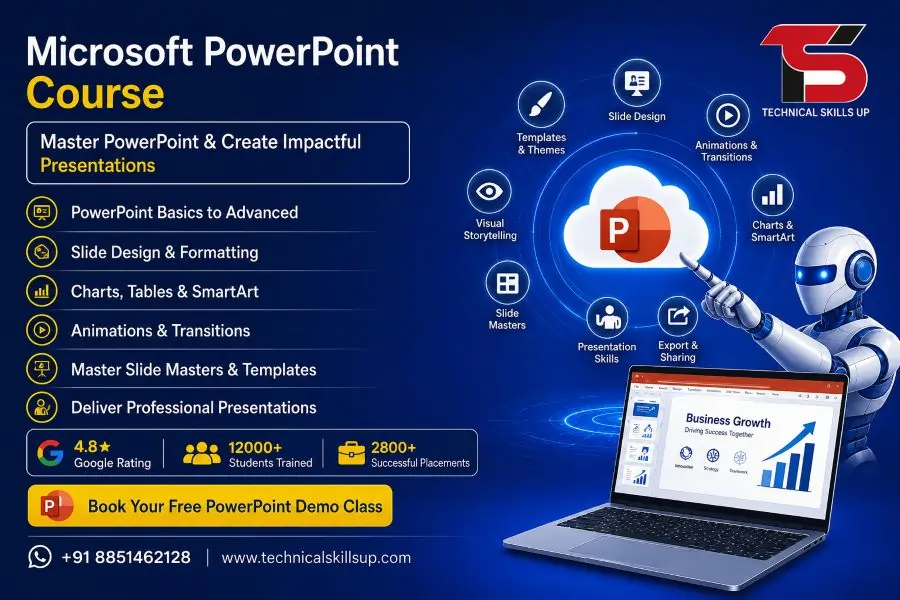
Strong presentation skills help students, working professionals, business owners, and job seekers grow faster in today’s competitive world. A well-designed presentation can improve communication, explain ideas clearly, and create a strong impression during meetings, interviews, seminars, and office work. Technical Skills Up offers a practical and industry-focused Microsoft PowerPoint Course in Noida designed for beginners as well as professionals who want to improve their presentation and office productivity skills.
Training sessions focus on practical learning instead of only theory. Students work on real presentation projects, business slides, charts, animations, and professional templates during the course. Expert trainers guide learners step by step so they can understand every feature easily. Learning becomes simple because the course follows a structured format with hands-on practice and live examples. Career-oriented training, flexible batches, and professional guidance make this course suitable for students, employees, entrepreneurs, teachers, and freelancers.
About Technical Skills Up
Technical Skills Up provides industry-focused IT and professional training programs for students and working professionals. Training programs are designed according to current industry requirements so learners can build practical skills and improve career opportunities.
Experienced trainers at Technical Skills Up focus on:
- Practical learning methods
- Industry-relevant projects
- Simple explanations
- Professional guidance
- Skill-based training
- Career support
Learning environment remains friendly and interactive, helping students gain confidence while improving technical and professional skills.
Why Learn Microsoft PowerPoint?
Professional presentations have become an important part of modern workplaces. Companies use PowerPoint for meetings, reports, training sessions, project discussions, sales pitches, and marketing presentations. Educational institutions also use presentations for teaching and seminars.
Learning PowerPoint helps in many areas such as:
- Office presentations
- Business reporting
- Educational seminars
- Client meetings
- Sales presentations
- Project documentation
- Data visualization
- Marketing presentations
- Online teaching
- Interview presentations
Professional presentation skills can improve communication and increase workplace productivity.
Microsoft PowerPoint Training in Noida for Beginners and Professionals
Technical Skills Up provides complete classroom and practical-based learning for beginners as well as advanced learners. Trainers explain every topic in easy language so students can understand concepts without confusion.
Course training includes:
- Basic to advanced PowerPoint features
- Professional slide designing
- Animation and transition effects
- SmartArt and infographics
- Charts and tables
- Presentation themes
- Business presentation creation
- Interactive slides
- Multimedia integration
- Presentation delivery tips
Students receive practical assignments after every module to improve their confidence and skills.
Key Highlights of the Course
Practical Learning Approach
Training sessions focus more on practice instead of only theoretical concepts. Students create multiple presentations during the course to gain real experience.
Experienced Trainers
Industry professionals guide learners using easy teaching methods and real-world examples.
Updated Course Modules
Course syllabus covers the latest Microsoft PowerPoint features and modern presentation techniques.
Flexible Batch Timings
Morning, evening, weekday, and weekend batches are available for students and working professionals.
Professional Environment
Interactive classrooms and supportive trainers help learners improve their confidence and communication skills.
Career-Oriented Training
Training helps learners improve office productivity and professional presentation skills.
Microsoft PowerPoint Classes in Noida with Hands-On Practice
Hands-on learning helps students understand software more effectively. Technical Skills Up includes practical exercises in every session so learners can apply concepts immediately.
Students practice:
- Slide creation
- Presentation formatting
- Business slide design
- Data presentation
- Charts and graphs
- Animation effects
- Slide transitions
- Image editing
- Audio and video integration
- Presentation customization
Practical assignments help students improve creativity and presentation quality.
Course Modules Covered
Introduction to Microsoft PowerPoint
This module helps students understand the PowerPoint interface and tools.
Topics include:
- PowerPoint overview
- User interface
- Ribbon and menu options
- Creating presentations
- Saving and managing files
- Presentation views
Working with Slides
Students learn how to create and organize professional slides.
Topics include:
- Adding new slides
- Slide layouts
- Duplicate slides
- Reordering slides
- Slide formatting
- Managing sections
Text Formatting and Design
Professional formatting improves presentation quality and readability.
Topics include:
- Font styling
- Paragraph formatting
- Bullet points
- Text alignment
- WordArt
- Themes and templates
Working with Images and Shapes
Visual elements make presentations more attractive and engaging.
Topics include:
- Inserting images
- Image editing
- Cropping and resizing
- Using icons
- Shapes and objects
- Picture effects
Charts, Tables, and SmartArt
Data presentation becomes easier with visual tools.
Topics include:
- Creating charts
- Editing graphs
- Inserting tables
- SmartArt graphics
- Process diagrams
- Organizational charts
Animation and Transition Effects
Animations help create interactive and professional presentations.
Topics include:
- Object animations
- Entrance effects
- Exit effects
- Motion paths
- Slide transitions
- Animation timing
Multimedia Integration
Students learn how to add multimedia content for engaging presentations.
Topics include:
- Adding audio
- Inserting videos
- Screen recording
- Multimedia playback settings
- Online video embedding
Presentation Delivery Techniques
Presentation delivery skills improve confidence during meetings and seminars.
Topics include:
- Presenter view
- Slide show settings
- Notes management
- Presentation timing
- Public speaking tips
- Audience engagement techniques
Advanced PowerPoint Features
Advanced features help learners create professional business presentations.
Topics include:
- Hyperlinks
- Action buttons
- Custom slide shows
- Master slides
- Collaboration tools
- Exporting presentations
Benefits of Learning PowerPoint Skills
Professional PowerPoint knowledge provides many career and workplace advantages.
Better Communication
Well-designed presentations help explain ideas clearly and professionally.
Improved Office Productivity
Presentation tools save time during meetings, training sessions, and reporting tasks.
Career Growth Opportunities
Presentation skills are valuable in corporate, educational, and business sectors.
Professional Confidence
Strong presentation abilities improve confidence during seminars and meetings.
Better Data Visualization
Charts, infographics, and diagrams make complex information easier to understand.
Who Can Join This Course?
Training program is suitable for learners from different educational and professional backgrounds.
Students
Students can improve project presentation and seminar skills.
Working Professionals
Employees can improve reporting and communication abilities in offices.
Teachers and Trainers
Educational professionals can create engaging classroom presentations.
Business Owners
Business presentations help entrepreneurs communicate ideas more effectively.
Job Seekers
Presentation skills help candidates during interviews and corporate tasks.
Freelancers
Freelancers can create professional client presentations and project proposals.
Microsoft PowerPoint Training Institute in Noida with Industry-Focused Learning
Industry-focused training helps learners understand practical business requirements. Technical Skills Up provides real project-based learning where students create presentations similar to corporate work environments.
Training includes:
- Corporate presentation practice
- Business report creation
- Sales presentation design
- Marketing slides
- Seminar presentations
- Office productivity tasks
Industry-based learning helps students build confidence for real workplace situations.
Importance of Presentation Skills in Modern Careers
Modern companies value professionals who can communicate ideas clearly. Presentation skills help employees explain reports, business strategies, project updates, and marketing ideas effectively.
Good presentations help in:
- Team meetings
- Business discussions
- Office reporting
- Product demonstrations
- Client communication
- Training sessions
- Educational seminars
- Marketing campaigns
Professional communication skills often improve workplace performance and career growth opportunities.
Learning Environment at Technical Skills Up
Friendly and supportive learning environments help students understand concepts more easily. Trainers encourage learners to ask questions and participate actively during sessions.
Learning support includes:
- Interactive classes
- Doubt-solving sessions
- Practical assignments
- Live demonstrations
- Project-based learning
- Trainer guidance
Students receive personal attention during practical sessions to improve learning quality.
Career Opportunities After Learning PowerPoint
PowerPoint skills are useful in many industries and professional roles.
Career opportunities include:
- Office Executive
- Presentation Specialist
- Administrative Assistant
- Business Coordinator
- Sales Executive
- Marketing Executive
- Corporate Trainer
- Teacher or Faculty Member
- Project Coordinator
- Freelance Presentation Designer
Professional presentation skills also support career growth in management and corporate communication roles.
Advantages of Professional Presentation Design
Professional presentations create a strong impression during meetings and business discussions. Attractive slide designs improve audience engagement and communication effectiveness.
Professional presentation design helps in:
- Better audience attention
- Clear information delivery
- Improved visual communication
- Strong business impact
- Professional branding
- Organized reporting
Modern businesses prefer visually appealing and well-structured presentations for client communication and internal meetings.
Why Choose Technical Skills Up?
Technical Skills Up focuses on skill-based learning that helps students improve practical knowledge and professional confidence.
Industry-Relevant Training
Course modules follow modern business and office requirements.
Expert Faculty Support
Experienced trainers provide simple explanations and practical examples.
Practical Assignments
Assignments and projects improve learning and creativity.
Flexible Learning Options
Different batch timings help students and professionals learn comfortably.
Career-Focused Learning
Training programs help learners improve workplace productivity and communication skills.
Student Support
Friendly support and guidance create a positive learning experience.
Classroom and Practical Training Experience
Practical training remains one of the biggest strengths of the course. Students spend time creating professional presentations instead of only reading theory.
Practical activities include:
- Business presentation design
- Slide formatting exercises
- Data presentation practice
- Animation projects
- Team presentation activities
- Corporate presentation samples
Hands-on experience improves confidence and helps learners use PowerPoint efficiently in real work environments.
Build Creative and Professional Presentation Skills
Creative presentation design can improve audience engagement and communication quality. Technical Skills Up helps learners understand how to combine design, animation, content structure, and visual elements effectively.
Students learn:
- Professional slide structure
- Visual hierarchy
- Color combinations
- Presentation flow
- Creative layouts
- Engaging content design
Creative skills help learners design impactful presentations for business, education, and professional use.
Certification and Skill Development
Professional training programs help learners improve practical knowledge and technical confidence. PowerPoint training at Technical Skills Up supports both personal and professional skill development.
Skills developed during training include:
- Presentation design
- Communication skills
- Office productivity
- Data visualization
- Professional reporting
- Public speaking confidence
Professional skills gained during the course can support long-term career growth and workplace performance.
Start Your Learning Journey Today
Professional presentation skills have become important in almost every industry. Learning PowerPoint can help students, professionals, teachers, and business owners improve communication and workplace productivity. Technical Skills Up provides practical learning, expert guidance, and industry-focused training to help learners build strong presentation skills with confidence.
Career-focused training, practical projects, flexible batches, and supportive trainers make this course suitable for anyone who wants to improve presentation abilities and professional communication. Students gain practical knowledge that can be applied directly in offices, businesses, educational projects, and professional meetings.
FAQs:
Q1. What is the Microsoft PowerPoint Course?
Ans: The Microsoft PowerPoint Course is a professional training program that teaches features such as creating presentations, designing slides, animations, transitions, charts, and SmartArt. This course is highly beneficial for students, working professionals, and business professionals alike.
Q2. Is Microsoft PowerPoint Certification Training available at Technical Skills Up?
Ans: Yes, Microsoft PowerPoint Certification Training is available at Technical Skills Up. Here, students are taught PowerPoint skills—ranging from basic to advanced levels—through a practical, hands-on approach.
Q3. Who is the Microsoft PowerPoint Course in Noida suitable for?
Ans: This course is suitable for everyone, including students, office employees, teachers, business owners, freelancers, and job seekers. Mastering presentation skills contributes significantly to career growth.
Q4. What are the benefits of taking a PowerPoint Course?
Ans: Learning PowerPoint makes it easier to create professional presentations. Furthermore, it aids in various tasks such as office work, business meetings, online teaching, and client presentations.
Q5. Does this course include practical training?
Ans: Yes, the Microsoft PowerPoint training includes live practical sessions. Students work on real-world projects and practice assignments to strengthen their skills.
Q6. What is the benefit of a Microsoft PowerPoint Certification?
Ans: A certification serves as tangible proof of your skills. It enhances your resume and increases your opportunities for securing employment.
Q7. What is the duration of the Microsoft PowerPoint Course?
Ans: The duration of the course may vary depending on the institute and the specific modules covered. Typically, the course runs for a period ranging from a few weeks up to two months.
Q8. Can beginners also take this course?
Ans: Yes, beginners can easily take this course. The training begins at a foundational level to ensure that every student can learn with ease.
Q9. What topics are covered in the Microsoft PowerPoint training?
Ans: This training covers topics such as slide design, animations, transitions, charts, tables, infographics, presentation formatting, templates, and professional presentation skills.
Q10. Are there job opportunities available after completing the Microsoft PowerPoint Course?
Ans: Yes, PowerPoint skills are in demand across numerous companies. This skill is highly beneficial for roles such as Office Executive, Trainer, Marketing Professional, and various business presentation-related positions.
Q11. Are both Online and Offline training options available?
Ans: Yes, much like many other training institutes, Technical Skills Up offers both online and offline training options.
Q12. Is any specific qualification required to enroll in the Microsoft PowerPoint course?
Ans: No specific qualification is required for this course. However, having basic computer knowledge is beneficial.
Q13. Does this course also cover Advanced Presentation Design?
Ans: Yes, the advanced modules teach professional presentation design, creating business slides, animation effects, and building interactive presentations.
Q14. What is the fee for the Microsoft PowerPoint course?
Ans: The course fee may vary depending on the institute, the mode of training, and the specific course modules selected. It is best to contact the institute directly for accurate information.
Q15. Why should one choose a Microsoft PowerPoint training institute in Noida?
Ans: Pursuing Microsoft PowerPoint training in Noida can prove highly beneficial for your career, as it offers professional instruction, experienced trainers, practical learning opportunities, and certification support.