

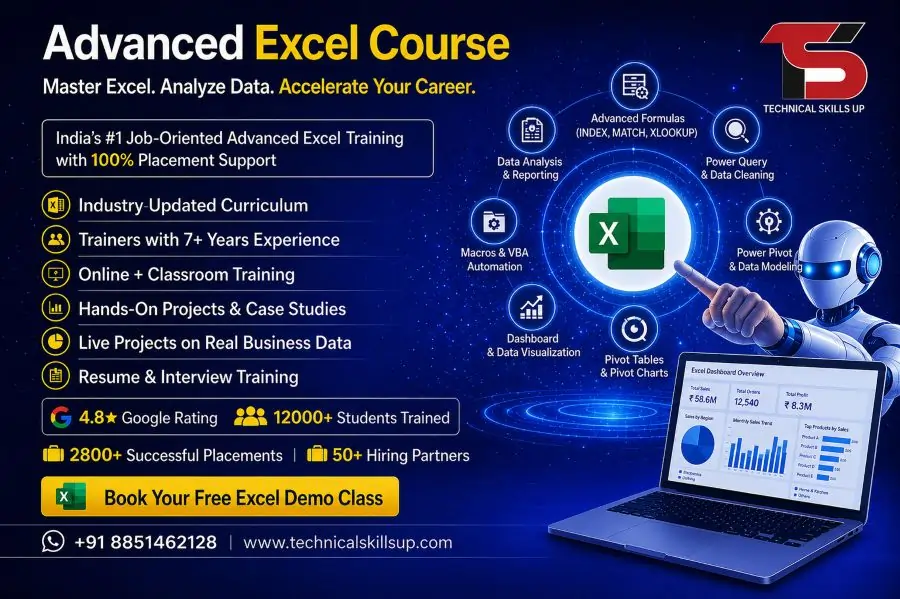
Microsoft Excel has become one of the most essential tools in almost every industry, from finance and accounting to data analysis, marketing, HR, and operations. Strong Excel skills help professionals work faster, analyze data accurately, and make better business decisions. Many companies today expect employees to handle large datasets, create reports, use formulas, and automate tasks efficiently. The Advanced Excel Course offered by Technical Skills Up is designed to help learners build strong practical knowledge of Excel with real-world applications. This program focuses on hands-on learning, step-by-step practice, and job-oriented skills that help learners become confident in handling complex Excel tasks. The training approach follows industry standards and emphasizes practical exposure, making it suitable for beginners as well as working professionals who want to upgrade their skills in data management and reporting.
Importance of Excel Skills in Today’s Workplace
Modern businesses rely heavily on data-driven decisions. Excel plays a key role in organizing, analyzing, and presenting data in a structured way. Companies use Excel for budgeting, reporting, performance tracking, inventory management, and financial forecasting. Professionals who can work efficiently in Excel often have better job opportunities and career growth.
Strong Excel knowledge reduces manual work and improves productivity. Features like formulas, pivot tables, charts, and dashboards allow users to handle large datasets in a simplified manner. Employers value candidates who can save time and reduce errors through automation and smart spreadsheet techniques.
Overview of Advanced Excel Training Program
The Advanced Excel Training program at Technical Skills Up focuses on building complete practical knowledge of Excel tools and functions. The course structure covers basic to advanced topics in a systematic way so learners can gradually improve their skills.
Training sessions are designed by industry experts who have real experience in data analysis and reporting. Each topic includes practical exercises that help learners understand real business scenarios. The program also includes assignments and case studies to strengthen problem-solving skills.
Students learn how to create professional reports, manage large datasets, and apply advanced formulas used in corporate environments. The goal of this training is to make learners job-ready with strong technical confidence.
Detailed Curriculum and Learning Modules
The curriculum is structured to ensure complete understanding of Excel from fundamentals to advanced level techniques.
Key modules include:
- Introduction to Excel interface and navigation
- Data entry techniques and formatting tools
- Basic to advanced formulas and functions
- Logical functions like IF, AND, OR
- Lookup functions such as VLOOKUP and HLOOKUP
- Data cleaning and validation techniques
- Pivot Tables and Pivot Charts
- Dashboard creation and reporting
- Data visualization using charts and graphs
- Conditional formatting for better analysis
- Automation using Excel shortcuts and tools
Each module focuses on practical usage so learners can apply skills directly in workplace scenarios. Regular practice sheets are provided to improve accuracy and speed.
Advanced Excel Tools and Features Explained
Excel offers powerful tools that help in simplifying complex data tasks. Understanding these tools improves productivity and accuracy in professional work.
Pivot Tables allow users to summarize large data sets quickly. Charts and graphs help in visual representation of data for better decision-making. Conditional formatting highlights important values automatically, making analysis easier.
Data validation ensures accuracy by controlling input values. Macros help automate repetitive tasks, saving time and effort. These advanced features are widely used in corporate reporting and business analysis roles.
Advanced Excel Online Course for Flexible Learning
The Advanced Excel Online Course provides flexible learning options for students and working professionals. Online training allows learners to study from anywhere without affecting their daily schedule.
Live interactive classes help students connect with trainers in real time. Recorded sessions are available for revision and practice. Online assignments and quizzes improve understanding and skill development.
This learning format supports self-paced progress while maintaining structured guidance. Students can revisit lessons anytime and practice multiple times for better mastery of Excel tools.
Certification and Skill Validation
The Excel Certification Course offered by Technical Skills Up provides official recognition of skills gained during training. Certification plays an important role in building trust with employers and improving job opportunities.
The certification process includes assessments, practical tests, and project evaluations. Successful candidates receive a certificate that validates their expertise in advanced Excel operations.
Employers often prefer certified professionals because certification reflects both knowledge and practical ability. It also adds value to resumes and professional profiles.
Why Choose Technical Skills Up for Excel Learning
Technical Skills Up focuses on quality education and career-oriented training. The platform is designed to provide practical knowledge rather than only theoretical understanding.
Key highlights include:
- Experienced trainers with industry background
- Practical project-based learning approach
- Updated curriculum aligned with job market needs
- Personalized guidance and mentorship
- Real-world case studies and assignments
EEAT principles such as Expertise, Authoritativeness, and Trustworthiness are followed to ensure high-quality training standards. The goal is to prepare learners for real job challenges in data handling and reporting roles.
Learning Outcomes After Course Completion
After completing the program, learners develop strong command over Excel tools and functions. Students become capable of handling complex datasets and preparing professional reports.
Key outcomes include:
- Ability to create advanced Excel reports
- Strong understanding of formulas and functions
- Confidence in data analysis and visualization
- Skills to automate repetitive tasks
- Capability to build dashboards for reporting
These skills help learners improve job performance and increase career opportunities in multiple industries.
Career Opportunities After Excel Training
Excel skills are required in almost every business sector. After completing the training, learners can apply for various job roles such as data analyst, MIS executive, financial analyst, business analyst, and office administrator.
Companies in finance, marketing, IT, banking, and retail industries actively hire candidates with strong Excel knowledge. Professionals with advanced Excel skills often receive better salary packages and faster promotions.
The demand for Excel professionals continues to grow as organizations depend more on data-driven decision-making.
Advanced Excel Online Training in India
The Advanced Excel Online Training program is specially designed for learners across India who want to upgrade their skills without location restrictions. This program offers structured learning with industry-relevant content.
Students from different cities can join live sessions and interact with expert trainers. The training ensures equal learning opportunities for everyone regardless of background or experience level.
Online support, doubt-clearing sessions, and continuous practice materials make learning smooth and effective. The program helps learners build strong Excel skills that are applicable in Indian and global job markets.
Teaching Methodology and Practical Approach
The teaching methodology focuses on practical understanding rather than memorization. Each concept is explained using real-world examples so learners can easily relate to workplace scenarios.
Trainers guide students through step-by-step demonstrations followed by hands-on practice. Regular assignments and mini-projects help improve accuracy and speed.
This approach ensures that learners not only understand Excel functions but also know how to apply them effectively in professional tasks.
Real-World Projects and Practice Sessions
Practical exposure plays an important role in skill development. Learners work on real-world projects that simulate business environments.
Projects include financial reporting, sales analysis, data dashboards, and performance tracking sheets. These tasks help learners understand how Excel is used in actual business operations.
Continuous practice builds confidence and prepares students for job interviews and workplace challenges.
Support, Guidance, and Mentorship
Technical Skills Up provides continuous support throughout the learning journey. Students receive guidance from expert mentors who help in solving doubts and improving performance.
Dedicated support sessions ensure that learners stay on track with their progress. Feedback is provided regularly to help students improve their skills step by step.
This mentorship approach helps learners stay motivated and achieve their career goals effectively.
Conclusion
The demand for Excel professionals continues to grow across industries, making it an essential skill for career development. Structured training programs help learners build strong technical knowledge and practical experience.
The combination of expert guidance, practical learning, and certification support creates a strong foundation for professional growth. With consistent practice and proper training, learners can develop advanced Excel skills that open doors to multiple career opportunities in data-driven roles.
FAQs:
Q1. What is the Advanced Excel Online Course?
Ans: The Advanced Excel Online Course is a professional training program that teaches you advanced Excel features such as Pivot Tables, VLOOKUP, HLOOKUP, Data Analysis, and Automation.
Q2. Is this course suitable for beginners?
Ans: Yes, this course is suitable for students ranging from beginner to intermediate levels. Comprehensive training is provided, starting from the basics and progressing to advanced topics.
Q3. What topics are covered in this course?
Ans: It includes topics such as Excel Formulas, Charts, Pivot Tables, Data Cleaning, Dashboard Creation, Macros, and MIS Reporting.
Q4. Is this an online course?
Ans: Yes, this is a completely online course that you can complete from the comfort of your home using your laptop or computer.
Q5. Is placement support provided after the course?
Ans: Yes, Technical Skills Up provides students with placement assistance and interview preparation support.
Q6. What is the duration of this course?
Ans: The duration of the Advanced Excel Online Course is typically 1 to 2 months, depending on your learning pace.
Q7. Does it include live classes?
Ans: Yes, it features live interactive classes where you can ask questions directly to the trainer.
Q8. Is a certificate provided upon completion?
Ans: Yes, upon completing the course, you are awarded an industry-recognized certificate.
Q9. Is any coding knowledge required to learn Excel?
Ans: No, absolutely no coding knowledge is required for this course.
Q10. What job opportunities are available after this course?
Ans: You can apply for jobs such as Data Analyst, MIS Executive, Office Assistant, Accountant, and Reporting Executive.
Q11. Is course material provided?
Ans: Yes, you receive access to study materials, practice sheets, and recorded sessions.
Q12. Is this a job-oriented course?
Ans: Yes, this is a completely job-oriented course, designed specifically with industry requirements in mind.
Q13. Can I take this course using my mobile phone?
Ans: Some lectures can be viewed on a mobile device, but a laptop or PC is recommended for a better learning experience.
Q14. Does this include practical training?
Ans: Yes, this course provides 100% practical training to enable you to handle real-world tasks with ease.
Q15. Why choose Technical Skills Up?
Ans: Technical Skills Up is renowned for its experienced trainers, practical learning approach, placement support, and updated curriculum—all of which contribute to the career growth of its students.