

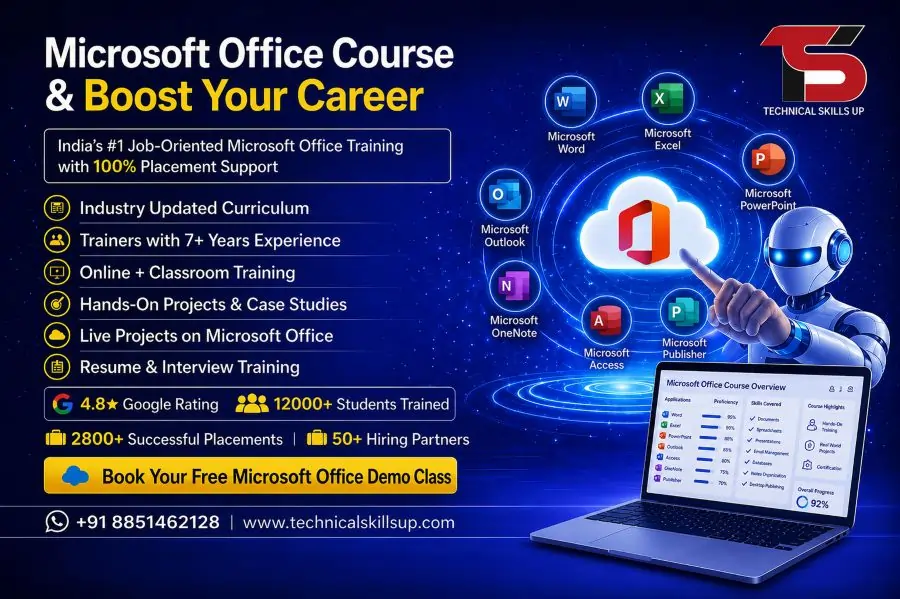
Microsoft Office Course in Noida offered by Technical Skills Up is designed for learners who want to build strong computer skills for office jobs, business work, and professional growth. This training program focuses on practical knowledge of Microsoft tools like Word, Excel, PowerPoint, and Outlook in a very simple and easy-to-understand way. Students, job seekers, and working professionals can improve productivity and confidence by learning step-by-step applications used in daily office tasks. The course is structured with real examples, practice sessions, and guided learning support to ensure every learner understands the concepts clearly. Industry-focused training helps students become job-ready with essential digital skills required in modern workplaces.
Importance of Microsoft Office Skills in Today’s World
Digital workplaces depend heavily on Microsoft Office tools for documentation, reporting, presentations, and data management. Companies expect employees to handle basic computer tasks smoothly without errors. Strong Office skills improve speed, accuracy, and communication in professional environments.
Knowledge of these tools supports career growth in administrative jobs, data entry roles, accounting work, and management positions. Even freelancers and entrepreneurs use these applications for proposals, reports, and client communication.
About Technical Skills Up Training Institute
Technical Skills Up is a professional learning platform focused on practical computer education and career development programs. The institute delivers skill-based training with expert guidance, modern teaching methods, and real-world practice sessions.
Experienced trainers guide students step-by-step to understand each topic clearly. Learning support includes assignments, live practice, and doubt-solving sessions that help improve confidence.
The institute focuses on building job-ready skills instead of only theoretical knowledge. Every learner receives structured guidance to achieve better career opportunities in the IT and office administration sector.
Course Overview and Learning Structure
The training program follows a structured learning path that starts from basic computer understanding and moves toward advanced Microsoft Office applications.
The program includes hands-on practice with real documents, spreadsheets, and presentations. Each module is designed to help learners understand how Office tools are used in professional environments.
The learning structure focuses on step-by-step improvement so that beginners can easily follow the course without confusion. Practical assignments help students gain real experience.
MS Office Course in Noida at Technical Skills Up ensures that every learner gets industry-relevant skills required for job readiness.
What You Will Learn in This Program
The training covers essential Microsoft Office applications used in offices and organizations.
Learners will understand:
- Document creation and formatting techniques
- Data management using spreadsheets
- Presentation design with professional layouts
- Email communication tools
- File handling and office productivity skills
Each topic includes practical examples to make learning simple and effective.
This learning approach helps students apply skills directly in real job tasks.
Microsoft Word Training Module
Microsoft Word training focuses on document creation, editing, and formatting techniques used in professional work.
Students learn how to create resumes, reports, letters, and official documents with proper formatting styles. Advanced features like tables, images, headers, and templates are also covered.
Practice sessions help learners improve typing speed and document accuracy. Real-world assignments make understanding easier and more practical.
Microsoft Office Training in Noida includes detailed Word training for office documentation needs.
Microsoft Excel Training Module
Excel training plays a major role in office productivity and data management skills.
Students learn formulas, functions, charts, and data analysis techniques. Spreadsheet creation, budgeting sheets, and reporting tools are also included in this module.
Practical exercises help learners understand how businesses manage data and financial records.
Advanced Excel topics like sorting, filtering, and pivot tables improve analytical skills and decision-making ability.
This module builds strong technical knowledge for accounting and data-related job roles.
Microsoft PowerPoint Training Module
PowerPoint training focuses on presentation creation for business meetings, interviews, and academic use.
Students learn slide design, animation effects, and visual storytelling techniques. Proper use of images, charts, and templates improves presentation quality.
Training includes real presentation projects that help learners build confidence in public speaking and communication.
MS Office Course in Noida ensures students gain professional presentation skills for corporate environments.
Outlook and Office Productivity Tools
Outlook training helps learners understand professional email communication and calendar management.
Students learn how to send emails, manage contacts, schedule meetings, and organize tasks efficiently.
Additional Office tools such as file sharing, cloud storage, and collaboration features are also introduced.
These skills improve workplace communication and help manage daily office tasks smoothly.
Practical Training Approach
Practical learning plays an important role in skill development. Every session includes hands-on exercises and live practice examples.
Students work on real-world assignments that reflect office scenarios. Trainers guide learners during practice sessions to improve accuracy and confidence.
This approach ensures better understanding compared to only theoretical learning.
Microsoft Office Classes in Noida focus on practical training for better job preparation.
Certification Program
After completing the training, students receive a certification from Technical Skills Up.
This certificate represents skill completion and practical knowledge gained during the course.
Certification helps in job applications, interviews, and career development opportunities.
It also adds value to the resume and increases employability in office-based roles.
Placement Support and Career Guidance
Placement assistance is provided to help students find job opportunities after course completion.
Support includes resume building, interview preparation, and job referrals.
Mock interview sessions help learners gain confidence for real interviews.
Guidance is provided for roles like office assistant, data entry operator, and administrative executive.
Microsoft Office Training Institute in Noida focuses on building career opportunities through skill development.
Career Opportunities After Course Completion
Microsoft Office skills open doors to multiple career paths in different industries.
Students can apply for jobs in corporate offices, educational institutions, government departments, and private companies.
Popular job roles include office coordinator, data analyst assistant, administrative executive, and document specialist.
Freelancing opportunities are also available for document design and spreadsheet management work.
Strong Office skills increase chances of career growth and salary improvement.
Why Choose Technical Skills Up
Technical Skills Up provides structured learning with a focus on practical knowledge and career development.
Key benefits include:
- Experienced trainers with industry knowledge
- Step-by-step learning approach
- Practical assignments and real projects
- Career guidance and placement support
- Easy learning environment for beginners
Microsoft Office Training in Noida becomes more effective with guided support and structured teaching methods.
Learning Methodology and Teaching Style
The teaching method focuses on simplicity and clarity for better understanding.
Each topic is explained using real-life examples and practical demonstrations.
Students receive individual attention to solve doubts and improve performance.
Regular practice sessions ensure continuous skill improvement and confidence building.
The learning environment supports beginners as well as working professionals.
Student Support System
Student support services help learners throughout the training journey.
Support includes doubt-solving sessions, revision classes, and practice materials.
Trainers guide students even after classes to ensure better understanding.
Additional help is provided for interview preparation and job readiness.
This support system improves learning outcomes and student satisfaction.
Conclusion
Technical Skills Up offers a complete learning experience for students who want to build strong computer skills for office environments. The training program focuses on practical knowledge, real-world applications, and career development opportunities.
Microsoft Office Course in Noida helps learners gain essential skills required in today’s digital workplaces. Structured modules, expert guidance, and placement support make this program suitable for beginners and professionals.
Strong Office skills improve productivity, communication, and job opportunities across multiple industries. This training creates a strong foundation for long-term career growth in administrative and technical roles.
FAQs:
Q1. What is a Microsoft Office Course?
Ans: A Microsoft Office Course is a training program designed to teach tools such as MS Word, Excel, PowerPoint, Outlook, and Access in a professional manner.
Q2. Is this course suitable for beginners?
Ans: Yes, this course is absolutely suitable for beginners. It covers topics ranging from basic to advanced levels.
Q3. What is taught in the Microsoft Office Course?
Ans: It teaches skills such as creating Word documents, using Excel formulas, creating PowerPoint presentations, data analysis, and email management.
Q4. Can one get a job after completing this course?
Ans: Yes, Technical Skills Up provides placement assistance to help students secure positions such as Office Assistant, Data Entry Operator, and administrative roles.
Q5. What is the duration of this course?
Ans: This course typically lasts between 1 to 3 months, depending on your proficiency level and the chosen mode of training.
Q6. Is this course available in both online and offline modes?
Ans: Yes, this course is available in both online and offline modes.
Q7. What types of jobs can one get after learning Microsoft Office?
Ans: You can apply for jobs such as Data Entry Operator, Office Executive, Admin Assistant, Receptionist, and MIS Executive.
Q8. Does this course include any certification?
Ans: Yes, upon completing the course, you will receive an industry-recognized certificate from Technical Skills Up.
Q9. What are the eligibility criteria for this course?
Ans: The minimum qualification required for this course is having passed the 10th or 12th grade. Basic computer knowledge is helpful.
Q10. Is Advanced Excel also taught in this course?
Ans: Yes, it covers advanced Excel topics such as complex formulas, Pivot Tables, charts, and data analysis.
Q11. Is this a job-oriented course?
Ans: Yes, this is a completely job-oriented course that places a strong emphasis on practical training.
Q12. Is a placement guarantee provided?
Ans: Technical Skills Up offers placement support; however, final job selection depends on your individual performance and interview skills.
Q13. Do students receive practical training?
Ans: Yes, over 70% of the focus in this course is placed on practical training and live projects.
Q14. What are the career benefits of learning Microsoft Office?
Ans: It enhances your office productivity and makes you eligible for corporate jobs.
Q15. What is the course fee?
Ans: The fee depends on your course level and duration. For accurate information, it is best to contact Technical Skills Up directly.