

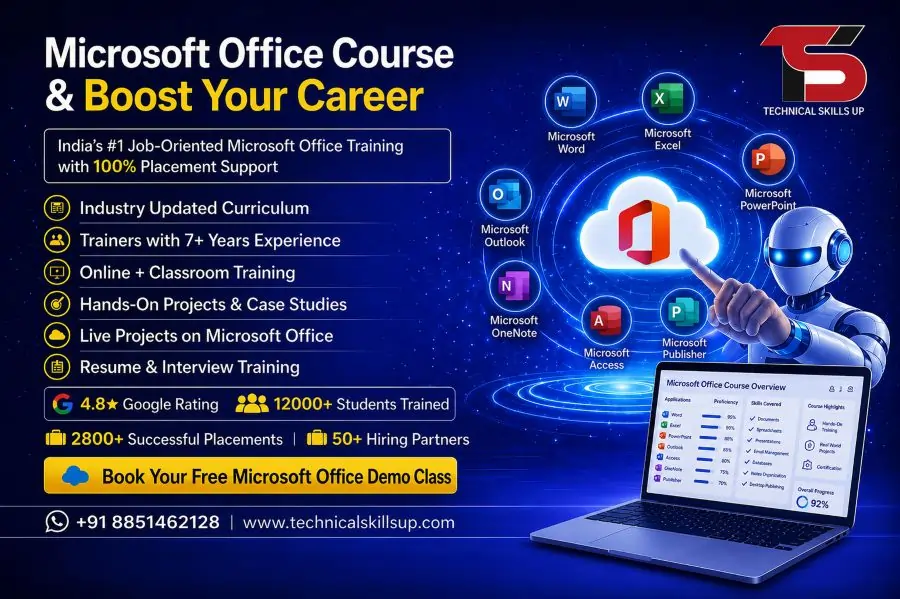
Microsoft Office Course in Delhi designed by Technical Skills Up provides a structured learning path for beginners, students, job seekers, and working professionals who want to improve their computer skills. Modern workplaces depend heavily on digital documentation, data handling, presentations, and communication tools. This program focuses on building practical expertise in Microsoft Word, Excel, PowerPoint, and other essential Office applications used in daily office environments. Learners gain confidence through real-world practice, step-by-step guidance, and industry-relevant exercises. Strong emphasis on hands-on training helps students understand how office tools are used in actual job roles such as data entry, administration, accounting, reporting, and office coordination. The training environment focuses on clarity, simplicity, and professional skill development so learners can become job-ready in a competitive market.
About Microsoft Office Training Program
This training program focuses on developing strong foundational and advanced skills in Microsoft Office applications. Learners start with basic computer operations and gradually move toward advanced document formatting, spreadsheet analysis, and presentation design.
The program structure ensures that every student understands how each tool connects to real office tasks. Word processing skills help in documentation work, Excel supports data management and calculations, while PowerPoint improves presentation delivery in professional meetings.
Practical assignments are included after every module to ensure better understanding and retention. This approach supports both beginners and intermediate learners who want structured skill improvement.
Importance of Microsoft Office Skills in Modern Careers
Digital workplaces require employees who can handle documentation, reporting, and communication tools efficiently. Microsoft Office skills are considered essential across almost every industry.
Companies expect employees to create reports, manage data sheets, prepare presentations, and handle emails professionally. Strong Office skills increase productivity and reduce manual errors in daily tasks.
Knowledge of these tools also improves job opportunities in sectors like administration, accounting, HR, marketing, education, and business management.
Key Features of Microsoft Office Training in Delhi
The Microsoft Office Training in Delhi offered by Technical Skills Up includes structured learning modules designed for practical understanding.
Key Features:
- Step-by-step beginner-friendly training
- Practical assignments after every topic
- Real office-based project practice
- Updated curriculum based on industry needs
- Personal guidance from experienced trainers
- Doubt-solving sessions for better clarity
- Flexible learning batches for students and professionals
Each feature focuses on improving both technical knowledge and practical confidence.
Detailed Course Modules
Microsoft Word Training
This module focuses on document creation, formatting, editing, and professional report writing. Learners practice creating resumes, letters, project reports, and business documents.
Microsoft Excel Training
Excel training includes formulas, functions, charts, pivot tables, and data analysis techniques. This module is highly useful for accounting, data entry, and reporting roles.
Microsoft PowerPoint Training
This section covers presentation design, slide creation, animations, and visual storytelling techniques used in corporate meetings and academic presentations.
Microsoft Outlook and Email Management
Email handling, calendar scheduling, and professional communication skills are included to improve office productivity.
Advanced Office Tools
Advanced features include data visualization, automation basics, and integration techniques between different Office applications.
Microsoft Office Classes in Delhi for Beginners and Professionals
Microsoft Office Classes in Delhi are designed for learners at all levels. Beginners start with basic computer literacy and gradually move toward advanced office operations.
Working professionals can upgrade their skills for better job performance and career growth. Students can use these skills for internships, academic projects, and future job preparation.
Training sessions focus on real examples so learners understand how Office tools are applied in daily tasks.
Expert Trainers and EEAT-Based Learning Approach
Experienced trainers guide learners throughout the program with practical demonstrations and real-time examples.
The teaching method follows EEAT principles:
Experience
Trainers share real workplace experience to explain how Microsoft Office tools are used in professional environments.
Expertise
Each trainer specializes in specific Office applications, ensuring accurate and in-depth knowledge delivery.
Authoritativeness
Structured curriculum and industry-aligned content build strong credibility for learners.
Trustworthiness
Transparent training methods, clear guidance, and supportive learning environment ensure trust and reliability.
Practical Learning and Real-World Projects
Hands-on practice plays a major role in skill development. Students work on real-life projects such as:
- Creating professional resumes and reports
- Building financial spreadsheets in Excel
- Designing business presentations
- Managing data records and charts
- Simulating office documentation tasks
These projects help learners understand workplace requirements and improve confidence.
Career Opportunities After Microsoft Office Training
Strong Office skills open multiple career paths across industries.
Job Roles:
- Office Assistant
- Data Entry Operator
- Administrative Executive
- HR Assistant
- Account Support Executive
- Back Office Coordinator
Industry Opportunities:
- Corporate companies
- Educational institutions
- Government offices
- Banking and finance sector
- IT support and administration teams
Employers prefer candidates with strong Microsoft Office knowledge due to higher productivity and accuracy.
Microsoft Office Training Institute in Delhi Advantage
Microsoft Office Training Institute in Delhi provides access to quality learning resources and professional guidance.
Delhi offers a strong job market with numerous opportunities in corporate offices, startups, and service-based companies. Learners benefit from exposure to real business environments and networking opportunities.
The training institute environment supports focused learning with updated tools and structured practice sessions.
Why Choose Technical Skills Up
Technical Skills Up focuses on skill-based education designed for job readiness and career growth.
Key Reasons:
- Industry-focused curriculum design
- Practical training instead of theory-only learning
- Experienced faculty support
- Real-world assignments and projects
- Career guidance and placement support
- Beginner-friendly learning approach
The learning environment encourages students to build confidence through continuous practice and expert guidance.
Training Methodology
The training approach follows a structured learning system designed for better understanding.
Method Includes:
- Live classroom-style sessions
- Practical demonstrations
- Step-by-step exercises
- Weekly assessments
- Real-time project work
- Feedback-based improvement sessions
This structured method ensures consistent learning progress and skill improvement.
Tools and Software Covered
Learners gain expertise in essential Office tools used in professional environments.
Tools Include:
- Microsoft Word for documentation
- Microsoft Excel for data analysis
- Microsoft PowerPoint for presentations
- Microsoft Outlook for communication
- Basic cloud integration features
Each tool is taught with real examples and practical use cases.
Learning Outcomes
After completing the program, learners develop strong technical and professional skills.
Outcomes:
- Ability to create professional documents
- Strong understanding of data management in Excel
- Confidence in presentation design
- Improved office communication skills
- Job-ready technical proficiency
These outcomes help learners become more efficient in workplace environments.
Who Can Join This Program
This training program is suitable for a wide range of learners.
Suitable For:
- Students preparing for job opportunities
- Fresh graduates entering corporate careers
- Working professionals upgrading skills
- Business owners managing office work
- Individuals learning computer basics
No advanced technical background is required to join the course.
Importance of Learning Microsoft Office in Delhi
Microsoft Office Course in Delhi provides better exposure to job opportunities in corporate and government sectors. Delhi serves as a major hub for business operations, making it an ideal location for skill development and career growth.
Learners gain advantage from competitive learning environments and real-time industry exposure.
Microsoft Office Classes in Delhi – Skill Development Focus
Microsoft Office Classes in Delhi emphasize skill development through structured practice sessions. Each class focuses on improving accuracy, speed, and professional usage of Office tools.
Regular practice sessions ensure that learners become comfortable with all applications used in office environments.
Microsoft Office Training Institute in Delhi – Professional Growth
Microsoft Office Training Institute in Delhi helps learners build strong professional foundations. The institute environment supports discipline, consistency, and structured learning.
Guided practice sessions and expert mentorship help learners achieve better understanding and career readiness.
Conclusion
Microsoft Office training builds essential skills required in almost every modern workplace. Structured learning, practical training, and expert guidance create a strong foundation for career development. Technical Skills Up provides a focused learning environment where learners can improve technical abilities and gain confidence in using Microsoft Office tools effectively. Strong emphasis on real-world practice ensures job readiness and professional growth in competitive industries.
FAQs:
Q1. What is a Microsoft Office Course?
Ans: A Microsoft Office Course is a training program designed to teach MS Word, MS Excel, MS PowerPoint, MS Outlook, and other office tools in a professional manner, thereby preparing students for office-related work.
Q2. Is this course suitable for beginners?
Ans: Yes, this course is absolutely suitable even for absolute beginners. It covers all topics—from basic to advanced levels—in a simple and easy-to-understand manner.
Q3. Can one get a job after completing the Microsoft Office Course?
Ans: Yes, after completing this course, opportunities such as Data Entry Operator, Office Assistant, Admin Executive, and Back Office roles become available—especially if one possesses strong practical skills.
Q4. Which software applications are taught in this course?
Ans: The course primarily covers MS Word, MS Excel, MS PowerPoint, MS Access, and MS Outlook.
Q5. Does “Technical Skills Up” also provide job placement assistance?
Ans: Yes, “Technical Skills Up” provides students with support regarding interview preparation, resume building, and job placement assistance.
Q6. What is the duration of the course?
Ans: The duration of the Microsoft Office Course typically ranges from 1 to 3 months, depending on the student’s proficiency level.
Q7. Does the course include practical training?
Ans: Yes, more than 70% of the focus in this course is placed on practical training, enabling students to learn how to perform actual office tasks.
Q8. How much does this course cost?
Ans: The fee varies depending on the specific institute; however, this course is generally available within an affordable price range to ensure that it is accessible to every student.
Q9. Is this course essential for securing a job?
Ans: Basic proficiency in MS Office is a prerequisite for many office-based jobs; therefore, completing this course significantly aids in securing employment.
Q10. Is a certificate awarded upon completion of the course?
Ans: Yes, upon successfully completing the course, students are awarded a certificate that validates their acquired skills.
Q11. What career options are available after completing this course?
Ans: Upon completing this course, you can pursue jobs such as Office Assistant, Data Entry Operator, Receptionist, Admin Executive, and Office Coordinator.
Q12. Are both online and offline modes available?
Ans: Yes, the Microsoft Office Course at Technical Skills Up is available in both online and offline modes.
Q13. Is Excel taught at an advanced level as well?
Ans: Yes, advanced Excel topics—such as Pivot Tables, VLOOKUP, HLOOKUP, and Data Analysis—are also taught in this course.
Q14. Are projects included during the course?
Ans: Yes, students are assigned real-life-based projects to strengthen their practical experience.
Q15. How do I enroll in this course?
Ans: You can enroll through Technical Skills Up’s official center or website, and join a batch following a counseling session.