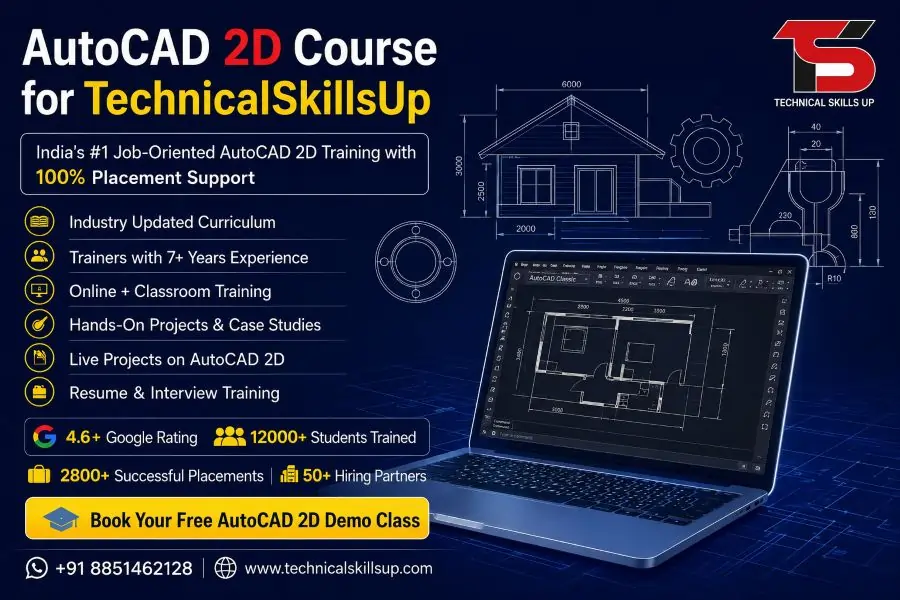
AutoCAD 2D Online Course in India with Placement

Modern industries depend on accurate drafting and technical drawing for construction, manufacturing, architecture, interior design, and engineering projects. Technical Skills Up provides an industry-focused AutoCAD 2D Course designed for students, working professionals, diploma holders, and job seekers who want practical drafting skills for real projects. Training sessions focus on hands-on learning, simple explanations, live practice, and professional project work. Every module helps learners understand how technical drawings are created in industries. Professional trainers guide students step by step so they can confidently work on residential layouts, machine drawings, floor plans, and engineering designs. Course content follows current industry standards to help learners build strong technical knowledge and improve career opportunities in India and abroad.

Table of Contents

Professional AutoCAD 2D Training for Career Growth

Technical drafting skills have become important in many industries because companies need accurate designs and detailed plans for projects. Technical Skills Up offers practical AutoCAD 2D Training that helps learners understand design tools, drawing commands, layers, dimensions, annotations, plotting methods, and project handling techniques.

Training sessions include real examples that improve technical understanding and increase confidence during practical work. Industry experts explain every concept in an easy way so beginners can learn without confusion. Practice assignments and project-based learning improve drawing speed and accuracy.

Key Benefits of Training

  • Practical learning with live projects
  • Industry-oriented course modules
  • Simple explanations for beginners
  • Experienced trainers from industry backgrounds
  • Flexible class timings
  • Online and classroom learning options
  • Project-based assignments
  • Career guidance support
  • Portfolio development assistance
  • Interview preparation sessions

Why Learn AutoCAD 2D?

Many industries use AutoCAD software for technical drafting and drawing work. Professional knowledge of AutoCAD improves job opportunities in civil engineering, architecture, interior design, electrical drafting, and mechanical design sectors.

Learning AutoCAD helps students create accurate technical drawings with proper dimensions, layouts, and annotations. Professional drafting skills also improve productivity and reduce design errors during project execution.

Industries Using AutoCAD

  • Civil Engineering
  • Architecture
  • Interior Design
  • Mechanical Engineering
  • Electrical Engineering
  • Construction Industry
  • Manufacturing Sector
  • Industrial Design
  • Infrastructure Development
  • Furniture Design

Industry-Focused Learning Modules

Technical Skills Up follows a structured learning process that helps students understand every concept properly. Course modules move from basic drawing tools to advanced drafting techniques so learners can build strong practical knowledge.

Topics Covered During the Course

Introduction to AutoCAD Interface

  • Understanding workspace
  • Navigation tools
  • Drawing setup
  • Command line usage
  • Workspace customization

Basic Drawing Commands

  • Line command
  • Circle command
  • Rectangle command
  • Arc creation
  • Polygon drawing

Editing Commands

  • Move tool
  • Copy tool
  • Rotate command
  • Trim and extend
  • Scale and stretch

Layer Management

  • Creating layers
  • Layer properties
  • Color management
  • Layer locking techniques
  • Layer visibility control

Dimension and Annotation

  • Linear dimensions
  • Angular dimensions
  • Text formatting
  • Leader creation
  • Annotation settings

Object Management

  • Block creation
  • Grouping objects
  • Object properties
  • Hatch commands
  • Array functions

Layout and Printing

  • Page setup
  • Plot settings
  • Viewport creation
  • Scale management
  • PDF exporting

Practical AutoCAD 2D Classes with Live Projects

Learning becomes more effective when students practice real drafting work. Technical Skills Up conducts professional AutoCAD 2D Classes that focus on live project practice and industry-based assignments. Trainers guide students during every practical session so concepts become easier to understand.

Students work on floor plans, electrical layouts, furniture drawings, machine parts, and structural designs during training. Practical exposure improves confidence and prepares learners for industry requirements.

Live Project Practice Includes

  • Residential floor plans
  • Office layouts
  • Mechanical part drafting
  • Electrical wiring drawings
  • Interior layouts
  • Structural drafting
  • Site plan creation
  • Furniture design drawings

Easy Learning Process for Beginners

Many beginners feel technical software is difficult to learn. Technical Skills Up uses a simple teaching approach that helps students understand commands step by step. Trainers explain every tool using practical examples and real drawing exercises.

Small practice assignments improve command accuracy and help learners remember important drafting techniques. Personalized attention also helps students clear doubts quickly during sessions.

Beginner-Friendly Features

  • Step-by-step explanations
  • Daily practice exercises
  • Simple language training
  • Doubt clearing support
  • Recorded sessions for revision
  • Easy project examples

AutoCAD 2D Certification Course with Practical Knowledge

Professional certification improves credibility during job applications and interviews. Technical Skills Up provides an industry-recognized AutoCAD 2D Certification Course that validates practical drafting knowledge and technical skills.

Certification helps learners demonstrate their software knowledge to employers in engineering, construction, architecture, and manufacturing industries. Practical project work included in the course also strengthens professional portfolios.

Certification Benefits

  • Professional skill validation
  • Better job opportunities
  • Improved resume value
  • Strong technical portfolio
  • Career growth support
  • Industry recognition

Online Learning Facility Across India

Technical Skills Up offers an advanced AutoCAD 2D Online Course in India for students and professionals who want flexible learning from home. Online classes include live interactive sessions, practical demonstrations, recorded lectures, assignments, and trainer support.

Working professionals and college students can attend sessions according to their schedules without affecting daily activities. Online learning provides the same practical knowledge as classroom training.

Online Course Features

  • Live instructor-led sessions
  • Practical assignments
  • Real-time doubt support
  • Screen-sharing demonstrations
  • Recorded classes for revision
  • Flexible schedules
  • Online project practice
  • Access from anywhere in India

Experienced Trainers with Industry Knowledge

Quality training depends on experienced mentors who understand real industry requirements. Technical Skills Up provides training from professionals who have practical experience in engineering, drafting, and construction projects.

Industry experts share practical tips, project handling methods, and drafting standards used by companies. Professional guidance helps learners understand workplace expectations and improve technical confidence.

Trainer Support Includes

  • Live project guidance
  • Practical drafting techniques
  • Career advice
  • Interview preparation
  • Industry workflow understanding
  • One-to-one doubt sessions

Job Opportunities After Learning AutoCAD

Technical drafting skills create opportunities in multiple industries because companies require professionals who can prepare accurate design drawings and layouts. AutoCAD knowledge helps candidates apply for technical roles in private companies, engineering firms, and construction organizations.

Career Roles After Course Completion

  • CAD Draftsman
  • AutoCAD Designer
  • Civil CAD Engineer
  • Mechanical Drafting Engineer
  • Interior Draftsman
  • Architectural Assistant
  • Electrical CAD Designer
  • Site Planning Assistant
  • Design Technician

Importance of Practical Assignments

Practice plays a major role in mastering drafting software. Technical Skills Up provides multiple assignments and project work that improve drawing speed, technical understanding, and design accuracy.

Assignments help learners apply commands in real situations and understand project workflow. Regular practice also improves confidence for interviews and practical tests.

Assignment Activities

  • Layout drafting
  • Structural detailing
  • Dimension practice
  • Annotation exercises
  • Layer management tasks
  • Plotting assignments
  • Real project drafting

Professional Learning Environment

Technical Skills Up focuses on creating a positive and professional learning atmosphere where students can improve technical knowledge comfortably. Training sessions remain interactive so learners stay engaged during classes.

Professional support from trainers and staff helps students stay motivated throughout the course duration. Practical learning methods ensure better understanding and long-term skill development.

Learning Support Features

  • Interactive classroom sessions
  • Practical workshops
  • Revision sessions
  • Project discussions
  • Technical support assistance
  • Career guidance mentorship

Advantages of Learning from Technical Skills Up

Many students choose Technical Skills Up because of practical training methods, experienced trainers, and industry-oriented modules. Every topic is designed according to current professional requirements so learners can gain relevant drafting skills.

Professional guidance and hands-on practice improve learning quality and help students become job-ready after course completion.

Major Advantages

  • Updated course curriculum
  • Practical project exposure
  • Flexible learning options
  • Industry-expert trainers
  • Beginner-friendly teaching
  • Career-oriented training
  • Strong technical support
  • Real drafting practice

Skill Development Through Real Practice

Technical Skills Up believes practical learning creates stronger professionals. Students receive opportunities to work on industry-style drawings and technical layouts during the training period.

Practical exposure improves design understanding and helps learners handle drafting tasks efficiently. Regular project work also improves creativity and technical precision.

Skills Developed During Training

  • Technical drawing skills
  • Drafting accuracy
  • Design understanding
  • Layer management
  • Annotation techniques
  • Project presentation skills
  • Layout planning abilities

Flexible Learning for Students and Professionals

Busy schedules often make learning difficult for working professionals and college students. Technical Skills Up offers flexible timing options that help learners continue skill development without affecting daily responsibilities.

Morning, evening, weekday, and weekend sessions provide convenience for different learners. Online learning options also support students from different cities in India.

Flexible Batch Options

  • Weekday batches
  • Weekend batches
  • Evening classes
  • Online live sessions
  • Fast-track training
  • Regular classroom programs

Course Suitable for Multiple Backgrounds

Technical Skills Up designed this course for beginners as well as professionals who want to upgrade technical skills. Simple explanations and practical learning methods help learners from different educational backgrounds understand drafting concepts easily.

Suitable for

  • Engineering students
  • Diploma holders
  • Architects
  • Interior designers
  • Working professionals
  • Civil engineers
  • Mechanical engineers
  • Fresh job seekers

Portfolio Development Assistance

Professional portfolios help candidates showcase technical skills during interviews and job applications. Technical Skills Up guides students in creating professional drafting portfolios using project work completed during training.

Strong portfolios improve interview performance and help candidates demonstrate practical knowledge confidently.

Portfolio Support Includes

  • Project file preparation
  • Drawing presentation guidance
  • Layout improvement tips
  • Technical documentation support
  • Design formatting assistance

Career Support and Interview Preparation

Technical Skills Up provides career-focused guidance that helps learners prepare for professional opportunities after course completion. Trainers share interview tips, drafting standards, and industry expectations during sessions.

Mock interviews and resume guidance improve candidate confidence before applying for jobs.

Career Assistance Features

  • Resume preparation guidance
  • Interview preparation
  • Portfolio development
  • Technical assessment practice
  • Career counseling support
  • Industry knowledge sessions

Importance of AutoCAD in Modern Industries

Technology has transformed engineering and construction industries, increasing demand for accurate technical drawings and digital drafting methods. AutoCAD software helps professionals create detailed layouts, plans, and engineering drawings efficiently.

Companies prefer candidates with drafting software knowledge because technical designs improve project planning and execution. Practical AutoCAD skills also help professionals work faster and reduce manual drafting errors.

Modern Industry Applications

  • Building construction planning
  • Machine component drafting
  • Electrical layout design
  • Interior planning projects
  • Structural detailing
  • Manufacturing drawings
  • Infrastructure development

Learning Outcome After Course Completion

Students completing the course gain practical drafting knowledge that helps them handle professional design tasks confidently. Technical Skills Up focuses on improving both theoretical understanding and practical execution skills.

Professional training and project exposure prepare learners for real workplace requirements in drafting and design industries.

Skills Students Gain

  • Professional drafting abilities
  • Technical drawing preparation
  • Accurate dimensioning skills
  • Layout design knowledge
  • Plotting and printing techniques
  • Industry-standard drafting methods
  • Project handling confidence

Start Your Technical Learning Journey

Technical Skills Up helps students and professionals build strong drafting knowledge through practical learning, industry guidance, and project-based training. Professional mentorship, flexible learning options, and hands-on assignments create a complete learning experience for beginners and experienced learners.

Career-focused training modules improve technical understanding and help learners prepare for opportunities in engineering, architecture, interior design, and construction industries. Strong practical knowledge, project experience, and professional certification support long-term career growth in technical fields.

FAQs:

Q1. What is the AutoCAD 2D Online Course?

Ans: The AutoCAD 2D Online Course is a professional design training program in which students are taught 2D drawing, planning, layout design, and technical drafting. At Technical Skills Up, this course is conducted with live practical training to ensure students acquire industry-relevant skills.

Q2. Who is the AutoCAD 2D Course suitable for?

Ans: This course is highly beneficial for students in Civil Engineering, Mechanical Engineering, Architecture, Interior Design, and ITI/Diploma programs. Working professionals and beginners can also enroll in this course.

Q3. Does the AutoCAD 2D Online Course offer placement assistance?

Ans: Yes, Technical Skills Up provides placement assistance to students. Facilities such as resume building, interview preparation, and job support are also offered to help students secure better job opportunities.

Q4. What is the duration of the AutoCAD 2D Online Course?

Ans: The duration of the course typically ranges from 2 to 4 months. The course duration may vary depending on batch timings and the individual student’s learning pace.

Q5. Is any prior technical knowledge required for the AutoCAD 2D Course?

Ans: No, no advanced technical knowledge is required to begin this course. Students can learn easily provided they possess basic computer knowledge.

Q6. What topics are covered in the AutoCAD 2D Online Training?

Ans: This course covers key topics such as Drawing Tools, Layers, Dimensions, Drafting, Floor Plan Design, Layout Setup, Plotting, Annotation, and Project Work.

Q7. Is this an AutoCAD 2D Certification Course?

Ans: Yes, upon successful completion of the course, students are awarded a certified certificate. This certificate aids in securing employment and fostering career growth.

Q8. How are the online AutoCAD 2D classes conducted?

Ans: Technical Skills Up offers live online classes. Students can learn from the comfort of their homes using a laptop or computer through live training sessions, screen sharing, and practical exercises.

Q9. What job opportunities are available after completing the AutoCAD 2D Course?

Ans: After completing the course, opportunities may arise in job profiles such as CAD Designer, Draftsman, AutoCAD Engineer, Design Executive, and Technical Drafting Professional.

Q10. Does the course involve working on live projects?

Ans: Yes, students are assigned industry-based live projects and practical assignments to help them gain real-world working experience.

Q11. What is the fee for the AutoCAD 2D Online Course?

Ans: The course fee may vary depending on the specific batch, training mode, and course features. Technical Skills Up offers professional training at an affordable fee.

Q12. Are recorded classes also available?

Ans: Yes, recorded sessions are provided for many batches, allowing students to revisit the lessons at their own convenience.

Q13. What system requirements are needed for AutoCAD 2D training?

Ans: The course requires a basic computer or laptop, an internet connection, and AutoCAD software. Technical Skills Up also provides guidance regarding software installation.

Q14. Is this course suitable for freshers?

Ans: Yes, the AutoCAD 2D Online Course is an excellent option for freshers. It helps in developing technical skills and kickstarting a career in the design industry.

Q15. Why choose Technical Skills Up’s AutoCAD 2D Course?

Ans: Technical Skills Up offers an industry-oriented AutoCAD 2D Online Course in India, featuring experienced trainers, practical training, live projects, interview support, and placement assistance.
Related Post

Microsoft Dynamics 365 Finance Course

Microsoft Dynamics 365 Finance Online Course in India

Modern companies need smart finance professionals who can manage accounting, reporting, taxation, budgeting, and business operations with advanced ERP software. Microsoft Dynamics 365 Finance Course helps learners understand real business processes with practical training and industry-based projects. Technical Skills Up provides career-focused learning that helps students, working professionals, and business owners gain strong knowledge of financial management systems. Practical sessions, expert guidance, and live project exposure make learning simple and useful for real jobs. Many companies across manufacturing, retail, logistics, healthcare, and IT sectors use Microsoft Dynamics solutions to improve their financial operations. Strong knowledge of ERP software creates better career opportunities in India and international markets. Technical Skills Up focuses on easy learning methods, practical implementation, and updated industry concepts to help learners build confidence for real-time work environments. Why Choose Technical Skills Up Technical Skills Up focuses on practical education instead of only theoretical concepts. Trainers explain every topic in simple language so beginners can understand ERP concepts without confusion. Industry experts guide students with real business examples and hands-on assignments. Key Benefits of Learning with Technical Skills Up Experienced corporate trainers Practical live projects Updated course modules Interview preparation support Flexible learning schedules Online and classroom training Real-time case studies Career guidance support Industry-oriented assignments Step-by-step learning process Overview of Microsoft Dynamics 365 Finance Training Businesses use ERP software to manage financial operations, automate accounting tasks, and improve reporting accuracy. Microsoft Dynamics 365 Finance Training helps learners understand how modern organizations manage their finance departments through cloud-based ERP solutions. Training sessions include practical learning on: Financial accounting Budget management Accounts payable Accounts receivable General ledger Cash and bank management Taxation process Financial reporting Procurement and sourcing Asset management Practical exposure helps students understand real business workflows and company operations effectively. Industry Demand for ERP Finance Professionals Large organizations prefer skilled professionals who understand enterprise finance systems. Growing digital transformation across industries increases demand for ERP finance experts in India and abroad. Industries Hiring ERP Finance Professionals Manufacturing companies Retail businesses Healthcare organizations IT companies E-commerce firms Banking sector Logistics companies Consulting firms Education sector Government organizations Strong ERP skills improve job opportunities for finance graduates, accountants, MBA students, and working professionals. Skills You Will Learn During the Course Professional ERP learning helps students build both technical and business management skills. Training modules focus on practical implementation so learners can work confidently in real company environments. Important Skills Covered Financial Management Skills Ledger management Expense tracking Budget planning Financial analysis Vendor management Invoice processing ERP Functional Skills Workflow configuration Data management User management Reporting tools Dashboard handling Business process automation Professional Skills Communication skills Business understanding Analytical thinking Problem-solving techniques Team collaboration Project handling Course Modules Covered in Training Well-structured modules help students learn concepts from basic to advanced levels. Trainers provide hands-on practice for every module. Introduction to ERP and Dynamics 365 ERP fundamentals Cloud technology overview Business process understanding Microsoft ecosystem introduction Financial Management General ledger setup Fiscal calendars Journal entries Financial dimensions Accounts Payable Vendor creation Invoice management Payment processing Purchase order handling Accounts Receivable Customer management Sales invoices Collections management Customer payments Budgeting and Forecasting Budget planning Budget control Financial forecasting Budget reporting Cash and Bank Management Bank reconciliation Cash flow management Payment processing Bank transaction handling Fixed Asset Management Asset acquisition Asset depreciation Asset transfer Asset disposal Financial Reporting Financial statements Reporting tools Power BI integration Analytics dashboard Importance of Practical Learning Technical knowledge becomes stronger with practical implementation. Real-time exercises help learners understand how companies use ERP systems in daily operations. Practical Activities Included Live ERP software practice Business case studies Real project simulations Financial transaction processing Reporting practice Workflow configuration tasks Hands-on learning improves confidence and problem-solving skills for real workplace situations. Microsoft Dynamics 365 Finance Online Course Benefits Online learning helps students attend classes from any location without travel issues. Flexible schedules make learning convenient for working professionals and college students. Advantages of Online Learning Learn from home Access recorded sessions Flexible class timing Interactive live classes Easy doubt-solving support Digital study materials Real-time software access Technical Skills Up provides professional online support to ensure smooth and effective learning for every student. Career Opportunities After Course Completion ERP finance knowledge opens multiple career opportunities in domestic and international companies. Many organizations prefer certified professionals with practical ERP skills. Popular Job Roles ERP Functional Consultant Finance Executive Accounts Manager Financial Analyst ERP Support Executive Business Analyst Accounts Payable Specialist Accounts Receivable Executive ERP Implementation Consultant Finance Operations Associate Professional training improves job readiness and career growth opportunities. Certification Training for Better Career Growth Companies prefer candidates with recognized technical skills and practical expertise. Microsoft Dynamics 365 Finance Certification Course helps learners validate their ERP knowledge and improve professional credibility. Benefits of Certification Preparation Better job opportunities Professional recognition Higher salary potential Improved technical confidence Industry-standard knowledge Better interview performance Technical Skills Up helps students prepare for certification exams with practical assignments and expert guidance. Learning Approach at Technical Skills Up Simple teaching methods help students understand complex ERP concepts easily. Trainers focus on practical examples instead of difficult technical explanations. Training Features Interactive Sessions Live discussions and demonstrations improve learning quality and concept clarity. Real-Time Examples Business-based examples help students understand actual company workflows. Practical Assignments Assignments improve implementation knowledge and technical skills. Doubt-Clearing Support Dedicated support sessions help students solve technical and functional queries. Interview Preparation Mock interviews and resume guidance improve placement readiness. Why ERP Finance Skills Matter in Modern Business Digital finance systems help organizations reduce manual work and improve operational efficiency. Companies now prefer cloud-based ERP solutions for better data management and financial transparency. Advantages of ERP Finance Systems Automated accounting process Faster financial reporting Better business visibility Improved compliance management Real-time data access Reduced manual errors Better decision-making process Knowledge of ERP finance software helps professionals stay competitive in the modern job market. Who Can Join This Training Program Flexible learning structure makes this course suitable for different educational and professional backgrounds. Suitable for B.Com

Revit Structure Course

Revit Structure Online Course in India wit Placement

Modern construction projects demand accurate planning, smart modeling, and strong structural coordination. Technical Skills Up offers a professional Revit Structure Course designed for students, civil engineers, architects, site professionals, and working experts who want to build a successful career in BIM and structural design. Training sessions focus on practical learning, real project workflows, and industry-based applications that help learners gain job-ready skills. Learning through practical exercises helps students understand structural modeling in a simple and effective way. Industry professionals guide learners step by step so they can work confidently on residential, commercial, and industrial projects. Career-focused modules, live assignments, and project practice make this program suitable for beginners as well as experienced professionals. About Technical Skills Up Technical Skills Up provides industry-oriented training programs that focus on practical knowledge and career development. Experienced trainers, live projects, and updated course modules help students gain technical expertise required in the construction and BIM industry. Professional learning support, flexible schedules, and hands-on practice make the training process simple and easy to understand. Every module is designed according to current industry standards so students can confidently work on real-time projects after course completion. Why Learn Revit Structure Building Information Modeling has transformed the construction industry. Structural engineers and BIM professionals now use advanced software tools to improve project accuracy and reduce construction errors. Revit Structure helps professionals create intelligent structural models, coordinate with teams, and generate construction documentation efficiently. Knowledge of Revit Structure opens career opportunities in: BIM companies Structural design firms Construction companies Architecture firms Infrastructure projects MEP coordination companies International engineering projects Professional skills in BIM modeling also improve job opportunities in India and abroad. Revit Structure Training for Industry Skills Technical Skills Up provides practical Revit Structure Training that helps learners understand complete structural modeling workflows. Training sessions include live demonstrations, assignments, and project-based learning methods. Students learn how to: Create structural models Develop detailed construction drawings Prepare structural documentation Work with BIM workflows Coordinate structural elements with architecture and MEP Improve project accuracy and productivity Industry-focused learning helps students understand how professionals work in real construction environments. Key Highlights of the Course Practical Learning Environment Hands-on training sessions help students practice every topic on software. Learning through real projects improves technical understanding and confidence. Experienced Trainers Industry experts with practical experience guide students throughout the course. Trainers explain every concept using easy language and practical examples. Live Projects Real project practice gives students exposure to industry workflows and BIM standards used in construction companies. Flexible Learning Options Both classroom and online training options are available for students and working professionals. Career Support Technical Skills Up provides career guidance, interview preparation, and placement assistance support for better job opportunities. Updated Course Modules Training content follows current industry standards and BIM workflows used by engineering and construction companies. Revit Structure Classes with Hands-On Practice Professional Revit Structure Classes help learners develop strong technical skills through software practice and guided exercises. Every session focuses on practical implementation instead of only theoretical explanations. Classroom activities include: Structural modeling practice Beam and column creation Slab and foundation modeling Reinforcement detailing Sheet creation Structural annotations BIM coordination workflows Construction documentation Interactive sessions help students clear doubts instantly and improve software efficiency. Course Modules Covered Introduction to BIM and Revit Structure Students first understand the basics of Building Information Modeling and software interface navigation. Topics include: BIM concepts Revit interface Project setup Template selection Structural workflow basics Navigation tools Structural Modeling Fundamentals Basic structural components are created during this module to build a strong foundation. Topics covered: Grid systems Levels creation Structural columns Structural walls Beams and braces Floor systems Roof structures Practical exercises help students understand modeling accuracy and alignment. Foundation Modeling Foundation systems play an important role in structural projects. Students learn different foundation modeling methods through live examples. Topics include: Isolated footing Combined footing Raft foundation Pile foundation basics Foundation detailing Reinforcement Detailing Detailed reinforcement modeling improves structural project quality and coordination. Training includes: Rebar placement Reinforcement settings Rebar schedules Bar bending details Reinforcement documentation Hands-on exercises help learners understand real reinforcement workflows. Structural Documentation Construction documentation remains an important part of every project. Students learn how to prepare professional drawings and sheets. Topics covered: Section views Elevation views Callouts Sheet setup Dimensioning Annotation tools Printing settings Professional documentation standards improve project presentation quality. Structural Analysis Integration Software integration helps engineers improve structural planning and coordination. Students learn: Analytical models Load concepts Structural coordination Export workflows Model checking basics Basic understanding of analysis workflows improves industry knowledge. BIM Coordination Coordination between architecture, structure, and MEP teams reduces project conflicts and improves execution quality. Topics include: Clash detection basics Model linking Coordination workflows Worksharing concepts Collaboration process Practical coordination methods prepare students for real BIM environments. Revit Structure Online Course for Flexible Learning Technical Skills Up also offers a professional Revit Structure Online Course for students and working professionals who prefer remote learning. Online sessions provide the same practical training experience with live instructor guidance. Online learning benefits include: Live interactive classes Screen-sharing practice sessions Recorded lectures support Flexible batch timings Learning from home convenience Real-time doubt solving Professional trainers guide students throughout the online training journey using practical assignments and live projects. Revit Structure Certification Course for Career Growth A professional Revit Structure Certification Course helps learners validate their BIM and structural modeling skills. Certification improves professional credibility and creates better career opportunities in the engineering and construction industry. Certification benefits include: Better job opportunities Improved resume value Industry recognition Professional skill validation Higher career growth potential Technical Skills Up provides training support that helps students prepare confidently for professional roles. Revit Structure Online Course in India Growing demand for BIM professionals has increased the popularity of online technical training programs across India. Technical Skills Up provides a structured Revit Structure Online Course in India for learners from different cities and professional backgrounds. Students from across the country can join live online batches and learn advanced BIM workflows without relocating. Professional training support

Salesforce CRM Course

Salesforce CRM Course in Delhi with Placement

 Salesforce CRM Course in Delhi provides a strong opportunity for learners who want to enter the fast-growing world of customer relationship management and cloud technology. This program at Technical Skills Up is designed to help students, fresh graduates, and working professionals understand Salesforce from basic to advanced level in a simple and practical way. The course focuses on real-time projects, hands-on practice, and job-oriented skills that match current industry needs. Learners gain knowledge of CRM processes, cloud computing fundamentals, automation, and business workflows used in modern organizations. This learning path helps students build confidence to work in IT companies, consulting firms, and global enterprises where Salesforce skills are in high demand. Every topic is explained with clarity so that even beginners can understand complex concepts easily and apply them in real projects effectively. About Salesforce CRM Training in Delhi Salesforce CRM Training in Delhi at Technical Skills Up focuses on delivering structured and practical learning sessions. The training program is designed according to industry requirements so that learners can easily adapt to corporate environments. Key Highlights of Training Step-by-step learning from basics to advanced topics Live project-based training for real experience Interactive sessions with industry experts Regular practice assignments and case studies Career guidance and interview preparation support This training approach ensures that learners do not only gain theoretical knowledge but also develop strong practical skills required in real job roles. Why Choose Technical Skills Up for CRM Learning Technical Skills Up focuses on delivering quality education with a practical approach. The institute believes in skill development rather than only classroom teaching. Benefits of Learning Here Industry-oriented curriculum designed by experts Experienced trainers with real Salesforce project exposure Updated study material based on latest Salesforce updates Flexible learning batches for students and professionals Dedicated doubt-solving and mentoring support Strong emphasis on practical understanding helps learners become job-ready and confident in handling real CRM tasks. Detailed Curriculum Covered in Training Salesforce CRM Classes in Delhi cover a well-structured syllabus that helps learners understand every important concept step by step. Core Modules Include Introduction to CRM and Salesforce ecosystem Salesforce architecture and cloud fundamentals Objects, fields, and relationships Data management and data modeling Workflow automation and process builder Reports and dashboards creation Apex programming basics Lightning components introduction Real-time project implementation Each module is designed to build logical understanding and practical capability in CRM development and administration. Skills You Will Gain from This Program This training helps learners develop both technical and analytical skills required in modern IT roles. Technical Skills Salesforce platform navigation and configuration Data handling and database management Workflow automation techniques Basic coding in Apex and Lightning Report generation and business analysis Professional Skills Problem-solving ability Client requirement understanding Project execution and teamwork Communication skills for corporate environment These skills make learners suitable for roles like Salesforce Administrator, Developer, CRM Analyst, and Consultant. Expert Trainers and Industry Experience Training quality depends highly on trainers, and Technical Skills Up ensures learners get guidance from experienced professionals. Trainer Expertise Includes Real Salesforce project implementation experience Knowledge of latest CRM industry trends Practical teaching approach instead of only theory Corporate training experience in IT companies Mentors focus on simplifying complex topics and ensuring every learner understands the concept clearly with real-life examples. Practical Learning with Real Projects Hands-on experience plays an important role in mastering Salesforce CRM skills. Learners work on live projects that simulate real business scenarios. Practical Exposure Covers Creating and managing customer data systems Designing sales pipelines and workflows Building dashboards for business reporting Automating business processes Handling real-time CRM challenges This practical exposure helps learners understand how Salesforce is used in actual organizations. Career Opportunities After Completion Demand for Salesforce professionals is increasing rapidly across global IT companies. After completing training, learners can explore multiple career paths. Job Roles Available Salesforce Administrator Salesforce Developer CRM Analyst Business Analyst Salesforce Consultant Industry Opportunities IT companies Banking and finance sector Healthcare organizations E-commerce companies Consulting firms Strong CRM knowledge helps candidates secure stable and high-growth career opportunities. Professional Growth & Certification Certification plays an important role in validating skills and improving job prospects. Certification Benefits Industry-recognized skill validation Better job opportunities in IT sector Higher salary potential Global career scope Technical Skills Up also provides guidance for Salesforce certification exams, helping learners prepare effectively and confidently. Why This Training Institute Stands Out in Delhi Salesforce CRM Training Institute in Delhi at Technical Skills Up is known for its practical approach and career-focused learning environment. Key Strengths Updated curriculum aligned with industry needs Focus on hands-on learning and projects Personalized attention for every student Placement assistance and interview preparation Affordable and flexible learning structure The institute ensures that learners not only complete training but also become job-ready professionals. Simple Enrollment Process Joining the program is simple and student-friendly. Steps to Join Contact the support team or visit the institute Choose suitable batch timing Complete registration process Start learning with live classes and projects Support team guides learners throughout the process to ensure smooth onboarding. Final Thoughts on Salesforce CRM Career Path Salesforce skills open doors to high-growth opportunities in the IT industry. Structured learning with practical exposure helps learners build strong technical knowledge and confidence. Enrolling in a Salesforce CRM Course in Delhi with Technical Skills Up focuses on delivering quality education that supports career development and professional success. Consistent practice, expert guidance, and real project experience together create a strong foundation for a successful CRM career in today’s competitive job market. Online Courses Salesforce Online Course Salesforce Admin Online Course Salesforce Developer Online Course Salesforce LWC Online Course Salesforce CRM Online Course Related Courses in Noida Salesforce Course in Noida Salesforce Admin Course in Noida Salesforce Developer Course in Noida Salesforce LWC Course in Noida Salesforce CRM Course in Noida Related Courses in Delhi Salesforce Course in Delhi Salesforce Admin Course in Delhi Salesforce Developer Course in Delhi Salesforce LWC Course in Delhi   FAQs: Q1. What is a Salesforce CRM Course? Ans: A Salesforce CRM Course is a