
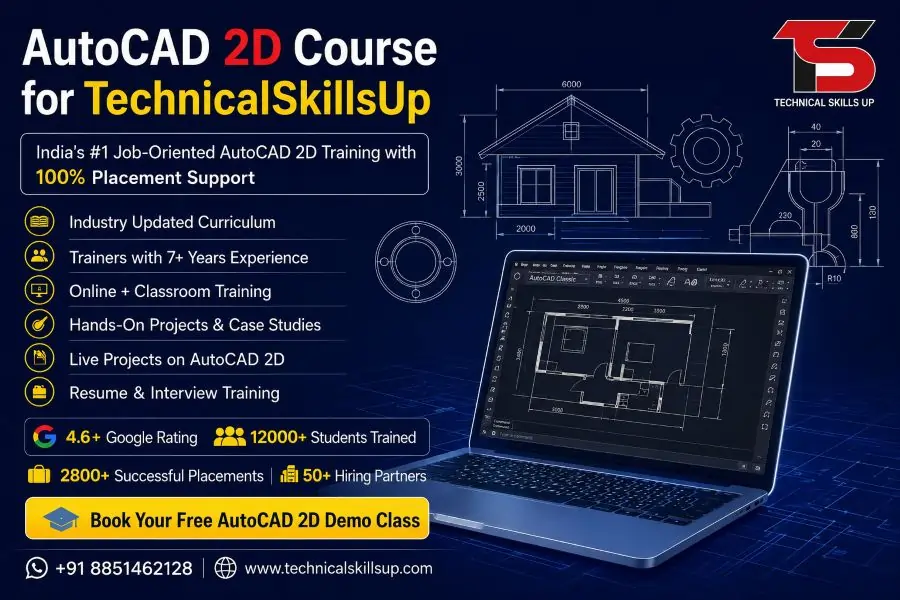
Modern industries need skilled professionals who can create accurate technical drawings and layouts. Companies in construction, manufacturing, architecture, interior design, and engineering prefer candidates who understand computer-aided drafting tools. Technical Skills Up provides practical learning with industry-based projects to help students build real job-ready skills. AutoCAD 2D Course in Noida helps beginners and working professionals learn drafting, dimensioning, layouts, annotations, and technical drawing standards in a simple way. Practical sessions, expert trainers, and live project support make the learning process easier and more effective for students who want career growth in the design industry.
Learn Professional Drafting Skills with Expert Guidance
Technical drawing plays a major role in engineering and design projects. Strong drafting skills help professionals prepare accurate plans and improve project quality. Technical Skills Up focuses on practical training so students can understand every concept step by step. Trainers explain commands with real examples to improve understanding and confidence.
Students learn how to create:
- Floor plans
- Mechanical drawings
- Electrical layouts
- Structural drawings
- Section views
- Elevation drawings
- Industrial designs
Practical assignments help learners improve speed and accuracy during project work.
Why Choose Technical Skills Up
Finding the right training institute matters for career success. Technical Skills Up provides industry-oriented training with simple teaching methods and hands-on practice. Learning becomes easier when students receive proper support and guidance from experienced trainers.
Key Benefits of Learning at Technical Skills Up
- Industry experienced trainers
- Practical lab sessions
- Live project exposure
- Updated course modules
- Interview preparation support
- Flexible batch timings
- Certification support
- Placement assistance
- Doubt clearing sessions
- Career guidance support
Professional training helps students understand industry standards and work requirements effectively.
AutoCAD 2D Training in Noida for Beginners and Professionals
Many students worry about technical software because of complex commands and design tools. Technical Skills Up simplifies the learning process through structured lessons and practical exercises. Every module focuses on building knowledge gradually from basic to advanced levels.
Training Covers Real Industry Requirements
Professional drafting work requires precision and proper understanding of tools. Training sessions focus on practical implementation instead of only theoretical concepts.
Students learn:
- Drawing setup
- Coordinate systems
- Line and shape creation
- Object modification
- Layer management
- Text formatting
- Dimension styles
- Hatch creation
- Block creation
- Layout setup
- Printing techniques
Practical learning helps students work confidently on real industry projects.
Career Opportunities After Learning AutoCAD
Design and drafting skills create career opportunities in multiple industries. Companies search for skilled professionals who can prepare accurate technical drawings and project layouts. AutoCAD knowledge increases job opportunities in both private and government sectors.
Industries Hiring AutoCAD Professionals
- Civil engineering companies
- Architecture firms
- Construction companies
- Interior design studios
- Manufacturing industries
- Mechanical engineering firms
- Electrical project companies
- Infrastructure companies
Technical Skills Up prepares students according to current industry requirements to improve employability.
Course Highlights
Learning becomes more effective when training follows a structured process. Technical Skills Up provides step-by-step learning modules to help students understand every feature clearly.
Major Features of the Course
Practical Based Learning
Hands-on practice improves software understanding and drafting speed.
Live Projects
Industry-based projects help students gain practical exposure.
Experienced Trainers
Professional trainers explain concepts with easy examples.
Flexible Learning
Weekday and weekend batches support students and working professionals.
Placement Preparation
Interview guidance and resume support improve career opportunities.
Updated Syllabus
Modern tools and industry practices are included in training modules.
AutoCAD 2D Classes in Noida with Practical Lab Sessions
Practical training helps students learn software faster than theoretical learning alone. Technical Skills Up focuses on real-time drafting practice during classroom sessions. Students work on multiple exercises to improve design quality and command usage.
Classroom Training Advantages
- Individual attention during sessions
- Interactive learning environment
- Daily practice assignments
- Live demonstrations
- Real drafting examples
- Industry-based exercises
Regular practice sessions help students build confidence and improve project handling skills.
Detailed Course Modules
Structured modules help learners understand every important topic properly. Technical Skills Up covers beginner to advanced drafting concepts for complete professional learning.
Introduction to AutoCAD
Students understand:
- Interface overview
- Navigation tools
- Workspace setup
- File management
- Drawing units
Basic understanding creates a strong foundation for advanced concepts.
Drawing Commands
Training includes:
- Line command
- Circle command
- Rectangle creation
- Arc command
- Polygon creation
- Polyline tools
Practical exercises improve command accuracy and speed.
Modify Commands
Students learn:
- Move command
- Copy command
- Trim command
- Extend command
- Mirror command
- Rotate command
- Scale command
- Offset command
Modification tools help improve drafting efficiency.
Layer Management
Professional drawings require organized layers for better project management.
Topics include:
- Layer creation
- Layer properties
- Color management
- Layer visibility
- Line type settings
Proper layer management improves drawing clarity.
Text and Annotation
Students understand:
- Text styles
- Multiline text
- Annotation tools
- Leader commands
- Notes and labeling
Annotations help improve project presentation quality.
Dimensioning Techniques
Training covers:
- Linear dimensions
- Angular dimensions
- Radius dimensions
- Diameter dimensions
- Dimension styles
Accurate dimensions are important for professional technical drawings.
Blocks and Attributes
Students learn:
- Block creation
- Dynamic blocks
- Attribute setup
- Reusable components
Blocks save drafting time and improve productivity.
Layout and Printing
Training includes:
- Paper space setup
- Viewports
- Plot settings
- Printing techniques
- Scale management
Proper layout setup improves project presentation quality.
AutoCAD 2D Certification Course in Noida
Professional certification helps students improve credibility and job opportunities. Technical Skills Up provides certification support after successful course completion. Certification validates technical knowledge and drafting skills.
Benefits of Certification
- Improves resume quality
- Builds professional credibility
- Increases interview opportunities
- Helps during job applications
- Shows technical expertise
Recognized training and certification support career growth in the drafting and design field.
Learning Environment at Technical Skills Up
Comfortable learning environments improve student performance and concentration. Technical Skills Up provides modern classrooms and practical lab facilities for better training experiences.
Training Infrastructure Includes
- High-performance computers
- Practical lab access
- Updated software tools
- Project-based learning
- Interactive sessions
Professional infrastructure helps students practice without technical limitations.
Placement Support for Students
Career support plays an important role after course completion. Technical Skills Up helps students prepare for interviews and improve communication skills for better job opportunities.
Placement Assistance Includes
- Resume building guidance
- Interview preparation
- Mock interview sessions
- Career counseling
- Job assistance support
Professional guidance helps students prepare confidently for interviews and company selection rounds.
Who Can Join This Course
AutoCAD training supports learners from different educational and professional backgrounds. Simple teaching methods make the course suitable for beginners and experienced professionals.
Suitable for
- Engineering students
- Diploma students
- Civil engineers
- Mechanical engineers
- Architects
- Interior designers
- Working professionals
- Job seekers
Technical knowledge improves career growth opportunities across multiple industries.
Importance of AutoCAD Skills in Modern Industries
Digital drafting tools have replaced traditional manual drawing methods in many industries. Companies prefer professionals who can prepare accurate drawings quickly using advanced software tools.
Advantages of AutoCAD Skills
- Faster drafting process
- Improved design accuracy
- Better project management
- Easy modification of drawings
- Professional presentation quality
Technical Skills Up helps students understand modern drafting standards used in industries today.
Practical Project Training
Project-based learning improves technical understanding and confidence. Students work on multiple assignments during training sessions to gain real project experience.
Practice Projects Include
- Residential floor plans
- Office layouts
- Mechanical component drawings
- Electrical diagrams
- Interior layouts
- Structural plans
Practical exposure helps learners understand actual work requirements in industries.
Experienced Trainers with Industry Knowledge
Learning becomes more effective when trainers explain concepts with practical examples. Technical Skills Up trainers have industry experience and provide detailed explanations of every topic.
Trainer Support Includes
- Step-by-step guidance
- Practical demonstrations
- Industry tips
- Doubt clearing sessions
- Project support
Professional guidance helps students improve technical understanding and drafting accuracy.
Flexible Learning Options
Students and working professionals often need flexible learning schedules. Technical Skills Up provides convenient batch timings for better learning support.
Batch Options
- Weekday batches
- Weekend batches
- Morning sessions
- Evening sessions
Flexible timing helps learners continue education without affecting work or studies.
Professional Growth After Course Completion
Technical drafting skills create strong career opportunities in India and international markets. Companies need professionals who understand technical drawing standards and software tools.
Job Roles After Training
- AutoCAD Designer
- Draftsman
- CAD Engineer
- Design Engineer
- Mechanical Draftsman
- Civil CAD Designer
- Interior CAD Designer
Strong drafting skills improve career stability and professional growth opportunities.
Industry-Oriented Training Approach
Technical Skills Up focuses on practical industry requirements instead of only software commands. Real project examples help students understand how drafting works in professional environments.
Training Methodology Includes
- Practical exercises
- Project assignments
- Industry case studies
- Performance evaluation
- Real-time problem solving
Professional learning methods improve technical understanding and project handling abilities.
Student Support and Guidance
Continuous support helps learners understand difficult concepts more easily. Technical Skills Up provides guidance throughout the learning process.
Student Support Includes
- Doubt solving sessions
- Practice materials
- Assignment support
- Project guidance
- Career counseling
Supportive learning environments help students improve confidence and technical skills.
AutoCAD 2D Training Institute in Noida with Job-Oriented Learning
Career-focused learning helps students prepare for real industry challenges. Technical Skills Up designs training programs according to current company requirements and technical standards.
Job-Oriented Learning Benefits
- Practical drafting knowledge
- Real industry exposure
- Improved technical skills
- Better interview preparation
- Professional project experience
Industry-focused training increases career opportunities for students and working professionals.
Simple Learning Process for Every Student
Many beginners hesitate to join technical courses because they think software learning is difficult. Technical Skills Up uses easy teaching methods to simplify every concept.
Learning Process Includes
- Basic software introduction
- Drawing command practice
- Modification tool exercises
- Layer and annotation practice
- Project creation
- Layout and printing practice
- Final project preparation
Step-by-step learning helps students understand concepts clearly without confusion.
Build a Strong Career in Drafting and Design
Technical industries continue growing rapidly across India. Skilled drafting professionals remain in demand for infrastructure, engineering, and manufacturing projects. AutoCAD knowledge improves job opportunities and professional growth in multiple sectors.
Technical Skills Up helps students develop practical drafting skills through live practice, project-based learning, and expert guidance. Professional training, industry exposure, and placement support create a strong learning experience for beginners and professionals who want successful careers in drafting and design industries.
Online Courses
- AutoCAD Course
- AutoCAD 2D Course
- AutoCAD 3D Course
- BIM Course
- Revit Architecture Course
- Revit MEP Course
- Revit Structure Course
Related Courses in Noida
- AutoCAD Course in Noida
- AutoCAD 3D Course in Noida
- BIM Course in Noida
- Revit Architecture Course in Noida
- Revit MEP Course in Noida
- Revit Structure Course in Noida
Related Courses in Delhi
FAQs:
Q1. What is the AutoCAD 2D Course?
Ans: The AutoCAD 2D Course is a professional design program in which students are taught 2D drafting, floor planning, dimensioning, layout design, and technical drawing. This course is highly beneficial for individuals in the fields of Civil Engineering, Mechanical Engineering, Architecture, and Interior Design.
Q2. Why take the AutoCAD 2D Course at Technical Skills Up?
Ans: At Technical Skills Up, practical training is delivered by industry-expert trainers. The program also includes live projects, lab practice, interview preparation, and placement support, equipping students with job-ready skills.
Q3. What are the eligibility criteria for the AutoCAD 2D Course?
Ans: This course is open to everyone—including students who have completed their 10th or 12th grade, ITI, Diploma, B.Tech, or Polytechnic studies, as well as working professionals. Having basic computer knowledge is helpful.
Q4. What is the duration of the AutoCAD 2D Course?
Ans: The duration of the AutoCAD 2D training typically ranges from 2 to 4 months. The exact duration may also depend on the training mode and the student’s individual learning pace.
Q5. Is placement assistance provided with the AutoCAD 2D Course?
Ans: Yes, Technical Skills Up provides placement assistance to its students. Services such as resume building, interview preparation, and job support are offered to help students secure excellent career opportunities.
Q6. What job opportunities are available after completing the AutoCAD 2D Course?
Ans: Upon completing the course, students can apply for positions such as CAD Designer, AutoCAD Draftsman, Civil Drafter, Mechanical Drafter, Interior CAD Designer, and Site Planning Assistant.
Q7. What topics are covered in the AutoCAD 2D Course?
Ans: This course covers topics such as drafting tools, drawing setup, layers, dimensions, annotations, blocks, plotting, layout setup, and professional drawing creation.
Q8. Is the AutoCAD 2D Course suitable for beginners?
Ans: Yes, this course is perfectly suitable for beginners. The training begins at a foundational level to ensure that every student can easily grasp the concepts.
Q9. What is the fee for the AutoCAD 2D Course?
Ans: The course fees may vary depending on the training module, batch timings, and specific course features. For the most up-to-date fee details, it is best to contact Technical Skills Up directly.
Q10. Are both online and offline classes available?
Ans: Yes, both online and offline training options are available at Technical Skills Up. Students can choose a batch according to their convenience.
Q11. Is a certificate provided upon completion of the course?
Ans: Yes, upon completing the AutoCAD 2D course, students are awarded a certification, which proves beneficial for job interviews and career advancement.
Q12. What are the benefits of learning AutoCAD 2D?
Ans: Learning AutoCAD 2D strengthens technical drawing skills. It expands career opportunities within the construction, manufacturing, architecture, and design industries.
Q13. Is the AutoCAD 2D course useful for working professionals?
Ans: Yes, working professionals can take this course to upgrade their technical skills and secure better salary opportunities.
Q14. Does the AutoCAD 2D course include practical training?
Ans: Yes, Technical Skills Up focuses on practical-based training. Students engage in real-time projects and hands-on practice to ensure they become industry-ready.
Q15. Why is Technical Skills Up considered the best choice for AutoCAD 2D training in Noida?
Ans: Technical Skills Up is regarded as a premier training institute for AutoCAD 2D in Noida due to its experienced trainers, practical learning approach, flexible batch timings, certification, and placement support.