
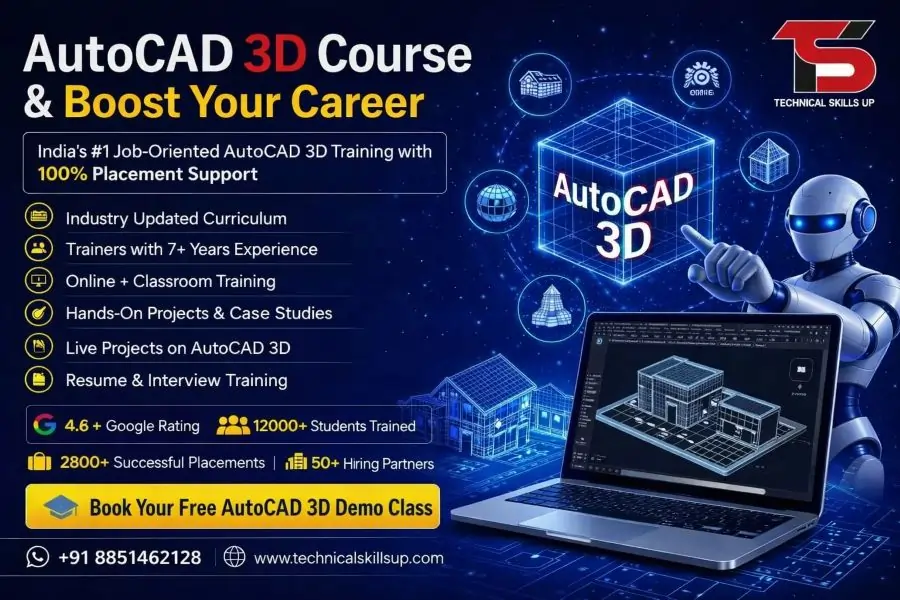
Modern engineering, architecture, interior design, and manufacturing industries rely heavily on 3D design software for planning and visualization. Professionals who understand advanced drafting and modeling techniques often gain better career opportunities and higher earning potential. The AutoCAD 3D Course in Noida offered by Technical Skills Up is designed to help students, working professionals, and job seekers learn practical 3D modeling skills through hands-on training. Training sessions focus on real-world projects, industry requirements, and job-oriented learning. Every module is created to build confidence in creating accurate 3D models, presentations, and technical drawings that match current industry standards.
Why Learn AutoCAD 3D?
Three-dimensional design helps engineers and designers visualize projects before construction or manufacturing begins. Organizations prefer professionals who can create detailed models, reduce design errors, and improve project planning.
Benefits of learning AutoCAD 3D include:
- Better visualization of designs
- Improved project presentation skills
- Higher productivity in drafting work
- Enhanced technical knowledge
- Greater career opportunities
- Industry-recognized software expertise
- Strong portfolio development
- Increased chances of placement
About Technical Skills Up
Technical Skills Up is committed to providing practical and career-oriented technical education. Training programs are developed according to industry needs and current market trends.
Key highlights include:
- Experienced trainers
- Practical learning approach
- Live project exposure
- Flexible learning options
- Industry-relevant curriculum
- Placement assistance support
- Interview preparation sessions
- Career guidance from experts
AutoCAD 3D Training in Noida for Career Growth
Professional design software skills can help candidates stand out in competitive job markets. Training at Technical Skills Up focuses on developing practical knowledge instead of only theoretical concepts.
Students learn how to:
- Create complex 3D models
- Build realistic project designs
- Generate technical documentation
- Improve drafting efficiency
- Work on engineering projects
- Apply industry-standard workflows
- Present design concepts professionally
Learning through practical exercises helps students understand how AutoCAD is used in real workplace environments.
Who Can Join This Course?
Training is suitable for beginners as well as professionals who want to upgrade their skills.
Ideal candidates include:
- Civil Engineering students
- Mechanical Engineering students
- Architecture students
- Interior Design students
- Diploma holders
- Draftsmen
- Site engineers
- Project engineers
- Working professionals
- Job seekers
Previous experience with AutoCAD basics can be helpful, but beginners can also learn through structured guidance.
AutoCAD 3D Classes in Noida with Practical Learning
Classroom sessions focus on hands-on exercises that help students gain confidence while working on projects. Every topic is explained using practical examples and demonstrations.
Learning methodology includes:
- Instructor-led training
- Practical assignments
- Project-based exercises
- Case studies
- Software demonstrations
- Interactive sessions
- Performance evaluations
- Doubt-clearing classes
Regular practice helps students improve speed, accuracy, and confidence.
Course Objectives
Training aims to develop job-ready skills that can be applied immediately in professional environments.
Main objectives include:
- Understanding 3D design concepts
- Creating professional models
- Improving drafting accuracy
- Learning advanced AutoCAD tools
- Building project visualization skills
- Developing industry-relevant expertise
- Preparing students for real projects
- Supporting career advancement
AutoCAD 3D Course Modules
Introduction to 3D Modeling
Topics covered:
- Understanding 3D workspace
- User interface overview
- Navigation tools
- Coordinate systems
- View controls
- Workspace customization
Basic 3D Drawing Tools
Students learn:
- Extrude command
- Revolve command
- Sweep command
- Loft command
- Presspull command
- Helix creation
Solid Modeling Techniques
Key concepts include:
- Solid editing tools
- Union operation
- Subtract operation
- Intersect operation
- Shell command
- Fillet edge
- Chamfer edge
Surface Modeling
Training covers:
- Surface creation
- Surface editing
- Surface trimming
- Surface extension
- Surface blending
- Advanced design methods
Advanced 3D Editing
Important topics:
- Gizmo tools
- Move and rotate operations
- Alignment techniques
- Mirror commands
- Scale commands
- Array operations
Visualization and Rendering
Students practice:
- Material application
- Lighting setup
- Camera creation
- Rendering settings
- Presentation views
- Visual styles
Layout and Documentation
Topics include:
- Viewports
- Annotation tools
- Dimensioning
- Plot settings
- Sheet preparation
- Project documentation
Industry Projects
Project work may involve:
- Building models
- Mechanical components
- Industrial equipment
- Interior layouts
- Architectural structures
- Engineering assemblies
AutoCAD 3D Certification Course in Noida
Certification helps demonstrate skills and knowledge gained during training. Employers often prefer candidates who have completed structured training programs and can showcase their expertise.
Benefits of certification include:
- Professional credibility
- Better resume value
- Improved job opportunities
- Stronger professional profile
- Industry recognition
- Career advancement support
Certification can help candidates stand out during recruitment processes.
Industry-Relevant Project Training
Project-based learning plays a major role in skill development. Students gain practical exposure by working on assignments that resemble real industry tasks.
Project training helps learners:
- Understand project workflows
- Improve problem-solving skills
- Apply software tools effectively
- Build confidence
- Create professional portfolios
- Prepare for workplace challenges
Hands-on experience makes learning more effective and practical.
Software Skills You Will Develop
Training helps students gain expertise in several important areas.
Skills covered include:
- 3D modeling
- Solid modeling
- Surface modeling
- Rendering
- Visualization
- Drafting standards
- Technical documentation
- Design presentation
These skills are valuable across multiple industries.
Career Opportunities After Course Completion
Organizations across different sectors require skilled AutoCAD professionals. Strong software knowledge can open doors to various career opportunities.
Popular job roles include:
- AutoCAD Designer
- CAD Engineer
- Draftsman
- Mechanical Designer
- Civil CAD Engineer
- Architectural Draftsman
- Interior Design Draftsman
- Design Engineer
- Project Coordinator
- BIM Support Professional
Career growth often improves with experience, project exposure, and technical expertise.
Industries Hiring AutoCAD Professionals
Many industries use AutoCAD for design, planning, and documentation.
Industries include:
- Construction
- Architecture
- Manufacturing
- Infrastructure
- Interior Design
- Engineering Consulting
- Industrial Design
- Automotive Sector
- Real Estate Development
- Plant Engineering
Growing demand for skilled designers creates excellent opportunities for trained professionals.
Placement Assistance Support
Technical Skills Up provides career support to help students prepare for employment opportunities.
Placement support may include:
- Resume building guidance
- Interview preparation
- Mock interview sessions
- Career counseling
- Portfolio development
- Job opportunity updates
- Professional communication training
Career-focused support helps students become more confident during the hiring process.
Why Choose Technical Skills Up?
Many learners choose Technical Skills Up because of its practical training approach and industry-oriented curriculum.
Major advantages include:
- Experienced industry trainers
- Practical project work
- Updated course content
- Student-focused learning
- Placement assistance
- Career guidance support
- Interactive sessions
- Flexible schedules
Training is designed to help learners gain knowledge that employers value.
Learning Outcome
After successful completion of the program, students will be able to:
- Create professional 3D models
- Use advanced AutoCAD tools confidently
- Develop technical drawings
- Prepare project documentation
- Produce realistic visual presentations
- Handle industry-based assignments
- Improve productivity in design work
- Apply skills in professional environments
Practical exposure throughout the course ensures students gain confidence in handling real-world design projects.
Start Your Professional Design Journey
Strong AutoCAD skills can significantly improve career prospects in engineering, architecture, manufacturing, and design industries. Technical Skills Up provides structured training, expert guidance, practical assignments, and project-based learning to help students become industry-ready professionals. A well-designed training program combined with hands-on experience creates a strong foundation for long-term career growth and professional success in the field of 3D design and drafting.
Online Courses
- AutoCAD Course
- AutoCAD 2D Course
- AutoCAD 3D Course
- BIM Course
- Revit Architecture Course
- Revit MEP Course
- Revit Structure Course
Related Courses in Noida
- AutoCAD Course in Noida
- AutoCAD 2D Course in Noida
- BIM Course in Noida
- Revit Architecture Course in Noida
- Revit MEP Course in Noida
- Revit Structure Course in Noida
Related Courses in Delhi
FAQs:
Q1. What is the AutoCAD 3D Course?
Ans: The AutoCAD 3D Course is a professional training program that teaches 3D Modeling, Surface Modeling, Solid Modeling, Rendering, and Visualization. This course is beneficial for building a career in the Engineering, Architecture, and Design industries.
Q2. Who is the AutoCAD 3D Course in Noida suitable for?
Ans: This course is suitable for Civil Engineers, Mechanical Engineers, Architects, Interior Designers, Diploma students, ITI students, and working professionals who wish to acquire 3D design skills.
Q3. What is the duration of the AutoCAD 3D Course at Technical Skills Up?
Ans: The duration of the AutoCAD 3D training at Technical Skills Up typically ranges from 2 to 4 months. The duration may vary depending on the specific batch and the individual’s learning pace.
Q4. What are the eligibility criteria for enrolling in the AutoCAD 3D Course?
Ans: No prior experience is required for this course. Students who have completed their 10th grade, 12th grade, a Diploma, or a Graduation degree are eligible to enroll in this course.
Q5. What topics are covered in the AutoCAD 3D Course?
Ans: The course covers topics such as 3D Modeling, Solid Modeling, Surface Modeling, Rendering, Material Application, Lighting, Visualization, Drafting Standards, and Project Work.
Q6. Does Technical Skills Up provide placement assistance along with the AutoCAD 3D Course?
Ans: Yes, under the “AutoCAD 3D Course in Noida with Placement” program, Technical Skills Up provides services such as Resume Building, Interview Preparation, and Placement Assistance.
Q7. What are the benefits of AutoCAD 3D Certification?
Ans: AutoCAD 3D Certification validates your skills and helps enhance your job opportunities. This certification makes your resume more impressive and impactful.
Q8. What job profiles can one pursue after completing the AutoCAD 3D Course?
Ans: Upon completing the course, opportunities may become available in profiles such as AutoCAD Designer, CAD Engineer, 3D Modeler, Draftsman, Mechanical Designer, Civil CAD Designer, and Architectural Designer.
Q9. Are students required to work on live projects during the AutoCAD 3D Course?
Ans: Yes, at Technical Skills Up, students are given the opportunity to work on industry-based live projects and practical assignments.
Q10. What is the fee for the AutoCAD 3D Course?
Ans: The fee may vary depending on the batch, course modules, and training facilities provided. It is best to contact the institute directly for the latest fee information.
Q11. Is the AutoCAD 3D Course available in both Online and Offline modes?
Ans: Yes, Technical Skills Up offers AutoCAD 3D training in both Online and Classroom modes, allowing students to learn according to their convenience.
Q12. What can be the starting salary after learning AutoCAD 3D?
Ans: At the entry level, the salary may vary depending on the candidate’s skills, project experience, and the specific company. Opportunities are even better for experienced candidates.
Q13. Does knowledge of AutoCAD 2D help in learning AutoCAD 3D?
Ans: Yes, having a basic understanding of AutoCAD 2D helps in grasping AutoCAD 3D concepts more quickly and easily.
Q14. Why choose Technical Skills Up for AutoCAD 3D training?
Ans: Technical Skills Up offers features such as experienced instructors, practical training, live projects, an industry-oriented curriculum, certification, and placement assistance.
Q15. How do I enroll in the AutoCAD 3D Course?
Ans: To enroll in the AutoCAD 3D Course in Noida, you can contact the counseling team at Technical Skills Up and select a batch that suits your specific requirements.