Category: Microsoft Office Courses
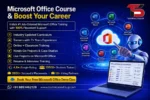
Modern workplaces depend on strong computer and office management skills. Companies look for professionals who can handle documents, reports, presentations, spreadsheets, emails, and business communication with confidence. Technical Skills Up offers industry-focused Microsoft Office training programs designed for students, working professionals, job seekers, and business owners who want practical skills and better career opportunities.
Technical Skills Up provides hands-on Microsoft Office Courses with placement support, live projects, expert trainers, and real-world assignments. Training sessions focus on practical learning so students can use their skills confidently in offices, corporate companies, startups, educational institutes, and government sectors.
Learn Microsoft Office from Industry Experts
Experienced trainers at Technical Skills Up guide students with easy-to-understand concepts and practical examples. Every module is designed according to current industry requirements. Students receive step-by-step training to improve productivity, reporting, communication, and office management skills.
The training covers beginner to advanced concepts, helping learners build confidence while working on professional tasks. Trainers also provide interview guidance and career support to help students prepare for job opportunities.
Microsoft Office Courses Available at Technical Skills Up
Technical Skills Up offers multiple Microsoft Office certification programs for different career goals.
Microsoft Word Training
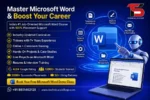
Microsoft Word Training helps students create professional documents, reports, resumes, letters, and business files. Training includes:
- Document formatting
- Page setup and design
- Tables and charts
- Mail merge
- Resume creation
- Templates and business reports
Advanced Excel Training
Advanced Excel is one of the most demanded office skills in today’s market. This course focuses on data handling and reporting techniques.
Topics include:
- Formulas and functions
- Pivot tables
- VLOOKUP and HLOOKUP
- Data validation
- Conditional formatting
- Dashboard creation
- Charts and reports
- MIS reporting
Microsoft PowerPoint Training
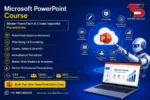
Microsoft PowerPoint Training helps students create attractive presentations for meetings, seminars, and business communication.
Course topics include:
- Presentation design
- Animation and transitions
- Infographics
- SmartArt
- Business presentation techniques
- Slide management
Microsoft Office 365 Training
Microsoft Office 365 training focuses on cloud-based productivity tools used in modern organizations.
Students learn:
- Outlook management
- Teams collaboration
- OneDrive
- SharePoint basics
- Online document sharing
- Cloud productivity tools
Practical Learning Approach
Technical Skills Up focuses on practical training instead of only theoretical knowledge. Students work on assignments, exercises, and real office-based tasks. Practical sessions help learners understand how Microsoft Office tools are used in daily business operations.
Lab sessions and live practice improve confidence and help students develop problem-solving abilities. Training methods are simple and beginner-friendly, making learning easier for freshers and non-technical students.
Placement Support for Career Growth
Placement support is one of the biggest advantages of joining Technical Skills Up. The institute helps students prepare for interviews and improve professional skills.
Placement assistance includes:
- Resume building
- Interview preparation
- Personality development
- Job guidance
- Career counseling
- Mock interview sessions
Microsoft Office skills are useful for multiple job roles such as:
- Office Executive
- Computer Operator
- Data Entry Operator
- MIS Executive
- Back Office Executive
- Administrative Assistant
- Accounts Assistant
Why Choose Technical Skills Up
Students prefer Technical Skills Up because of its practical training model and career-focused learning environment.
Key Benefits
- Experienced trainers
- Practical classroom sessions
- Industry-oriented curriculum
- Placement support
- Flexible batch timings
- Affordable course fees
- Certification after training
- Beginner-friendly learning environment
Who Can Join Microsoft Office Courses?
These courses are suitable for:
- Students
- Freshers
- Working professionals
- Business owners
- Housewives
- Job seekers
- Freelancers
No advanced technical background is required to start learning Microsoft Office tools.
Build Professional Skills for Better Opportunities
Strong Microsoft Office skills improve productivity and create better job opportunities in different industries. Technical Skills Up helps students gain practical knowledge that companies expect from modern professionals.
Professional training, expert guidance, and placement support make Technical Skills Up a trusted choice for Microsoft Office Courses. Students gain real-world skills that help them work efficiently and grow confidently in their careers.