

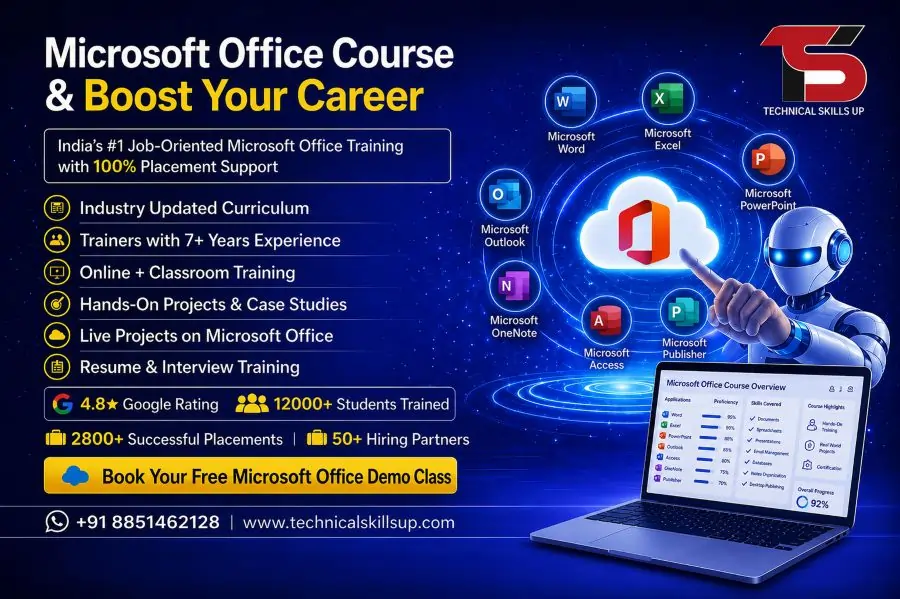
Overview of Microsoft Office Training Online
Microsoft Office Training Online delivers flexible learning for individuals who want to study from home without compromising on quality education. This program covers essential applications used in almost every industry such as corporate offices, education, banking, and government sectors. Learners gain knowledge of document creation, spreadsheet management, presentation design, and email communication.
Training modules are designed in a simple format to help beginners understand complex tools easily. Each session includes practical examples, assignments, and real-time exercises. The online format allows learners to study at their own pace, making it suitable for students, job professionals, and freelancers.
Key learning areas include:
- MS Word document formatting and editing
- MS Excel formulas, charts, and data analysis
- MS PowerPoint presentation design techniques
- Outlook email and calendar management
- File management and cloud integration basics
This structured approach helps learners build strong foundational skills required in modern workplaces.
Why Learn Microsoft Office Skills
Strong Microsoft Office skills are essential in today’s digital work environment. Almost every organization expects employees to handle basic computer tasks efficiently. Learning these skills improves productivity and opens multiple career opportunities in different sectors.
Important reasons to learn Microsoft Office skills:
- Improved productivity in daily office tasks
- Better data management and reporting skills
- Professional document creation abilities
- Effective presentation and communication skills
- Increased job opportunities in administrative roles
Office software knowledge also helps in personal productivity, such as managing budgets, creating resumes, and organizing information. These skills are useful for students preparing for jobs and professionals aiming for career growth.
Microsoft Office Certification Course Benefits
Microsoft Office Certification Course provides formal recognition of your skills and improves your job profile. Certification adds value to your resume and increases your chances of getting selected in interviews.
Major benefits of certification include:
- Industry-recognized certification for career support
- Proof of technical and practical knowledge
- Better chances in job interviews and promotions
- Skill validation for freelance and remote work
- Increased confidence in professional environments
Employers prefer candidates who have certified computer skills because it reduces training time and improves workplace efficiency. Certification also helps individuals stand out in competitive job markets.
MS Office Course Curriculum
MS Office Course curriculum is designed to provide complete knowledge of all essential tools used in offices. The training starts from basic concepts and gradually moves toward advanced features.
Microsoft Word Training
- Document creation and formatting
- Resume and report preparation
- Table insertion and editing
- Page layout and design tools
MS Excel Training
- Data entry and spreadsheet management
- Basic and advanced formulas
- Charts and data visualization
- Pivot tables and data analysis
MS PowerPoint Training
- Slide creation and design techniques
- Animation and transition effects
- Presentation structuring
- Professional storytelling methods
Additional Modules
- MS Outlook email management
- File storage and sharing methods
- Office productivity tips and shortcuts
This curriculum ensures learners gain complete practical knowledge for office tasks.
Microsoft Office Classes Learning Approach
Microsoft Office Classes focus on practical and interactive learning methods. The training style is designed to make students comfortable with real-world applications rather than only theoretical knowledge.
Learning approach includes:
- Step-by-step live demonstrations
- Practice-based assignments
- Real office project simulations
- Doubt clearing sessions
- Regular performance assessments
Each learner gets individual attention to improve weak areas. The goal is to build confidence in handling office tasks independently. This approach helps learners develop strong problem-solving skills and technical efficiency.
Microsoft Office Training Institute – Technical Skills Up
Microsoft Office Training Institute at Technical Skills Up offers professional-level training with a focus on job readiness and skill development. The institute provides structured learning programs designed by experienced trainers.
Key features of the institute:
- Experienced industry trainers
- Practical and project-based learning
- Updated course content based on industry needs
- Flexible batch timings for learners
- Career guidance and interview preparation support
Training sessions focus on real office environments so learners can easily adapt to workplace requirements. The institute also supports learners in building strong portfolios for job applications.
Career Opportunities After Microsoft Office Training
Microsoft Office skills open doors to many career opportunities across different industries. These skills are required in almost every organization, making them highly valuable.
Popular job roles include:
- Data Entry Operator
- Office Assistant
- Administrative Executive
- Back Office Executive
- Documentation Specialist
- MIS Executive
These roles require strong knowledge of Word, Excel, and PowerPoint. With experience, candidates can move into higher positions in administration, management, and data analysis fields.
Freelancing opportunities are also available for individuals who want to work independently. Tasks like report creation, spreadsheet management, and presentation design are commonly available online.
Online Learning Advantages
Microsoft Office Training Online offers several advantages compared to traditional classroom learning. The flexibility and accessibility make it a preferred choice for many learners.
Key advantages include:
- Learn from anywhere with internet access
- Flexible study schedule for working professionals
- Cost-effective training programs
- Recorded sessions for revision
- Easy access to learning materials
Online learning also helps learners balance education with personal and professional responsibilities. It provides comfort and convenience while maintaining high-quality training standards.
Importance of Certification in Professional Growth
Certification plays an important role in career development. It not only validates skills but also increases employability in competitive job markets.
Professional benefits include:
- Stronger resume profile
- Higher chances of selection in interviews
- Recognition of technical expertise
- Improved salary opportunities
- Career advancement support
Certified professionals are often preferred by employers because they already possess verified skills. This reduces training time and increases workplace efficiency.
Practical Skills Development Focus
Microsoft Office Course Online focuses heavily on practical skill development. The training ensures that learners can apply their knowledge in real office scenarios.
Skill development areas include:
- Fast document formatting and editing
- Accurate data handling in Excel
- Professional presentation design
- Effective communication through email tools
- Time-saving keyboard shortcuts and tools
These skills improve overall productivity and make work easier in corporate environments.
Role of Microsoft Office in Modern Workplaces
Microsoft Office tools are widely used in almost every professional sector. From small businesses to large corporations, these applications play a key role in daily operations.
Common workplace uses:
- Report preparation and documentation
- Financial data analysis and budgeting
- Business presentations and meetings
- Communication and scheduling
- Data storage and organization
Strong knowledge of these tools increases efficiency and reduces manual workload. It also supports better decision-making in business environments.
Student and Professional Learning Support
Learning support provided during the training ensures smooth progress for all learners. Whether beginner or advanced, every student receives proper guidance.
Support services include:
- Doubt resolution sessions
- Practice assignments and worksheets
- Project-based learning tasks
- Interview preparation guidance
- Career counseling support
This structured support system helps learners stay motivated and achieve their learning goals effectively.
Conclusion
Microsoft Office Course Online offers a complete learning solution for individuals aiming to build strong computer skills for professional growth. The course covers essential tools, practical training methods, and certification benefits that improve job opportunities. Microsoft Office Training Online provides flexibility and convenience for learners who want to study at their own pace while gaining industry-relevant skills. Microsoft Office Certification Course adds value to professional profiles and increases employability. MS Office Course content ensures complete knowledge of Word, Excel, and PowerPoint applications. Microsoft Office Classes and Microsoft Office Training Institute at Technical Skills Up deliver practical, job-oriented education designed to meet modern industry requirements. This training program helps learners build confidence, improve productivity, and achieve long-term career success in administrative, corporate, and technical fields.
FAQs:
Q1. What is the Microsoft Office Certification Course?
Ans: It is a professional training course designed to teach MS Word, Excel, PowerPoint, Outlook, and other Office tools in a practical manner, thereby developing job-ready skills.
Q2. Which modules are covered in this course?
Ans: It includes MS Word, Advanced Excel, PowerPoint, MS Access, Outlook, and basic computer fundamentals.
Q3. Is this course suitable for beginners?
Ans: Yes, this course is suitable for everyone, ranging from beginners to advanced learners.
Q4. What are the benefits of a Microsoft Office Certification?
Ans: This certification strengthens your resume and enhances your chances of securing a job.
Q5. Does Technical Skills Up provide placement support?
Ans: Yes, Technical Skills Up provides students with interview preparation, resume building, and placement assistance.
Q6. What is the duration of this course?
Ans: Typically, this course lasts between 1 to 3 months, depending on the training level.
Q7. Does it include practical training?
Ans: Yes, training is provided through live projects and practical assignments.
Q8. What types of jobs can one get after completing this course?
Ans: One can secure jobs such as Data Entry Operator, Office Assistant, Admin Executive, or Back Office Executive.
Q9. Is this course available in both online and offline modes?
Ans: Yes, this course is available in both online and offline formats.
Q10. Are there any eligibility criteria for this course?
Ans: There are no specific eligibility criteria; any student who has passed the 10th or 12th grade can join.
Q11. Is the certificate government-recognized?
Ans: The recognition of the certificate depends on the specific institute; however, the certificate provided by Technical Skills Up is industry-relevant.
Q12. Is Excel taught up to an advanced level?
Ans: Yes, Excel is taught comprehensively, covering topics ranging from formulas, pivot tables, and charts to data analysis.
Q13. Is a resume created for students after completing the course?
Ans: Yes, students are taught how to create a professional resume, and assistance is provided in preparing it.
Q14. Is interview preparation also provided?
Ans: Yes, practice sessions for mock interviews and HR questions are conducted.
Q15. What is the fee for this course?
Ans: The fees depend on the course level and duration, which can be confirmed directly with the institute.