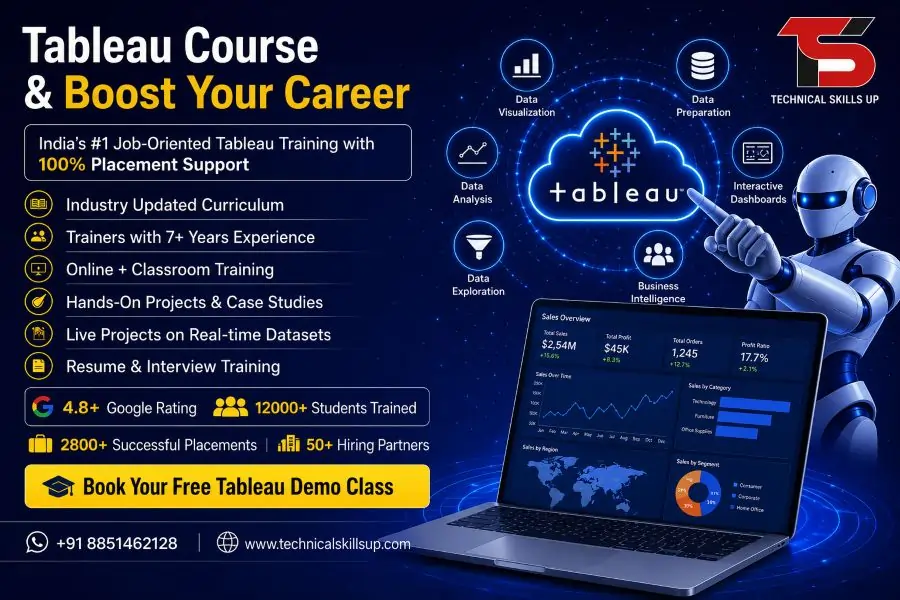
Tableau Online Course in India | 100% Job Support

Data has become one of the most valuable assets for modern organizations. Every business collects information from customers, operations, marketing campaigns, sales activities, and financial transactions. Turning that information into meaningful insights requires powerful visualization and analytics tools. A well-structured Tableau Course helps learners understand how to transform raw data into interactive dashboards, reports, and business intelligence solutions that support better decision-making. Technical Skills Up offers industry-focused training designed for students, professionals, analysts, and business users who want practical knowledge of data visualization and reporting.

The program combines theoretical concepts with hands-on projects, allowing learners to develop skills that match current industry requirements. Practical exposure, expert guidance, and real-world assignments help participants gain confidence while working with business data. Growing demand for analytics professionals has created excellent opportunities for individuals who can present complex information in a clear and actionable format. This course provides the foundation needed to enter the field of business intelligence and data analytics with confidence.

Table of Contents

Course Overview

Organizations across different industries rely on data-driven decisions to improve performance and achieve business goals. Tableau has emerged as one of the leading platforms for data visualization and analytics because of its user-friendly interface and powerful capabilities.

Technical Skills Up has designed this program to help learners understand every important aspect of Tableau, from beginner concepts to advanced dashboard development. The course focuses on practical implementation rather than theoretical learning alone.

Participants learn how to:

  • Connect Tableau with multiple data sources
  • Clean and organize business data
  • Create charts and visualizations
  • Build interactive dashboards
  • Develop business intelligence reports
  • Use filters and parameters
  • Create calculated fields
  • Analyze trends and patterns
  • Share insights with stakeholders

Structured learning modules ensure that learners gradually build expertise and confidence while working on real-world projects.

Why Tableau Has Become a Preferred Analytics Platform

Business intelligence tools have transformed the way organizations use information. Tableau stands out because it allows users to explore data visually without extensive programming knowledge.

Several reasons contribute to its popularity:

  • Easy drag-and-drop functionality
  • Fast dashboard creation
  • Interactive reporting features
  • Support for multiple data sources
  • Advanced analytical capabilities
  • Cloud integration options
  • Strong enterprise adoption

Large enterprises, startups, healthcare providers, retail companies, financial institutions, and government organizations use Tableau to make informed business decisions.

Growing adoption across industries has significantly increased the need for skilled Tableau professionals.

Importance of Tableau Training in Modern Industries

Data-driven strategies have become essential for maintaining competitiveness. Organizations need professionals who can analyze information and communicate findings effectively.

Professional Tableau Training helps learners develop skills that businesses actively seek. Visual analytics allows decision-makers to identify trends, opportunities, and challenges quickly.

Industries benefiting from Tableau include:

Banking and Finance

Financial organizations use Tableau to:

  • Monitor financial performance
  • Analyze customer behavior
  • Track investments
  • Detect fraud patterns
  • Generate executive reports

Healthcare

Healthcare institutions leverage Tableau for:

  • Patient data analysis
  • Resource planning
  • Performance tracking
  • Medical reporting
  • Operational improvements

Retail and E-commerce

Retail businesses use analytics to:

  • Understand customer preferences
  • Monitor sales performance
  • Analyze product demand
  • Improve inventory management
  • Optimize marketing campaigns

Manufacturing

Manufacturing companies depend on Tableau for:

  • Production monitoring
  • Supply chain analysis
  • Quality control reporting
  • Operational efficiency tracking

Information Technology

Technology organizations use Tableau to:

  • Measure project performance
  • Analyze user engagement
  • Monitor business metrics
  • Support strategic planning

Knowledge gained through structured training prepares learners to contribute effectively in these industries.

Tableau Classes Designed for Beginners and Professionals

Many individuals hesitate to enter analytics because they believe advanced technical knowledge is required. Technical Skills Up has created Tableau Classes suitable for learners with different backgrounds.

The curriculum supports:

  • Fresh graduates
  • College students
  • Business analysts
  • IT professionals
  • Project managers
  • Marketing specialists
  • Finance professionals
  • Entrepreneurs

Learning begins with fundamental concepts before progressing toward advanced dashboard development and analytics techniques.

Experienced instructors simplify complex topics through demonstrations, case studies, and practical exercises.

Skills Covered in the Program

Strong technical and analytical skills are essential for success in today’s business environment. This course focuses on developing capabilities that employers value.

Data Connection and Integration

Learners understand how to connect Tableau with various sources such as:

  • Excel files
  • CSV files
  • SQL databases
  • Cloud platforms
  • Enterprise systems

Data Preparation

Accurate analysis depends on clean data.

Training includes:

  • Data cleansing
  • Data transformation
  • Data blending
  • Data organization
  • Handling missing values

Data Visualization

Visualization is one of the most important aspects of Tableau.

Students learn to create:

  • Bar charts
  • Line charts
  • Pie charts
  • Maps
  • Scatter plots
  • Heat maps
  • Tree maps
  • Bubble charts

Dashboard Development

Interactive dashboards help users explore data efficiently.

Key topics include:

  • Dashboard design principles
  • Interactive controls
  • Filters
  • Parameters
  • Navigation techniques
  • Storytelling with data

Advanced Analytics

Advanced modules cover:

  • Calculated fields
  • Table calculations
  • Trend analysis
  • Forecasting
  • Statistical functions
  • Data modeling

Business Reporting

Organizations require clear and actionable reports.

Participants learn:

  • KPI reporting
  • Executive dashboards
  • Performance monitoring
  • Business metrics visualization
  • Report optimization

These skills help learners become effective analytics professionals.

Tools and Technologies Covered

Modern analytics environments involve multiple technologies working together. Technical Skills Up introduces learners to relevant tools that complement Tableau.

Tableau Desktop

Tableau Desktop serves as the primary development platform for creating dashboards and reports.

Topics include:

  • Interface navigation
  • Visualization creation
  • Dashboard design
  • Report publishing

Tableau Server

Learners gain exposure to:

  • Dashboard sharing
  • Collaboration features
  • User management
  • Security settings

Tableau Public

Training includes:

  • Publishing visualizations
  • Portfolio development
  • Public dashboard sharing

Database Concepts

Basic understanding of databases supports effective analysis.

Coverage includes:

  • SQL fundamentals
  • Data relationships
  • Joins
  • Queries

Microsoft Excel

Excel remains one of the most common business data sources.

Students learn:

  • Data preparation techniques
  • Importing data
  • Combining Excel with Tableau

Exposure to multiple technologies improves employability and workplace readiness.

Tableau Certification Course for Professional Growth

Employers often look for candidates who can demonstrate verified skills. A quality Tableau Certification Course provides structured learning and prepares candidates for industry-recognized certifications.

Certification offers several advantages:

  • Validation of skills
  • Improved professional credibility
  • Better job opportunities
  • Increased confidence
  • Stronger resume profile

Technical Skills Up focuses on helping learners build practical expertise that supports certification success and workplace performance.

Project-based learning ensures participants understand concepts beyond examination requirements.

Tableau Developer Course with Practical Projects

Organizations increasingly require professionals capable of designing sophisticated dashboards and analytical solutions.

A specialized Tableau Developer Course helps learners understand advanced development techniques used in professional environments.

Project-based assignments may include:

Sales Dashboard Project

Learners create dashboards that track:

  • Revenue growth
  • Product performance
  • Regional sales trends
  • Customer behavior

Financial Analytics Project

Students develop visualizations for:

  • Budget monitoring
  • Expense analysis
  • Profitability measurement

Marketing Performance Dashboard

Projects focus on:

  • Campaign analysis
  • Lead generation tracking
  • Customer acquisition metrics
  • ROI measurement

Human Resource Dashboard

Participants build reports covering:

  • Employee performance
  • Recruitment metrics
  • Workforce trends

Practical project experience helps learners develop portfolios that showcase their capabilities to potential employers.

Industry Demand and Future Scope

Data analytics continues to expand across every major sector. Organizations need professionals who can transform information into actionable insights.

Several trends are driving demand:

Growth of Business Intelligence

Companies increasingly depend on analytics platforms for strategic planning and decision-making.

Expansion of Data-Driven Cultures

Businesses are encouraging teams to use measurable data instead of assumptions.

Digital Transformation Initiatives

Organizations investing in digital transformation require analytics professionals to support modernization efforts.

Increasing Data Volumes

Large amounts of information generated every day require advanced visualization and reporting solutions.

Cloud Analytics Adoption

Cloud-based reporting and business intelligence systems continue to grow rapidly.

Future demand is expected to remain strong as organizations prioritize data-driven decision-making.

Career Opportunities After Completing the Course

Analytics skills open doors to a wide range of career paths.

Popular job roles include:

Tableau Developer

Responsibilities include:

  • Dashboard creation
  • Data modeling
  • Report development
  • Analytics implementation

Business Intelligence Analyst

Professionals analyze data and generate insights that support business decisions.

Data Analyst

Data analysts collect, process, and interpret information to identify trends and opportunities.

Reporting Analyst

Reporting specialists create dashboards and performance reports for stakeholders.

Business Analyst

Business analysts use data to improve processes and support organizational growth.

Analytics Consultant

Consultants help businesses implement analytics solutions and improve decision-making.

These roles are available across industries such as healthcare, finance, retail, technology, manufacturing, logistics, and consulting.

Tableau Online Course in India for Flexible Learning

Working professionals often need flexible schedules to balance learning with job responsibilities. Technical Skills Up offers a comprehensive Tableau Online Course in India that enables learners to study from any location.

Benefits of online learning include:

  • Flexible schedules
  • Live instructor-led sessions
  • Recorded lectures
  • Practical assignments
  • Real-time doubt resolution
  • Project-based learning
  • Access to learning resources

Virtual classrooms create an engaging learning experience while maintaining the convenience of remote education.

Learners receive guidance from experienced trainers who provide personalized support throughout the training journey.

Why Choose Technical Skills Up

Selecting the right training provider plays an important role in career success. Technical Skills Up focuses on delivering practical education aligned with industry requirements.

Experienced Trainers

Industry professionals guide learners through real-world use cases and practical scenarios.

Updated Curriculum

Course modules reflect current industry trends and employer expectations.

Hands-On Learning

Practical assignments help learners apply concepts effectively.

Real Business Projects

Project-based learning improves confidence and workplace readiness.

Student-Centered Approach

Personal attention supports better understanding and skill development.

Career-Oriented Training

Every module is designed to improve employability and professional growth.

Learning Support

Dedicated support helps learners resolve doubts and stay on track.

Strong emphasis on quality training makes Technical Skills Up a preferred destination for analytics education.

Training Methodology Focused on Practical Learning

Learning becomes more effective when theory is combined with hands-on experience.

Technical Skills Up follows a structured training methodology that includes:

Instructor-Led Sessions

Experts explain concepts through demonstrations and examples.

Practical Exercises

Learners complete activities that reinforce classroom learning.

Case Studies

Industry-specific examples help participants understand business applications.

Project Work

Real-world projects develop practical problem-solving abilities.

Performance Assessments

Regular evaluations help measure progress and identify improvement areas.

Interview Preparation

Mock interviews and guidance sessions improve confidence before job applications.

This approach ensures that participants gain practical skills that can be applied immediately in professional environments.

Certification and Placement Support

Professional development extends beyond technical training. Technical Skills Up provides support that helps learners prepare for career opportunities.

Placement-focused services include:

  • Resume building assistance
  • Interview preparation
  • Portfolio guidance
  • Career counseling
  • Professional skill development
  • Job opportunity updates

Certification support helps learners demonstrate their expertise to employers and strengthen their professional profiles.

Industry-relevant projects, practical assignments, and career mentoring contribute to better employment outcomes.

Learning Outcomes of the Program

Upon successful completion of the training, participants will be able to:

  • Connect and manage multiple data sources
  • Create interactive dashboards
  • Develop professional reports
  • Perform advanced data analysis
  • Apply visualization best practices
  • Present business insights effectively
  • Build portfolio-ready projects
  • Support data-driven decision-making
  • Work confidently with Tableau tools
  • Prepare for analytics-related job roles

These outcomes help learners become valuable contributors in modern organizations.

Conclusion

Business success increasingly depends on the ability to understand and interpret data. Organizations across industries seek professionals who can convert information into meaningful insights that support better decisions. Technical Skills Up delivers comprehensive training that combines practical learning, real-world projects, expert mentorship, and career-focused guidance. Learners gain the knowledge required to build interactive dashboards, analyze business data, and create impactful reports that drive organizational growth. Strong industry demand, attractive career opportunities, and continuous growth in analytics make Tableau an excellent skill for long-term professional development. Anyone looking to build a rewarding career in business intelligence, reporting, and data visualization can benefit from this comprehensive training program and take a confident step toward future success.

FAQs:

Q1. What is the Tableau Online Course?

Ans: The Tableau Online Course is a professional training program that trains students in data visualization, dashboard creation, reporting, and business intelligence. Technical Skills Up’s Tableau Online Course in India incorporates industry-based projects and live practical sessions.

Q2. Who is eligible to learn Tableau?

Ans: Graduates, working professionals, data analysts, business analysts, IT professionals, and students can learn Tableau. No specific programming experience is required for Tableau training, though basic knowledge of Excel is beneficial.

Q3. What is the duration of the Tableau Online Course?

Ans: The duration of the Tableau Online Course typically ranges from 6 to 12 weeks. Technical Skills Up offers students the flexibility of various batch timings and access to recorded sessions.

Q4. Is placement support provided with the Tableau Course?

Ans: Yes, Technical Skills Up offers a Tableau Online Course in India that includes placement support. Students receive services such as resume building, interview preparation, mock interviews, and job assistance.

Q5. What are the benefits of taking a Tableau Certification Course?

Ans: Completing a Tableau Certification Course enhances career opportunities in the fields of data analytics and business intelligence. The certification validates your skills and aids in securing a job.

Q6. What topics are covered in the Tableau training?

Ans: The Tableau training covers key topics such as data visualization, dashboards, charts, graphs, calculated fields, filters, parameters, data blending, data connections, and reporting.

Q7. Do students work on live projects during the Tableau course?

Ans: Yes, at Technical Skills Up, students get the opportunity to work on real-time industry projects during Tableau classes to gain practical experience.

Q8. What job profiles can one pursue after learning Tableau?

Ans: After learning Tableau, one can apply for roles such as Data Analyst, Business Intelligence Analyst, Reporting Analyst, Tableau Developer, MIS Analyst, and Data Visualization Specialist.

Q9. Is any specific software required for the Tableau Online Course?

Ans: Yes, students are required to use Tableau Desktop or Tableau Public. Technical Skills Up also provides assistance with installation and setup.

Q10. What is the starting salary after completing the Tableau course?

Ans: At an entry-level, Tableau professionals can secure attractive salary packages depending on their experience, skills, and the company. Opportunities are even better for experienced candidates.

Q11. What is the difference between Tableau and Power BI?

Ans: Both Tableau and Power BI are data visualization tools. Tableau is popular for complex data analysis and advanced visualization, whereas Power BI offers better integration with the Microsoft ecosystem.

Q12. Are recorded classes provided during the Tableau online training?

Ans: Yes, Technical Skills Up makes recorded sessions available to students so they can revisit and review topics at any time.

Q13. How does one prepare for the Tableau Certification Exam?

Ans: Preparation for the Tableau Certification Exam involves live training, practice assignments, case studies, and mock tests. This helps boost both the students’ confidence and their technical knowledge.

Q14. Why choose a Tableau online course in India?

Ans: The demand for Tableau professionals in India is steadily rising. A Tableau online course in India enables students to learn industry-standard skills from the comfort of their homes and access better career opportunities.

Q15. Why choose the Tableau course from Technical Skills Up?

Ans: Technical Skills Up offers Tableau training featuring experienced instructors, live projects, an industry-focused curriculum, recorded classes, interview preparation, and placement support. It places a special emphasis on making students job-ready.
Related Post

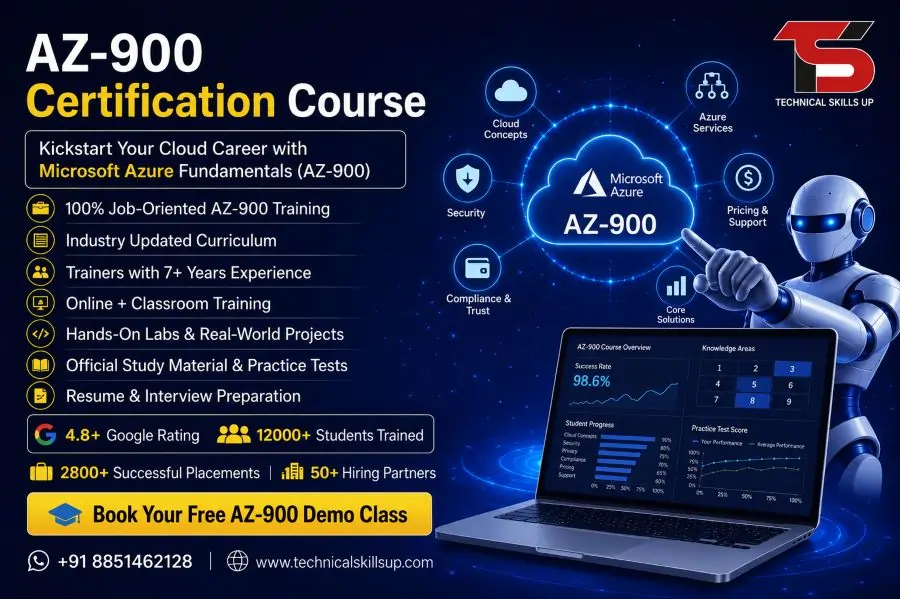
AZ-900 Certification Course

AZ-900 Certification Course in Noida | AZ-900 Certification Training

Learning cloud computing has become a major requirement in today’s IT industry, where businesses are moving their infrastructure, applications, and services to cloud platforms. The AZ-900 Certification Course in Noida helps beginners understand the basics of Microsoft Azure in a structured and simple way. This course is designed for students, working professionals, and career changers who want to build a strong foundation in cloud computing without needing advanced technical experience.

Cloud technology supports modern businesses by offering scalability, security, and cost efficiency. Understanding these concepts at an early stage helps learners build confidence in IT careers. Microsoft Azure is one of the leading cloud platforms used globally by companies of all sizes. This training introduces core cloud concepts, Azure services, pricing models, and governance features in a beginner-friendly format.

Technical Skills Up focuses on practical learning, real-time examples, and guided sessions that help learners understand cloud concepts easily. The training environment supports hands-on practice and concept clarity so that learners can confidently move toward advanced Azure certifications in the future.

Why Microsoft Azure Fundamentals Matters in Today’s IT Industry

Cloud computing has transformed how organizations operate across industries such as banking, healthcare, education, and e-commerce. Companies now prefer professionals who understand cloud platforms and their basic architecture. Microsoft Azure provides a wide range of services that help businesses run applications, store data, and manage security efficiently.

Understanding cloud fundamentals helps learners build strong career foundations. Knowledge of Azure basics improves job readiness for roles in IT support, system administration, and cloud operations. Employers value candidates who understand how cloud systems function and how resources are managed in a virtual environment.

Early exposure to Azure concepts also improves problem-solving ability and technical confidence. Learners gain clarity on how cloud pricing works, how virtual machines operate, and how data storage is managed securely. This foundational knowledge becomes useful for advanced certifications and real-world IT projects.

Course Overview of Microsoft Azure AZ-900 Program

The Microsoft Azure AZ-900 Course in Noida offers structured training designed to simplify cloud computing concepts for beginners. This program focuses on building a strong understanding of Microsoft Azure services, cloud principles, and basic architecture.

Training sessions include theory explanations, real-world examples, and interactive discussions to improve learning quality. The course is suitable for students from non-technical backgrounds as well as IT professionals who want to upgrade their cloud knowledge.

Key learning areas include cloud computing basics, Azure core services, pricing models, and security fundamentals. Learners also get exposure to Azure portal navigation and service management tools. Each topic is explained in a step-by-step manner to ensure clarity and easy understanding.

Technical Skills Up ensures that every learner receives proper guidance and support throughout the course journey, helping them build confidence in cloud technologies.

Detailed Curriculum Structure for AZ-900 Training

The curriculum of the AZ-900 Training Institute in Noida is designed to cover essential cloud concepts in a simple and practical format. Each module focuses on building foundational knowledge step by step.

Cloud Concepts

  • Introduction to cloud computing models
  • Benefits of cloud services
  • Types of cloud deployment models
  • Shared responsibility model

Microsoft Azure Core Services

  • Virtual machines and compute services
  • Azure storage solutions
  • Networking basics in Azure
  • Database services overview

Security and Compliance

  • Azure security tools
  • Identity management concepts
  • Data protection principles
  • Compliance standards overview

Azure Pricing and Support

  • Subscription models
  • Cost management tools
  • Service level agreements (SLA)
  • Support options in Azure

Azure Governance

  • Resource management concepts
  • Role-based access control (RBAC)
  • Policy management basics

This structured curriculum ensures that learners understand both theoretical and practical aspects of cloud computing in a simplified manner.

Learning Outcomes and Skill Development

Completion of the Azure Fundamentals Course in Noida helps learners develop essential cloud computing skills that are useful for entry-level IT roles. The training focuses on clarity, practical understanding, and industry relevance.

Learners will gain the ability to:

  • Understand cloud computing concepts clearly
  • Explain core Azure services and their usage
  • Identify different cloud deployment models
  • Understand pricing and cost management basics
  • Work with Azure portal interface confidently

These skills build a strong foundation for advanced certifications like AZ-104, AZ-305, and other Microsoft cloud certifications.

The training approach focuses on real-world application so learners can connect theoretical knowledge with practical use cases.

Practical Training Methodology and Hands-on Learning

Learning experience plays a crucial role in understanding cloud technologies effectively. Training sessions at Technical Skills Up include interactive learning methods and practical demonstrations.

Hands-on labs allow learners to explore Azure services in a real environment. Practical exercises include creating virtual machines, managing storage accounts, and exploring networking features.

Step-by-step guidance ensures that beginners can follow each concept without confusion. Trainers explain each topic using simple examples so learners can easily understand complex cloud concepts.

Regular assignments and practice tasks help reinforce learning. This approach improves confidence and prepares learners for real-world IT environments where Azure services are actively used.

Expert Trainers and Industry Experience

Experienced trainers play a key role in delivering quality education. The AZ-900 Certification Training in Noida is conducted by professionals with strong industry experience in cloud computing and Microsoft Azure technologies.

Trainers provide real-world insights based on practical experience in IT projects. Their teaching approach focuses on simplifying technical concepts for beginners.

Learners receive personalized attention during sessions, helping them clear doubts and improve understanding. Trainers also guide students on certification preparation strategies and career development paths in cloud computing.

This expert guidance ensures that learners gain both theoretical knowledge and practical exposure required for industry readiness.

Placement Support and Career Guidance

Career support plays an important role in building a successful IT journey. Technical Skills Up provides guidance to learners who want to start or grow their careers in cloud computing and Azure technologies.

Support includes resume building assistance, interview preparation, and career counseling sessions. Learners are guided on how to present their skills effectively during job interviews.

Mock interviews and practice sessions help improve confidence and communication skills. Guidance is also provided for entry-level job roles such as cloud support associate, IT support executive, and junior system administrator.

This structured support system helps learners transition smoothly from training to professional careers.

Who Should Join This Azure Fundamentals Program

This training program is suitable for a wide range of learners from different backgrounds. The AZ-900 Certification Course in Noida is ideal for beginners who want to start their journey in cloud computing.

Recommended for:

  • Students from IT and non-IT backgrounds
  • Fresh graduates seeking IT careers
  • Working professionals switching to cloud roles
  • System administrators and support engineers
  • Anyone interested in Microsoft Azure basics

No prior cloud experience is required, making it an excellent starting point for beginners.

Career Opportunities After AZ-900 Certification

Cloud computing skills open doors to multiple career opportunities in the IT industry. After completing the Microsoft Azure AZ-900 Course in Noida, learners can explore entry-level roles in cloud and IT support domains.

Potential job roles include:

  • Cloud Support Associate
  • Azure Administrator Trainee
  • IT Support Engineer
  • Junior Cloud Engineer
  • Technical Support Executive

As experience grows, learners can move toward advanced roles such as Azure Administrator, Cloud Architect, and DevOps Engineer. The certification acts as a foundation for long-term career growth in cloud computing.

Why Choose Technical Skills Up for Azure Training

Technical Skills Up provides structured and industry-focused training designed for beginners and professionals. The learning environment focuses on clarity, practical exposure, and career development.

Key benefits include:

  • Experienced trainers with industry knowledge
  • Practical hands-on training sessions
  • Updated course curriculum aligned with Microsoft standards
  • Personalized learning support
  • Career guidance and placement assistance

The institute ensures that learners gain both conceptual understanding and practical skills required in today’s competitive IT industry.

Benefits of Microsoft Azure Certification

Earning an Azure certification provides strong value in the IT job market. It demonstrates foundational knowledge of cloud computing and Microsoft Azure services.

Key benefits include:

  • Improved job opportunities in IT and cloud domain
  • Industry-recognized certification from Microsoft
  • Strong foundation for advanced Azure certifications
  • Better understanding of cloud technologies
  • Increased career growth potential

Certification helps learners stand out in interviews and builds credibility in the professional world.

Building a Strong Future in Cloud Computing

Cloud computing continues to grow rapidly, and companies are actively hiring skilled professionals in this domain. Starting with foundational training helps learners build confidence and technical understanding.

The AZ-900 Training Institute in Noida provides structured learning that supports long-term career growth. Learners can gradually move from basic concepts to advanced cloud architecture and DevOps practices.

Continuous learning and practical exposure help professionals stay relevant in the evolving IT industry. Azure fundamentals act as the first step toward a successful cloud computing career.

FAQs:

Q1. What is the AZ-900 Certification Course?

Ans: The AZ-900 is a Microsoft Azure Fundamentals course that teaches the basic concepts of Cloud Computing and Azure.

Q2. Who is this course best suited for?

Ans: This course is suitable for beginners, freshers, IT students, and even those with a non-technical background.

Q3. What is taught in the AZ-900 course?

Ans: It covers Cloud concepts, Azure services, pricing, security, compliance, and deployment models.

Q4. Is this course easy for beginners?

Ans: Yes, as this is Microsoft’s entry-level certification, it is designed to be easily understood.

Q5. Why choose Technical Skills Up for AZ-900 training?

Ans: We offer experienced trainers, live classes, hands-on labs, and interview preparation.

Q6. Does this course include placement support?

Ans: Yes, Technical Skills Up provides students with resume building assistance, interview training, and placement support.

Q7. What is the validity period of the AZ-900 certification?

Ans: The Microsoft AZ-900 certification is generally valid for the long term and is globally recognized.

Q8. Is this course available in both online and offline modes?

Ans: Yes, this course is available in both online and classroom formats.

Q9. What is the duration of this course?

Ans: The duration of the AZ-900 course is approximately 2 to 4 weeks, depending on the batch schedule.

Q10. Can people with a non-IT background take this course?

Ans: Yes, this course is specifically designed for non-IT students as well.

Q11. What are the job opportunities after completing the AZ-900?

Ans: You can apply for roles such as Cloud Support Associate, Azure Administrator Trainee, and various IT support positions.

Q12. Does the course include practical training?

Ans: Yes, it includes live, hands-on practice sessions on the Azure portal.

Q13. What is the course fee?

Ans: The fee depends on the specific batch and available offers; it is best to contact the institute directly for details.

Q14. Is preparation for the certification exam included?

Ans: Yes, after the training concludes, preparation for the Microsoft AZ-900 certification exam is also provided.

Q15. Where is Technical Skills Up located?

Ans: Technical Skills Up is a training institute located in Noida that provides Microsoft certification courses.

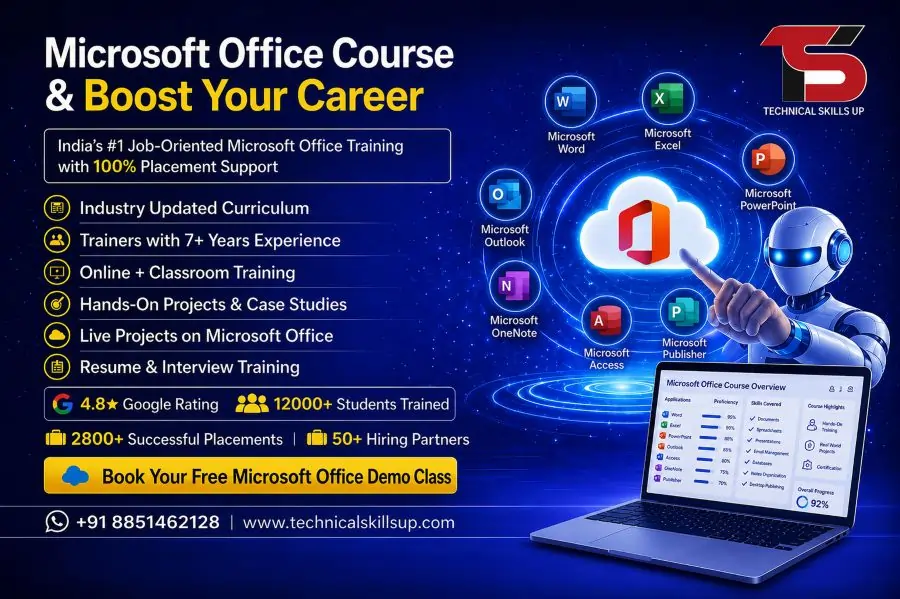
Microsoft Office Course

Microsoft Office Course in Delhi with Placement

Microsoft Office Course in Delhi designed by Technical Skills Up provides a structured learning path for beginners, students, job seekers, and working professionals who want to improve their computer skills. Modern workplaces depend heavily on digital documentation, data handling, presentations, and communication tools. This program focuses on building practical expertise in Microsoft Word, Excel, PowerPoint, and other essential Office applications used in daily office environments. Learners gain confidence through real-world practice, step-by-step guidance, and industry-relevant exercises. Strong emphasis on hands-on training helps students understand how office tools are used in actual job roles such as data entry, administration, accounting, reporting, and office coordination. The training environment focuses on clarity, simplicity, and professional skill development so learners can become job-ready in a competitive market.

About Microsoft Office Training Program

This training program focuses on developing strong foundational and advanced skills in Microsoft Office applications. Learners start with basic computer operations and gradually move toward advanced document formatting, spreadsheet analysis, and presentation design.

The program structure ensures that every student understands how each tool connects to real office tasks. Word processing skills help in documentation work, Excel supports data management and calculations, while PowerPoint improves presentation delivery in professional meetings.

Practical assignments are included after every module to ensure better understanding and retention. This approach supports both beginners and intermediate learners who want structured skill improvement.

Importance of Microsoft Office Skills in Modern Careers

Digital workplaces require employees who can handle documentation, reporting, and communication tools efficiently. Microsoft Office skills are considered essential across almost every industry.

Companies expect employees to create reports, manage data sheets, prepare presentations, and handle emails professionally. Strong Office skills increase productivity and reduce manual errors in daily tasks.

Knowledge of these tools also improves job opportunities in sectors like administration, accounting, HR, marketing, education, and business management.

Key Features of Microsoft Office Training in Delhi

The Microsoft Office Training in Delhi offered by Technical Skills Up includes structured learning modules designed for practical understanding.

Key Features:

  • Step-by-step beginner-friendly training
  • Practical assignments after every topic
  • Real office-based project practice
  • Updated curriculum based on industry needs
  • Personal guidance from experienced trainers
  • Doubt-solving sessions for better clarity
  • Flexible learning batches for students and professionals

Each feature focuses on improving both technical knowledge and practical confidence.

Detailed Course Modules

Microsoft Word Training

This module focuses on document creation, formatting, editing, and professional report writing. Learners practice creating resumes, letters, project reports, and business documents.

Microsoft Excel Training

Excel training includes formulas, functions, charts, pivot tables, and data analysis techniques. This module is highly useful for accounting, data entry, and reporting roles.

Microsoft PowerPoint Training

This section covers presentation design, slide creation, animations, and visual storytelling techniques used in corporate meetings and academic presentations.

Microsoft Outlook and Email Management

Email handling, calendar scheduling, and professional communication skills are included to improve office productivity.

Advanced Office Tools

Advanced features include data visualization, automation basics, and integration techniques between different Office applications.

Microsoft Office Classes in Delhi for Beginners and Professionals

Microsoft Office Classes in Delhi are designed for learners at all levels. Beginners start with basic computer literacy and gradually move toward advanced office operations.

Working professionals can upgrade their skills for better job performance and career growth. Students can use these skills for internships, academic projects, and future job preparation.

Training sessions focus on real examples so learners understand how Office tools are applied in daily tasks.

Expert Trainers and EEAT-Based Learning Approach

Experienced trainers guide learners throughout the program with practical demonstrations and real-time examples.

The teaching method follows EEAT principles:

Experience

Trainers share real workplace experience to explain how Microsoft Office tools are used in professional environments.

Expertise

Each trainer specializes in specific Office applications, ensuring accurate and in-depth knowledge delivery.

Authoritativeness

Structured curriculum and industry-aligned content build strong credibility for learners.

Trustworthiness

Transparent training methods, clear guidance, and supportive learning environment ensure trust and reliability.

Practical Learning and Real-World Projects

Hands-on practice plays a major role in skill development. Students work on real-life projects such as:

  • Creating professional resumes and reports
  • Building financial spreadsheets in Excel
  • Designing business presentations
  • Managing data records and charts
  • Simulating office documentation tasks

These projects help learners understand workplace requirements and improve confidence.

Career Opportunities After Microsoft Office Training

Strong Office skills open multiple career paths across industries.

Job Roles:

  • Office Assistant
  • Data Entry Operator
  • Administrative Executive
  • HR Assistant
  • Account Support Executive
  • Back Office Coordinator

Industry Opportunities:

  • Corporate companies
  • Educational institutions
  • Government offices
  • Banking and finance sector
  • IT support and administration teams

Employers prefer candidates with strong Microsoft Office knowledge due to higher productivity and accuracy.

Microsoft Office Training Institute in Delhi Advantage

Microsoft Office Training Institute in Delhi provides access to quality learning resources and professional guidance.

Delhi offers a strong job market with numerous opportunities in corporate offices, startups, and service-based companies. Learners benefit from exposure to real business environments and networking opportunities.

The training institute environment supports focused learning with updated tools and structured practice sessions.

Why Choose Technical Skills Up

Technical Skills Up focuses on skill-based education designed for job readiness and career growth.

Key Reasons:

  • Industry-focused curriculum design
  • Practical training instead of theory-only learning
  • Experienced faculty support
  • Real-world assignments and projects
  • Career guidance and placement support
  • Beginner-friendly learning approach

The learning environment encourages students to build confidence through continuous practice and expert guidance.

Training Methodology

The training approach follows a structured learning system designed for better understanding.

Method Includes:

  • Live classroom-style sessions
  • Practical demonstrations
  • Step-by-step exercises
  • Weekly assessments
  • Real-time project work
  • Feedback-based improvement sessions

This structured method ensures consistent learning progress and skill improvement.

Tools and Software Covered

Learners gain expertise in essential Office tools used in professional environments.

Tools Include:

  • Microsoft Word for documentation
  • Microsoft Excel for data analysis
  • Microsoft PowerPoint for presentations
  • Microsoft Outlook for communication
  • Basic cloud integration features

Each tool is taught with real examples and practical use cases.

Learning Outcomes

After completing the program, learners develop strong technical and professional skills.

Outcomes:

  • Ability to create professional documents
  • Strong understanding of data management in Excel
  • Confidence in presentation design
  • Improved office communication skills
  • Job-ready technical proficiency

These outcomes help learners become more efficient in workplace environments.

Who Can Join This Program

This training program is suitable for a wide range of learners.

Suitable For:

  • Students preparing for job opportunities
  • Fresh graduates entering corporate careers
  • Working professionals upgrading skills
  • Business owners managing office work
  • Individuals learning computer basics

No advanced technical background is required to join the course.

Importance of Learning Microsoft Office in Delhi

Microsoft Office Course in Delhi provides better exposure to job opportunities in corporate and government sectors. Delhi serves as a major hub for business operations, making it an ideal location for skill development and career growth.

Learners gain advantage from competitive learning environments and real-time industry exposure.

Microsoft Office Classes in Delhi – Skill Development Focus

Microsoft Office Classes in Delhi emphasize skill development through structured practice sessions. Each class focuses on improving accuracy, speed, and professional usage of Office tools.

Regular practice sessions ensure that learners become comfortable with all applications used in office environments.

Microsoft Office Training Institute in Delhi – Professional Growth

Microsoft Office Training Institute in Delhi helps learners build strong professional foundations. The institute environment supports discipline, consistency, and structured learning.

Guided practice sessions and expert mentorship help learners achieve better understanding and career readiness.

Conclusion

Microsoft Office training builds essential skills required in almost every modern workplace. Structured learning, practical training, and expert guidance create a strong foundation for career development. Technical Skills Up provides a focused learning environment where learners can improve technical abilities and gain confidence in using Microsoft Office tools effectively. Strong emphasis on real-world practice ensures job readiness and professional growth in competitive industries.

FAQs:

Q1. What is a Microsoft Office Course?

Ans: A Microsoft Office Course is a training program designed to teach MS Word, MS Excel, MS PowerPoint, MS Outlook, and other office tools in a professional manner, thereby preparing students for office-related work.

Q2. Is this course suitable for beginners?

Ans: Yes, this course is absolutely suitable even for absolute beginners. It covers all topics—from basic to advanced levels—in a simple and easy-to-understand manner.

Q3. Can one get a job after completing the Microsoft Office Course?

Ans: Yes, after completing this course, opportunities such as Data Entry Operator, Office Assistant, Admin Executive, and Back Office roles become available—especially if one possesses strong practical skills.

Q4. Which software applications are taught in this course?

Ans: The course primarily covers MS Word, MS Excel, MS PowerPoint, MS Access, and MS Outlook.

Q5. Does “Technical Skills Up” also provide job placement assistance?

Ans: Yes, “Technical Skills Up” provides students with support regarding interview preparation, resume building, and job placement assistance.

Q6. What is the duration of the course?

Ans: The duration of the Microsoft Office Course typically ranges from 1 to 3 months, depending on the student’s proficiency level.

Q7. Does the course include practical training?

Ans: Yes, more than 70% of the focus in this course is placed on practical training, enabling students to learn how to perform actual office tasks.

Q8. How much does this course cost?

Ans: The fee varies depending on the specific institute; however, this course is generally available within an affordable price range to ensure that it is accessible to every student.

Q9. Is this course essential for securing a job?

Ans: Basic proficiency in MS Office is a prerequisite for many office-based jobs; therefore, completing this course significantly aids in securing employment.

Q10. Is a certificate awarded upon completion of the course?

Ans: Yes, upon successfully completing the course, students are awarded a certificate that validates their acquired skills.

Q11. What career options are available after completing this course?

Ans: Upon completing this course, you can pursue jobs such as Office Assistant, Data Entry Operator, Receptionist, Admin Executive, and Office Coordinator.

Q12. Are both online and offline modes available?

Ans: Yes, the Microsoft Office Course at Technical Skills Up is available in both online and offline modes.

Q13. Is Excel taught at an advanced level as well?

Ans: Yes, advanced Excel topics—such as Pivot Tables, VLOOKUP, HLOOKUP, and Data Analysis—are also taught in this course.

Q14. Are projects included during the course?

Ans: Yes, students are assigned real-life-based projects to strengthen their practical experience.

Q15. How do I enroll in this course?

Ans: You can enroll through Technical Skills Up’s official center or website, and join a batch following a counseling session.

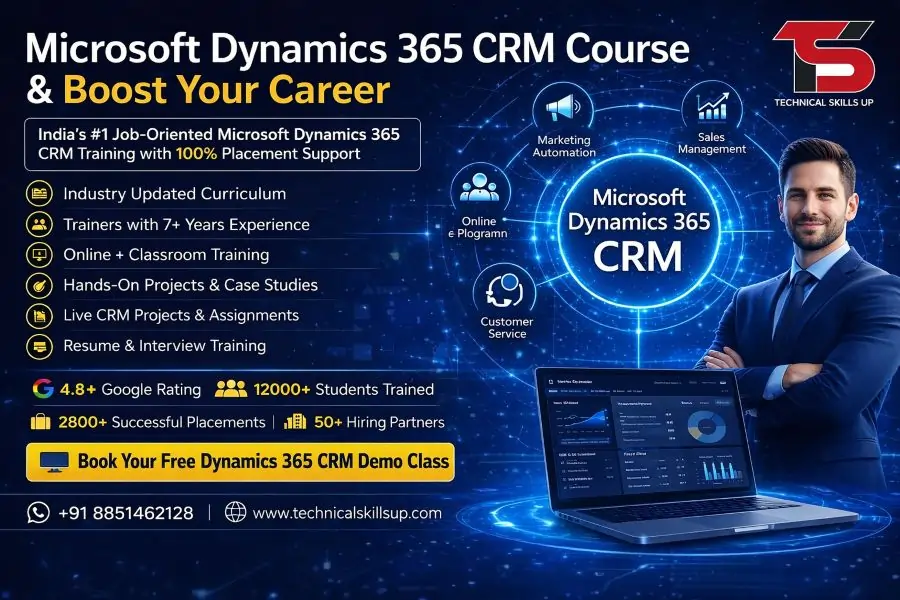
Microsoft Dynamics 365 CRM Course

Microsoft Dynamics 365 CRM Course | Dynamics CRM Training

Modern businesses need smart customer management systems to improve sales, customer support, marketing, and business growth. A professional Microsoft Dynamics 365 CRM Course helps students and working professionals learn how to manage customer relationships, automate business tasks, and improve company performance using Microsoft technologies. Technical Skills Up provides practical learning with real projects, expert trainers, and industry-focused training methods that help learners build strong CRM skills for real job roles.

Training sessions focus on both technical and practical knowledge so learners can understand how CRM systems work in real companies. Every module includes step-by-step learning, hands-on practice, and live examples for better understanding. Students from technical and non-technical backgrounds can join this course and start building a successful career in the CRM industry.

Why Learn Microsoft Dynamics 365 CRM?

Businesses across the world use Microsoft Dynamics 365 CRM to manage customer data, sales pipelines, service operations, and marketing campaigns. Companies prefer this platform because it improves productivity and helps teams work more efficiently.

Learning this CRM platform provides multiple career opportunities in industries such as IT, healthcare, banking, retail, education, and manufacturing. Skilled CRM professionals remain in demand because organizations need experts who can manage customer engagement systems and business automation processes.

Benefits of learning CRM include:

  • Better career opportunities
  • High salary potential
  • Strong demand in the IT industry
  • Knowledge of cloud-based business tools
  • Practical business automation skills
  • Opportunities in multinational companies
  • Better understanding of customer management systems

Microsoft Dynamics 365 CRM Training for Real Industry Skills

Technical Skills Up offers industry-focused Microsoft Dynamics 365 CRM Training designed for beginners, job seekers, business professionals, and working employees. Trainers explain every topic in simple language so learners can easily understand the concepts without confusion.

Practical training methods help students gain confidence while working on live projects and business scenarios. Every module covers important CRM features used in real companies.

Training highlights include:

  • Live instructor-led classes
  • Practical assignments
  • Real-time projects
  • Cloud-based CRM practice
  • Industry case studies
  • Interview preparation support
  • Resume building sessions
  • Placement assistance

Professional trainers guide students from basic concepts to advanced CRM customization and automation processes.

Key Features of the Course

Technical Skills Up focuses on quality learning and practical implementation. Every student receives complete support during the training journey.

Practical Learning Environment

Hands-on practice helps learners understand CRM tools more effectively. Students work on real projects to gain practical knowledge.

Expert Trainers

Experienced industry professionals conduct classes with easy explanations and practical examples.

Updated Course Modules

Latest industry trends and updated CRM technologies remain included in the training curriculum.

Flexible Learning Options

Both classroom and online training options help students learn according to their schedules.

Placement Support

Career guidance sessions prepare students for interviews and job opportunities.

Certification Preparation

Complete support helps learners prepare for Dynamics 365 certification exams.

Who Can Join This Course?

Students and professionals from different educational backgrounds can join this training program. Basic computer knowledge is enough to start learning.

Suitable candidates include:

  • College students
  • IT professionals
  • Sales professionals
  • Business analysts
  • CRM executives
  • Marketing professionals
  • Customer support professionals
  • Entrepreneurs
  • Job seekers

Career-focused learning methods help every learner improve technical and professional skills.

Dynamics 365 CRM Certification Course for Career Growth

A professional Dynamics 365 CRM Certification Course improves your chances of getting better job opportunities in the IT and business management industry. Certification validates your technical skills and practical understanding of CRM systems.

Technical Skills Up helps students prepare for certification exams with practical sessions, mock tests, and project-based learning. Trainers explain important concepts that commonly appear in certification exams.

Certification benefits include:

  • Better job opportunities
  • Professional credibility
  • Increased salary potential
  • Global career opportunities
  • Improved technical confidence
  • Strong industry recognition

Practical exposure during training helps students clear interviews more confidently.

Course Modules Covered in Training

The course curriculum covers important topics required for professional CRM roles.

Introduction to Dynamics 365 CRM

  • CRM fundamentals
  • Business process management
  • Overview of Dynamics 365 applications
  • Customer relationship concepts
  • Cloud computing basics

CRM Navigation and User Interface

  • Dashboard overview
  • Record management
  • Forms and views
  • Business process flow
  • Activity management

Sales Management

  • Lead management
  • Opportunity tracking
  • Sales automation
  • Product management
  • Quote and order processing

Customer Service Management

  • Case management
  • Customer support process
  • Service scheduling
  • Knowledge base management
  • SLA management

Marketing Automation

  • Marketing campaigns
  • Customer segmentation
  • Email marketing
  • Campaign analysis
  • Lead nurturing

Security and User Management

  • User roles
  • Security permissions
  • Business units
  • Access management
  • Data security concepts

Workflow and Automation

  • Business rules
  • Workflow creation
  • Process automation
  • Notifications
  • Approval processes

Reports and Dashboards

  • Report generation
  • Data analysis
  • CRM dashboards
  • Visualization tools
  • Performance tracking

Integration Concepts

  • Microsoft tools integration
  • Outlook integration
  • Power Platform basics
  • Third-party integrations

Real-Time Project Work

  • Live project implementation
  • Business case studies
  • CRM customization tasks
  • Industry workflow examples

Microsoft Dynamics 365 CRM Classes with Hands-On Practice

Professional Microsoft Dynamics 365 CRM Classes at Technical Skills Up focus on practical implementation instead of only theoretical learning. Every topic includes exercises and assignments to improve understanding.

Students receive opportunities to practice on cloud environments where they can create workflows, manage records, build dashboards, and automate business tasks. Practical learning helps learners understand real company workflows and CRM operations.

Classroom benefits include:

  • Interactive sessions
  • Trainer support
  • Practical assignments
  • Doubt-clearing sessions
  • Project discussions
  • Group activities
  • Interview preparation

Learning through practical examples improves confidence and technical problem-solving abilities.

Career Opportunities After Completing the Course

Dynamics 365 CRM skills open multiple career opportunities in the IT and business industry. Many organizations hire trained CRM professionals to manage customer operations and automate business processes.

Popular job roles include:

  • CRM Functional Consultant
  • CRM Administrator
  • CRM Support Executive
  • Business Analyst
  • CRM Developer
  • Sales Coordinator
  • Customer Relationship Manager
  • Technical Consultant

Growing demand for CRM professionals creates excellent career opportunities for skilled candidates.

Salary Opportunities in CRM Careers

Salary packages depend on skills, experience, certifications, and company requirements. Certified CRM professionals often receive better salary offers because companies prefer trained experts.

Freshers can start with entry-level positions and gradually move into advanced consultant or management roles after gaining experience. Practical project experience during training improves chances of getting higher salary packages.

Factors affecting salary include:

  • Technical knowledge
  • Certification level
  • Project experience
  • Communication skills
  • Company profile
  • Location

Continuous learning and practical exposure help professionals grow faster in the CRM industry.

Dynamics 365 CRM Online Course for Flexible Learning

Technical Skills Up also provides a professional Dynamics 365 CRM Online Course for students and working professionals who prefer remote learning. Online sessions include live interaction, practical demonstrations, and project-based learning.

Flexible training schedules help learners balance studies, jobs, and personal responsibilities. Trainers provide complete support during online sessions to ensure proper understanding of every module.

Benefits of online learning include:

  • Learn from any location
  • Flexible batch timings
  • Recorded sessions
  • Live trainer interaction
  • Online project practice
  • Easy access to study materials

Online training provides the same practical exposure as classroom sessions.

Dynamics 365 CRM Online Training with Live Projects

Practical learning remains an important part of Dynamics 365 CRM Online Training at Technical Skills Up. Live projects and business scenarios help learners understand real industry workflows and customer management processes.

Experienced trainers explain every practical task step by step. Students gain experience in workflow automation, sales tracking, dashboard creation, and customer management activities.

Online training support includes:

  • Live practical sessions
  • Assignment reviews
  • Trainer guidance
  • Interview preparation
  • Resume assistance
  • Technical support

Professional mentoring helps learners build confidence and improve technical knowledge effectively.

Importance of CRM Skills in Modern Businesses

Customer relationship management has become one of the most important parts of modern business operations. Companies use CRM systems to improve customer communication, manage leads, increase sales, and provide better customer support.

Microsoft Dynamics 365 CRM helps businesses:

  • Improve customer experience
  • Increase operational efficiency
  • Automate repetitive tasks
  • Track sales performance
  • Manage business data securely
  • Improve marketing activities

Professionals with CRM expertise help companies achieve better business performance and customer satisfaction.

Learning Approach at Technical Skills Up

Technical Skills Up follows a student-focused learning approach designed to make complex topics easy to understand. Trainers explain concepts using real business examples and practical demonstrations.

Training methodology includes:

  • Simple explanations
  • Practical implementation
  • Live project work
  • Interactive sessions
  • Industry examples
  • Career-focused guidance

Continuous support helps learners improve their technical skills and professional confidence throughout the course duration.

Advantages of Choosing Technical Skills Up

Many students prefer Technical Skills Up because of its practical training methods and career-focused approach. Industry experts design the course structure according to current business requirements.

Key advantages include:

  • Experienced trainers
  • Updated course content
  • Practical project exposure
  • Flexible learning modes
  • Affordable training programs
  • Interview preparation support
  • Placement assistance
  • Certification guidance

Professional learning support helps students prepare for real industry challenges.

Soft Skills and Interview Preparation

Technical knowledge alone is not enough for career success. Communication skills, confidence, and interview preparation also play important roles in getting good job opportunities.

Technical Skills Up provides:

  • Mock interviews
  • Resume preparation
  • Communication skill improvement
  • HR interview guidance
  • Technical interview practice

Career-focused training improves overall professional development and job readiness.

Future Scope of Dynamics 365 CRM

Digital transformation continues to increase the demand for CRM professionals across industries. Organizations are investing heavily in customer management systems to improve business operations and customer engagement.

Future opportunities remain strong because:

  • More companies are moving to cloud platforms
  • Automation demand is increasing
  • Customer data management is becoming more important
  • CRM integration with AI tools is growing
  • Businesses require better customer engagement systems

Professionals with strong CRM knowledge can build stable and rewarding careers in the coming years.

Conclusion:

A professional Microsoft Dynamics 365 CRM Course helps learners build valuable technical and business management skills required in modern industries. Technical Skills Up provides practical training, live projects, expert guidance, and career support to help students become job-ready professionals.

Comprehensive learning modules, flexible training options, certification preparation, and practical implementation make this training suitable for beginners and experienced professionals. Strong industry demand for CRM experts creates excellent career opportunities for skilled candidates.

Career-focused training at Technical Skills Up helps students gain confidence, practical exposure, and professional knowledge required for long-term success in the CRM industry.

FAQs:

Q1. What is the Microsoft Dynamics 365 CRM Course?

Ans: The Microsoft Dynamics 365 CRM Course is a professional training program designed to teach Customer Relationship Management (CRM) software. This course covers skills such as Lead Management, Sales Automation, Customer Service, Workflow Management, Reporting, and CRM Customization.

Q2. Who is the Microsoft Dynamics 365 CRM Course suitable for?

Ans: This course is an excellent option for Freshers, Working Professionals, Sales Executives, Customer Support Professionals, Business Analysts, and IT Students. Individuals looking to build a career in the ERP and CRM fields can also pursue this course.

Q3. Why take the Microsoft Dynamics 365 CRM Course at Technical Skills Up?

Ans: At Technical Skills Up, we provide training led by Industry Expert Trainers, along with Live Projects, Practical Training, Interview Preparation, and Placement Support. The training here is delivered in simple language and incorporates real-time examples.

Q4. What is the duration of the Microsoft Dynamics 365 CRM Course?

Ans: The duration of this course typically ranges from 2 to 4 months. The exact duration may vary depending on the training mode and batch timings.

Q5. Is coding knowledge required for this course?

Ans: No, you can easily learn this course even with just basic computer knowledge. However, students with a technical background may grasp certain topics more quickly.

Q6. Which modules are covered in the Microsoft Dynamics 365 CRM Course?

Ans: This course covers topics such as CRM Basics, the Sales Module, Customer Service, Marketing Automation, Dashboard Creation, Security Roles, Workflow Automation, Reporting, and Integration.

Q7. Can I get a job after completing the Microsoft Dynamics 365 CRM Course?

Ans: Yes, after completing this course, you can find job opportunities as a CRM Developer, CRM Functional Consultant, CRM Administrator, Support Engineer, or Business Analyst.

Q8. What is the fee for the Microsoft Dynamics 365 CRM Course?

Ans: The course fee depends on the training institute, the specific course modules included, and the learning mode chosen. It is best to contact the institute directly for accurate information regarding fees and current offers.

Q9. Is online training available for the Microsoft Dynamics 365 CRM Course?

Ans: Yes, both online and offline training options are available. Online training programs typically include live classes, recorded sessions, and practical assignments.

Q10. What are the benefits of obtaining a Microsoft Dynamics 365 CRM certification?

Ans: Certification strengthens your professional skills and enhances the value of your resume. Many companies give preference to certified CRM professionals.

Q11. Does this course involve working on live projects?

Ans: Yes, reputable training institutes provide practical training based on real-time live projects and case studies, enabling students to gain valuable industry experience.

Q12. What kind of salary can one expect after learning Microsoft Dynamics 365 CRM?

Ans: Freshers can command a good starting salary at the entry level. As one gains more experience and skills, the salary package tends to grow rapidly.

Q13. Can students from a non-IT background also pursue the Microsoft Dynamics 365 CRM course?

Ans: Yes, students from a non-IT background can certainly take this course. Business knowledge is often highly beneficial for functional roles within the CRM domain.

Q14. Does the Microsoft Dynamics 365 CRM course offer placement support?

Ans: Many training institutes provide placement assistance services, such as technical skills enhancement, resume building, mock interviews, and interview preparation.

Q15. What is the future scope after completing the Microsoft Dynamics 365 CRM course?

Ans: The demand for Microsoft Dynamics 365 CRM is growing rapidly. As major companies increasingly adopt CRM solutions, the opportunities for career growth and employment in this field are excellent.