Ansible Course in Noida | Ansible Training in Noida

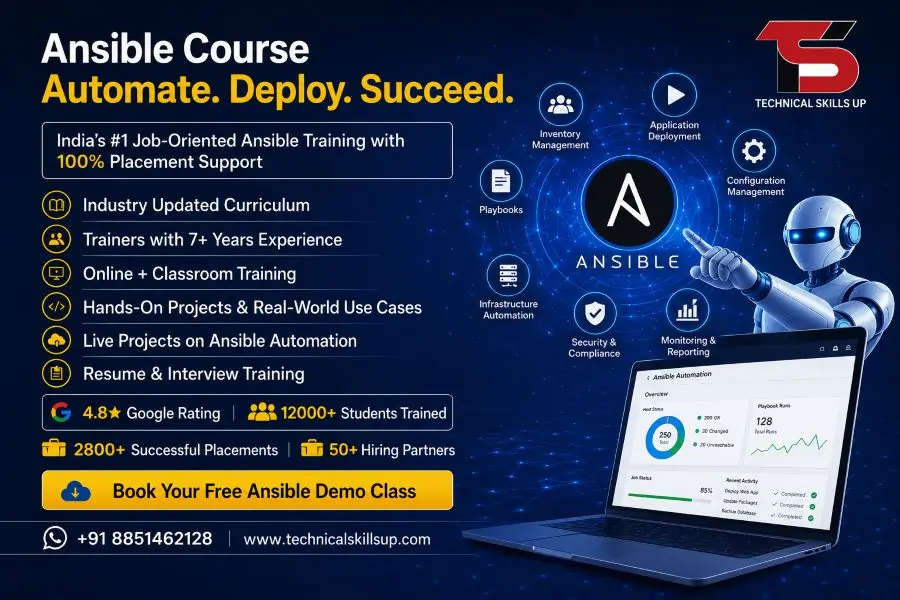
Technology-driven businesses need faster deployment, better automation, and reliable infrastructure management. Modern organizations are actively adopting automation tools to reduce manual work and improve operational efficiency. Professionals who understand infrastructure automation are becoming valuable assets for IT companies across the world. Technical Skills Up offers an industry-focused Ansible Course in Noida designed for students, system administrators, DevOps professionals, cloud engineers, and working professionals who want to build strong automation skills. The program combines theoretical knowledge with practical implementation to help learners understand real business requirements. Every module focuses on hands-on learning, real-time projects, and industry practices. Strong guidance from experienced trainers, practical lab sessions, and career-focused learning make this program suitable for beginners as well as experienced IT professionals seeking career growth in automation and DevOps technologies.

Table of Contents

Course Overview

Automation has become a critical requirement in modern IT environments. Organizations manage hundreds or even thousands of servers, applications, and cloud resources. Manual configuration and deployment consume time and increase the chances of errors. Ansible helps organizations automate these tasks efficiently.

Technical Skills Up has developed a comprehensive training program that covers the complete lifecycle of automation using Ansible. Learners gain practical knowledge of configuration management, application deployment, infrastructure provisioning, orchestration, and automation workflows.

The curriculum is designed according to current industry requirements and focuses on practical implementation rather than just theoretical concepts. Real-world examples help learners understand how automation improves operational efficiency and business productivity.

Key Highlights of the Program

  • Instructor-led live training
  • Practical lab environment
  • Industry-oriented curriculum
  • Real-time project implementation
  • Hands-on automation exercises
  • Resume building support
  • Interview preparation sessions
  • Certification guidance
  • Placement assistance
  • Flexible learning schedules

Why Automation Skills Matter Today

Digital transformation has changed the way businesses operate. Companies are adopting cloud platforms, microservices, containers, and DevOps practices. Automation plays a central role in managing these complex environments.

Businesses seek professionals who can automate repetitive tasks, improve deployment speed, and maintain consistency across systems. Ansible has emerged as one of the most popular automation platforms because of its simplicity and agentless architecture.

Knowledge of automation helps organizations:

  • Reduce manual efforts
  • Improve operational efficiency
  • Minimize configuration errors
  • Accelerate application deployment
  • Enhance infrastructure scalability
  • Improve security compliance
  • Support continuous delivery processes

Strong automation skills can significantly increase career opportunities in today’s technology landscape.

Ansible Training in Noida for Modern IT Professionals

Practical learning creates a solid foundation for success. Technical Skills Up focuses on industry-relevant training that prepares learners for real-world challenges.

Every training session includes demonstrations, exercises, and hands-on implementation. Learners understand how automation works across different environments including Linux servers, cloud platforms, networking devices, and enterprise applications.

Professional trainers explain complex concepts using simple examples, making learning easier for beginners and experienced professionals alike.

Who Should Join This Program?

The course is suitable for:

  • System Administrators
  • Linux Administrators
  • Cloud Engineers
  • DevOps Engineers
  • Network Engineers
  • Technical Support Professionals
  • Software Engineers
  • IT Graduates
  • Computer Science Students
  • Working Professionals seeking career growth

Previous automation experience is helpful but not mandatory.

Importance of Ansible in the IT Industry

Organizations across industries use Ansible to automate infrastructure management and deployment processes. Its simple YAML-based syntax makes it easy to learn and implement.

Many leading enterprises rely on Ansible for:

  • Server configuration management
  • Software deployment
  • Cloud automation
  • Security compliance management
  • Application orchestration
  • Network automation
  • Infrastructure provisioning

Growing adoption of DevOps methodologies has increased the demand for professionals with Ansible expertise. Companies prefer candidates who can automate repetitive tasks and streamline IT operations.

Industry Benefits of Ansible

Faster Deployment

Automation reduces deployment time significantly and improves business productivity.

Better Consistency

Automated configurations eliminate variations between environments.

Improved Reliability

Repeatable automation processes reduce human errors.

Cost Optimization

Reduced manual effort lowers operational costs.

Enhanced Scalability

Organizations can manage larger infrastructures efficiently.

Skills Covered in the Program

Comprehensive training ensures learners gain practical expertise in all major aspects of Ansible automation.

Fundamentals of Automation

Learners begin with core concepts of automation and infrastructure management.

Topics include:

  • Introduction to automation
  • Configuration management concepts
  • Infrastructure as Code fundamentals
  • Automation strategies
  • DevOps integration

Ansible Architecture

Understanding the architecture helps learners build strong foundational knowledge.

Topics include:

  • Control node concepts
  • Managed nodes
  • Inventory management
  • Agentless architecture
  • Communication methods

Installation and Configuration

Practical sessions help learners set up and configure Ansible environments.

Coverage includes:

  • Linux installation
  • Environment setup
  • SSH configuration
  • Inventory creation
  • Connectivity testing

Playbooks and YAML

Playbooks form the foundation of Ansible automation.

Topics include:

  • YAML syntax
  • Playbook structure
  • Variables
  • Conditions
  • Loops
  • Templates
  • Error handling

Roles and Modules

Advanced automation requires modular development practices.

Learners understand:

  • Built-in modules
  • Custom modules
  • Role creation
  • Role management
  • Reusable automation code

Configuration Management

Hands-on exercises focus on real infrastructure scenarios.

Coverage includes:

  • Package management
  • Service management
  • User management
  • File management
  • Security configurations

Advanced Automation

Practical implementation of enterprise-level automation.

Topics include:

  • Dynamic inventories
  • Automation workflows
  • Task orchestration
  • Performance optimization
  • Troubleshooting techniques

Tools and Technologies Covered

Modern IT environments require integration between multiple platforms and technologies. Technical Skills Up provides exposure to commonly used industry tools.

Linux Administration

Linux serves as the primary operating system for many enterprise environments.

Learners gain experience in:

  • Linux commands
  • File management
  • User administration
  • Networking basics
  • Security management

Git Version Control

Version control is essential for modern automation projects.

Coverage includes:

  • Repository management
  • Branching strategies
  • Code collaboration
  • Version tracking

DevOps Concepts

Automation works closely with DevOps practices.

Topics include:

  • CI/CD fundamentals
  • Continuous integration
  • Continuous deployment
  • Infrastructure automation

Cloud Platforms

Cloud adoption continues to grow rapidly across industries.

Learners explore:

  • Cloud automation concepts
  • Resource provisioning
  • Infrastructure management
  • Cloud deployment workflows

Container Technologies

Modern application deployment often involves containers.

Coverage includes:

  • Container fundamentals
  • Container deployment
  • Container orchestration basics
  • Automation integration

Ansible Classes in Noida with Practical Learning

Theory alone cannot build technical expertise. Practical implementation remains the most important part of learning automation.

Technical Skills Up provides extensive hands-on training through:

  • Live demonstrations
  • Guided practical sessions
  • Lab assignments
  • Real-world scenarios
  • Automation projects
  • Deployment exercises

Every learner gets opportunities to work on automation tasks that mirror actual industry requirements.

Project-Based Learning Approach

Practical projects help students gain confidence and experience.

Projects may include:

  • Server configuration automation
  • Application deployment automation
  • Cloud resource provisioning
  • Security compliance automation
  • Infrastructure management tasks

Real project exposure improves problem-solving skills and enhances employability.

Industry Demand and Future Scope

Automation continues to shape the future of information technology. Businesses are investing heavily in technologies that improve efficiency and reduce operational costs.

Market demand for automation professionals continues to increase because organizations require faster deployments and reliable infrastructure management.

Several technology trends support the growth of automation careers:

  • Cloud computing expansion
  • DevOps adoption
  • Infrastructure as Code implementation
  • Hybrid cloud environments
  • Digital transformation initiatives
  • Enterprise automation strategies

Companies seek professionals who understand automation tools and can contribute to operational excellence.

Future Opportunities

Growing demand exists across sectors such as:

  • Information Technology
  • Banking
  • Healthcare
  • Telecommunications
  • E-commerce
  • Manufacturing
  • Consulting Services
  • Cloud Service Providers

Career prospects remain strong for professionals with practical automation expertise.

Ansible Certification Course in Noida for Career Growth

Professional certification validates skills and increases credibility in the job market.

Technical Skills Up prepares learners with the knowledge and practical experience required to pursue industry-recognized certification paths.

Certification preparation includes:

  • Concept clarification
  • Practice exercises
  • Mock assessments
  • Scenario-based learning
  • Interview-oriented training

Employers often prefer candidates who demonstrate verified technical expertise through certifications and practical project experience.

Benefits of Certification

Certification can help professionals:

  • Strengthen resumes
  • Improve career prospects
  • Increase industry recognition
  • Gain employer confidence
  • Enhance technical credibility
  • Access better job opportunities

Career Opportunities After Completing the Course

Automation expertise opens doors to multiple job roles across industries.

Popular career paths include:

DevOps Engineer

Professionals automate deployment pipelines and infrastructure management processes.

Automation Engineer

Experts develop automation solutions for operational efficiency.

Linux Administrator

Administrators manage and automate Linux-based environments.

Cloud Engineer

Engineers automate cloud resource provisioning and management.

Infrastructure Engineer

Professionals maintain and automate enterprise infrastructure systems.

Site Reliability Engineer

Experts focus on system reliability, monitoring, and automation.

Configuration Management Engineer

Professionals manage infrastructure consistency through automation.

Release Engineer

Engineers streamline software deployment and release processes.

Growing demand across these roles creates excellent career advancement opportunities.

Ansible Training Institute in Noida Focused on Real Skills

Technical Skills Up emphasizes practical learning, industry relevance, and career development.

Several factors distinguish the training approach:

Experienced Trainers

Industry professionals deliver training based on real-world experience and current market practices.

Updated Curriculum

Course modules align with current industry trends and employer expectations.

Hands-On Labs

Practical sessions provide valuable implementation experience.

Individual Attention

Smaller batches help trainers focus on learner progress and understanding.

Career Guidance

Professional mentoring supports long-term career development.

Flexible Learning Options

Training schedules accommodate students and working professionals.

Training Methodology

Effective learning requires a structured and practical approach.

Technical Skills Up follows a methodology designed to maximize knowledge retention and skill development.

Interactive Sessions

Learners actively participate in discussions, demonstrations, and exercises.

Practical Assignments

Assignments reinforce concepts learned during training.

Real-Time Projects

Industry-based projects provide hands-on implementation experience.

Case Studies

Practical case studies help learners understand business applications.

Continuous Assessment

Regular evaluations measure progress and identify improvement areas.

Online and Classroom Learning

Flexible learning modes allow students to choose the format that best fits their schedule.

Certification and Placement Support

Career support remains an important part of the learning journey. Technical Skills Up provides guidance beyond technical training.

Support services include:

  • Resume preparation
  • LinkedIn profile optimization
  • Interview preparation
  • Mock interview sessions
  • Technical assessment practice
  • Job application guidance
  • Placement assistance

Professional mentoring helps learners present their skills confidently during recruitment processes.

Interview Preparation

Dedicated sessions focus on:

  • Technical questions
  • Practical scenarios
  • Problem-solving techniques
  • Industry expectations
  • Communication skills

Strong preparation improves confidence and increases employment opportunities.

Why Technical Skills Up is the Right Choice

Selecting the right training provider plays a crucial role in career success.

Technical Skills Up delivers value through:

  • Industry-oriented curriculum
  • Practical learning approach
  • Experienced trainers
  • Modern training infrastructure
  • Flexible schedules
  • Career-focused mentoring
  • Project-based learning
  • Certification guidance
  • Placement support

Learners receive comprehensive training designed to meet current industry demands and future career goals.

Learning Outcomes

After completing the program, learners will be able to:

  • Understand automation concepts
  • Configure Ansible environments
  • Create automation playbooks
  • Manage infrastructure efficiently
  • Automate deployment processes
  • Implement configuration management
  • Work with cloud automation workflows
  • Troubleshoot automation issues
  • Apply DevOps best practices
  • Handle real-world automation projects

These skills help professionals become productive contributors in modern IT environments.

Conclusion

Modern organizations rely heavily on automation to improve efficiency, reduce errors, and accelerate business operations. Strong knowledge of Ansible can help professionals build rewarding careers in DevOps, cloud computing, infrastructure management, and automation engineering. Technical Skills Up provides comprehensive training that combines expert guidance, practical implementation, industry-focused projects, and career support. Every module is designed to deliver real-world skills that employers value. Learners gain confidence through hands-on experience and structured mentoring. A well-planned learning journey, practical exposure, and professional development support make this course an excellent choice for anyone looking to advance in the rapidly growing field of IT automation and infrastructure management.

FAQs:

Q1. What is the Ansible Course in Noida?

Ans: The Ansible Course in Noida is a professional training program that teaches students server management, configuration management, and IT automation using the Ansible automation tool. At Technical Skills Up, this course is taught using an industry-oriented curriculum, enabling students to learn by working on real-world projects.

Q2. Who is the Ansible Training in Noida suitable for?

Ans: This course is suitable for the following individuals:

  • DevOps Engineers
  • System Administrators
  • Cloud Professionals
  • Linux Administrators
  • IT Students
  • Working Professionals

While prior experience makes learning easier, beginners can also take this course.

Q3. What skills are required to take the Ansible Course?

Ans: Having some basic technical knowledge is beneficial for learning Ansible.

  • Basic understanding of Linux
  • Knowledge of networking
  • Use of the command line
  • Knowledge of IT infrastructure

At Technical Skills Up, beginners are also guided starting from fundamental concepts.

Q4. What kind of placement assistance is provided with the Ansible Course in Noida?

Ans: Yes, Technical Skills Up provides placement assistance to students. This includes resume building, interview preparation, mock interviews, and job referral support. The goal is to help students secure better career opportunities in the industry.

Q5. What is the duration of the Ansible Training in Noida?

Ans: The course duration may vary depending on the batch and training mode. Generally, the Ansible Training in Noida is completed within 6 to 10 weeks. Both weekend and weekday batches may be available.

Q6. What topics are covered in the Ansible Course?

Ans: The course covers several important topics:

  • Introduction to Ansible
  • Inventory Management
  • Playbooks
  • Roles and Modules
  • Variables and Templates
  • Automation Workflows
  • Configuration Management
  • Real-Time Projects

Students gain practical experience through these topics.

Q7. Are job opportunities available after learning Ansible?

Ans: Yes, the demand for Ansible professionals in the DevOps and Automation sectors is steadily increasing. After learning Ansible, one can apply for roles such as DevOps Engineer, Automation Engineer, System Administrator, and Cloud Engineer.

Q8. What makes the Technical Skills Up Ansible course different from others?

Ans: Technical Skills Up provides students with practical training in addition to theory. Features such as experienced trainers, live projects, interview preparation, and career support make this course highly valuable. The training focuses on real-world industry requirements.

Q9. Do students work on live projects during the Ansible course?

Ans: Yes, students work on live projects and real-time case studies. This gives them the opportunity to understand the actual work environment and develop industry-level skills.

Q10. What is the significance of Ansible Certification?

Ans: Ansible Certification demonstrates a candidate’s technical proficiency. The certificate strengthens the resume and helps make the candidate’s profile more attractive during the recruitment process.

Q11. What is the relationship between Ansible and DevOps?

Ans: Ansible is a crucial automation tool within the DevOps ecosystem. It simplifies infrastructure provisioning, configuration management, and application deployment. Ansible plays a vital role in making DevOps processes faster and more reliable.

Q12. Is online Ansible training available?

Ans: Yes, Technical Skills Up offers both online and offline training. Through online classes, students can receive training from anywhere and benefit from recorded sessions.

Q13. What is the fee for the Ansible course?

Ans: Course fees may vary depending on the batch, training mode, and additional features. Contacting the Technical Skills Up counseling team is the best way to get accurate fee information. Special offers and discounts are also frequently available.

Q14. How long does it take to learn Ansible?

Ans: The basic concepts of Ansible can be learned in a few weeks. However, regular practice is essential to master real-world projects and advanced automation techniques. Consistent practice enables students to achieve greater proficiency in less time.

Q15. What job roles can one pursue after completing the Ansible course?

Ans: Upon completing the Ansible course, one can apply for the following job profiles:

  • DevOps Engineer
  • Automation Engineer
  • Linux Administrator
  • Cloud Engineer
  • Site Reliability Engineer (SRE)
  • Infrastructure Engineer
  • System Administrator

An understanding of Ansible automation is considered a crucial skill for these roles.
Related Post

Microsoft Word Course

Microsoft Word Online Course | Word Certification Training

Modern workplaces depend on strong document management and professional communication skills. A well-structured Microsoft Word Course helps students, job seekers, business owners, and working professionals learn how to create high-quality documents with confidence. Technical Skills Up offers practical training with simple lessons, live projects, and expert guidance that help learners understand every important feature of Microsoft Word. Practical assignments, real examples, and industry-focused learning make the training useful for office work, business tasks, academic projects, and freelance opportunities.

Professional writing skills improve productivity and help users complete tasks faster in offices, schools, and companies. Many organizations prefer candidates who can create reports, letters, resumes, presentations, and formatted documents professionally. Technical Skills Up focuses on practical learning methods that help beginners and advanced learners improve their document handling skills step by step. Students receive hands-on practice with formatting tools, tables, templates, mail merge, graphics, and advanced editing features that are widely used in modern workplaces.

Professional Microsoft Word Training for Career Growth

Strong computer skills help professionals perform daily office tasks smoothly. Microsoft Word Training at Technical Skills Up covers essential and advanced concepts that help learners work efficiently in real office environments. Training sessions focus on practical exercises instead of only theoretical explanations.

Simple learning methods make the course suitable for beginners, students, homemakers, office staff, and business professionals. Trainers explain every feature with examples so learners can understand document formatting, editing, page setup, and content management easily.

Key Highlights of the Training

  • Industry-oriented practical sessions
  • Live assignments and document projects
  • Step-by-step guidance from trainers
  • Easy explanations for beginners
  • Flexible learning options
  • Updated syllabus based on office requirements
  • Resume preparation support
  • Practice on real business documents
  • Professional certificate after completion

Why Microsoft Word Skills Matter Today

Professional documentation plays an important role in every industry. Companies use Microsoft Word for reports, invoices, proposals, contracts, resumes, and official communication. Strong Word skills improve work quality and save time during daily tasks.

Good formatting knowledge also helps users create attractive and professional documents without depending on others. Students can prepare assignments properly, while office professionals can manage reports and business files more effectively.

Benefits of Learning Microsoft Word

Better Office Productivity

Proper understanding of Word tools helps users complete tasks quickly with fewer errors. Features like templates, styles, tables, and formatting improve document quality.

Professional Document Creation

Clean formatting creates a positive impression in workplaces and interviews. Professional reports and resumes improve communication standards.

Career Opportunities

Many office jobs require Microsoft Word knowledge. Strong computer skills increase job opportunities in administration, data entry, customer service, and business support roles.

Improved Communication

Well-designed documents help businesses communicate information clearly with clients, employees, and customers.

Useful for Students

Academic projects, research work, notes, and presentations become easier with strong Word knowledge.

Microsoft Word Classes with Practical Learning

Interactive classroom sessions help students learn faster through practical activities and trainer support. Microsoft Word Classes at Technical Skills Up focus on hands-on exercises that improve confidence and technical understanding.

Practical tasks include creating reports, resumes, letters, invoices, business documents, and formatted pages. Students practice every topic during the sessions to improve accuracy and speed.

Classroom Learning Features

  • Live demonstrations by expert trainers
  • Individual attention during practice
  • Small batches for better interaction
  • Daily assignments and exercises
  • Practical document creation tasks
  • Doubt-clearing sessions
  • Professional learning environment

Modules Covered in the Course

Comprehensive training helps learners understand both basic and advanced concepts of Microsoft Word. Every module focuses on practical applications used in offices and businesses.

Introduction to Microsoft Word

Students learn the interface, menu options, toolbar functions, and basic document operations. Beginners understand how to create, save, edit, and print documents professionally.

Topics Included

  • Understanding the dashboard
  • Creating new documents
  • Saving and managing files
  • Opening and editing documents
  • Print settings and layouts
  • Keyboard shortcuts

Document Formatting Techniques

Professional formatting improves document appearance and readability. Trainers explain formatting tools with practical examples.

Formatting Skills Covered

  • Font styles and sizes
  • Text alignment
  • Paragraph formatting
  • Line spacing
  • Bullet points and numbering
  • Page borders and shading
  • Headers and footers

Working with Tables and Charts

Tables help organize information clearly inside documents. Learners understand how to create structured tables and professional layouts.

Practical Table Features

  • Creating tables
  • Editing rows and columns
  • Table design formatting
  • Adding colors and styles
  • Data organization methods
  • Basic chart integration

Image and Graphic Management

Visual elements improve document presentation and communication quality. Students learn how to insert and manage images professionally.

Graphic Editing Topics

  • Inserting pictures
  • Image resizing
  • Text wrapping
  • Shapes and icons
  • SmartArt graphics
  • Page design improvements

Advanced Editing Features

Advanced editing tools improve productivity and document accuracy. Real office scenarios help students understand these features better.

Advanced Concepts

  • Find and replace
  • Spell check tools
  • Grammar correction
  • Document review
  • Comments and tracking changes
  • Word count management

Mail Merge Training

Mail Merge helps businesses create multiple personalized documents quickly. Practical sessions help learners understand automation techniques.

Mail Merge Applications

  • Bulk letter creation
  • Address label generation
  • Email document preparation
  • Certificate creation
  • Client communication management

Page Layout and Design

Professional page setup improves the visual appearance of documents. Students learn how to create attractive layouts for reports and official documents.

Layout Features Covered

  • Margin settings
  • Page orientation
  • Column formatting
  • Section breaks
  • Watermarks
  • Themes and templates

Microsoft Word Online Course for Flexible Learning

Busy schedules make online learning a convenient option for many students and professionals. Microsoft Word Online Course at Technical Skills Up provides flexible learning support with practical training sessions.

Online classes help learners attend sessions from home without affecting their work or studies. Live sessions, recorded videos, assignments, and trainer interaction create an effective learning experience.

Advantages of Online Learning

Learn from Anywhere

Internet-based training allows students to attend sessions from any location comfortably.

Flexible Timings

Working professionals and college students can choose suitable batch timings according to their schedule.

Recorded Sessions

Recorded videos help learners revise important concepts anytime.

Interactive Live Classes

Real-time trainer interaction improves understanding and helps students clear doubts quickly.

Practice-Based Learning

Assignments and practical exercises improve technical confidence and accuracy.

Microsoft Word Online Training with Real Projects

Practical learning improves confidence more effectively than theoretical explanations. Microsoft Word Online Training includes live projects and real document tasks that prepare students for office work.

Students practice creating professional business documents, resumes, reports, and formatted files during the training. Real project experience improves speed, creativity, and problem-solving skills.

Project-Based Learning Activities

  • Resume designing
  • Business report creation
  • Invoice formatting
  • Office letter preparation
  • Data table management
  • Project documentation
  • Certificate design practice

Expert Trainers at Technical Skills Up

Experienced trainers play an important role in skill development. Technical Skills Up provides guidance from professionals who understand industry requirements and office work standards.

Simple teaching methods help beginners understand difficult concepts easily. Trainers focus on practical understanding instead of complicated technical explanations.

Trainer Support Includes

  • One-to-one guidance
  • Practical demonstrations
  • Assignment support
  • Career-related advice
  • Interview preparation tips
  • Performance improvement guidance

Microsoft Word Certification Training for Better Opportunities

Professional certification increases credibility and improves career opportunities. Microsoft Word Certification Training at Technical Skills Up helps learners prepare for professional work environments with practical knowledge and hands-on experience.

Certification demonstrates technical knowledge and professional skills to employers. Many companies prefer candidates with recognized computer training certifications.

Benefits of Certification

Strong Resume Value

Professional certification improves resume quality and creates a better impression during interviews.

Better Job Opportunities

Computer certification increases chances of getting office-based and administrative jobs.

Improved Professional Confidence

Certified learners feel more confident while handling office tasks and documentation work.

Industry Recognition

Employers value candidates with practical computer training and certification.

Who Can Join This Course

Simple learning methods make the course suitable for learners from different educational and professional backgrounds.

Suitable for

  • Students
  • Job seekers
  • Office employees
  • Business owners
  • Freelancers
  • Teachers
  • Homemakers
  • Administrative staff

No advanced technical background is required to join the course. Beginner-friendly training helps every learner understand concepts easily.

Career Opportunities After Learning Microsoft Word

Computer skills improve employment opportunities in many industries. Microsoft Word knowledge supports office work, administration, communication, and documentation tasks.

Popular Job Roles

Office Executive

Document management and reporting tasks become easier with Word skills.

Data Entry Operator

Formatting and document handling knowledge improves work efficiency.

Administrative Assistant

Professional documentation skills help administrative staff manage office records properly.

Customer Support Executive

Clear communication and report preparation support daily customer operations.

Freelancer

Freelancers can provide document formatting and typing services to clients.

Practical Assignments and Skill Development

Continuous practice improves learning quality and confidence. Technical Skills Up includes assignments, projects, and revision exercises throughout the training.

Practice Activities

  • Formatting business letters
  • Resume design projects
  • Report creation tasks
  • Table formatting practice
  • Page layout exercises
  • Editing and proofreading activities

Regular assignments help students improve typing speed, formatting accuracy, and document management skills.

Learning Environment at Technical Skills Up

Supportive learning environments improve student performance and understanding. Technical Skills Up focuses on practical education, easy explanations, and interactive learning methods.

Features of the Institute

  • Modern computer labs
  • Updated training materials
  • Practical-focused classes
  • Friendly trainers
  • Flexible batches
  • Career support assistance
  • Interactive sessions

Professional training methods help learners gain confidence and improve their workplace readiness.

Importance of Hands-On Practice

Practical experience helps students understand software tools more effectively. Regular practice sessions improve technical understanding and reduce confusion during office work.

Advantages of Practical Sessions

Faster Learning

Real exercises help learners understand features quickly.

Better Accuracy

Continuous practice reduces formatting mistakes and document errors.

Increased Confidence

Hands-on learning improves confidence during interviews and office tasks.

Real Workplace Preparation

Project-based practice prepares students for professional work environments.

Soft Skills and Professional Development

Technical Skills Up also focuses on improving workplace communication and professional behavior. Professional skills help learners perform better during interviews and office interactions.

Additional Learning Support

  • Communication improvement
  • Professional email writing
  • Resume preparation guidance
  • Interview tips
  • Office etiquette basics

Strong communication and computer knowledge together improve overall career growth opportunities.

Why Choose Technical Skills Up

Quality training and practical learning methods make Technical Skills Up a preferred choice for skill development. Professional guidance, updated modules, and student-focused training improve learning outcomes.

Main Reasons to Choose the Institute

  • Experienced trainers
  • Practical assignments
  • Industry-oriented syllabus
  • Online and offline options
  • Beginner-friendly learning
  • Certification support
  • Career guidance assistance
  • Flexible class schedules

Reliable training support helps students build strong computer skills for academic and professional success.

Conclusion:

Professional computer skills continue to play an important role in modern workplaces. Strong Microsoft Word knowledge helps students, professionals, and business owners create professional documents efficiently and confidently. Technical Skills Up provides practical learning, expert trainer support, flexible batches, and project-based training that help learners understand every important feature of Microsoft Word in a simple way.

Hands-on practice, industry-focused modules, and certification support prepare students for real office work and better career opportunities. Learners gain confidence in document creation, formatting, editing, reporting, and communication through structured training sessions. Technical Skills Up focuses on practical education that helps every student improve productivity, workplace readiness, and professional growth with valuable Microsoft Word skills.

FAQs:

Q1. What is the Microsoft Word Online Course?

Ans: The Microsoft Word Online Course is a professional training program that teaches how to create documents, formatting techniques, tables, reports, resumes, office files, and advanced features. At Technical Skills Up, this course is conducted with live, practical training sessions.

Q2. What are the benefits of taking Word Certification Training?

Ans: Completing Word Certification Training increases your office work efficiency, makes creating professional documents easier, and expands your job opportunities. This skill is beneficial for everyone—students, job seekers, and working professionals alike.

Q3. Who can take the Microsoft Word Online Course?

Ans: This course is open to everyone, including students, freshers, office executives, teachers, business owners, and those preparing for government jobs. Having basic computer knowledge makes the learning process even easier.

Q4. Is it necessary to learn coding for this course?

Ans: No, coding is not required for the Microsoft Word Online Course. It is a completely simple and user-friendly training program where instruction is provided step-by-step.

Q5. What topics are covered in the Word Certification Training?

Ans: This training covers document formatting, Page Setup, Headers and Footers, Mail Merge, Table Design, Resume Creation, Shortcut Keys, Templates, and the creation of professional reports.

Q6. Can this course be taken online?

Ans: Yes, the Microsoft Word Online Course is offered in an online mode by Technical Skills Up. Students can learn from the comfort of their homes through live classes and recorded sessions.

Q7. What is the value of Microsoft Word Certification?

Ans: Microsoft Word Certification validates your computer skills. It strengthens your resume and helps you make a stronger impression during job interviews.

Q8. What is the duration of this course?

Ans: The duration of the Microsoft Word Online Course may vary depending on the institution and the specific modules included. Typically, the course can be completed within a few weeks.

Q9. Can I get a job after completing the Word Course?

Ans: Yes, completing Word Certification Training increases your opportunities for jobs such as Data Entry Operator, Office Assistant, Computer Operator, Back Office Executive, and Administrative Support roles.

Q10. Is it still necessary to learn Microsoft Word today?

Ans: Yes, even today, Microsoft Word is widely used in most offices, schools, colleges, and companies. It is considered the most popular software for creating professional documents.

Q11. Does this course include practical training?

Ans: Yes, at Technical Skills Up, the Microsoft Word Online Course features live practical exercises and real project-based training.

Q12. What skills are developed after completing the Microsoft Word Course?

Ans: Upon completing this course, you will develop key skills such as document management, office formatting, report design, typing speed, and professional file presentation.

Q13. Is this course suitable for beginners?

Ans: Yes, this course has been designed specifically with beginners in mind. The trainers explain concepts in simple language, covering everything from basic to advanced levels.

Q14. What system requirements are needed for the Word Certification Training?

Ans: For online training, an internet connection, a laptop or desktop computer, and the Microsoft Word software are sufficient. Some classes can also be accessed via mobile devices.

Q15. Why should I take the Microsoft Word Online Course from Technical Skills Up?

Ans: Technical Skills Up offers experienced trainers, practical training, live classes, an industry-oriented learning approach, and certification support—all of which ensure a superior learning experience for students.

Automation Testing Course

Automation Testing Course in Noida with Placement

Technology is changing fast, and companies now demand high-quality software with zero errors. Manual testing alone cannot handle this demand, which is why automation testing has become a must-have skill in the IT industry. A well-structured Automation Testing Course in Noida can help you gain the right skills and build a successful career in software testing.

Technical Skills Up offers a complete training program designed for beginners as well as professionals who want to upgrade their skills. This course focuses on practical knowledge, real-world projects, and industry-relevant tools so that learners can confidently step into the job market.

Why Choose Automation Testing as a Career?

Growing demand for faster software delivery has made automation testing one of the most in-demand skills. Companies prefer automation testers because automated tests save time, reduce errors, and improve efficiency.

Automation testing offers several career benefits:

  • High demand in IT companies
  • Better salary compared to manual testing
  • Opportunity to work with advanced tools and technologies
  • Faster career growth
  • Global job opportunities

Technical Skills Up ensures that students understand both the fundamentals and advanced concepts so they can easily handle real-world testing challenges.

About Automation Testing Training in Noida

Technical Skills Up provides one of the best Automation Testing Training in Noida, focusing on hands-on learning and real-time project experience. Industry experts design the curriculum based on current market trends.

Training includes:

  • Step-by-step learning approach
  • Live project work
  • Practical assignments
  • Interview preparation sessions
  • Certification support

Every concept is explained in simple language so that even beginners can understand easily.

What You Will Learn in This Course

Automation testing requires a mix of programming knowledge and testing skills. This course covers everything from basic to advanced topics.

1. Software Testing Fundamentals

Basic understanding of software testing is important before learning automation.

  • Types of testing
  • Testing lifecycle
  • Bug reporting and tracking
  • SDLC and STLC concepts

Strong foundation helps learners understand automation concepts better.

2. Programming Basics

Basic programming knowledge plays a key role in automation testing. Course includes:

  • Introduction to Java or Python
  • Variables, loops, and conditions
  • Functions and object-oriented concepts

Programming training is kept simple and practical for easy understanding.

3. Selenium Automation Tool

Selenium is one of the most popular automation tools used in the industry.

  • Selenium WebDriver
  • Locators and elements
  • Handling web components
  • Test script creation
  • Framework design

Hands-on practice ensures that students gain real confidence in using Selenium.

4. Test Framework Development

Frameworks help organize test scripts and improve efficiency.

  • Data-driven framework
  • Keyword-driven framework
  • Hybrid framework
  • TestNG integration

Understanding frameworks makes learners industry-ready.

5. API Testing

Modern applications depend heavily on APIs. Course includes:

  • API basics
  • Testing using tools like Postman
  • Request and response validation
  • Automation of API tests

API testing skills increase job opportunities significantly.

6. Continuous Integration and Tools

Automation testing is incomplete without CI/CD tools.

  • Introduction to Jenkins
  • Version control using Git
  • Test execution pipelines

Practical exposure to these tools prepares students for real work environments.

Automation Testing Classes in Noida – Practical Learning Approach

Technical Skills Up focuses on practical learning rather than just theory. Every concept is supported by real-time examples and exercises.

Training approach includes:

  • Live classes with expert trainers
  • Daily practice sessions
  • Real project implementation
  • Doubt clearing sessions
  • Assignments after every module

Students get complete support throughout the learning journey.

Who Can Join This Course?

Automation testing course is suitable for a wide range of learners:

  • Fresh graduates looking for IT jobs
  • Manual testers who want to upgrade skills
  • Working professionals in IT
  • Non-technical candidates interested in testing

Basic computer knowledge is enough to start this course.

Benefits of Joining Automation Testing Training Institute in Noida

Choosing the right institute makes a big difference in your career. Technical Skills Up provides industry-level training with many benefits.

1. Experienced Trainers

Industry experts with real experience guide students with practical knowledge.

2. Real-Time Projects

Hands-on projects help learners understand how testing works in real companies.

3. Placement Assistance

Dedicated placement support helps students prepare for interviews and get jobs.

4. Flexible Batches

Weekday and weekend batches are available for students and working professionals.

5. Updated Curriculum

Course content is updated regularly according to industry needs.

Career Opportunities After Automation Testing Course

Automation testing opens doors to multiple job roles in the IT sector.

Popular job roles include:

  • Automation Test Engineer
  • QA Engineer
  • Selenium Tester
  • Software Test Engineer
  • Test Automation Developer

Companies across industries are actively hiring automation testers, which makes this career highly secure.

Tools Covered in the Course

Technical Skills Up ensures that students learn all important tools used in automation testing.

  • Selenium WebDriver
  • TestNG
  • Maven
  • Jenkins
  • Git
  • Postman

Hands-on experience with these tools makes learners job-ready.

Certification and Career Growth

Certification plays an important role in building credibility. After completing the course, students receive a certification from Technical Skills Up.

Career growth path in automation testing:

  • Junior Tester
  • Automation Tester
  • Senior QA Engineer
  • Test Lead
  • QA Manager

Skills learned in this course help students grow quickly in their careers.

Why Technical Skills Up is the Best Choice

Choosing the right training institute is very important for career success. Technical Skills Up stands out due to its quality training and student support.

Key highlights:

  • Practical-based learning
  • Industry-relevant curriculum
  • Experienced trainers
  • Strong placement support
  • Affordable course fees

Focus remains on making students confident and job-ready.

Learning Methodology

Technical Skills Up follows a structured and simple learning approach.

  • Step-by-step concept explanation
  • Real-world examples
  • Hands-on practice
  • Regular assessments
  • Project-based learning

This method ensures better understanding and long-term retention.

Importance of Automation Testing in Modern IT Industry

Automation testing plays a major role in software development today. Companies aim to release software quickly without compromising quality.

Key importance:

  • Faster testing process
  • Reduced human errors
  • Improved test coverage
  • Cost-effective in the long run
  • Better product quality

Automation testing skills help professionals stay relevant in the competitive IT industry.

Salary Expectations After Course

Salary depends on skills, experience, and location. Freshers can expect a good starting salary, while experienced professionals can earn much higher.

Average salary range:

  • Freshers: ₹3 LPA to ₹5 LPA
  • Mid-level: ₹6 LPA to ₹10 LPA
  • Experienced: ₹12 LPA+

Strong skills and practical knowledge can help you earn even more.

Real-Time Project Experience

Practical exposure is very important in automation testing. Technical Skills Up provides real-time projects to help students understand real industry scenarios.

Projects include:

  • Web application testing
  • Automation script development
  • API testing scenarios
  • Framework creation

Working on projects builds confidence and improves problem-solving skills.

Soft Skills and Interview Preparation

Technical skills alone are not enough to get a job. Technical Skills Up also focuses on interview preparation.

Training includes:

  • Resume building
  • Mock interviews
  • Communication skills
  • HR interview preparation

Students get complete guidance to crack interviews successfully.

Flexible Learning Options

Learning should be comfortable and convenient. Technical Skills Up offers flexible learning options.

  • Classroom training
  • Online classes
  • Weekend batches
  • Fast-track courses

Students can choose the option that suits their schedule.

Step Towards a Successful IT Career

Automation testing is one of the best career options in today’s digital world. Right training can help you achieve your goals faster.

Technical Skills Up provides complete support from learning to placement, making it the right choice for anyone looking to build a career in software testing.

Conclusion

Automation testing has become a key skill in the IT industry, offering excellent career opportunities and growth. A well-structured Automation Testing Course in Noida from Technical Skills Up can help you gain practical skills and real-world experience.

Simple teaching methods, expert trainers, and strong placement support make this training program ideal for beginners and professionals alike. Anyone looking to start or grow a career in testing can benefit from this course.

Start your journey today with the best Automation Testing Training Institute in Noida and move towards a successful and rewarding career in the IT industry.

Online Courses

Related Courses in Noida

Related Courses in Delhi

FAQs:

Q1. What is Automation Testing?

Ans: Automation Testing is a process in which software is tested automatically using tools and scripts, rather than being tested manually. This saves time and yields more accurate results.

Q2. Who is the Automation Testing Course suitable for?

Ans: This course is best suited for IT students, BCA, MCA, and B.Tech graduates, Software Testers, and anyone looking to build a career in the field of software testing.

Q3. Why should one pursue an Automation Testing Course in Noida?

Ans: Noida is a major IT hub home to numerous MNCs and software companies. Pursuing the course here provides you with better job opportunities and valuable practical exposure.

Q4. What are the key highlights of the Automation Testing Course at Technical Skills Up?

Ans: At Technical Skills Up, you benefit from working on live projects, guidance from experienced trainers, hands-on practical training, and placement assistance, ensuring you are fully prepared for the industry.

Q5. Which tools are taught in this course?

Ans: This course covers tools such as Selenium, TestNG, Maven, Jenkins, Git, API Testing (Postman), and Framework Development.

Q6. Is programming knowledge required to learn Automation Testing?

Ans: Yes, having basic programming knowledge—such as Java or Python—is beneficial. However, at Technical Skills Up, training begins from scratch, allowing even absolute beginners to learn with ease.

Q7. What is the duration of the Automation Testing Course?

Ans: Typically, the course lasts between 2 to 4 months; however, the exact duration may vary depending on your specific batch and individual learning pace.

Q8. Does this course offer the opportunity to work on live projects?

Ans: Yes, at Technical Skills Up, you get the opportunity to work on real-time live projects, which helps strengthen your practical skills.

Q9. What is the career scope in Automation Testing?

Ans: The demand for Automation Testing is growing rapidly. IT companies have a high need for Automation Testers, and the role also commands an attractive salary package.

Q10. What job roles can one secure after completing this course?

Ans: Upon completing the course, you can secure positions such as Automation Tester, QA Engineer, Test Engineer, or Selenium Tester.

Q11. Can freshers take this course?

Ans: Yes, freshers can easily take this course. It is designed with beginners in mind as well.

Q12. Is placement assistance provided?

Ans: Yes, Technical Skills Up provides its students with resume building, interview preparation, and job placement assistance.

Q13. What is the difference between Automation Testing and Manual Testing?

Ans: In Manual Testing, testing is performed manually (by hand), whereas in Automation Testing, testing is automated using tools and scripts, thereby saving both time and effort.

Q14. Are weekend or online classes available?

Ans: Yes, Technical Skills Up offers both weekend and online class options for working professionals.

Q15. What is the fee for the Automation Testing course?

Ans: Fees may vary depending on the institute and the course content; however, at Technical Skills Up, this course is available at an affordable price, and payment can also be made in installments.

Generative AI Course

Generative AI Course in Delhi with Placement

The Generative AI Course in Delhi offered by Technical Skills Up is designed for students, working professionals, and anyone who wants to build a strong career in Artificial Intelligence. Generative AI is one of the fastest-growing technologies in today’s digital world. From content creation to automation and software development, companies are actively using Generative AI tools to improve productivity and innovation.

At Technical Skills Up, this course covers everything from basic concepts to advanced practical training. You will learn how Generative AI works, how to use popular AI tools, and how to build real-world projects. Our Generative AI Training in Delhi focuses on practical learning, live projects, and industry-ready skills so you can confidently apply for jobs.

If you are looking for the best Generative AI Classes in Delhi, this course provides expert trainers, hands-on experience, certification, and placement support.

What is Generative AI?

Generative AI is a type of Artificial Intelligence that can create new content such as text, images, videos, code, and audio. It uses advanced machine learning models like Large Language Models (LLMs) to generate human-like outputs.

Today, Generative AI is used in many industries including marketing, software development, education, healthcare, and design. Tools like ChatGPT, AI image generators, and automation platforms are changing how businesses work.

Learning Generative AI means learning future skills that companies are actively hiring for.

Why Learn Generative AI in Delhi?

Delhi is one of the biggest technology and startup hubs in India. Many IT companies, startups, and digital agencies are adopting AI solutions. Because of this, there is a huge demand for professionals with Generative AI skills.

Benefits of learning Generative AI:

  • High salary opportunities
  • Fast growing career field
  • Freelancing opportunities
  • Remote job options
  • Startup opportunities
  • Automation skills

Joining a Generative AI Training Institute in Delhi like Technical Skills Up helps you learn with industry guidance and practical exposure.

Generative AI Course Highlights

  • Beginner to advanced curriculum
  • Live practical training
  • Real industry projects
  • Expert trainers
  • Latest AI tools covered
  • Certification after course
  • Portfolio building
  • Placement support
  • Interview preparation
  • Internship opportunity

Our Generative AI Course in Delhi is designed according to industry requirements so you learn job-ready skills.

Why Choose Technical Skills Up

Choosing the right institute is very important for your career. Technical Skills Up is known for practical training and industry-focused courses.

Reasons to choose:

  • Industry expert trainers
  • Practical learning approach
  • Small batch size
  • Personal mentorship
  • Updated curriculum
  • Real projects
  • Flexible timing
  • Online & offline classes
  • Placement assistance

If you are searching for a trusted Generative AI Training Institute in Delhi, Technical Skills Up is a strong choice.

Career Opportunities After Generative AI Training

After completing the Generative AI Course in Delhi, you can apply for multiple roles:

  • Generative AI Engineer
  • Prompt Engineer
  • AI Developer
  • Automation Specialist
  • AI Content Strategist
  • Chatbot Developer
  • AI Product Specialist
  • Data Scientist (AI focused)

Generative AI skills also open freelancing and remote work opportunities.

Who Can Join This Course

This course is designed for beginners as well as professionals.

Suitable for:

  • Students
  • Working professionals
  • Developers
  • Digital marketers
  • Data science learners
  • Entrepreneurs
  • Freelancers
  • Career switchers

No advanced coding knowledge is required for beginners.

Tools You Will Learn

During the Generative AI Training in Delhi, you will learn popular tools used in industry:

  • ChatGPT
  • Gemini
  • Claude
  • Midjourney
  • Python
  • LangChain
  • AI automation tools
  • No-code AI tools

Learning these tools helps you work on real projects.

Course Duration & Mode

  • Duration: 2–4 months
  • Mode: Online / Offline / Hybrid
  • Weekend & weekday batches available
  • Flexible schedule
  • Recorded sessions available

Technical Skills Up provides flexible learning options for students and professionals.

Certification

After completing the Generative AI Classes in Delhi, you will receive an industry-recognized certificate from Technical Skills Up.

Benefits of certification:

  • Strengthens resume
  • Helps in job applications
  • Improves credibility
  • Useful for freelancing

Placement Support

Technical Skills Up provides placement assistance to help students start their careers.

Placement support includes:

  • Resume building
  • Portfolio creation
  • Interview preparation
  • Mock interviews
  • Job referrals
  • LinkedIn optimization
  • Career guidance

Our goal is to help you become job-ready.

Real World Use Cases of Generative AI

Generative AI is used in many industries:

  • Content creation
  • Software development
  • Marketing automation
  • Customer support chatbots
  • Design generation
  • Video creation
  • Education tools
  • Business automation

Learning Generative AI gives you skills that are useful across industries.

Student Benefits

Students get multiple benefits from this course:

  • Practical skills
  • Portfolio projects
  • Industry exposure
  • Career guidance
  • Networking
  • Freelancing skills
  • Productivity improvement

This makes the Generative AI Course in Delhi valuable for long-term career growth.

Student Reviews

Students appreciate Technical Skills Up for:

  • Simple teaching style
  • Practical training
  • Supportive trainers
  • Real projects
  • Career guidance
  • Placement help

Many students successfully transition into AI careers after completing training.

Online Courses

Related Courses in Noida

Related Courses in Delhi

FAQs:

Q1. What is a Generative AI Course?

Ans: A Generative AI course teaches you AI models that can generate text, images, video, and code, such as LLMs, GANs, and prompt engineering.

Q2. Is a Generative AI Course suitable for beginners?

Ans: Yes, most Generative AI courses are designed for beginners and can be started even without coding experience.

Q3. What topics are covered in a Generative AI Course?

Ans: Key Topics Covered in Gen AI Course:

  • Generative AI fundamentals
  • LLMs (Large Language Models)
  • Prompt Engineering
  • AI tools (ChatGPT, Midjourney, etc.)
  • Real-world applications
  • Ethical AI concepts
Q4. Does this course offer practical projects?

Ans: Yes, most training programs include hands-on projects, case studies, and real-world applications to provide practical experience.

Q5. What is the duration of a Generative AI Course?

Ans: Duration varies by institute—some courses last a few weeks, while other short courses last 6–10 hours or a few months.

Q6. Is coding required for a Generative AI course?

Ans: Coding isn’t required for basic courses, but basic knowledge of Python or AI tools is helpful at the advanced level.

Q7. Is there a certificate after completing the course?

Ans: Yes, most Generative AI courses offer a completion certificate that can be added to your resume and LinkedIn profile.

Q8. What are the career options after a Generative AI course?

Ans: Key Career Options After a Gen AI course:

  • Generative AI Developer
  • AI Engineer
  • Prompt Engineer
  • Data Scientist
  • AI Content Specialist
Q9. Does a Generative AI course in Delhi come with a placement?

Ans: Yes, many institutes in Delhi offer internships, live projects, and placement support along with Generative AI training (depending on the institute).

Q10. Who is a Generative AI course best suited for?

Ans:  For These:

  • Students
  • Working professionals
  • Developers
  • Digital marketers
  • Entrepreneurs
Q11. Is mentor or trainer support available?

Ans: Most live or blended courses offer mentor support and doubt sessions.

Q12. What are the benefits of learning Generative AI?

Ans: Generative AI skills are increasingly in demand and are used in automation, content creation, and business solutions, expanding career opportunities.